Apollo-client-devtools: GraphQL extension doesn't work anymore
As of 2/12/19 AM, the GraphQL extension doesn't work anymore in Chrome. I imagine Chrome did a silent update or something like that. :(

 candycanejane
All 7 comments
Reporting this same behavior.
 paradoxinversion
on 14 Feb 2019
paradoxinversion
on 14 Feb 2019
Thanks for the report @candycanejane .
We've released a few updates in the past week! Can you let me know if it's working now? If not, do you see any errors in the debug panel or second level debug panel (panel-inception https://github.com/apollographql/apollo-client-devtools#debugging)?
 justinanastos
on 20 Feb 2019
justinanastos
on 20 Feb 2019
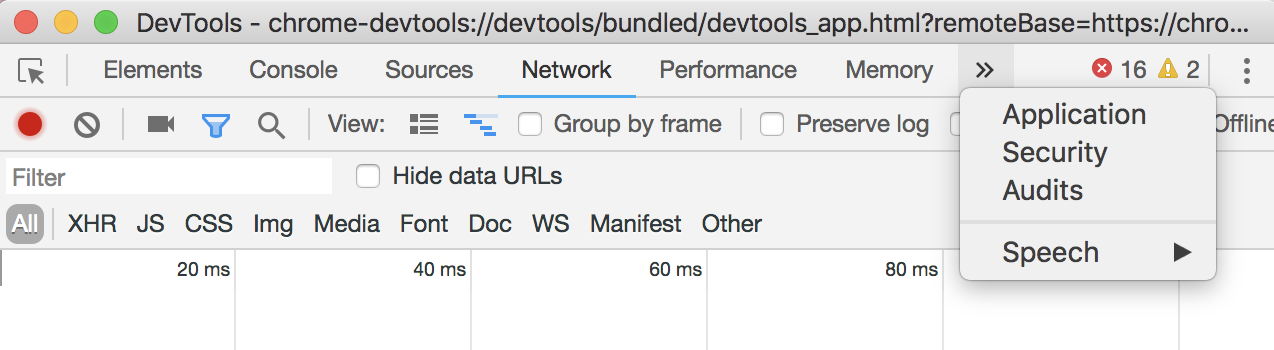
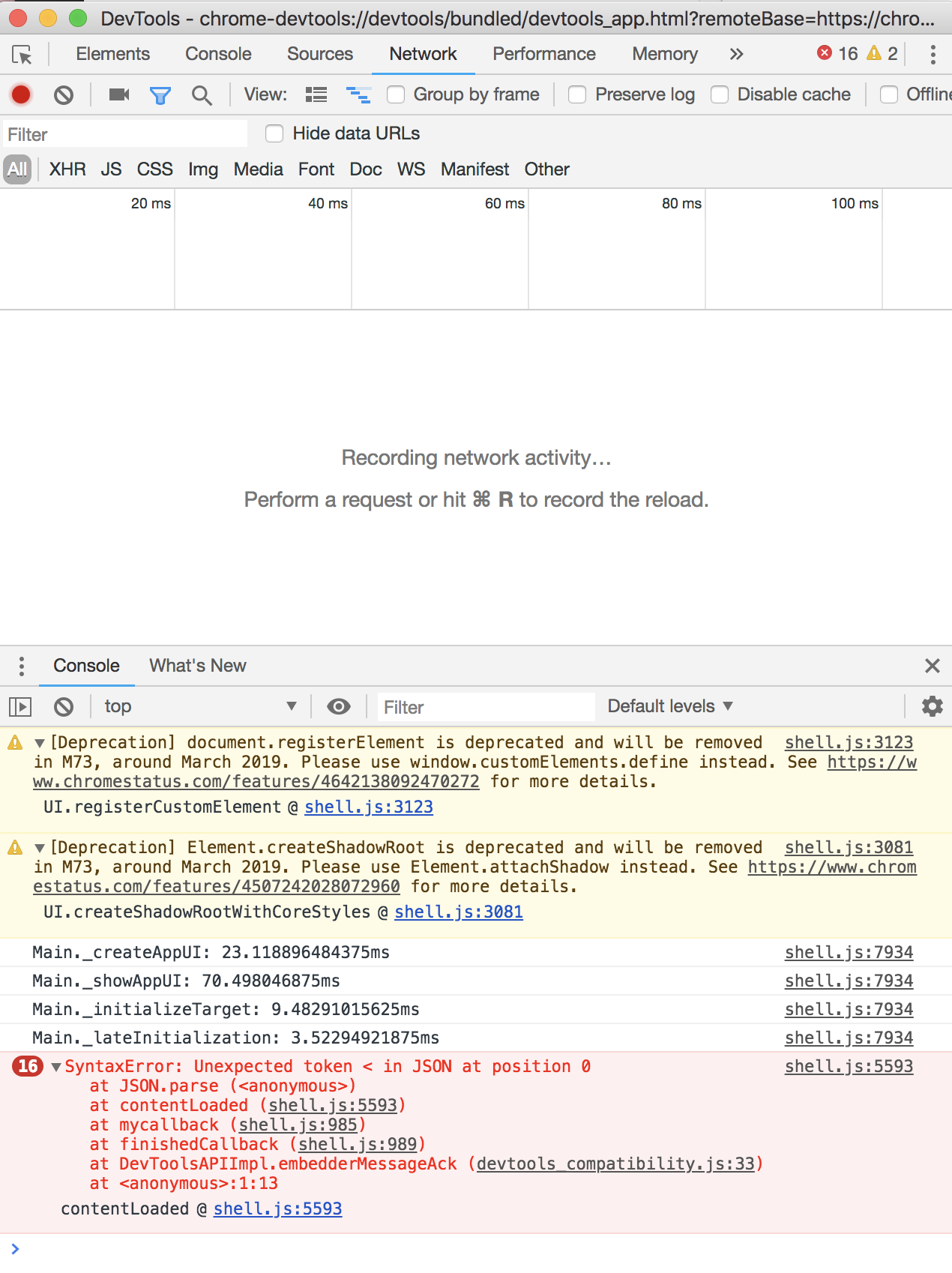
It's not. I don't even see the Apollo Chrome extension anymore when I inspect the page :( There are some errors, but I have no idea what's generating them. I'm attaching screenshots. Thanks for sharing about the second-level debug panel though...very cool. I had no idea that existed.
candycanejane
on 22 Feb 2019
What versions are you using for react-apollo and apollo-client @candycanejane ?
Also, can you try to reproduce with this branch of the fullstack tutorial? https://github.com/justinanastos/fullstack-tutorial/tree/justin/apollo-pre-2.5:
1.cd into final/client and final/server
- Install deps for both of those paths
- Run both of those paths with
npm startat the same time - Navigate to http://localhost:3000
If that _works_, then we know we've isolated the Apollo Client Devtools issue to something with the browser or project and not that it's 100% broken for you.
justinanastos
on 25 Feb 2019
Per https://github.com/apollographql/apollo-client-devtools/issues/142#issuecomment-467315738
Ok, yea. It works using the local tutorial (with Chrome Version 72.0.3626.109/macOS High Sierra 10.13.6). Ok, so it must be one of our GraphQL libraries, and yes, it appears that some of them are out of date:
apollo-datasource-rest: 0.1.5
apollo-engine: 1.1.2
apollo-server: 2.3.1
apollo-server-cache-redis: 0.1.3
apollo-server-express: 2.3.1
graphql: 0.13.2
graphql-import: 0.5.3
graphql-tools: 2.24.0
graphql-type-json: 0.2.1Thank you for looking into this! I expect we'll need to update at our end.
justinanastos
on 26 Feb 2019
@candycanejane we released a new version of the DevTools and new versions of apollo-client and react-apollo today. I'm going to cross my fingers that the new versions help your situation. If not, then please leave another comment here and we'll keep trying to figure this out! :)
justinanastos
on 26 Feb 2019
@justinanastos
I'm running into the same issue. However, my project is using the latest versions of the Apollo Client libs.
Here's the Apollo-related excerpt from my package.json.
  "dependencies": {
  ...
    "apollo-angular": "^1.5.0",
    "apollo-angular-link-http": "^1.5.0",
    "apollo-cache-inmemory": "^1.5.1",
    "apollo-client": "^2.5.1",
    "apollo-link": "^1.2.11",
    "graphql-tag": "^2.10.1",
  ...
  },
  "devDependencies": {
    "@graphql-codegen/cli": "^1.0.6",
    "@graphql-codegen/typescript": "^1.0.6",
    "@graphql-codegen/typescript-apollo-angular": "^1.1.1",
    "@graphql-codegen/typescript-graphql-files-modules": "^1.1.1",
    "@graphql-codegen/typescript-operations": "^1.1.1",
    "graphql": "^14.2.0",
  }
Can you please help me understand what we're doing wrong?
I'm using Chrome v73.0.3683.103.
UPDATE: I figured out what I was doing wrong -- user error. We're using the Apollo Angular Client and I had neglected to supply the connectToDevTools option. I actually didn't realize that I needed to supply that argument. So, one minor suggestion for improved usability would be to have this instruction show up when Apollo Dev Tools extension is installed, but the Apollo Client on the site doesn't have connectToDevTools: true.
After making the change, the extension works like a charm!
 deepankar-j
on 29 Apr 2019
deepankar-j
on 29 Apr 2019
Related issues
 ryannealmes
·
5Comments
ryannealmes
·
5Comments
 wildpow
·
6Comments
wildpow
·
6Comments
 robclouth
·
5Comments
robclouth
·
5Comments
 meyer
·
3Comments
wildpow
·
6Comments
meyer
·
3Comments
wildpow
·
6Comments
Most helpful comment
@justinanastos
I'm running into the same issue. However, my project is using the latest versions of the Apollo Client libs.
Here's the Apollo-related excerpt from my package.json.
Can you please help me understand what we're doing wrong?
I'm using Chrome v73.0.3683.103.
UPDATE: I figured out what I was doing wrong -- user error. We're using the Apollo Angular Client and I had neglected to supply the
connectToDevToolsoption. I actually didn't realize that I needed to supply that argument. So, one minor suggestion for improved usability would be to have this instruction show up when Apollo Dev Tools extension is installed, but the Apollo Client on the site doesn't have connectToDevTools: true.After making the change, the extension works like a charm!