Apollo-client-devtools: Can't query local cache
query {
  investId @client
}
Running this query in React through the client works fine.
If i do the same query in Apollo Dev Tools i just get an unending loading screen

I get no errors or warnings in the console.
Environment:
Chrome 71.0.3578.98
Windows 10 64-bit
 borisyordanov
All 13 comments
I am having the same issue. I wonder, is this expected behavior?
 kyledetella
on 11 Feb 2019
kyledetella
on 11 Feb 2019
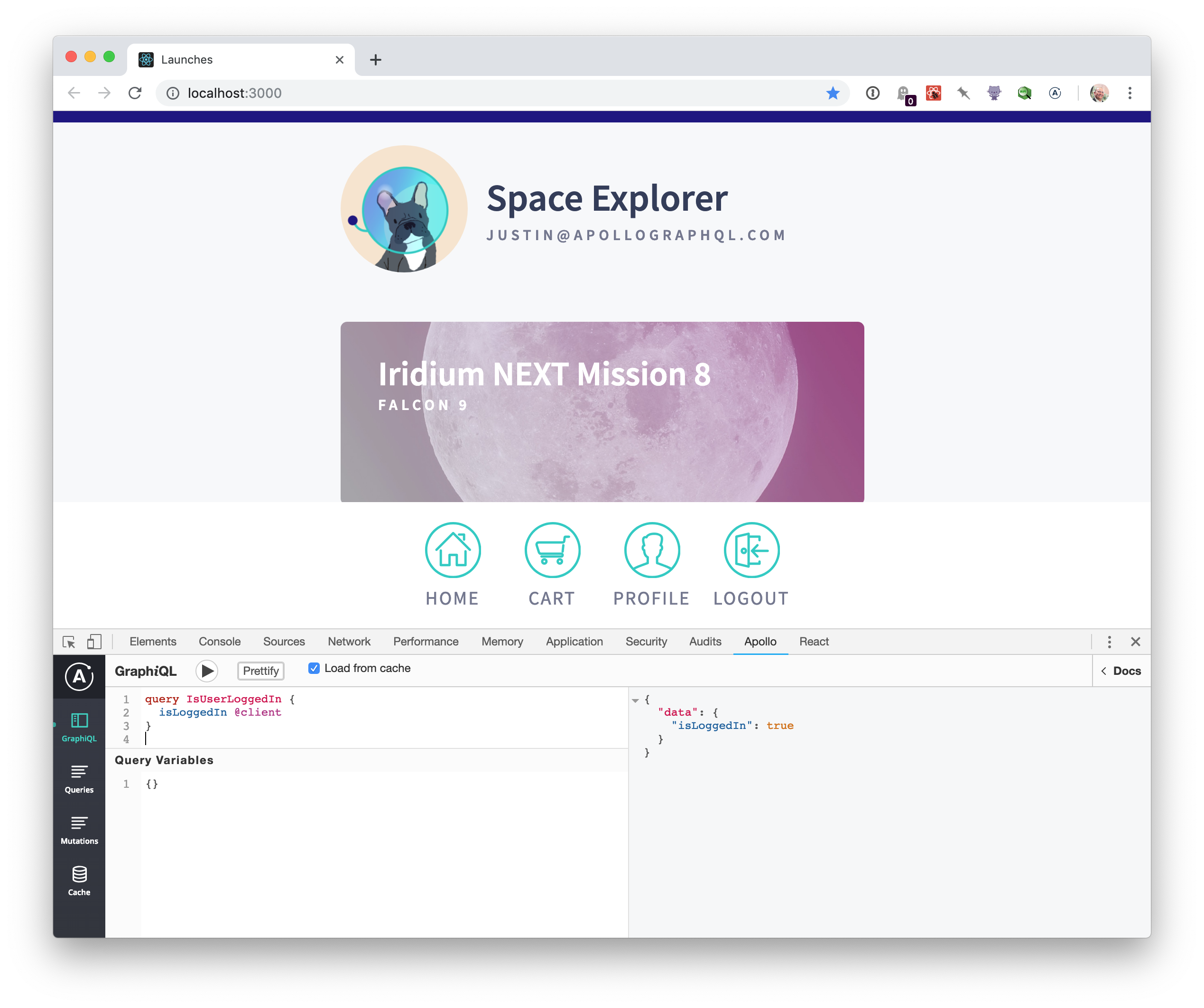
Can you provide a reproduction? I'm able to query the local cache with both the latest alpha of apollo-client and react-apollo on the fullstack tutorial (https://github.com/apollographql/fullstack-tutorial) as well as on a fork (https://github.com/justinanastos/fullstack-tutorial/tree/justin/apollo-pre-2.5) that uses the latest non-alpha versions.
 justinanastos
on 11 Feb 2019
justinanastos
on 11 Feb 2019
I know I only asked for a reproduction an hour ago; I can't reproduce this issue.
If you can, please post the reproduction here and I'll re-open the issue. Thanks again @borisyordanov !
justinanastos
on 11 Feb 2019
@justinanastos Thanks for looking into this, but i don't see how it's relevant to test on https://github.com/apollographql/fullstack-tutorial it doesn't even have apollo-link-state set up, and even if it did, that package is being deprecated.
I forked the repo, updated all the packages and set up a local cache i can query in dev tools.
This is what happens whatever i query (same thing as before - endless loading):

borisyordanov
on 12 Feb 2019
@borisyordanov I should have been more clear. You're right, master on the fullstack tutorial is using the alpha version of Apollo Client that includes Apollo local state and does not use apollo-link-state. When I said this:
as well as on a fork (justinanastos/fullstack-tutorial:apollo-pre-2.5@
justin) that uses the latest non-alpha versions
I should have been more explicit that that fork is using apollo-link-state and the current stable release of Apollo Client.
Chrome extensions don't follow semver and doesn't ask the user to upgrade, so we will be supporting both apollo-link-state and the newest Apollo Client versions for now.
Your repo appears to function locally:
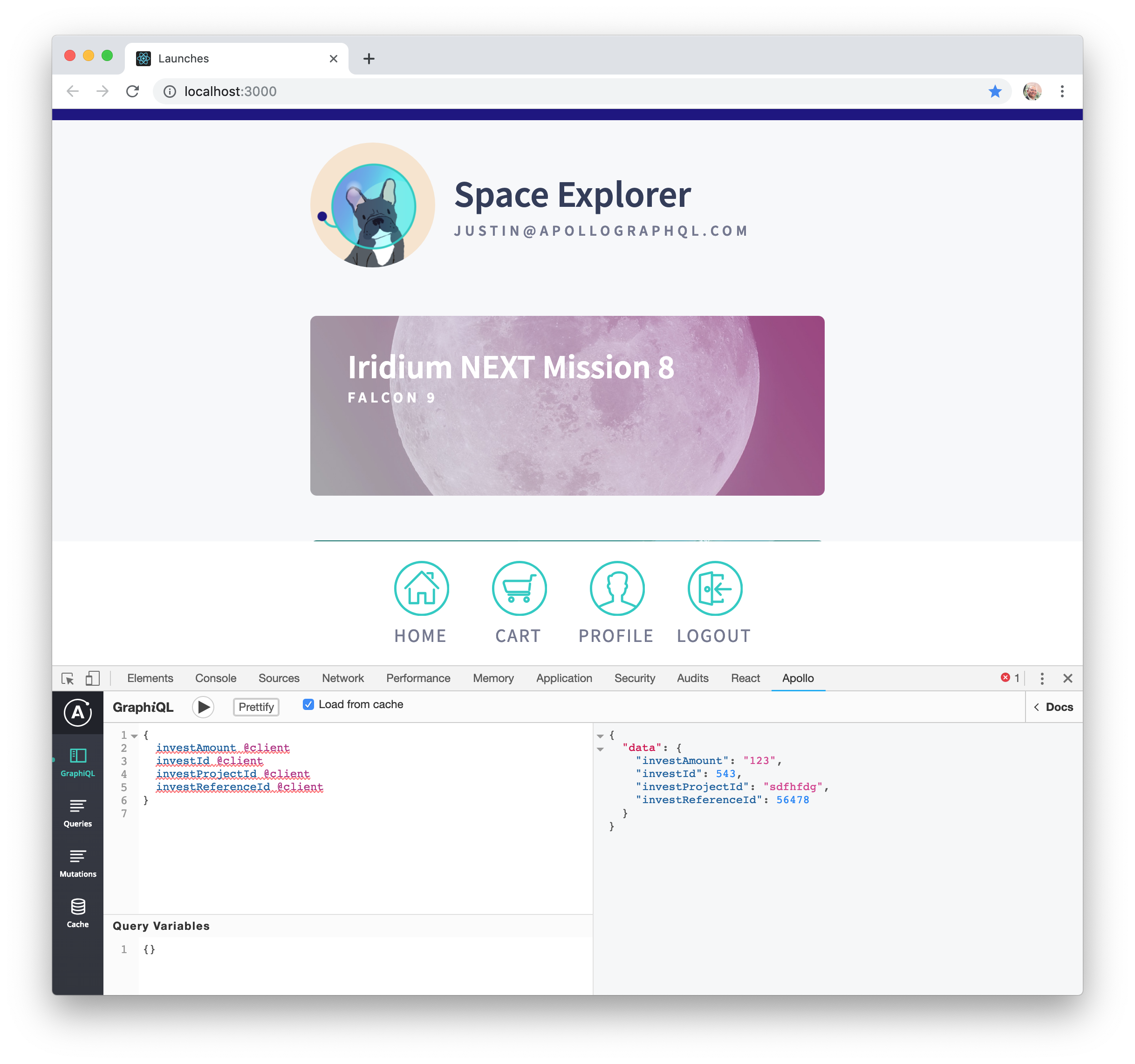
Are there any errors in the dev console per the debugging instructions? https://github.com/apollographql/apollo-client-devtools#debugging If there are, they might help me figure out what's going on here.
justinanastos
on 12 Feb 2019
@justinanastos i forgot to mention that this bug is somewhat sporadic. 80-90% of the time it doesn't work but sometimes it does load what it's supposed to.
When it does work and i refresh the page(or change the current route in react) and run the query again it fails.
When it does work and i do nothing sometimes after 2-3 seconds of the result being rendered (without me even doing anything) the results on the right is replaced by:
{
  "errors": [
    {
      "message": "Failed to fetch",
      "locations": [
        "TypeError: Failed to fetch"
      ]
    }
  ]
}
I tried debugging but the only thing i get in my console is a panel.js:3 still looking... message when the endless loading happens. No other errors or messages.
I tested your extension without any other extensions enabled in the browser.
borisyordanov
on 12 Feb 2019
@borisyordanov Have you tried to reload frame (Apolllo tab in devtools => rightclick on apollo menu => reload frame)
 VasiliKubarka
on 19 Feb 2019
VasiliKubarka
on 19 Feb 2019
maybe the same as https://github.com/apollographql/apollo-client-devtools/issues/108
VasiliKubarka
on 19 Feb 2019
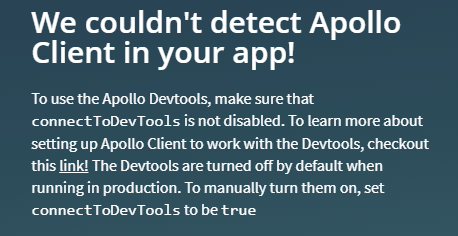
I hadn't tried reloading the frame. I just did and after loading for a bit it i got this message:
borisyordanov
on 19 Feb 2019
@borisyordanov
const client = new ApolloClient({
  cache,
  connectToDevTools: true,
  ...
and it's known issue when after page reload, apollo shows endless loader on query execution, so it should be updated by reload frame
VasiliKubarka
on 19 Feb 2019
connectToDevTools had always been set to true.
Reloading the frame doesn't fix the endless loading bug, because the dev tools never load after reloading.
borisyordanov
on 19 Feb 2019
connectToDevTools only needs to be set if you want access to DevTools in non-development environments (meaning process.env.NODE_ENV !== "development").
We released a new version of the DevTools today along with new versions of apollo-client and react-apollo.
Since I was never able to reproduce your issue (your reproduction worked out of the box as expected), I can't tell you if this fixes any issues youv'e seen.
Please let me know if there's any other information you can provide. I'm going to close this out for now; I'm really hoping with more information I can re-open and figure out what's going wrong.
justinanastos
on 26 Feb 2019
I am having the same issue. I wonder, is this expected behavior?
You might have to check "Load from cache" checkbox if querying local
 usmanqamar
on 7 Apr 2020
usmanqamar
on 7 Apr 2020
Related issues
 konsumer
·
7Comments
konsumer
·
7Comments
 robclouth
·
5Comments
robclouth
·
5Comments
 kissu
·
4Comments
kissu
·
4Comments
 jeffdesign
·
5Comments
jeffdesign
·
5Comments
 glauberfc
·
5Comments
glauberfc
·
5Comments
Most helpful comment
connectToDevToolsonly needs to be set if you want access to DevTools in non-development environments (meaningprocess.env.NODE_ENV !== "development").We released a new version of the DevTools today along with new versions of
apollo-clientandreact-apollo.Since I was never able to reproduce your issue (your reproduction worked out of the box as expected), I can't tell you if this fixes any issues youv'e seen.
Please let me know if there's any other information you can provide. I'm going to close this out for now; I'm really hoping with more information I can re-open and figure out what's going wrong.