Apollo-client-devtools: Devtools coming up strange (Devtools v2.0.6 against Apollo client v2.0.2)
Everything worked great till I bumped to Apollo Client 2.x and now the devtools don't work (and I'm running v2.0.6)
Symptoms:
- The graphiql component works fine (but so what)
- The mutation and query watchers never see any queries
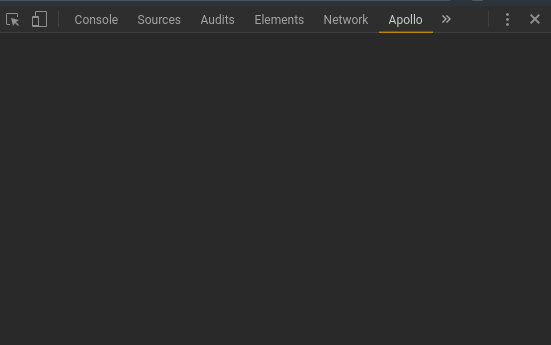
- The store inspector is a completely blank screen (!)
- _APOLLO_CLIENT_ and _APOLLO_DEVTOOLS_GLOBAL_HOOK_ are both present
Very boring screenshot of 'Store':
 elmarsto
All 9 comments
And FWIW here's my relatively boring apollo config:
const mkcache = (introspectionQueryResultData: Object) => {
  // from recipe at  https://www.apollographql.com/docs/react/recipes/fragment-matching.html
  // added to shut up 'heuristic matched fragment' warning in container/forecast.jsx
  const fragmentMatcher = new IntrospectionFragmentMatcher({ introspectionQueryResultData })
  return new InMemoryCache({ fragmentMatcher })
}

// adapted from https://www.apollographql.com/docs/react/features/error-handling.html
const erroneous = ({ response, graphQLErrors, networkError }) => {
  const errs = []
  if (graphQLErrors) {
    errs.push(...graphQLErrors.map(({ message, locations, path }) =>
      `[GraphQL error]: Message: ${message}, Location: ${locations}, Path: ${path}`))
  }
  if (networkError) {
    errs.push(`[Network error]: ${networkError}`)
  } else {
    response.errors = null
  }
  console.log('hi I definitely got called')
  setErr(errs.join('\n'))
}

const mklink = (token: string, uri: string) => {
  const httpLink = createHttpLink({ uri })
  const errLink = onError(erroneous)
  const authLink = setContext(() => ({
    headers: {
      authorization: getAuth(token),
    },
  }))
  return from([errLink, authLink, httpLink])
}

export const mkclient = (link: Object) => (
  new ApolloClient({
    connectToDevTools: true,
    cache: mkcache(fragmentTypes),
    link,
  })
)

// Bring it all together. The Apollo Client.


export const client = mkclient(mklink(JWT_LOCALSTORAGE, GRAPHQL_ENDPOINT))
Any movement on this? :)
elmarsto
on 19 Jan 2018
Exactly the same behavior on Chromium under Ubuntu (same Apollo client).
In fact the graphiql is kinda buggy as well - infinite loading, some strange syntax error reporting. But I agree it's not really critical important feature.
The rest of the devtools is completely non-usable. And this is where I fail to monitor my application state and queries. And I'm fresh newcomer from Redux world and Redux development tool, sorry for the higher expectations 😄 I've completely switched to Apollo state management via apollo-link-state, which did sound a good idea, before I realized the dev tools are broken...
Any input will be highly appreciated.
Do you need additional information?
Should we go for Links console-logging etc or we could expect compatible for Apollo Client 2.2.x development extension?
 myovchev
on 19 Jan 2018
myovchev
on 19 Jan 2018
My workaround has been -- and this is ugly as hell -- to use Wireshark (under Ubuntu) and good filtering IPF ruleset to grab the actual queries and return values. It's a fiddle to set up, but it works reasonably well, if/when you're familiar with Wireshark. Caveats: Wireshark is aptly-named and has a lot of pointy sharp bits for newcomers to wear themselves down on; also, this only works if your development environment is not using HTTPS (which is a reasonable expectation for developing at localhost:8080 or similar, but not so reasonable if you're chasing bugs on staging or production)
elmarsto
on 24 Jan 2018
Ultimately there's no substitute for good devtools, however, and I'm glad I hadn't gotten around to moving everything over to apollo-state-link, as the above hack only works on actual graphql HTTP queries. Redux wins this round, hands down and, for my project, permanently.
elmarsto
on 24 Jan 2018
@myovchev interestingly, we're both on Ubuntu. Could be a clue? I mean, probably not, but...
elmarsto
on 24 Jan 2018
I had the same problem and this https://github.com/apollographql/apollo-client-devtools/issues/106#issuecomment-368752638 solved for me
 jvbianchi
on 12 Jun 2018
jvbianchi
on 12 Jun 2018
Thanks for reporting this issue! I just joined the devtools project and I'm going through all the open issues. Was this resolved with https://github.com/apollographql/apollo-client-devtools/issues/106#issuecomment-368752638 ?
If so, then it will also relate to https://github.com/apollographql/apollo-client-devtools/issues/118
 justinanastos
on 11 Feb 2019
justinanastos
on 11 Feb 2019
I'm going to close this issue and keep an eye out for a response. If I hear back that things are still not working then I'll re-open the issue. Thanks again!
justinanastos
on 11 Feb 2019
Related issues
 iki
·
7Comments
iki
·
7Comments
 backjo
·
6Comments
backjo
·
6Comments
 ryannealmes
·
5Comments
ryannealmes
·
5Comments
 wildpow
·
6Comments
wildpow
·
6Comments
 stubailo
·
4Comments
stubailo
·
4Comments
Most helpful comment
I had the same problem and this https://github.com/apollographql/apollo-client-devtools/issues/106#issuecomment-368752638 solved for me