Apktool: Can't Recompile any android app. Exit code 132
Information
- **Apktool Version (`latest one 2.4.1)
- **Operating System (Linux)
- **APK From? (Any app from anywhere "Android app")
Stacktrace/Logcat
kali@localhost:/$ apktool b virus1
I: Using Apktool 2.4.1
I: Checking whether sources has changed...
I: Smaling smali folder into classes.dex...
I: Checking whether resources has changed...
I: Building resources...
brut.androlib.AndrolibException: brut.common.BrutException: could not exec (exit code = 132): [/tmp/brut_util_Jar_15924582530676693049.tmp, p, --forced-package-id, 127, --min-sdk-version, 16, --target-sdk-version, 22, --version-code, 1, --version-name, 1.0, --no-version-vectors, -F, /tmp/APKTOOL11389677012534912681.tmp, -e, /tmp/APKTOOL14404947888819616738.tmp, -0, arsc, -I, /home/kali/.local/share/apktool/framework/1.apk, -S, /virus1/res, -M, /virus1/AndroidManifest.xml]nclude stacktrace here
```
Steps to Reproduce
apktool
Frameworks
If this APK is from an OEM ROM (Samsung, HTC, LG). Please attach framework files
(.apks that live in /system/framework or /system/priv-app)
APK
If this APK can be freely shared, please upload/attach a link to it.
Questions to ask before submission
- Have you tried
apktool d,apktool bwithout changing anything? - If you are trying to install a modified apk, did you resign it?
- Are you using the latest apktool version?
 NarenderModi
All 21 comments

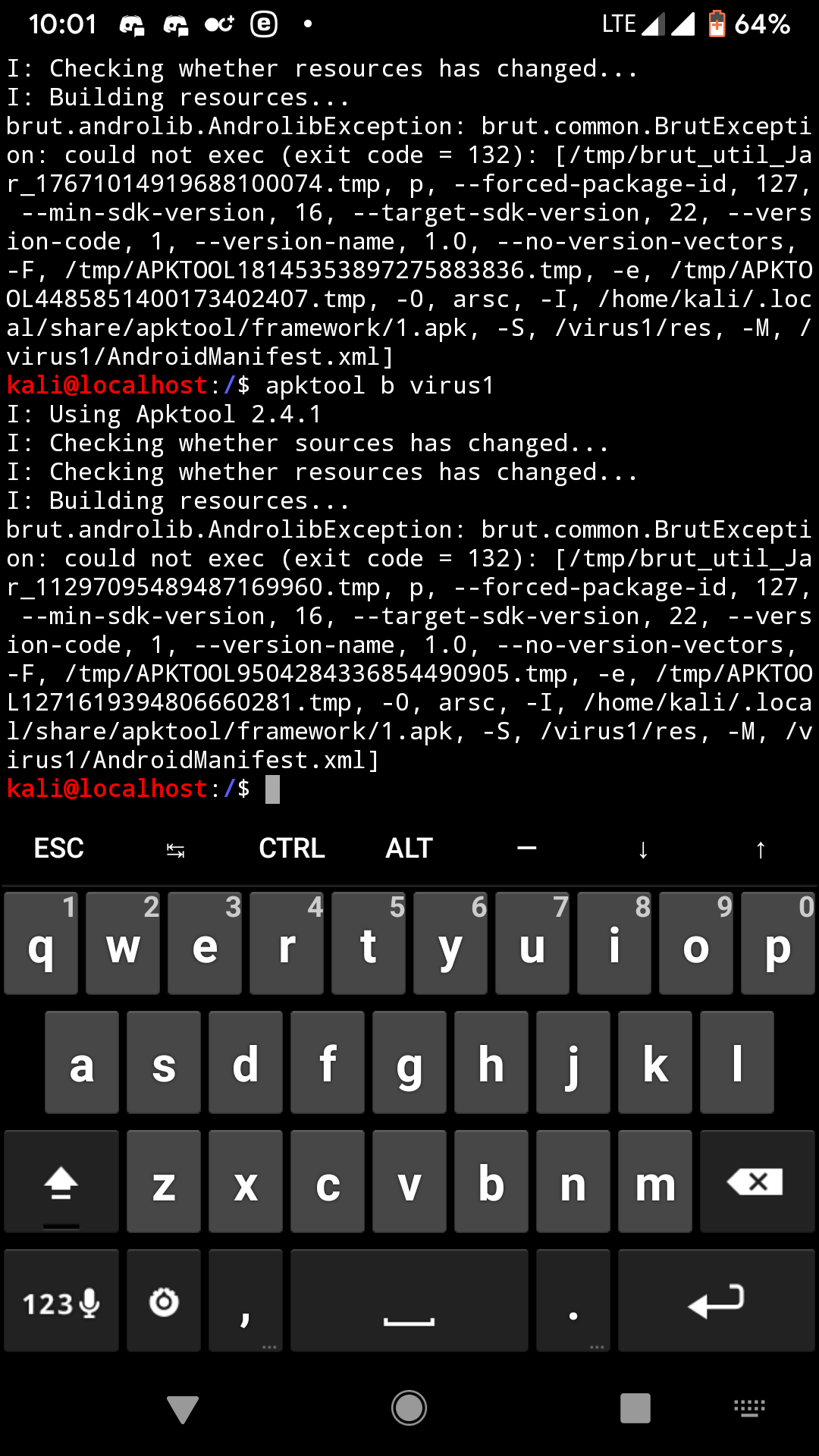
NarenderModi
on 19 Apr 2020
I got the same issue.
Please how can i fix this problem

 Yuliianto
on 19 Apr 2020
Yuliianto
on 19 Apr 2020
I got the same issue.
Please how can i fix this problem
NarenderModi
on 19 Apr 2020
Code 132 is either 32 bit incompatibilities or some missing image binary.
This is not a bug.
See - https://stackoverflow.com/questions/27715506/error-executing-aapt-return-code-132-problems
 iBotPeaches
on 19 Apr 2020
iBotPeaches
on 19 Apr 2020
I briefly describe you
I am using kali nethunter android
I also try to shift from kali nethunter to ubuntu and parrot OS. But getting same error in all platform
now this is becoming common problem for android users as i discussed with my friends..
They are getting same problem
Can you provide easy method or any video . So that we can solve this problem easily
NarenderModi
on 19 Apr 2020
They are getting same problem
I doubt it. You aren't using plain apktool in your Ubuntu screenshot and the Android (mobile) has no official supported version for Apktool.
iBotPeaches
on 19 Apr 2020
They are getting same problem
I doubt it. You aren't using plain apktool in your Ubuntu screenshot and the Android (mobile) has no official supported version for Apktool.
No , Android device supports apktool i have see many youtube video using apktool successfully
Please do check in your own android device (not emulator)
NarenderModi
on 20 Apr 2020
Code 132 is either 32 bit incompatibilities or some missing image binary.
This is not a bug.
See - https://stackoverflow.com/questions/27715506/error-executing-aapt-return-code-132-problems
@iBotPeaches
I experienced the same thing, I can't recompile with exit code 132 on Kali Nethunter Android, but apktool run perfectly when recompile on Alpine Linux by using this aapt2.
this aapt2 compile with musl-libc, its possible to run this aapt2 on kali ?
sorry for my bad english
$ file /usr/bin/aapt2
/usr/bin/aapt2: ELF 64-bit LSB pie executable, ARM aarch64, version 1 (SYSV), dynamically linked, interpreter /lib/ld-musl-aarch64.so.1, with debug_info, not stripped
 whoiam1337
on 6 May 2020
whoiam1337
on 6 May 2020
@whoiam1337
I tried this aapt2 but got the same error
NarenderModi
on 9 May 2020
I have been dealing with this problem for a long time and I found a solution to this problem apktool. I have arranged to run on Android (nethunter vs.), you can use this jar file and forward it to those who have experienced this problem (fix exit code = 132)
[redacted]
@phhusson
@NarenderModi
@whoiam1337
@Yuliianto
@iBotPeaches
 canxx99
on 22 Jul 2020
canxx99
on 22 Jul 2020
Hey @canxx99 , I'm going to remove your post. I shy away from sharing binaries due to security reasons. You are welcome to share source changes or even upstream them, but we won't share binaries due to the possible security implications.
iBotPeaches
on 22 Jul 2020
As a solution to this problem, I shared a jar file, but it was removed for security reasons.
I shared the file on my own page.
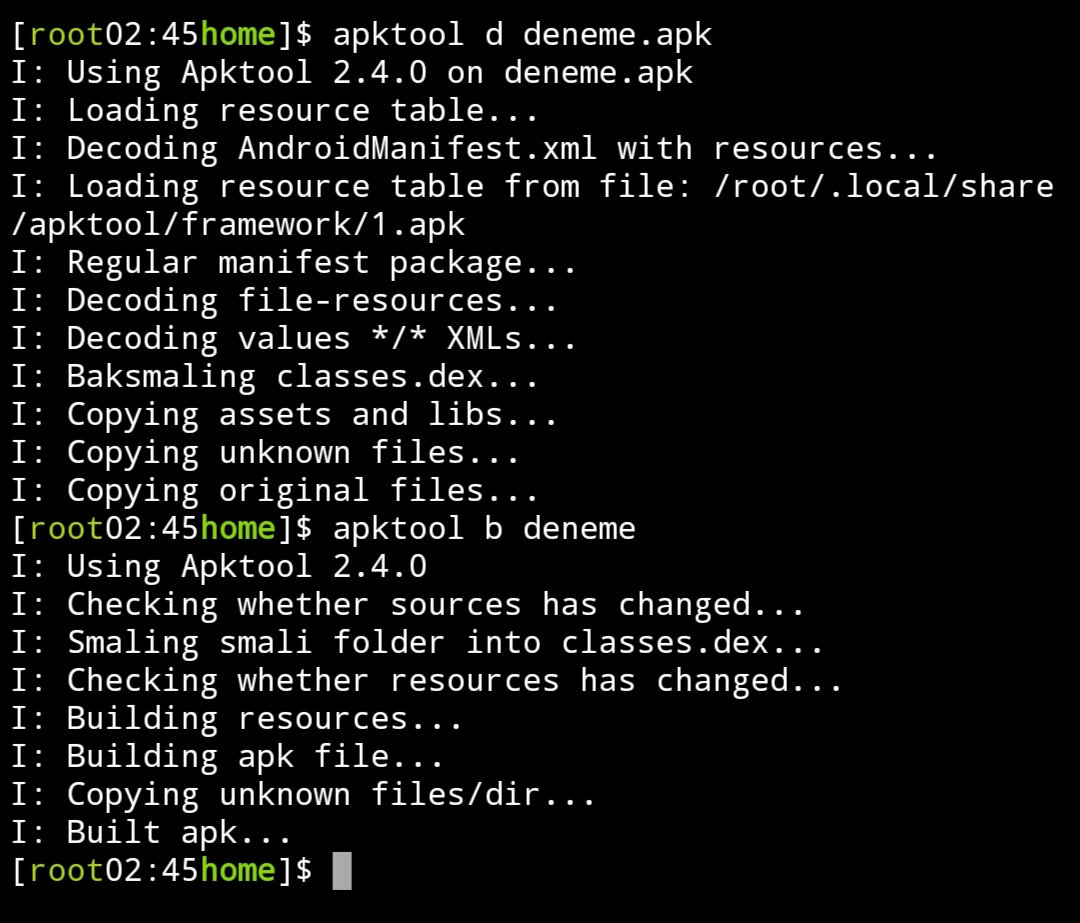
@NarenderModi
@whoiam1337
@Yuliianto
canxx99
on 22 Jul 2020
So hos to solve this issue?
Yuliianto
on 8 Aug 2020
@Yuliianto you'll need to have ARM binaries for aapt and aapt2.
It seems that @canxx99 already compiled them and built the apktool.jar so you can download his version, at your own risk. That's the only difference between his version and the official version (we are talking about 2.4.0).
 giacomoferretti
on 8 Aug 2020
giacomoferretti
on 8 Aug 2020
@giacomoferretti it's still not got same problem

Yuliianto
on 9 Aug 2020
@Yuliianto As stated verbally, this is not an error. Aapt does not work for arm64 architecture. You have to use the jar in my tank. I recompiled it and made it aapt arm64 compatible.
https://github.com/canxx99/apktool

canxx99
on 9 Aug 2020
i have the same problem. I am using apktool 2.5.0, what should I do? @iBotPeaches
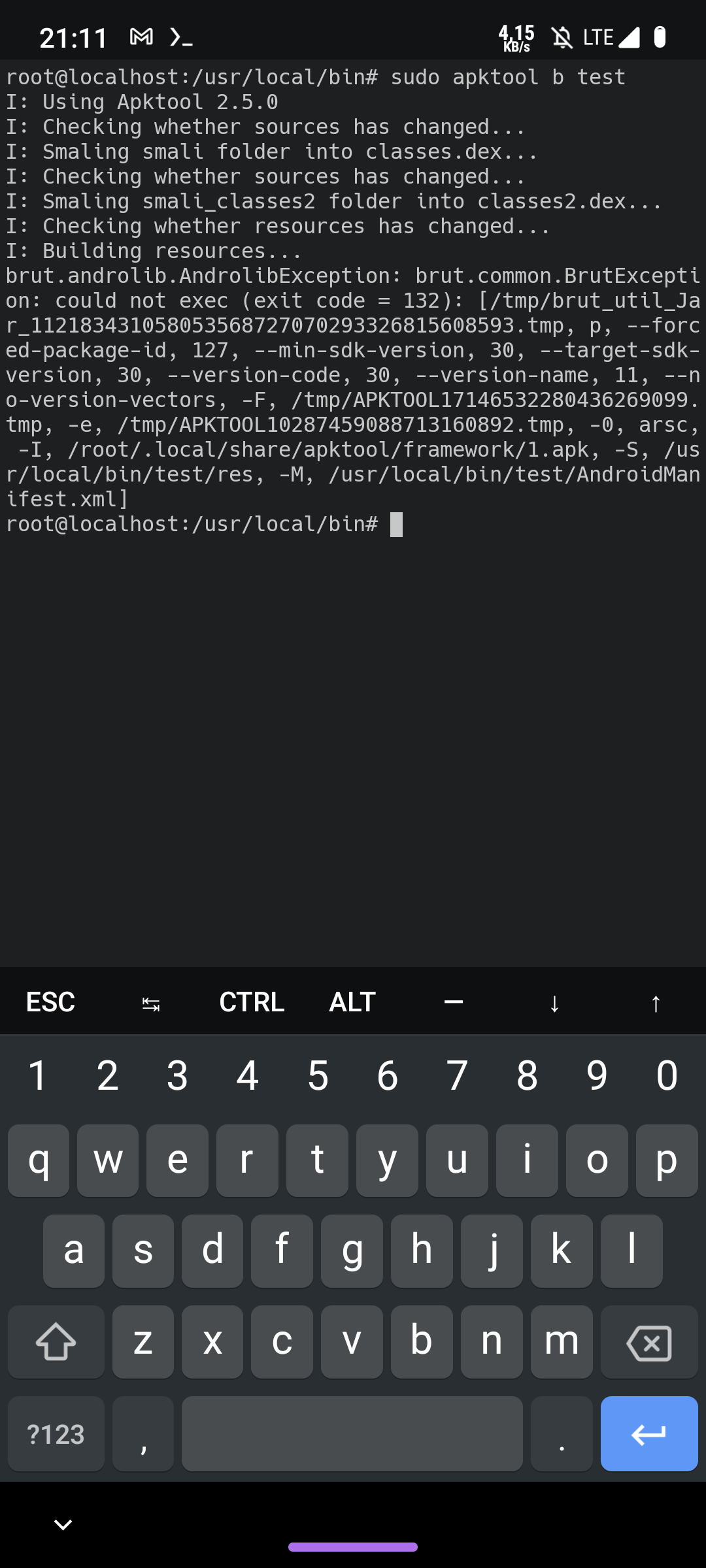
 mertbeet
on 28 Dec 2020
mertbeet
on 28 Dec 2020
@mertbeet - We don't officially support running Apktool on a device. Sorry.
iBotPeaches
on 28 Dec 2020
@mertbeet The jar I compiled for Android devices works, you can download it from my repository, but it only works with apktool 2.4.0. (but it is not an Official version, it is your responsibility to use the jar file)
canxx99
on 28 Dec 2020
@mertbeet The jar I compiled for Android devices works, you can download it from my repository, but it only works with apktool 2.4.0. (but it is not an Official version, it is your responsibility to use the jar file)
Thank you. I guess I need to use 2.5.0 for A11 apks, for best experience. Can you use your solution with the apktool developer?
mertbeet
on 28 Dec 2020
@mertbeet I tried it for you bro and it worked but I don't know if it works for all apk files, you can try. I tried it in an apk file for this and it worked. How can I send this to you

canxx99
on 28 Dec 2020
Related issues
 raulsiles
·
4Comments
raulsiles
·
4Comments
 labba
·
4Comments
labba
·
4Comments
 ickacn
·
4Comments
ickacn
·
4Comments
 mildsunrise
·
3Comments
mildsunrise
·
3Comments
 xiao-xing-yun
·
3Comments
xiao-xing-yun
·
3Comments