Apicurio-studio: Preview throws "internal server error" without further explanation
I fixed my OpenAPI spec to only use schema references in the path.
It finally loads in ReDoc as designed, however doesn't load in apicurio.
On closer inspection, the call to load the YAML fails:
https://studio.apicur.io/download?type=api&format=json&id=20598
with "Internal Server Error" (but still HTTP code 200).
Wonder what I missed?
 Stwissel
All 8 comments
HTTP code 200 with an internal error body? That's not good.
I confirmed that the API Design itself is fine. I imported it into Apicurio Studio and then viewed the documentation. You can see it here:
https://studio-ws.apicur.io/sharing/0eac4037-57a2-4107-b8ed-fd38f6ded2c7
So the problem must be something else. Would you be willing to share the API design with me (e.g. email me a collaborator link)?
Another thing to try is to Clone the API Design and see if the cloned one exhibits the same problem(s).
 EricWittmann
on 16 Jan 2020
EricWittmann
on 16 Jan 2020
I just ran into the same issue.
Not just the preview fails, also the yaml and json exports break.

Steps to reproduce:
- In any existing or newly created project change anything related to inheritance using the UI on any datatype
- done, the project can't be exported or previewed anymore
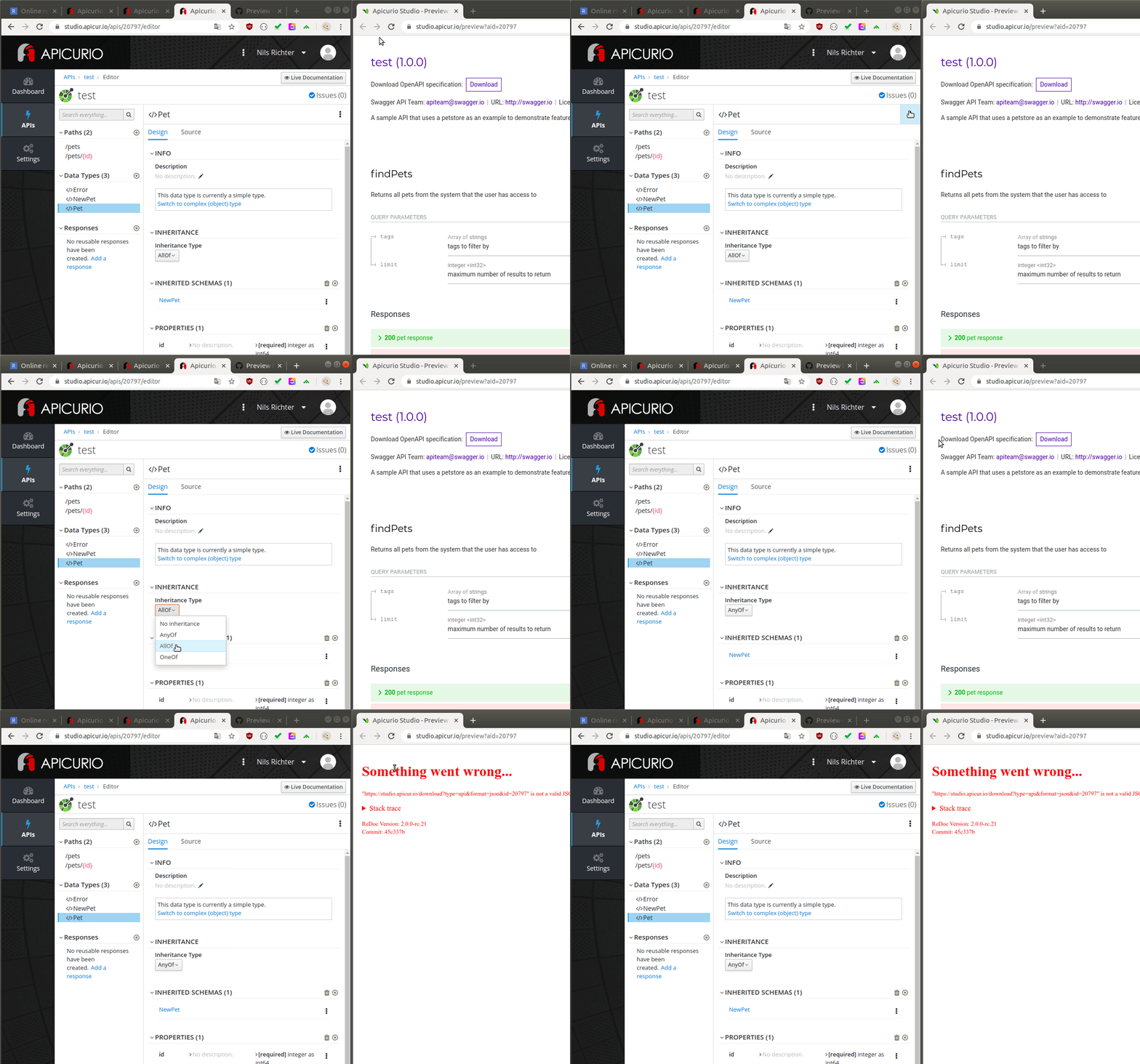
apicurio studio version 0.2.45.Final (https://studio.apicur.io/)
 iudex-
on 16 Jan 2020
iudex-
on 16 Jan 2020
Thanks for reporting this and narrowing it down. I'll have a look at this asap.
EricWittmann
on 16 Jan 2020
Amazingly enough this was a deployment config error! Try now and let me know if things work.
EricWittmann
on 16 Jan 2020
@iudex- and @Stwissel ^^^^
EricWittmann
on 16 Jan 2020
It does, thank you very much! :)
iudex-
on 16 Jan 2020
Works like a charm. I owe you 🍺!
Stwissel
on 16 Jan 2020
Problem reappeared. Config error resurfaced?
Stwissel
on 12 Mar 2020
Related issues
 cvgaviao
·
6Comments
cvgaviao
·
6Comments
 jinlxz
·
4Comments
jinlxz
·
4Comments
 jsenko
·
6Comments
jsenko
·
6Comments
 askfor
·
7Comments
askfor
·
7Comments
 AguRyan
·
3Comments
AguRyan
·
3Comments