Apicurio-studio: GitLab connector does not show Group Projects
Using GitLab connector, I can't see the group projects. Looking the source code, I found this call to GitLab API
String requestUrl = this.endpoint("/api/v4/groups/:group/projects").bind("group", group).toString();
But the 'group` in this case was not the group name, but the group ID.
https://docs.gitlab.com/ee/api/groups.html#list-a-group-s-projects
 sigrist
All 15 comments
Hi sorry for the delay (I was on vacation last week). Any chance you could test this with the latest version of Apicurio (built from master)? If not that's OK, we can just wait for the next release.
The reason is that a fair bit of work has been done in that area (the GitLab connector) since the last release.
 EricWittmann
on 20 Aug 2018
EricWittmann
on 20 Aug 2018
I've re-tested this with the latest version (master) and it seems to be working ok for both "personal" and "group" projects.
EricWittmann
on 27 Aug 2018
I'll give this a few days yet to see if @sigrist can confirm/deny before closing. :)
EricWittmann
on 27 Aug 2018
Hi Eric,
I'm using the online version of apicurio, and there still not working. I did no try run on my laptop.
Is the online version running the current master branch version?
sigrist
on 29 Aug 2018
Yes, the online version was updated 7 days ago. If you've tried it since then and it doesn't work, any additional information about your gitlab account or the projects you're trying to view would be helpful. For example, are the projects in the group public or private?
Here's what I see:
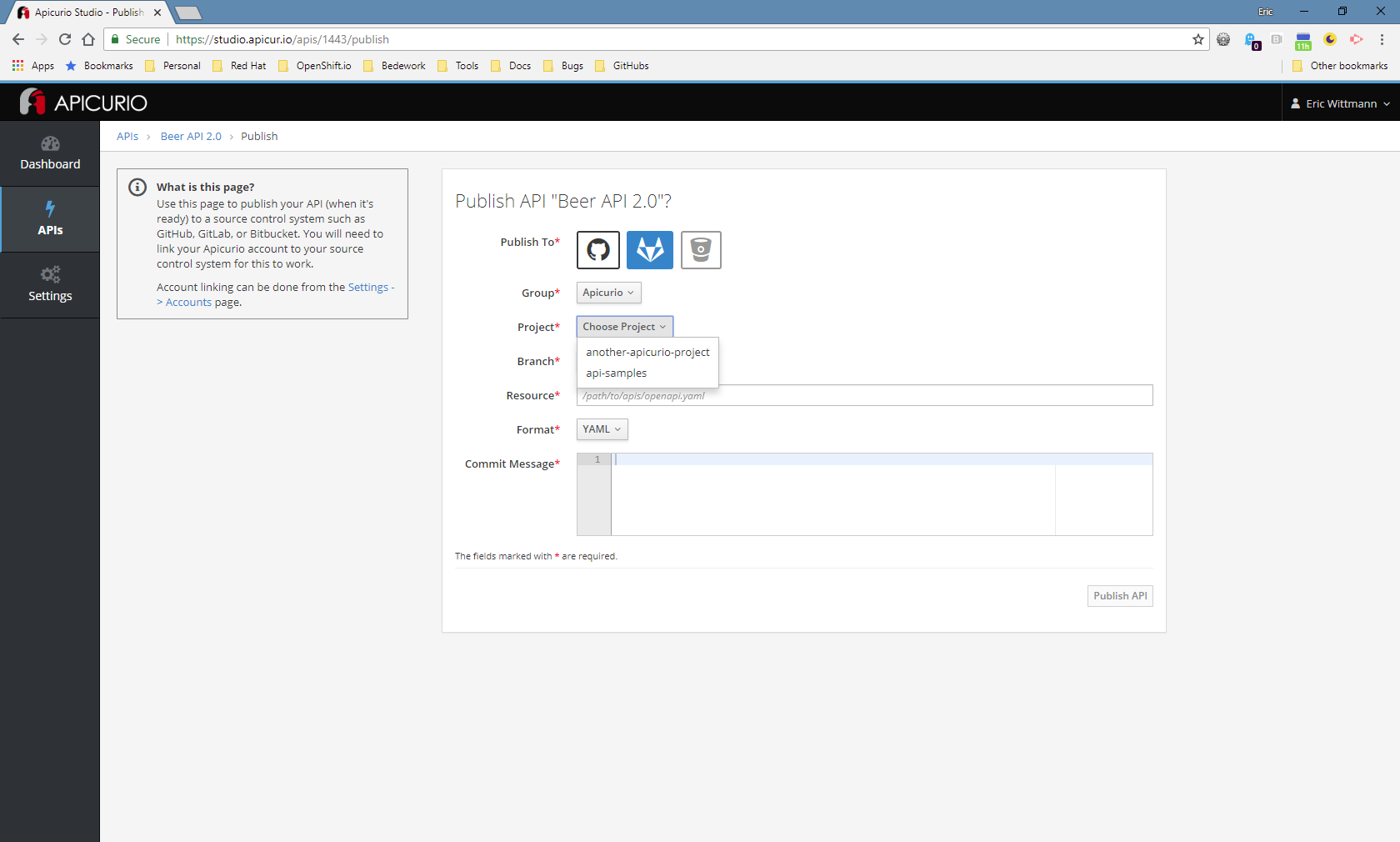
Just as an example.
I can also see personal projects:
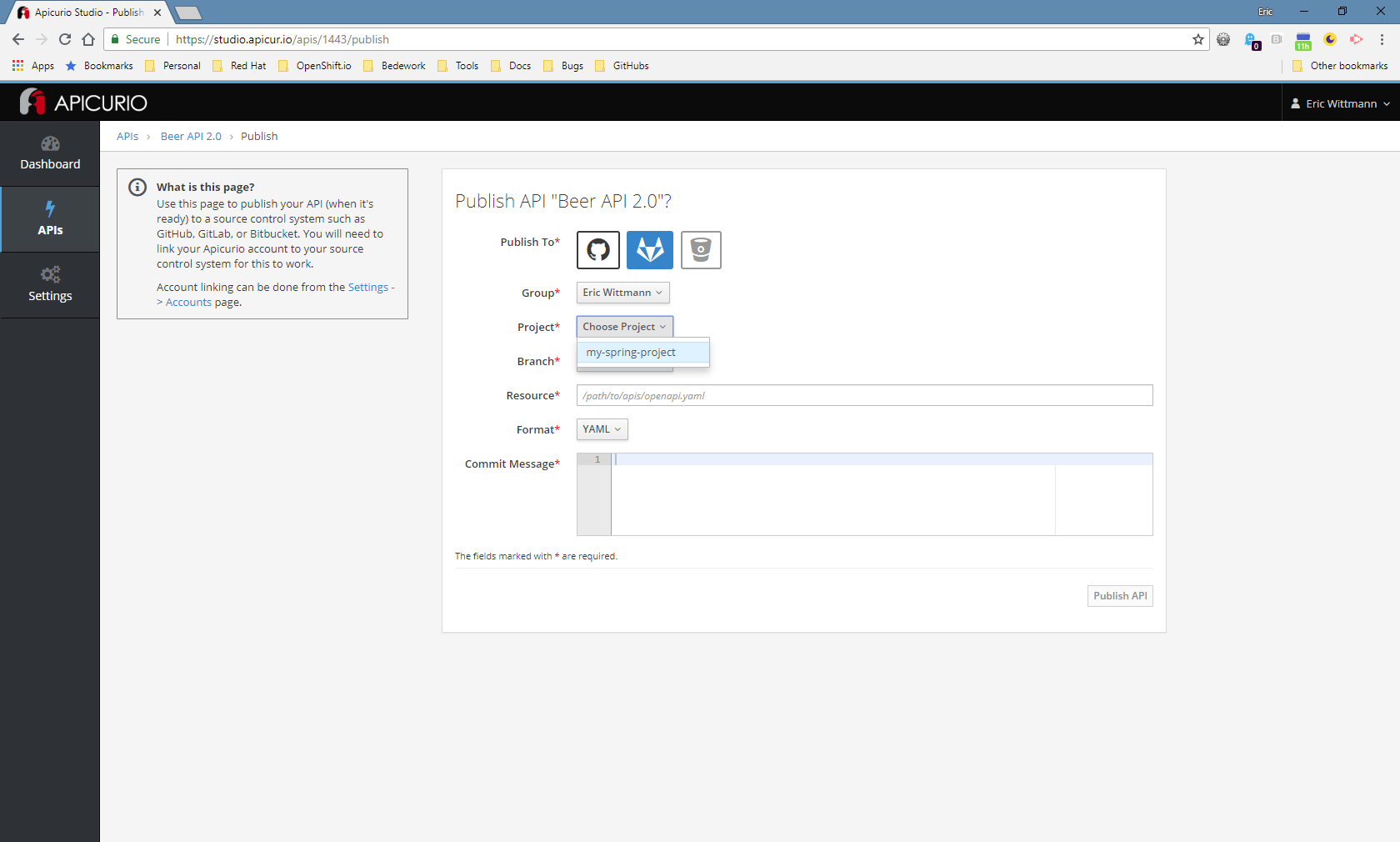
EricWittmann
on 29 Aug 2018
Also could you perhaps check the browser's javascript console to see if there are any errors there? (clear the console just before choosing one of your groups)
EricWittmann
on 29 Aug 2018
All groups and projects are privates.
I checked the JavaScript console, and there is no errors (I'm using firefox).
This is the log I got:
[HubLinkedAccountsService] Getting projects: https://studio-api.apicur.io/accounts/GitLab/groups/sigrist/projects main.670d69f7076c16c362df.bundle.js:1:1674678
[HubLinkedAccountsService] Getting branches: https://studio-api.apicur.io/accounts/GitLab/groups/sigrist/projects/null/branches main.670d69f7076c16c362df.bundle.js:1:1674160
[HubLinkedAccountsService] Getting projects: https://studio-api.apicur.io/accounts/GitLab/groups/Algoritmos/projects main.670d69f7076c16c362df.bundle.js:1:1674678
[HubLinkedAccountsService] Getting branches: https://studio-api.apicur.io/accounts/GitLab/groups/Algoritmos/projects/null/branches main.670d69f7076c16c362df.bundle.js:1:1674160
[HubLinkedAccountsService] Getting projects: https://studio-api.apicur.io/accounts/GitLab/groups/API/projects main.670d69f7076c16c362df.bundle.js:1:1674678
[HubLinkedAccountsService] Getting branches: https://studio-api.apicur.io/accounts/GitLab/groups/API/projects/null/branches main.670d69f7076c16c362df.bundle.js:1:1674160
[HubLinkedAccountsService] Getting projects: https://studio-api.apicur.io/accounts/GitLab/groups/Algoritmos/projects main.670d69f7076c16c362df.bundle.js:1:1674678
[HubLinkedAccountsService] Getting branches: https://studio-api.apicur.io/accounts/GitLab/groups/Algoritmos/projects/null/branches main.670d69f7076c16c362df.bundle.js:1:1674160
Ah ok maybe the problem is that they are private. I'll look into that. Thanks.
EricWittmann
on 3 Sep 2018
OK sorry for the delay on this, but I've spent some time today trying to replicate this problem...without success (or rather without getting a failure).
I've tried authenticating with OAuth vs. a Personal Access Token. I've tried public repos, a mix of public and private repos, only private repos. Everything works for me as expected.
If you are still interested, would it be possible for you to run a couple of tests locally to see if we can figure out what's going wrong? Specifically I'm asking you to A) run a curl command and/or B) run a junit test found in the Apicurio repository/codebase.
Are you up for either/both of those??
EricWittmann
on 2 Oct 2018
OK sorry for the delay on this, but I've spent some time today trying to replicate this problem...without success (or rather without getting a failure).
I've tried authenticating with OAuth vs. a Personal Access Token. I've tried public repos, a mix of public and private repos, only private repos. Everything works for me as expected.
If you are still interested, would it be possible for you to run a couple of tests locally to see if we can figure out what's going wrong? Specifically I'm asking you to A) run a
curlcommand _and/or_ B) run a junit test found in the Apicurio repository/codebase.Are you up for either/both of those??
Hi Eric. I'm able to help! Just let me know what I need to do!
sigrist
on 5 Oct 2018
Great! The first thing to do is try to access the GitLab API using curl. You can first try that without authentication info. Try this (but replace GROUP in the URL below with your GitLab group):
curl -i https://gitlab.com/api/v4/groups/GROUP/projects
You should get back an application/json response with some projects if there are any public projects in the group. If there are 0 public projects in the group, then you'll probably get an empty [] response.
Next, you need to create a GitLab Personal Access Token and try the same curl command but with authentication enabled. Create the GitLab PAT here:
https://gitlab.com/profile/personal_access_tokens
Give it a name and expiration date (e.g. tomorrow) and enable all 4 scopes. Then copy the resulting PAT and use it in the curl command below (replace YOUR_PAT with the one you copied from GL):
curl --header "PRIVATE-TOKEN:YOUR_PAT" -i https://gitlab.com/api/v4/groups/GROUP/projects
Note: don't forget to once again replace GROUP in the URL above with whatever your GitLab group is called.
Now the result should be a list of projects, including any private repos.
Let's start with this and see what happens. :) Depending on the results, the next step would be to make some changes to one of the Apicurio Junit tests and run it.
EricWittmann
on 5 Oct 2018
Hi Eric,
In my case, I'm using sub-groups. When I try the curl command with the token, I do not see all my groups and subgroups, only a few. If in the curl command I try to use the group/sub group, like:
curl --header "PRIVATE-TOKEN:YOUR_PAT" -i https://gitlab.com/api/v4/groups/GROUP/SUBGROUP/projects
I got a 404 error
sigrist
on 9 Oct 2018
Sub-groups! I didn't even know sub-groups was a thing. That will require some investigation.
EricWittmann
on 10 Oct 2018
Note: if you want to fix the 404 error - it needs to be this:
curl --header "PRIVATE-TOKEN:YOUR_PAT" -i https://gitlab.com/api/v4/groups/GROUP%2FSUBGROUP/projects
Note the %2F between the group and subgroup. As defined here:
https://docs.gitlab.com/ee/api/README.html#namespaced-path-encoding
EricWittmann
on 10 Oct 2018
OK I think I have this fixed. Should be all set in the next release. We can probably do better with respect to the display of the groups (they are all displayed in the drop-down without any concept of the hierarchy). But other than that I think it's all working now.
EricWittmann
on 10 Oct 2018
Related issues
 ceefour
·
5Comments
ceefour
·
5Comments
 indiealexh
·
4Comments
indiealexh
·
4Comments
 askfor
·
7Comments
askfor
·
7Comments
 yuanhuiliu
·
4Comments
yuanhuiliu
·
4Comments
 jsenko
·
6Comments
jsenko
·
6Comments