Antennapod: Download of podcast fails almost every time
Checklist
- [X ] I have used the search function to see if someone else has already submitted the same bug report.
- [X ] I will describe the problem with as much detail as possible.
- [X ] If the bug only to occurs with a certain podcast, I will include the URL of that podcast.
System info
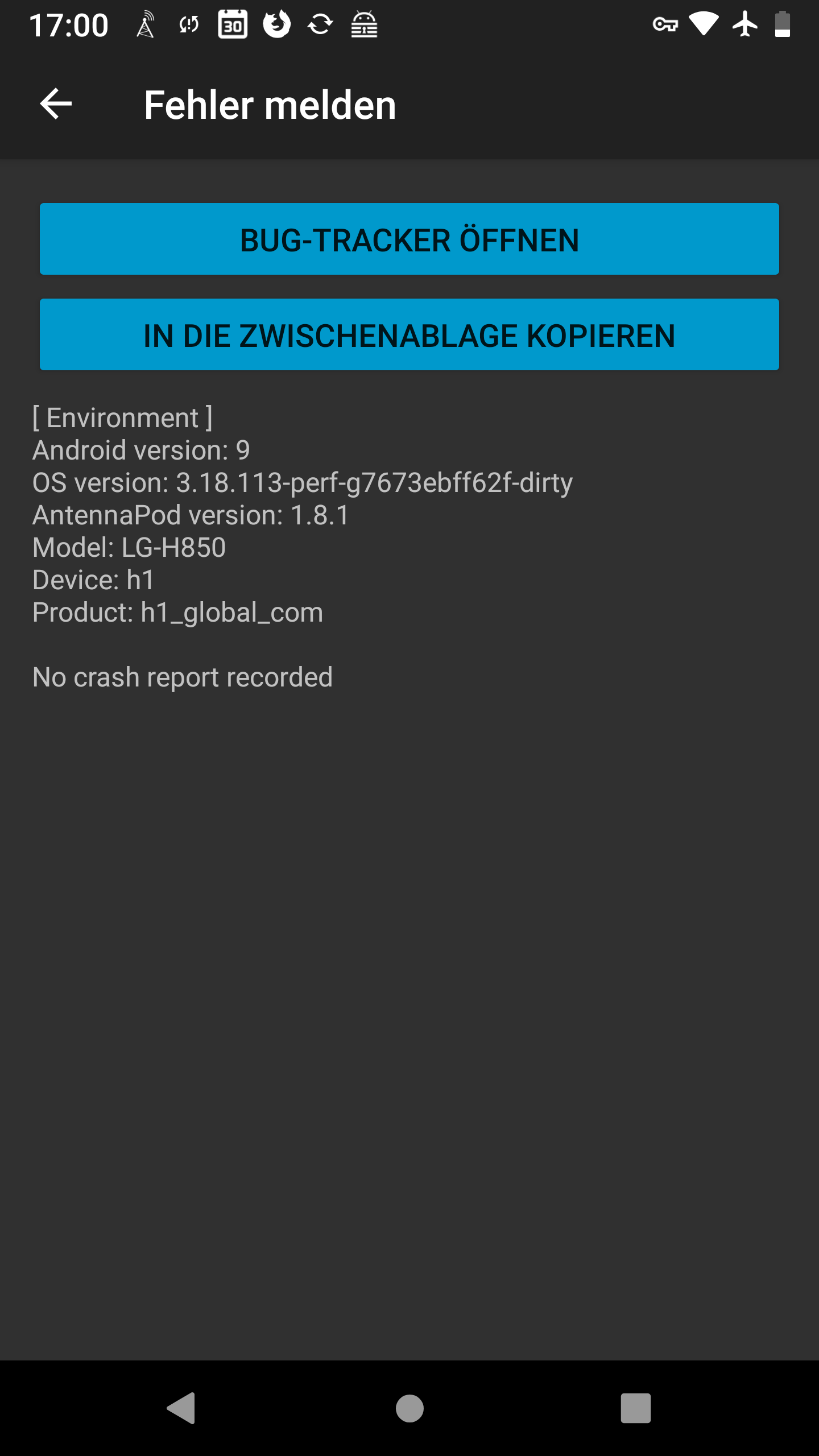
App version: 1.8.1 Google Play store
Android version: 9 LineageOS
Device model: LG-H850
Bug description
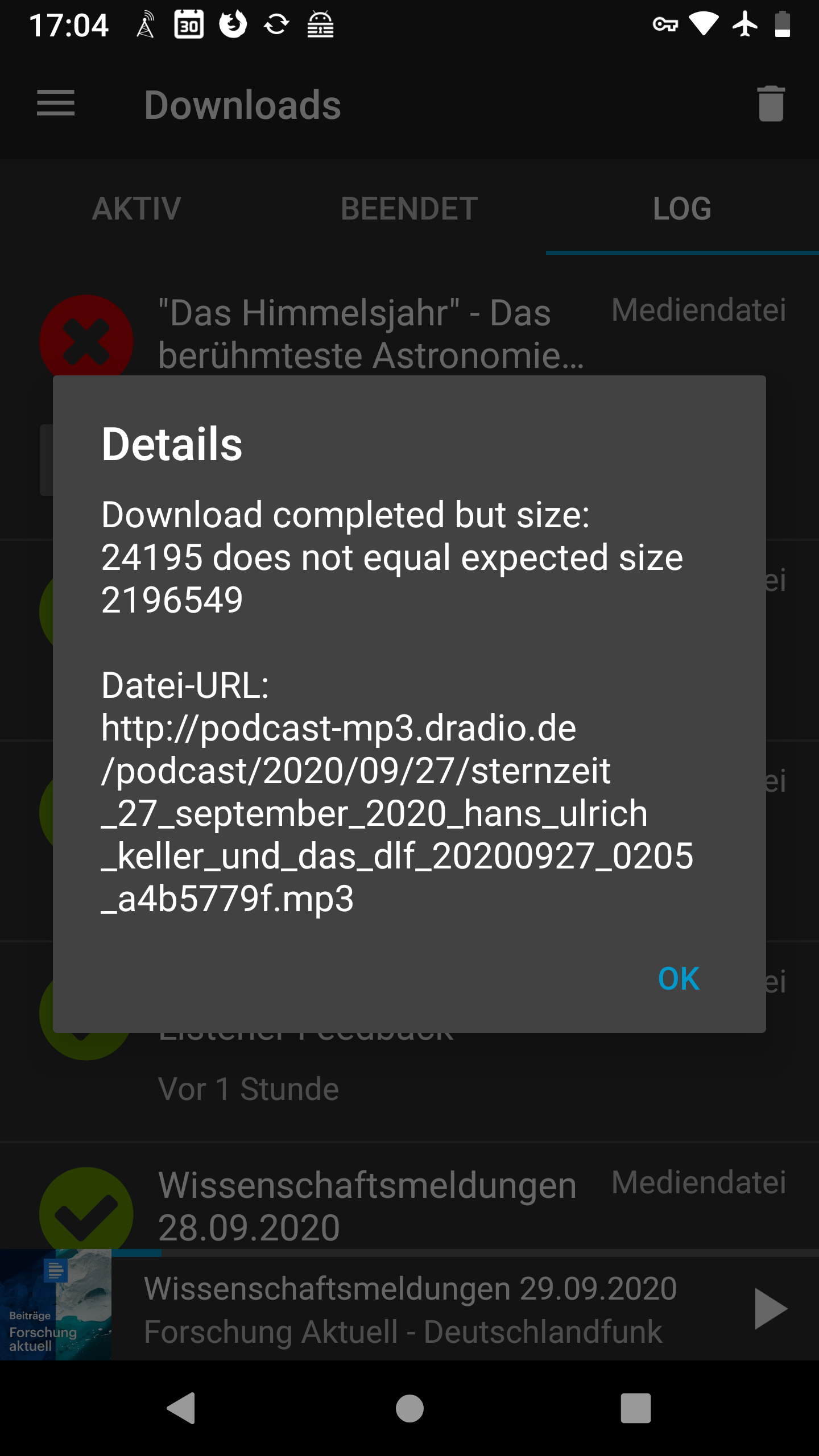
The download stops after a few seconds. On very rare occasions I can download 1 or 2 podcast episodes.
It happens only with this podcast.
Steps to reproduce:
- This
- Then that
- Then this
- Etc.
Expected behaviour:
Current behaviour:
First occurred: (e.g. about x days/weeks ago)
Environment: (Settings you have changed (e.g. Auto Download). "Unusual" devices you use (e.g. Bluetooth headphones). Did you select another media player?)
Stacktrace/Logcat:
[if available]
 cometchaserde
All 16 comments
@cometchaserde Would you mind sharing the RSS of the relevant podcast feed? You can copy it by going to the podcast, tapping the (i) icon, and tapping the paperclip next to the URL field. Then we can try the feed as well.
 keunes
on 2 Oct 2020
keunes
on 2 Oct 2020
Here is the link:
http://www.deutschlandfunk.de/podcast-sternzeit.733.de.podcast.xml
cometchaserde
on 3 Oct 2020
I tried and don't have any issues downloading the episodes, and the feed seems fine as well. Do you possibly have a VPN enabled?
Did you try to open the feed and download the episodes in your browser (under the otherwise same circumstances)? Might help check if its not an issue with your connection.
keunes
on 3 Oct 2020
Hi, no VPN enabled. Download the episodes with the browser works. All other podcasts ( 7 ) work with Antennapod. Only this specific podcast not. Even a podcast from the same domain (www.deutschlandfunk.de/podcast-forschung-aktuell.677.de.podcast.xml) works.
cometchaserde
on 3 Oct 2020
Then I don't know, sorry.
keunes
on 3 Oct 2020
For me the podcast works without any problems, the downloads are very fast.
@cometchaserde Do you still see the problem on your side or was it just a temporary problem?
 damoasda
on 25 Oct 2020
damoasda
on 25 Oct 2020
Yes, the problem is still there. App version 2.02
cometchaserde
on 25 Oct 2020
@cometchaserde Can you provide a log, please? Maybe that helps to locate the root cause.
See Obtain-logs-for-debug or How to report a bug for more information about how to do that.
damoasda
on 25 Oct 2020
Hi,
file is attached
logcat.log
cometchaserde
on 27 Oct 2020
Thank you for providing the log file.
I can see in the log that after downloading a few kilobytes the download stops with the error SocketTimeoutException: Read timed out. AntennaPod has already downloaded a small part of the MP3 file and tries to continue the download. The code in the class HttpDownloader looks good at first glance. Furthermore, the web server podcast-mp3.dradio.de supports range downloads and it is very fast.
Do you see the same problem when downloading via wifi or via mobile network?
Can you try to delete the affected podcast and add it again, please? This should remove the partially downloaded audio files and start the download from scratch. Maybe that helps.
damoasda
on 28 Oct 2020
Hi,
I only use wifi.
I deleted the affected podcast, removed all files with a file manager.
No success. Problem still happens.
cometchaserde
on 29 Oct 2020
Ok, thanks for the feedback.
Can you try to download the affected podcast via mobile network, please? Does it work?
damoasda
on 29 Oct 2020
Hi,
it works with mobile network. Usually I never use mobile network.
Am 29.10.2020 um 22:50 schrieb Herbert Reiter notifications@github.com:
Ok, thanks for the feedback.
Can you try to download the affected podcast via mobile network, please? Does it work?
—
You are receiving this because you were mentioned.
Reply to this email directly, view it on GitHub, or unsubscribe.
cometchaserde
on 30 Oct 2020
@cometchaserde That's good news. Slowly we are getting closer and closer to the cause of the error. As it worked via mobile network I would say that the root cause is outside of AntennaPod.
The URL you are using is unencrypted (HTTP) and can be cached by Internet proxies, e.g. at your Internet provider, to speed up downloads and save Internet traffic on provider side. If such a proxy has an error it could lead to the problem you are facing. When you switched to mobile network you were using a completely different infrastructure with different proxies that did not show that problem. To avoid using cache proxies just use an encrypted connection (HTTPS).
To prove that theory, can you delete the "Sternzeit" podcast and add it again by using the following URL starting with "https", please? Its embedded MP3 download URLs also use HTTPS.
https://www.deutschlandfunk.de/podcast-sternzeit.733.de.podcast.xml
damoasda
on 30 Oct 2020
Hi,
it works with the https - url.
But I tried it before with different wifi's that use differenz Internet providers. Always the same.
But if it works with the https, it is ok for me.
Thanks for helping.
cometchaserde
on 31 Oct 2020
Nice catch @damoasda! I must admit that I would not have thought of using the https feed. Thanks a lot for resolving this!
 ByteHamster
on 31 Oct 2020
ByteHamster
on 31 Oct 2020
Related issues
 thom-github
·
3Comments
thom-github
·
3Comments
 yosefmizrahi
·
3Comments
yosefmizrahi
·
3Comments
 chaulo
·
4Comments
chaulo
·
4Comments
 mamehacker
·
3Comments
mamehacker
·
3Comments
 zequip
·
3Comments
zequip
·
3Comments