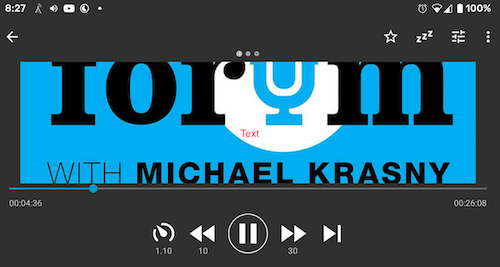
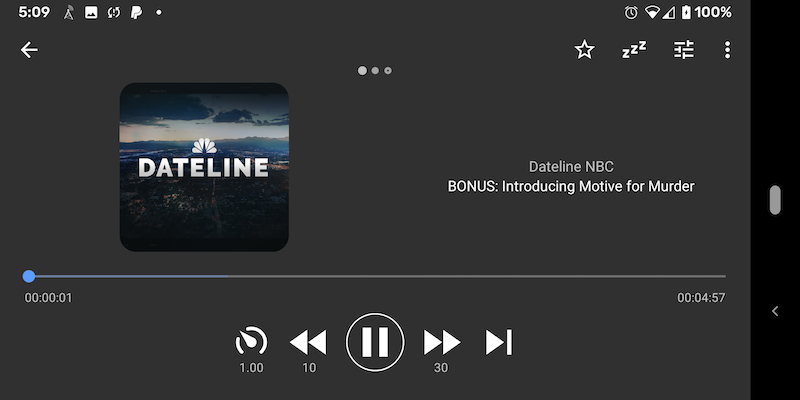
Antennapod: In landscape mode, the album art overwhelms the playback screen
App version: 1.8.1 (built from develop)
Android version: 10.0
Device model: Pixel 3axl
Expected behaviour:
I should be able see the entire art, the title and the episode title
Current behaviour:
I just see a portion of the art.
First occurred: Version 1.x / about x days/weeks ago
Steps to reproduce:
- Rotate the screen into landscape mode
 tonytamsf
All 14 comments
@ByteHamster go ahead and assign if you think this is a bug
tonytamsf
on 6 Apr 2020
The SquareImageView has XML parameters that you can play around with (minimum, width, height)
 ByteHamster
on 6 Apr 2020
ByteHamster
on 6 Apr 2020
Would you accept a layout-land file, or did you want me to use one layout file for both landscape and portrait?
tonytamsf
on 7 Apr 2020
If I think about it, the layout file already worked in landscape mode. This is a regression since migrating the media player to the bottom pannel fragment. I think it somehow does not register the configuration change and does not re-layout.
ByteHamster
on 7 Apr 2020
@ByteHamster if I fix landscape mode and keep the current layout (Linear) the image is really small.
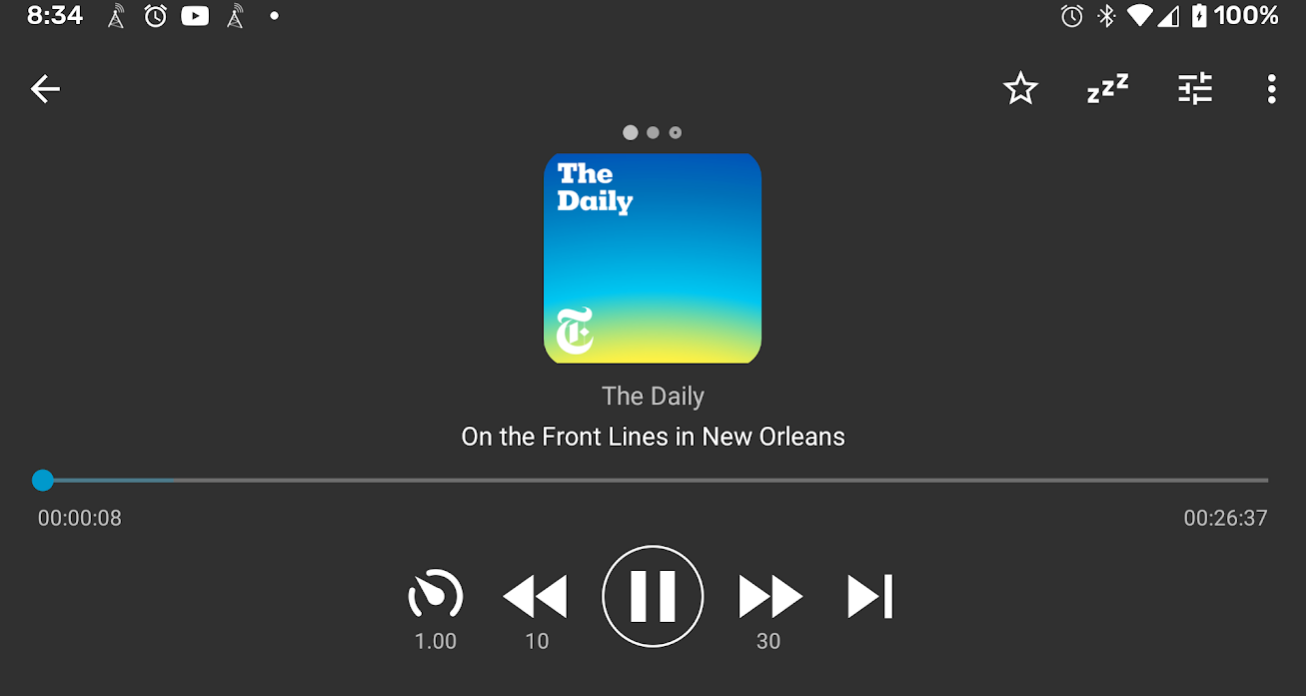
Question for you: Would you take a pull request where I layout the image to the left and the 2 text fields to the right?
tonytamsf
on 9 Apr 2020
Question for you: Would you take a pull request where I layout the image to the left and the 2 text fields to the right?
This would look really asymmetrical. I don't think I would like the look of that. Do you use other podcast apps? How do they do it?
Is using phones in landscape mode actually a thing that people do? I mean, it should obviously not fill the whole screen like it does in the current version but I am pretty happy with the small image on landscape.
ByteHamster
on 9 Apr 2020
Dunno about horizontal use being a thing or not, but I don't think it'd look so bad (when text is left-aligned):
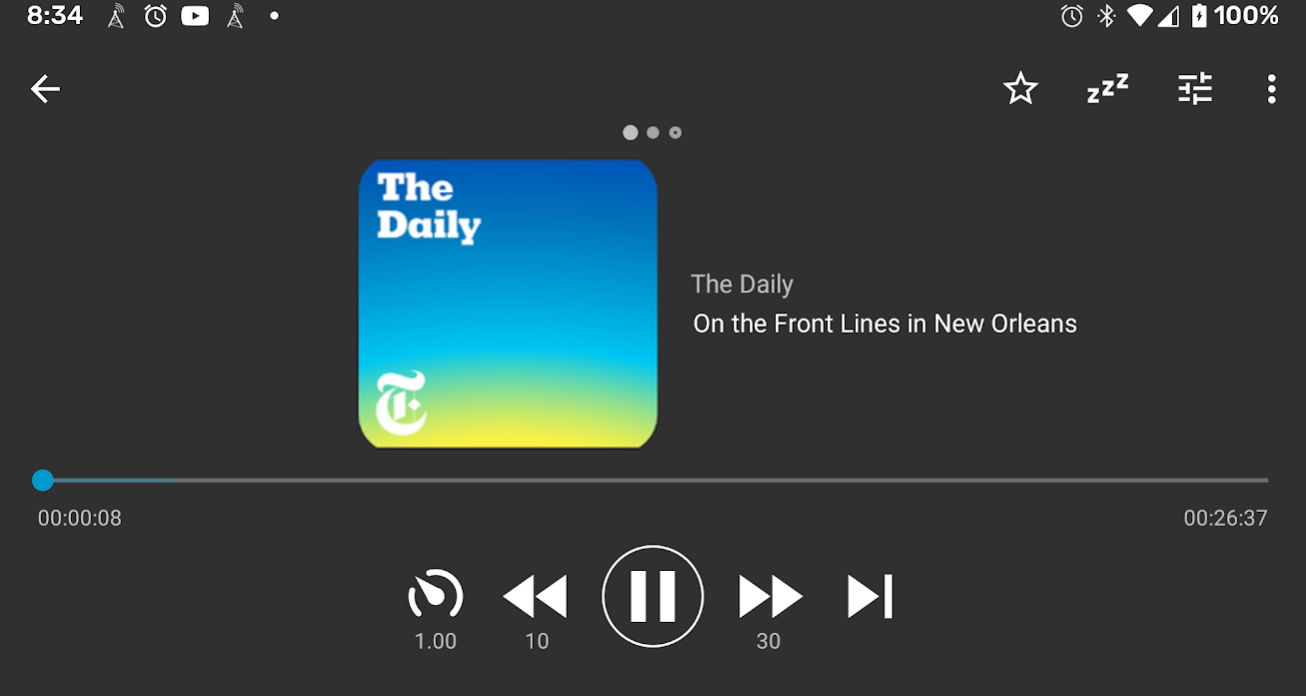
That said, you don't gain _so_ much visual, either.
 keunes
on 9 Apr 2020
keunes
on 9 Apr 2020
Thanks @keunes. Looks better than I thought.
@tonytamsf If you want to add another layout, I am fine with it :)
ByteHamster
on 10 Apr 2020
Great, I use landscape when I'm my car, I prop it up. Also, I use it when I prop it up on my desk, with AntennaPod open so I can skip Ads in the middle.
tonytamsf
on 10 Apr 2020
Thanks @keunes , your help in convincing @ByteHamster is super useful. Haa
tonytamsf
on 10 Apr 2020
 tonytamsf
on 11 May 2020
tonytamsf
on 11 May 2020
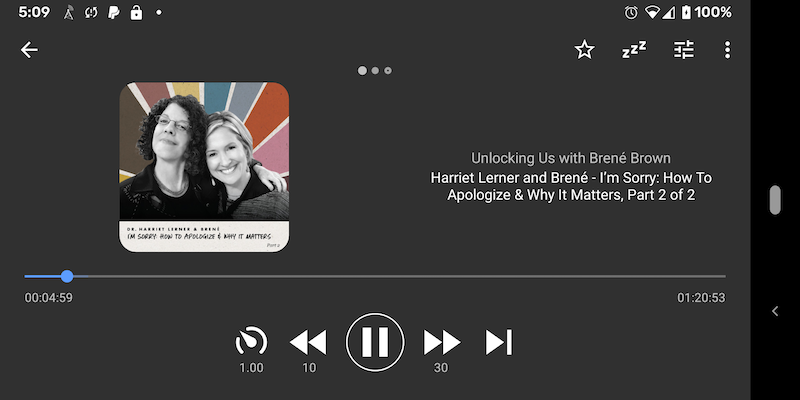
👋 @ByteHamster I hope this finally fixes this personally nagging issue for me https://github.com/AntennaPod/AntennaPod/pull/4292
tonytamsf
on 16 Jul 2020
This issue has been mentioned on AntennaPod Forum. There might be relevant details there:
https://forum.antennapod.org/t/certificate-errors-when-using-application/64/20
 antennapod-bot
on 16 Jul 2020
antennapod-bot
on 16 Jul 2020
This issue has been mentioned on AntennaPod Forum. There might be relevant details there:
https://forum.antennapod.org/t/certificate-errors-when-using-application/64/21
antennapod-bot
on 20 Jul 2020
Related issues
 reverse-unina
·
5Comments
reverse-unina
·
5Comments
 fabolhak
·
3Comments
fabolhak
·
3Comments
 gappleto97
·
3Comments
gappleto97
·
3Comments
 ggshuini
·
4Comments
ggshuini
·
4Comments
 AAM1119
·
3Comments
AAM1119
·
3Comments
Most helpful comment
Thanks @keunes , your help in convincing @ByteHamster is super useful. Haa