Antennapod: Feature Request: support filter on subscription screen
On Subscriptions Screen, allow users to filter the subscriptions by
- auto download enabled/disabled
- Keep updated enabled/disabled
- (and possibly) auto delete option
Use Cases:
- An user want to see the podcasts that have auto downloaded disabled. He/she can then go to podcast screen to manually download some podcasts.
- An user want to see the list of podcasts with keep updated disabled. He/she can then manually update specific ones, or re-enable the keep updated.
 orionlee
All 28 comments
can I take this?
 jankice
on 5 Nov 2019
jankice
on 5 Nov 2019
Sure, that would be great!
 ByteHamster
on 5 Nov 2019
ByteHamster
on 5 Nov 2019
thank you :)
jankice
on 5 Nov 2019
This issue very nice man !!
On Tue, Nov 5, 2019, 10:09 AM Janki notifications@github.com wrote:
thank you :)
—
You are receiving this because you are subscribed to this thread.
Reply to this email directly, view it on GitHub
https://github.com/AntennaPod/AntennaPod/issues/3065?email_source=notifications&email_token=AI6DFRSN3QWTCLF7R7UVBT3QSEIKNA5CNFSM4HAWNCI2YY3PNVWWK3TUL52HS4DFVREXG43VMVBW63LNMVXHJKTDN5WW2ZLOORPWSZGOEDBYGZI#issuecomment-549684069,
or unsubscribe
https://github.com/notifications/unsubscribe-auth/AI6DFRWHSO6QRJ4GISOT7X3QSEIKNANCNFSM4HAWNCIQ
.
 amirhosenebrahimi
on 5 Nov 2019
amirhosenebrahimi
on 5 Nov 2019
@jankice one suggestion: it'd be great if you could first do the UI changes and post the screenshot. It'd help to ensure we are on the same page on what needs to be changed, before proceeding too far.
orionlee
on 5 Nov 2019
sure.. @orionlee . appreciated..
jankice
on 6 Nov 2019
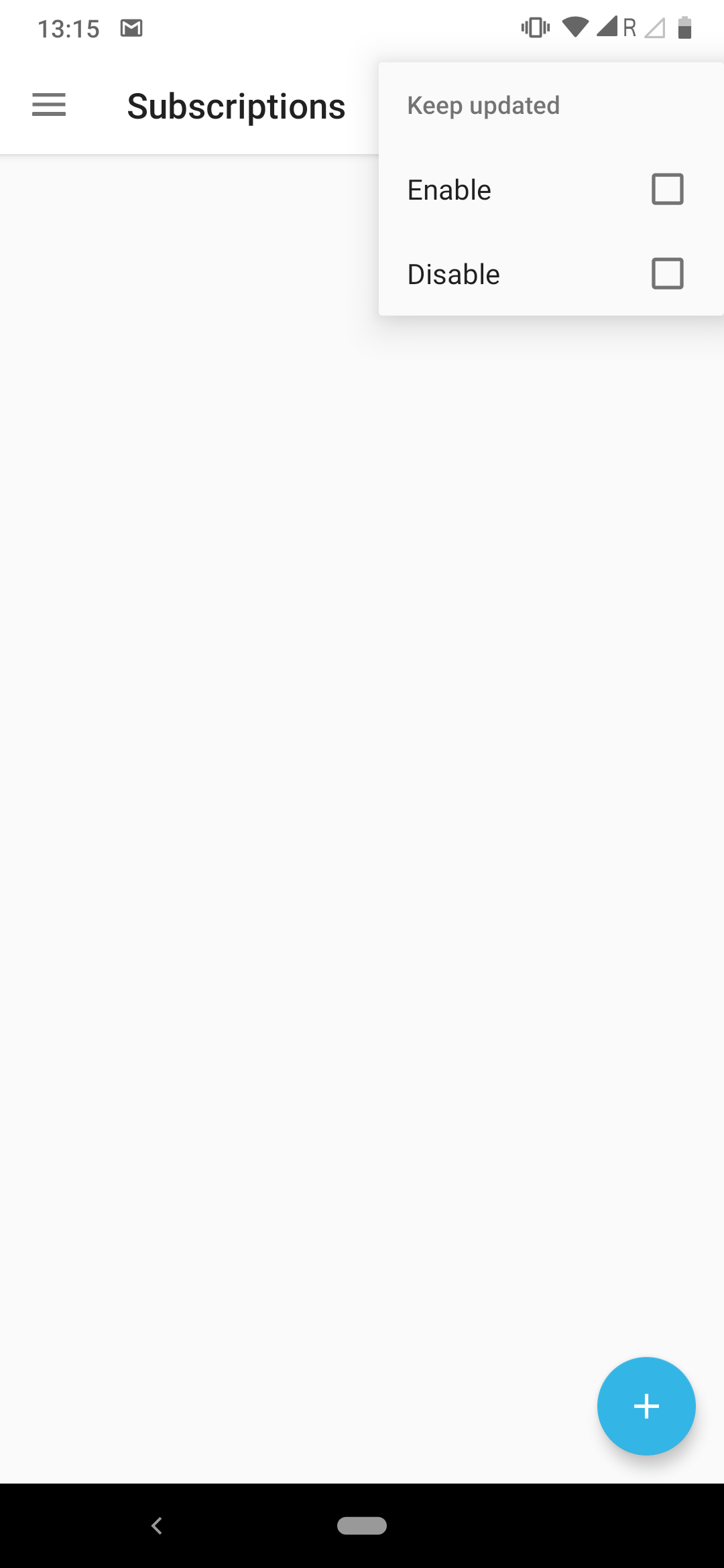
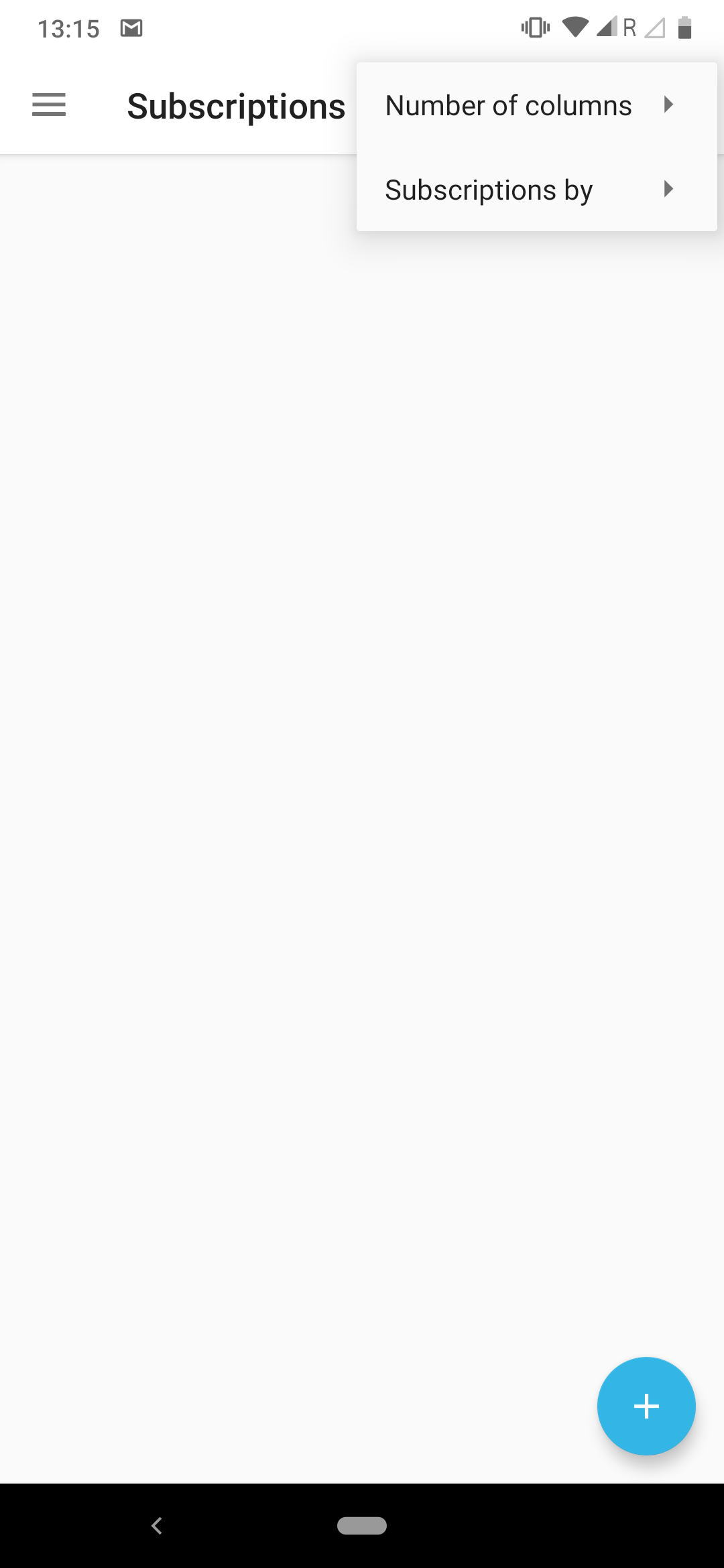
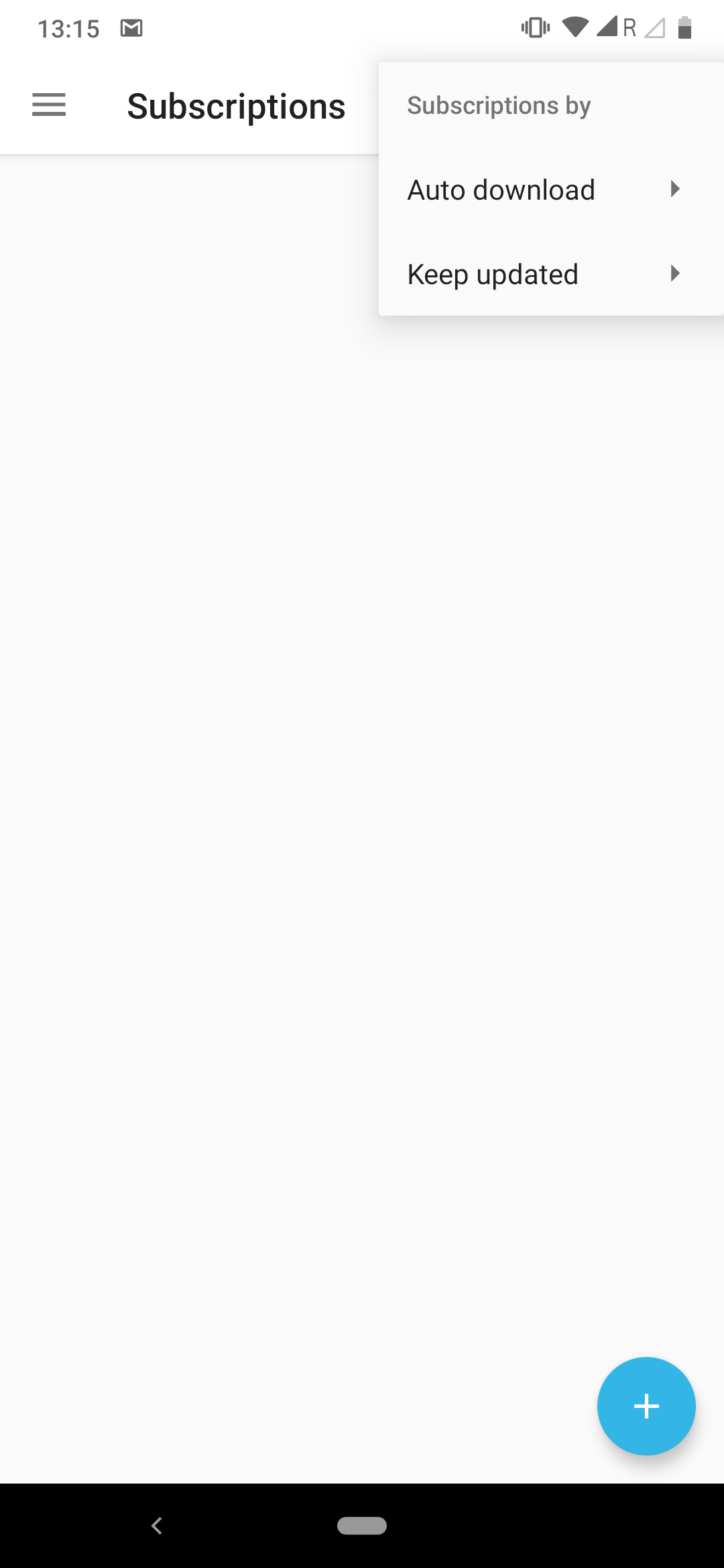
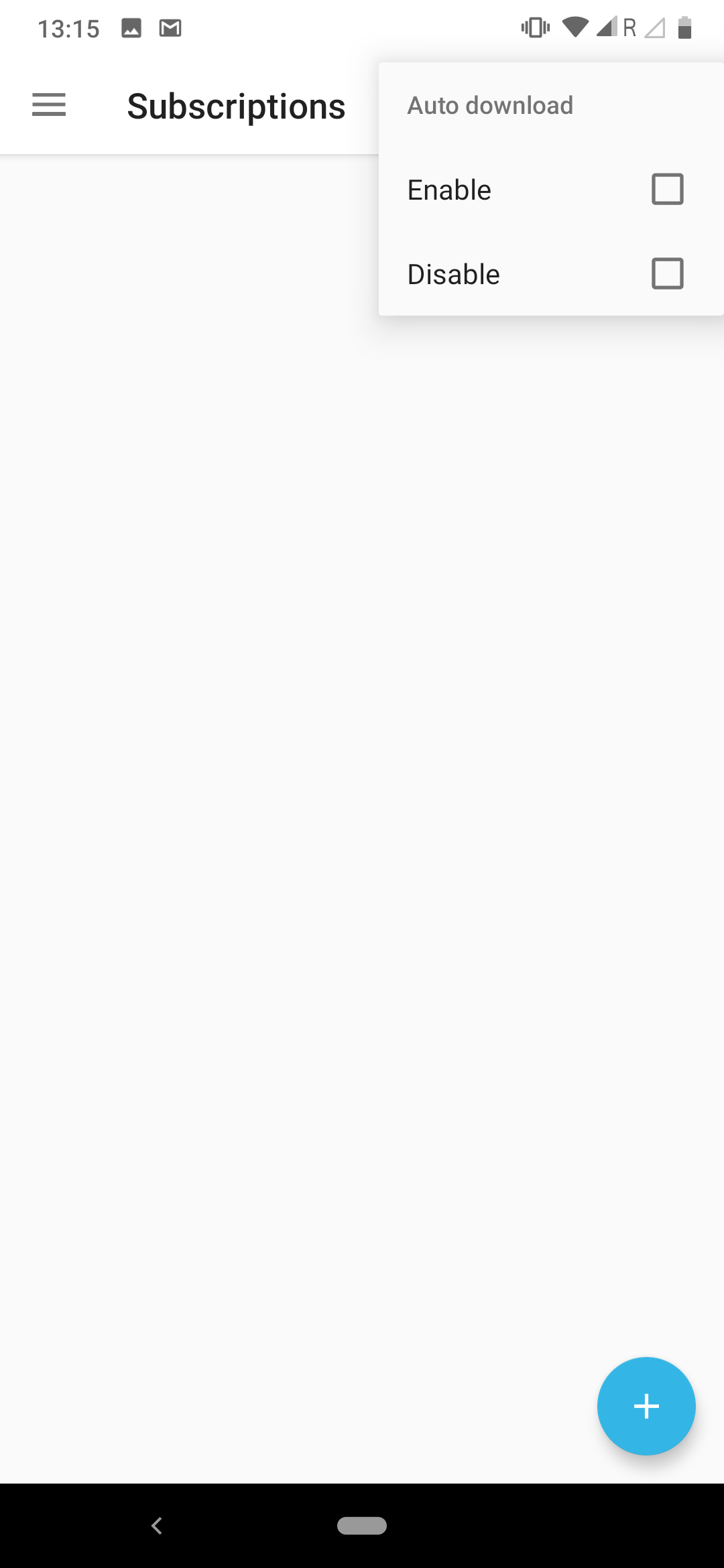
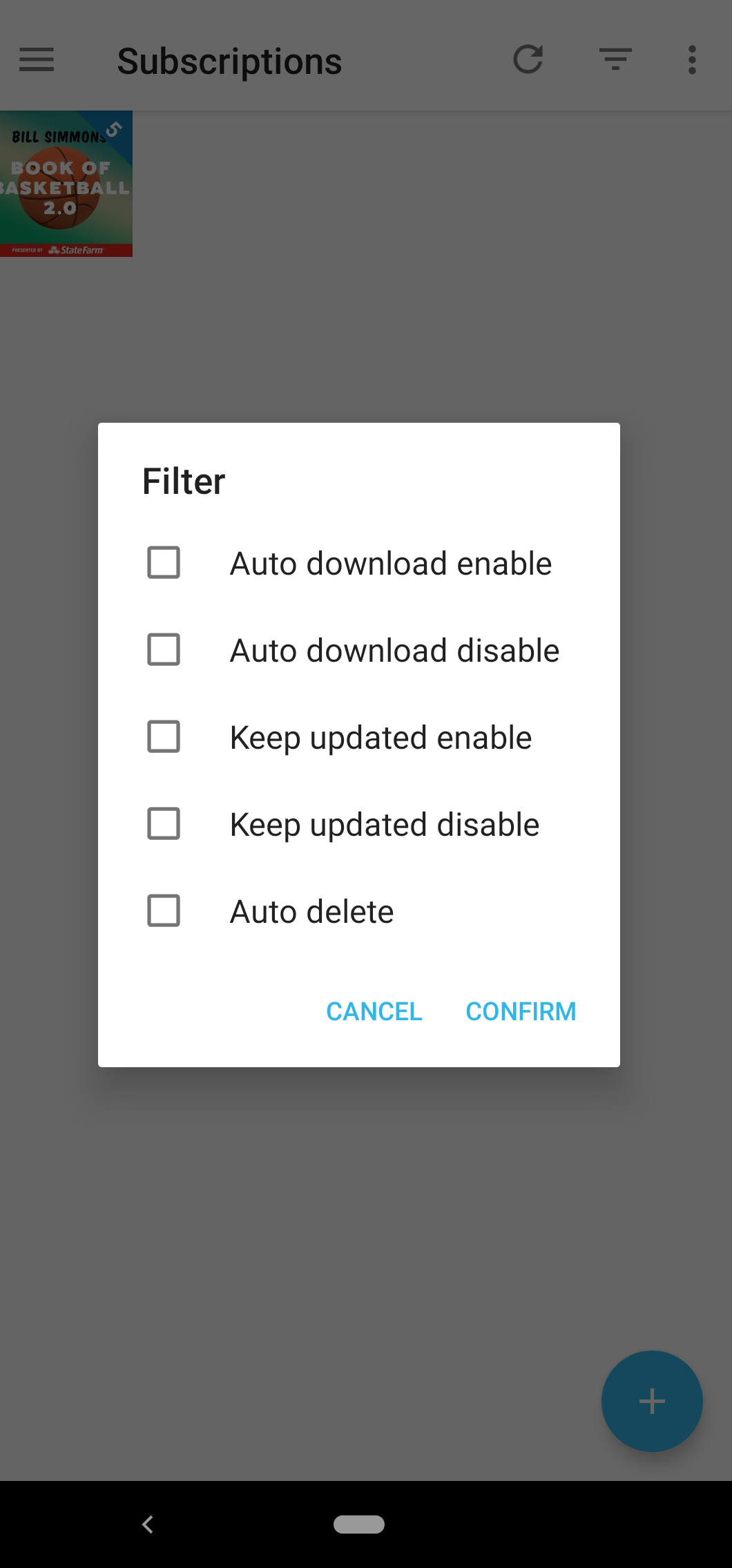
here is Screenshots I stared to change.. Is this correct Page?
jankice
on 6 Nov 2019
I would prefer if you could create a dialog that looks like the filter dialog on the feed details page. Also, please call the menu item "Filter", not "Subscriptions by".
ByteHamster
on 6 Nov 2019
Okay.. that's fine.. I'll Do change Like feed details page... thanx.
jankice
on 6 Nov 2019
jankice
on 7 Nov 2019
Looks great. I think the action bar item order and the wording could be different but those can be changed during code review quite easily. Looking forward to your PR :)
ByteHamster
on 7 Nov 2019
UI feedback:
- Auto delete has 3 options: always, never, global defaults
- The multi-select UI lets user to choose multiple criteria. It's probably not too useful here.
- A slight variation that could prevent users from selecting mutually exclusive criteria:
[ ] Auto Download    <Enable/Disable switch>
[ ] Keep Updated     <Enable/Disable switch>
[ ] Auto Delete      <Drop down of the three options>
I think the dialog is okay. If you want to change the layout, please use a slight variation of orionlees suggestion: Instead of a checkbox and a slider, use only a drop down, for example auto-download on/off/all
ByteHamster
on 7 Nov 2019
Ok, so as per my understanding replacing checkbox to drop down. (In same dialog)
It should like...
- drop down for auto-download, options are: ---> enable/disable/all
- drop down for keep-updated, options are: ---> enable/disable/all
- drop down for auto-delete, options are: ---> always/never/global defaults..
Right?
jankice
on 8 Nov 2019
@jankice I am happy with your current implementation. I just wanted to say that if you want to follow the suggestion by orionlee, please do not use checkbox+spinner but only a spinner because I think that this is easier to understand for new users.
drop down for auto-download, options are: ---> enable/disable/all
drop down for keep-updated, options are: ---> enable/disable/all
drop down for auto-delete, options are: ---> always/never/global defaults..
That's what I meant, yes.
ByteHamster
on 8 Nov 2019
@jankice I am happy with your current implementation. I just wanted to say that if you want to follow the suggestion by orionlee, please do not use checkbox+spinner but only a spinner because I think that this is easier to understand for new users.
drop down for auto-download, options are: ---> enable/disable/all
drop down for keep-updated, options are: ---> enable/disable/all
drop down for auto-delete, options are: ---> always/never/global defaults..That's what I meant, yes.
ok.. agreed.. I'll make change only all checkbox --> all drop down.
jankice
on 8 Nov 2019
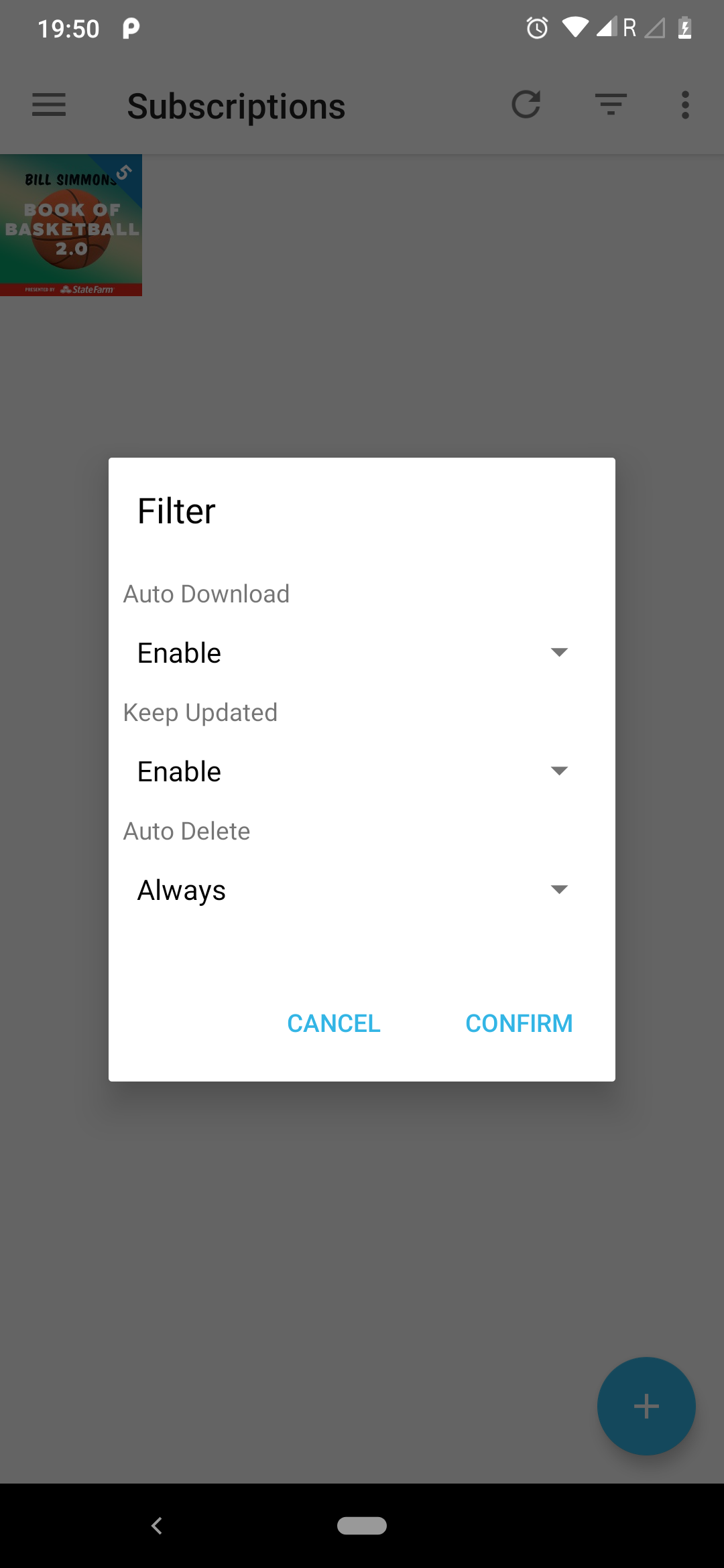
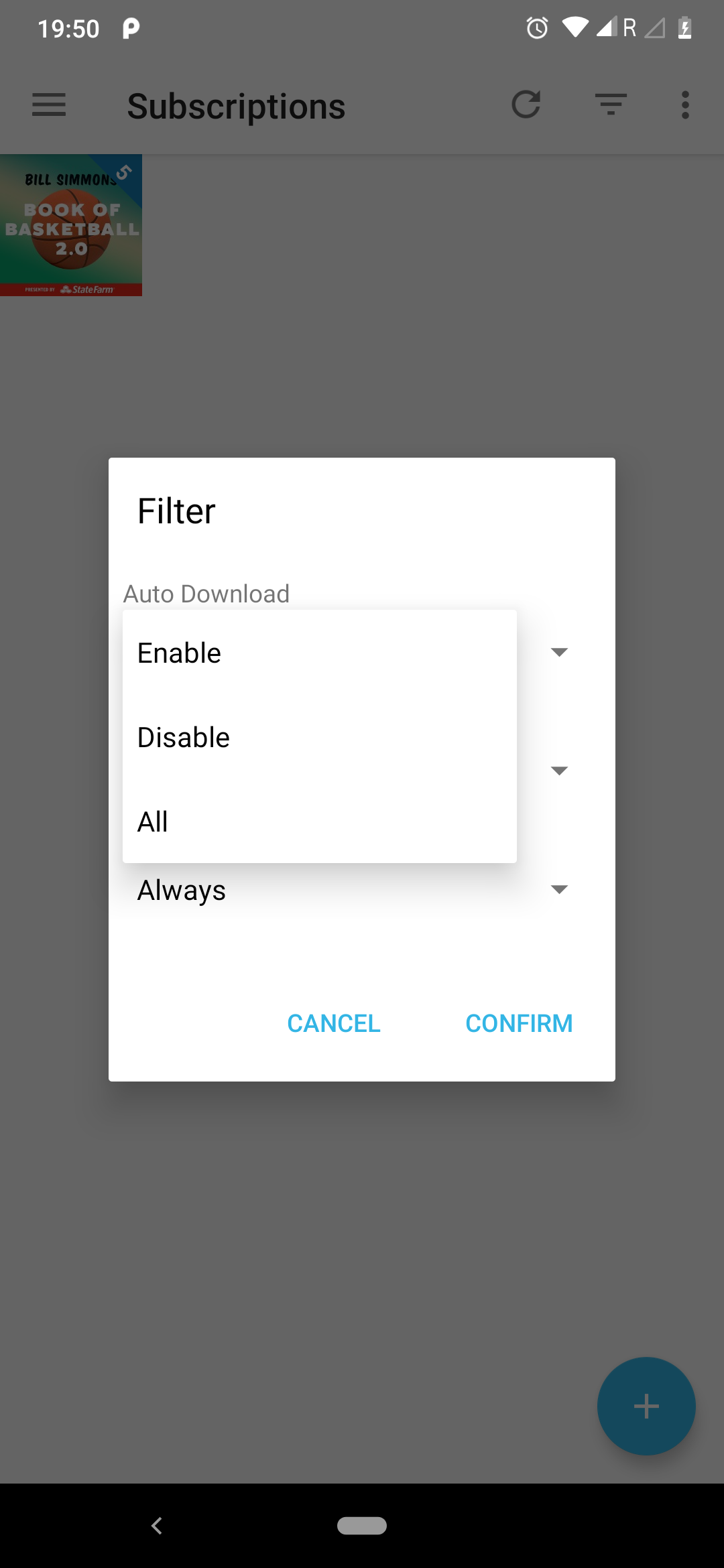
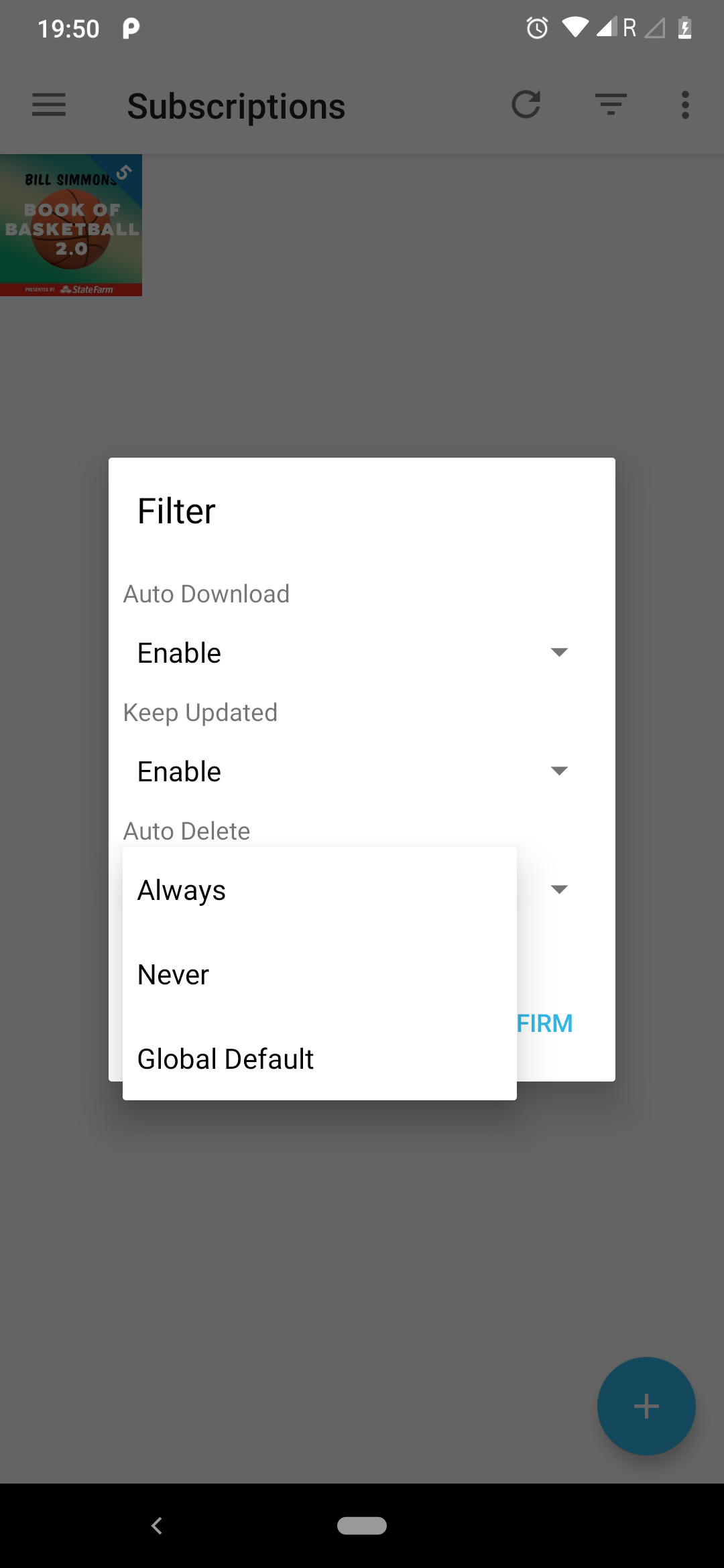
Dialog layout as per Discussion.
jankice
on 11 Nov 2019
Looks nice! We also need the entry "All" for auto delete. Otherwise, there is no way users can show all podcasts if some of them are "always", some are "never" and some are "global default".
What do you think about "No filter" instead of "All"? All (basically meant as "show all") could be misinterpreted as "hide all". Not sure which one is easier to understand for users.
Small layout suggestion: It would be great if all texts would start at the same horizontal position. Currently, there is a lot of jumping between spinners and headings.
ByteHamster
on 11 Nov 2019
Looks nice! We also need the entry "All" for auto delete. Otherwise, there is no way users can show all podcasts if some of them are "always", some are "never" and some are "global default".
What do you think about "No filter" instead of "All"? All (basically meant as "show all") could be misinterpreted as "hide all". Not sure which one is easier to understand for users.
Small layout suggestion: It would be great if all texts would start at the same horizontal position. Currently, there is a lot of jumping between spinners and headings.
- Yes, you are right. I think we should replace "No filter" instead of "All". That is more understandable keyword for user.. I'll do changes for every option (Auto download, Keep updated, Auto delete) 'All' to 'No filter'.
Also adding 'All' (now, No filter) entry for "Auto delete" option.
yes and also fixing the layout as per your suggestion. (the spinner and heading text position)
And after that l'll going to start coding part.
jankice
on 12 Nov 2019
Thanks for working on this @jankice! Just regarding the labels, please use the past tense (i.e. "enabled" and "disabled"). Currently it would mean you would perform an action (enable this option), but we filter on what setting has been applied to the feed. Thanks!
 keunes
on 17 Nov 2019
keunes
on 17 Nov 2019
The above commit is work in progress.
I will update the commit soon with Unit Test and some minor fixes.
jankice
on 18 Nov 2019
@jankice feel free to open a pull request early, so we can discuss the code changes
ByteHamster
on 4 Dec 2019
Hi, I was wondering why there is no filter for 'no new' episodes in subscriptions screen. The use case is to get rid of many "dead" or "dormant" podcasts without deleting them from the statistics. Dormant podcasts, overall, publish new episodes only from time to time and in the meanwhile pollute the list
Shall I open a new feature request instead?
 cigno5
on 20 Feb 2020
cigno5
on 20 Feb 2020
@cigno5 I think your use-case would be solved better by #1711 (support putting podcasts into folders). With a "not new" filter, active podcasts might disppear because you listened through all episodes. Your use-case can also be solved with the "keep updated" filter. You can mark dead podcasts to not be updated on their settings screen.
ByteHamster
on 20 Feb 2020
@ByteHamster thanks for the hints but...
support putting podcasts into folders
Nice workaround but is manual action 🤔
With a "not new" filter, active podcasts might disppear because you listened through all episodes
that's exactly what I'm looking for! The great thing of a filter like this is that a podcast is brought back in the list as soon as a new episode is published! It's the same behaviour of a podcast where I have filtered all listened episodes and is empty until a new episode is published.
Your use-case can also be solved with the "keep updated" filter. You can mark dead podcasts to not be updated on their settings screen
This would work only for dead-for-sure podcasts, but still the others dormant or with low frequency publishing I should check them out from time to time
cigno5
on 21 Feb 2020
Thanks to @asdoi, AntennaPod can now filter subscriptions if their counter is zero. To close this issue, having four more filters would be great:
- auto download enabled/disabled
- Keep updated enabled/disabled
This should be rather easy to add, so it should be a good fit for Hacktoberfest.
ByteHamster
on 30 Sep 2020
Hi @ByteHamster I am currently working on this and some code would be much more comfortable to read if I write them in Kotlin.
But as every other class is written in Java is it even allowed to use Kotlin-Code in AntennaPod?
For me it makes no difference if I write Kotlin or Java, but just to make this general question clear.
 asdoi
on 5 Oct 2020
asdoi
on 5 Oct 2020
is it even allowed to use Kotlin-Code in AntennaPod?
Hmm I would say that we should either commit to Kotlin completely (and gradually convert the whole app) or just keep using Java. I want to have a consistent code base.
I, personally, have not used Kotlin a lot, yet (but it's always good to learn something new). The number of people who can contribute is probably a bit higher when using Java, as it seems to be more common. I would say let's stick to Java for now.
The general question of Java vs Kotlin should be discussed in its own issue, I think.
ByteHamster
on 6 Oct 2020
Related issues
 Rotzbua
·
4Comments
Rotzbua
·
4Comments
 gappleto97
·
3Comments
gappleto97
·
3Comments
 matthiasroos
·
3Comments
matthiasroos
·
3Comments
 chaulo
·
4Comments
chaulo
·
4Comments
 mamehacker
·
3Comments
mamehacker
·
3Comments