Ant-design-pro: Ant Design Pro Preview - "dark style" / "dark theme" issues 🐛[BUG]
🐛 bug 描述
I'm not sure if this is an issue with https://github.com/ant-design/ant-design-dark-theme or with this repository, but on several places on the preview site the "dark style" / "dark theme" used does not render elements correctly.
Here's some basic things I found:
Navbar
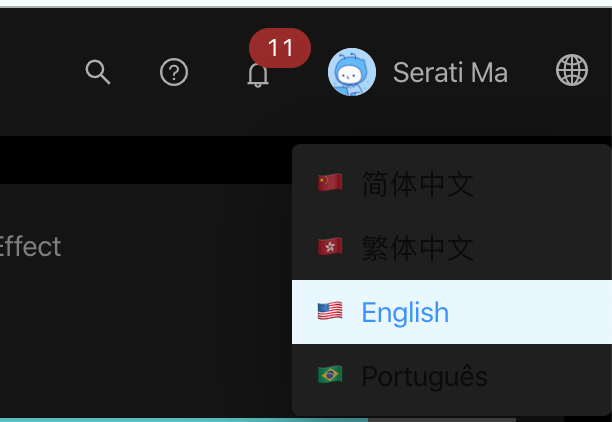
"World dropdown" wrong background & font colors:
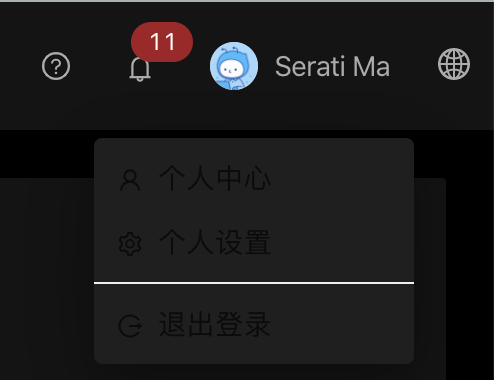
"Profile Icon dropdown" wrong background & font colors:
Settings / Gear Sidebar
- Inside styling more "dark" than the outside styling, making it look weird:

Search Table (https://preview.pro.ant.design/list/table-list)
- Table head column shows wrong color on hover
- Table row shows wrong color (should be dark?)

Basic Profile (https://preview.pro.ant.design/profile/basic)
- Table row shows wrong color (should be dark) -- same as mentioned above

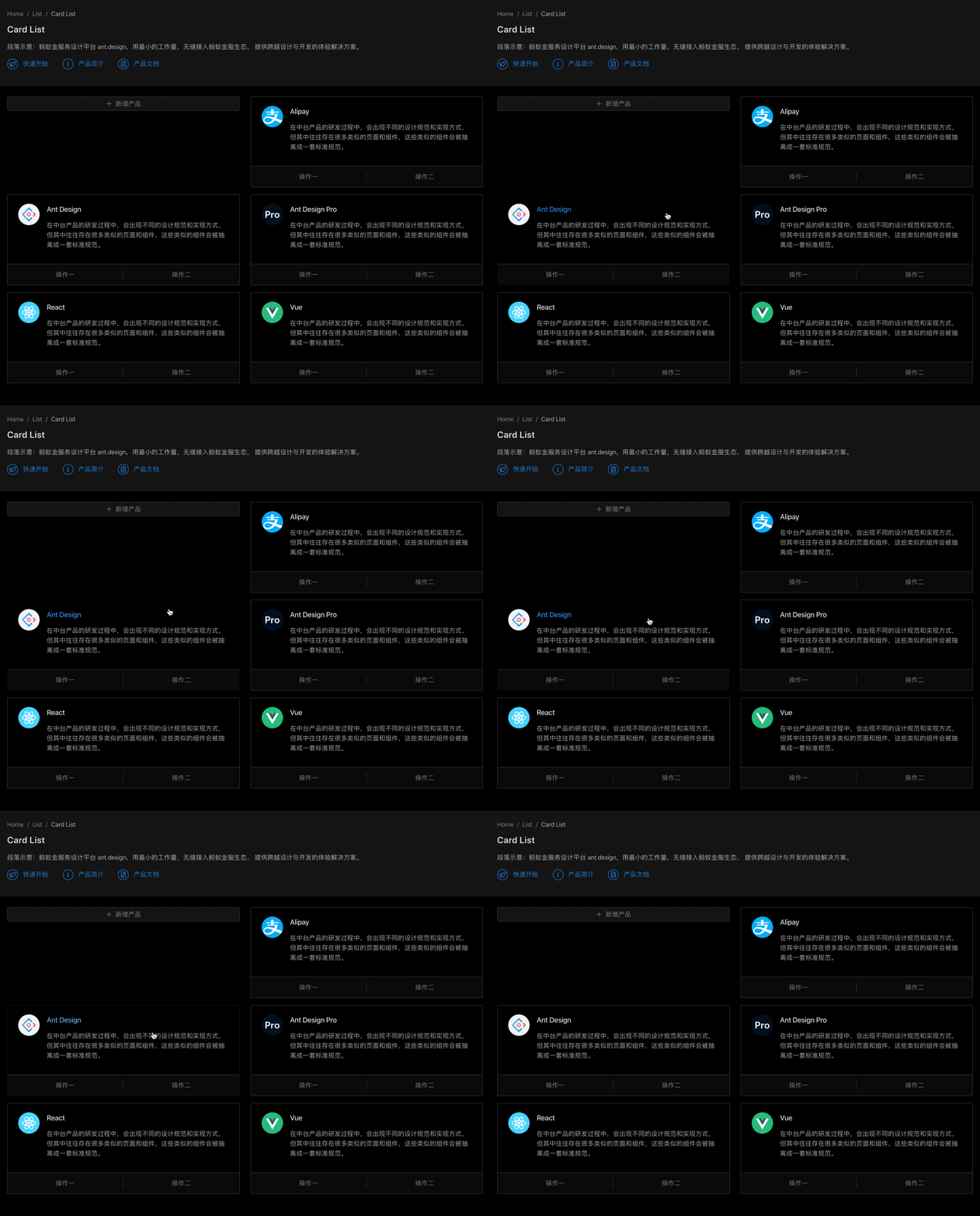
Card List (https://preview.pro.ant.design/list/card-list)
- Card hover disappears border of card:
Account Center (https://preview.pro.ant.design/account/center)
- Image icons (briefcase / sitemap / map marker) in profile aren't transparent, and so they don't blend in with background theme
- Tag input section colored wrong (white instead of dark)

📷 复现步骤
- Go to https://preview.pro.ant.design/
- Click the gear on the right hand side
- Choose "Dark style" under "Page style setting"
- Navigate to the areas / urls I mention in the screenshots above
 scouttyg
All 7 comments
Few other places I found:
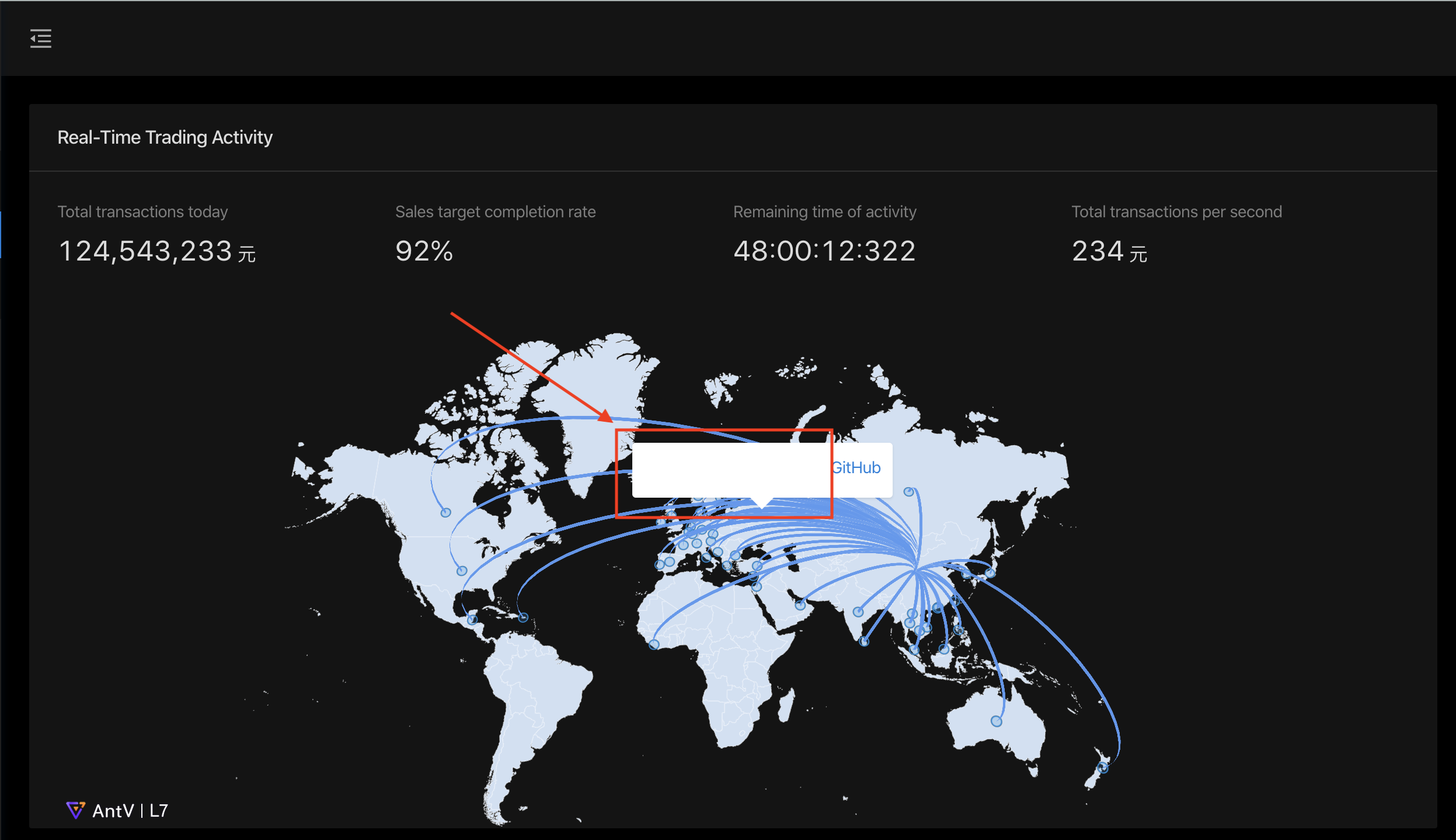
Dashboard Monitor Page (https://preview.pro.ant.design/dashboard/monitor)
- Hover tooltip has white text
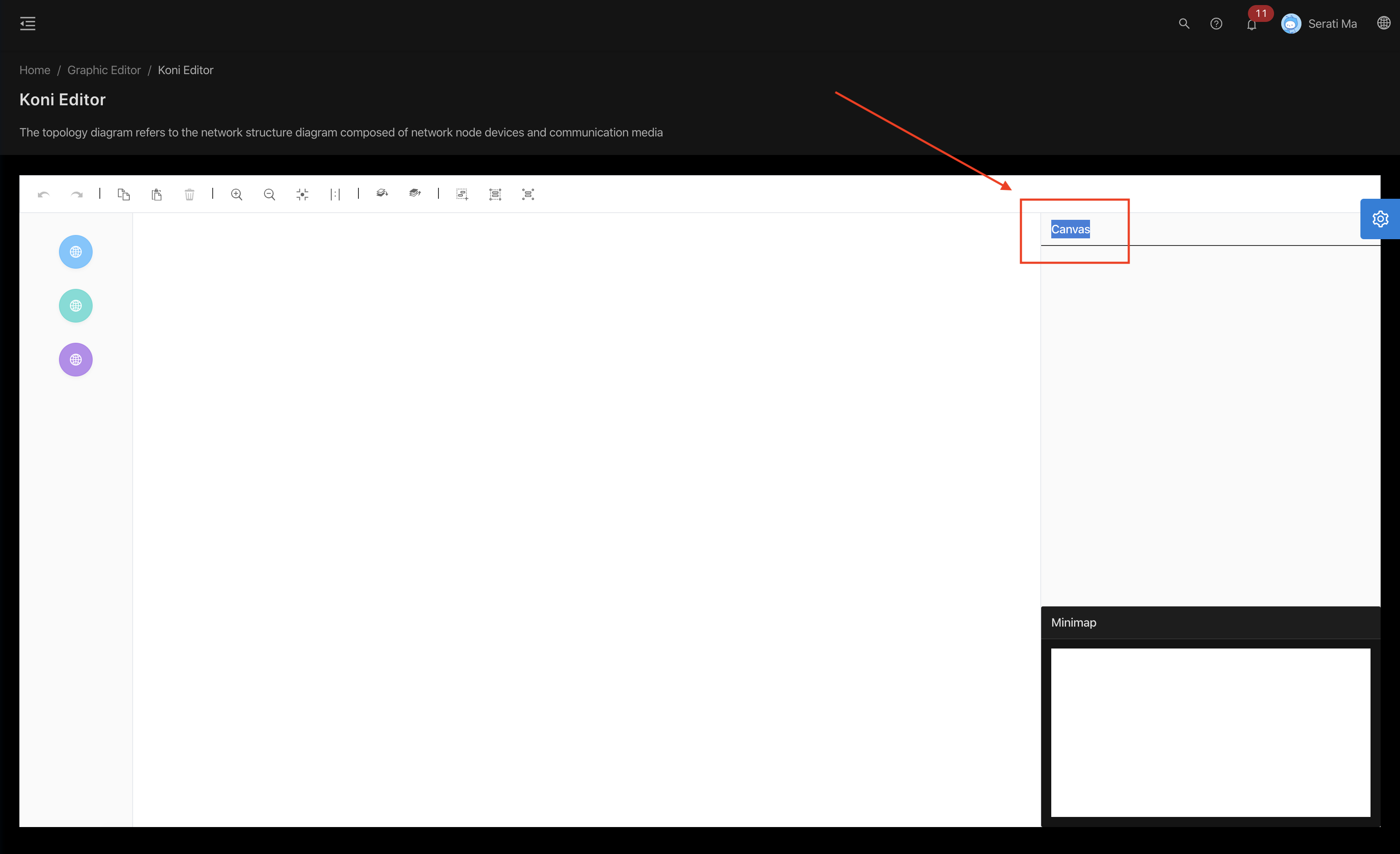
Editor Pages (any, but example: https://preview.pro.ant.design/editor/koni)
- Canvas text white when should be dark (I highlighted it to show it's there)
cc @chenshuai2144 , I know he's worked on a good amount of the dark theme for https://github.com/ant-design/ant-design-dark-theme
scouttyg
on 24 Mar 2020
I will solve these problems step by step.
Thank you very much for your arrangement
 chenshuai2144
on 26 Mar 2020
chenshuai2144
on 26 Mar 2020
- [x] "World dropdown" wrong background & font colors
- [x] "Profile Icon dropdown" wrong background & font colors
- [x] Inside styling more "dark" than the outside styling
- [ ] Card hover disappears border of card
- [x] Tag input section colored wrong (white instead of dark)
- [x] Image icons (briefcase / sitemap / map marker) in profile aren't transparent, and so they don't blend in with background theme
- [x] Hover tooltip has white text
- [x] Canvas text white when should be dark (I highlighted it to show it's there)
chenshuai2144
on 26 Mar 2020
Hey @chenshuai2144,
I've been checking out the progress and have been really loving the changes! Few things extra I found based on the latest changes on https://preview.pro.ant.design/:
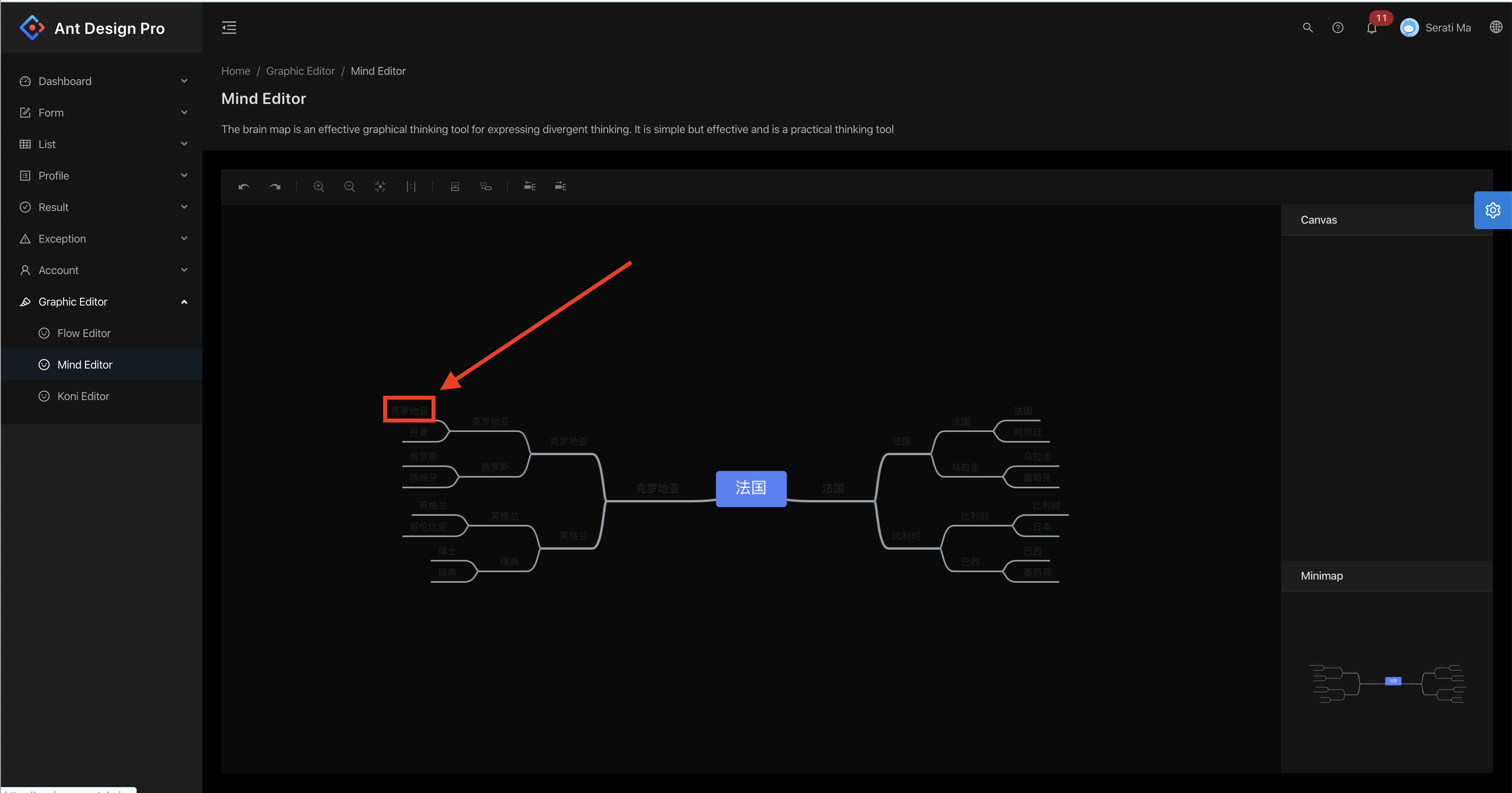
Mind Editor (https://preview.pro.ant.design/editor/mind)
Looks like the text just is still dark here, when it should be light:
Setting panel - Inside styling more "dark" than the outside styling (clarification)
This one I mentioned before, but just to make sure I'm clear, I tried to point out exactly what I'm talking about:
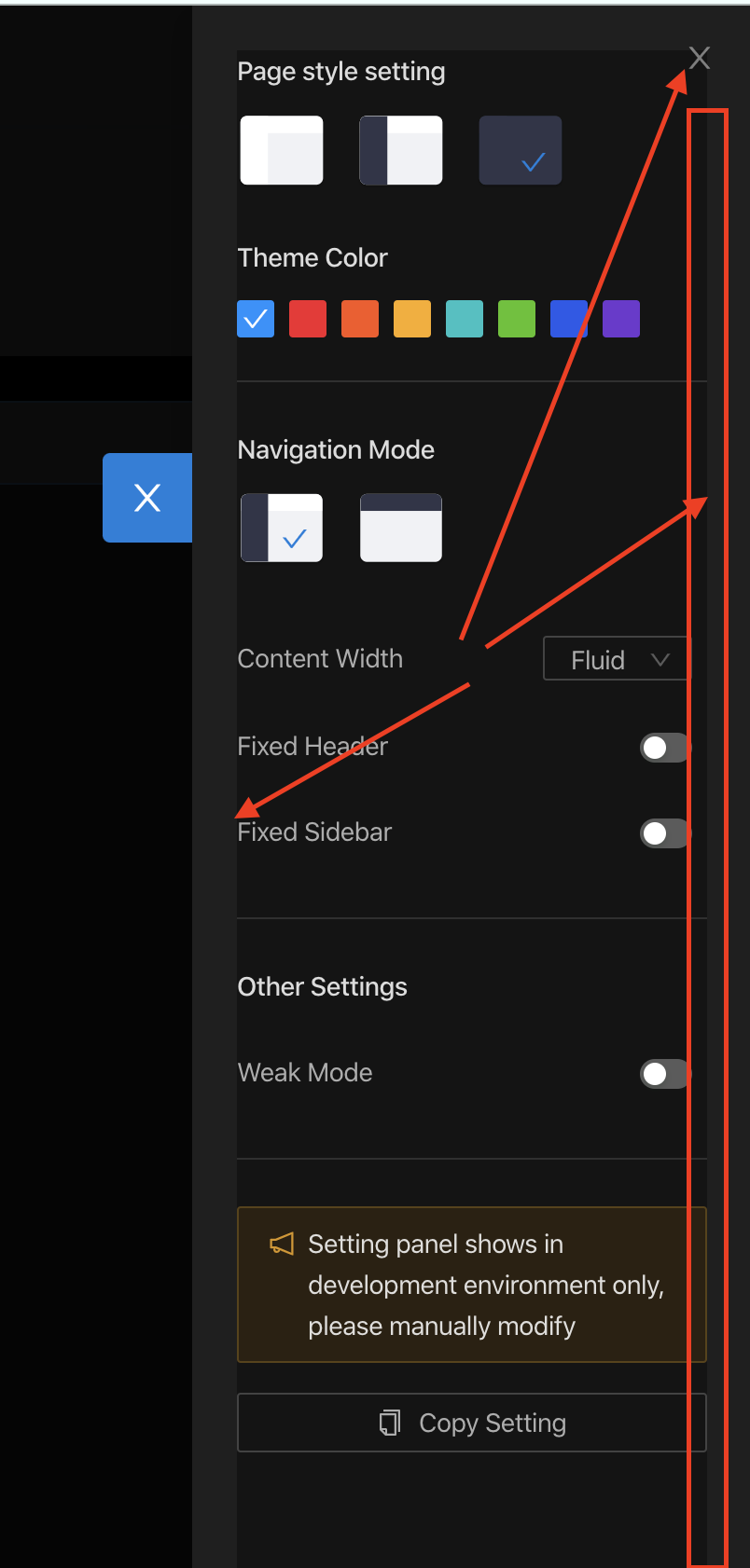
Basically, there's a padding of a lighter black around the darker black in the Settings side panel, and it looks kind of odd, especially when near text, and near things like the "x" in the top right corner.
Settings panel - "Dark style" mentioned twice
Quick gif to explain:
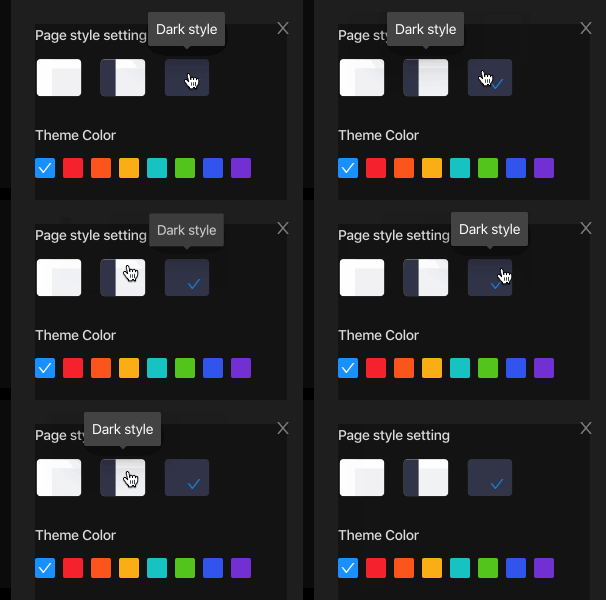
In the settings sidebar, the right two themes are both called "dark style", even though really the differentiation should maybe be "dark sidebar" and "dark".
Settings panel - clicking theme changes url, but does not persist on reload:
Another quick gif to explain:
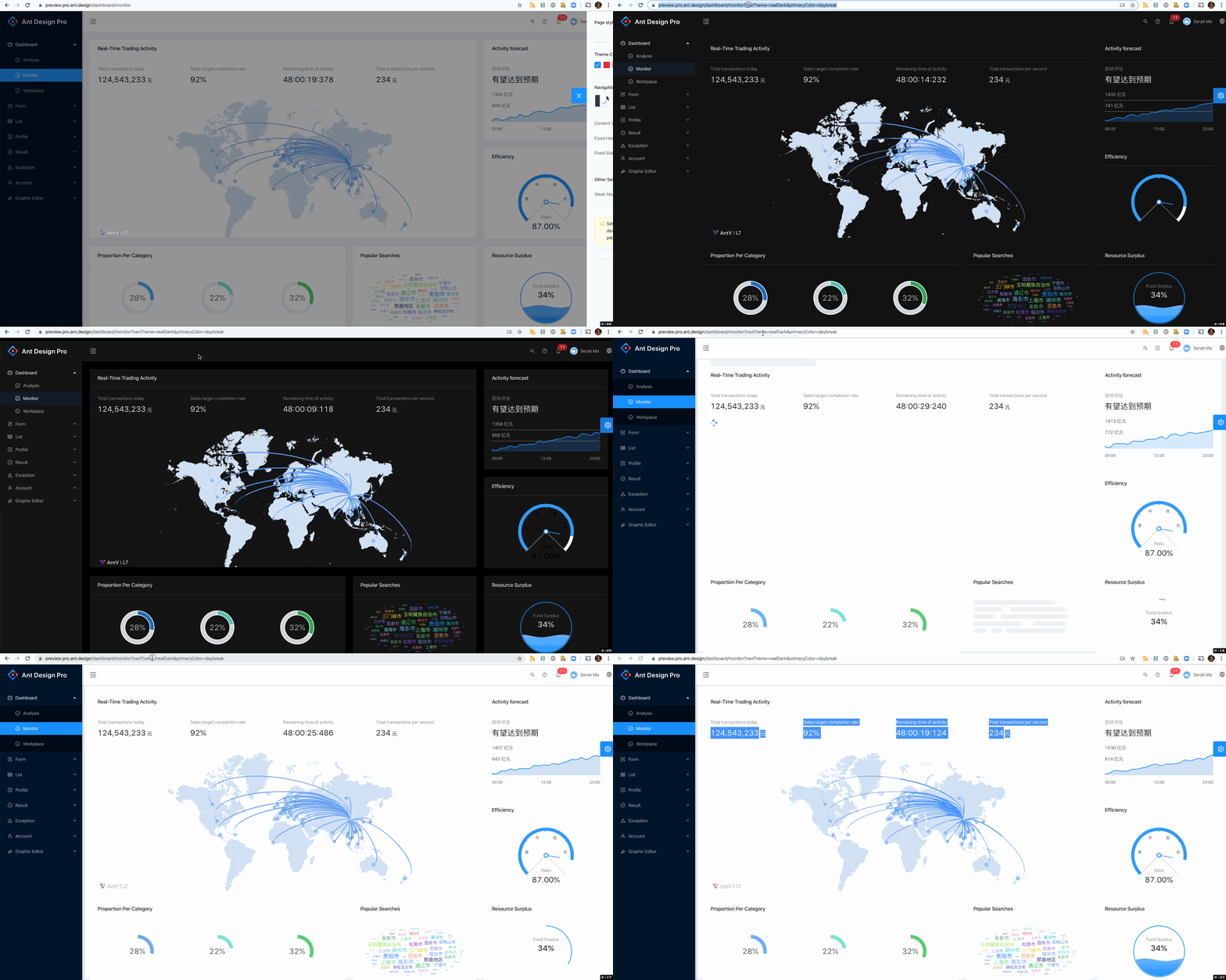
Basically, if you load the page in the normal theme, and change the theme to something like "dark style", the url changes to:
https://preview.pro.ant.design/dashboard/analysis?navTheme=realDark&primaryColor=daybreak
I'd expect the navTheme=realDark&primaryColor=daybreak params to mean that the theme would load and persist when refreshing that url, but that doesn't seem to be the case.
Overall
Just want to say I really appreciate you listening to my feedback! Hope you are having a great week ❤️
scouttyg
on 7 Apr 2020
Providing useful suggestions is very helpful for open source projects
❤️
chenshuai2144
on 8 Apr 2020
@chenshuai2144 Possible new regressions?

scouttyg
on 8 Jun 2020
new version will change this style
chenshuai2144
on 24 Jun 2020
Related issues
 gaoqiang19514
·
3Comments
gaoqiang19514
·
3Comments
 wuyongdec
·
3Comments
wuyongdec
·
3Comments
 kaoding
·
3Comments
kaoding
·
3Comments
 952425340
·
3Comments
952425340
·
3Comments
 2uncle-code
·
3Comments
2uncle-code
·
3Comments