Ant-design-pro: antd-pro,V2,build之后放到nginx,报错TypeError: n.load is not a function
1.node -v : v8.12.0
2.npm -v : 6.4.1
3.本地npm start之后,可以正常启动
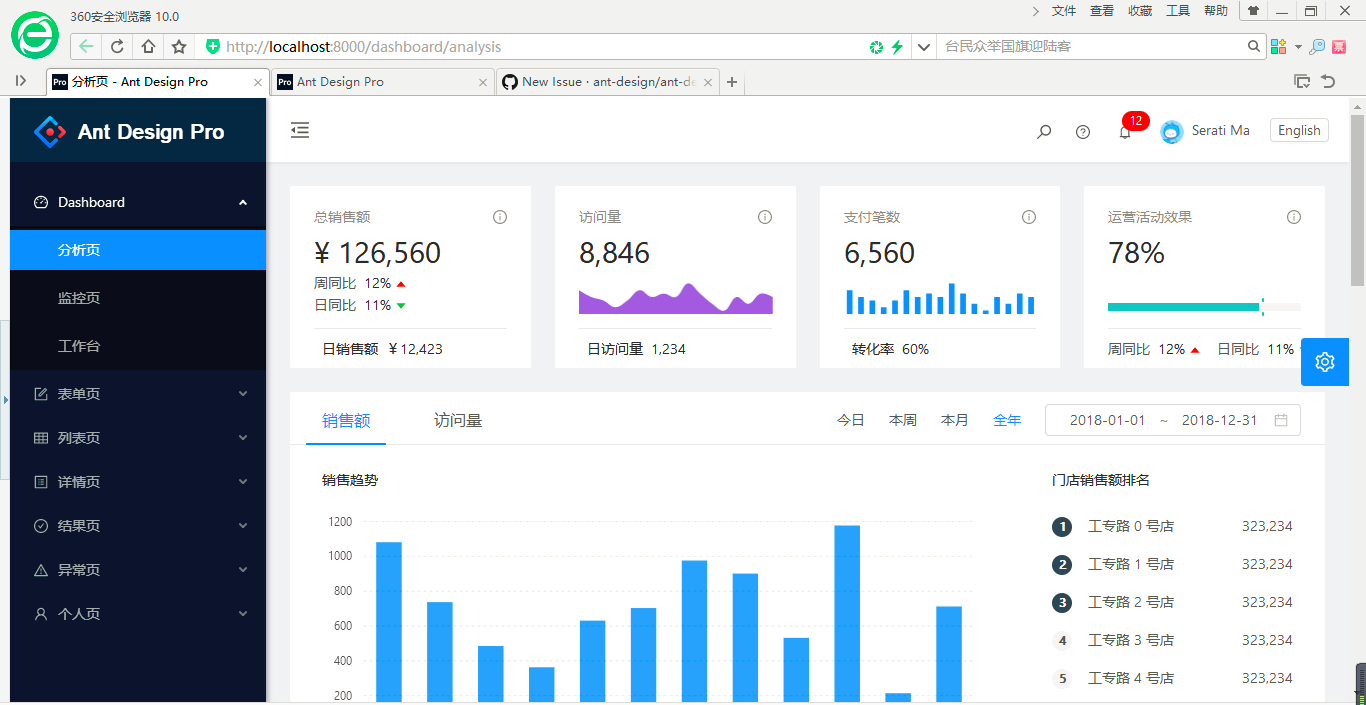
4.npm run build之后,将dist文件夹放到nginx配置,访问报错,umi.js:1 TypeError: n.load is not a function

5.将他人build之后的dist文件夹放到我的nginx服务器上,可以正常访问。
6.将依赖node_modules删除并重新很多次,依旧报错
7.V1版本可以正常使用,仅V2版本报错
8.怀疑是环境问题,始终没有解决,不知各位大神能否复现?请协助解决,谢谢!
 wuth10
All 14 comments
Translation of this issue:
antd-pro, V2, put it in nginx after build, error TypeError: n.load is not a function
1.node -v : v8.12.0
2.npm -v : 6.4.1
- After the local npm start, it can start normally.
4.npm run build, put the dist folder into the nginx configuration, access error, umi.js:1 TypeError: n.load is not a function
- Put the dist folder after the build of others on my nginx server, you can access it normally.
- Will rely on node_modules to delete and re-replace many times, still report error
7.V1 version can be used normally, only V2 version gives an error - Suspicion is an environmental problem, and it has not been resolved. I wonder if you can reproduce it? Please help solve, thank you!
 ant-design-bot
on 16 Sep 2018
ant-design-bot
on 16 Sep 2018
I also have the same problem , have you solved it ?
 AthenaXu
on 17 Sep 2018
AthenaXu
on 17 Sep 2018
me too
 nimstill
on 17 Sep 2018
nimstill
on 17 Sep 2018
use react-loadable replace dva/dynamic can solve,
https://github.com/ant-design/ant-design-pro/pull/1775
 basicfu
on 17 Sep 2018
basicfu
on 17 Sep 2018
npm clean cache --force
终极解决方案:node卸载重装
wuth10
on 18 Sep 2018
@wuth10 这个问题你是怎么解决的?我也遇到了
 byndhorizon
on 28 Nov 2018
byndhorizon
on 28 Nov 2018
@wuth10 node重装还是遇到了这个问题,请问下最后是怎么解决的
 LI-AF
on 18 Jan 2019
LI-AF
on 18 Jan 2019
windows环境吗?可以试下系统自带的cmd运行npm start
 Jiiun
on 30 Jan 2019
Jiiun
on 30 Jan 2019
找到问题了,是因为我用vscode打包的,请遇到这个问题的同学在cmd下打包,切记不可在vscode里!至于是什么问题,恐怕也只有官方能排查了
 tangtanglove
on 8 Mar 2019
tangtanglove
on 8 Mar 2019
出错排查
问题
使用 dva/dynamic 时出错。
this._load() is not a Function
解决
新建 webpack.config.js,内容如下:
module.exports = function (webpackConfig) {
  const m = webpackConfig.resolve.modules.pop();
  webpackConfig.resolve.modules.unshift(m);
  return webpackConfig;
};
 xiaohuoni
on 8 Mar 2019
xiaohuoni
on 8 Mar 2019
@xiaohuoni 原因是啥?
 afc163
on 8 Mar 2019
afc163
on 8 Mar 2019
@afc163 报告,我也不知道。群里看到云谦的答复,顺手转过来的
xiaohuoni
on 9 Mar 2019
出错排查
问题
使用
dva/dynamic时出错。this._load() is not a Function解决
新建
webpack.config.js,内容如下:module.exports = function (webpackConfig) { const m = webpackConfig.resolve.modules.pop(); webpackConfig.resolve.modules.unshift(m); return webpackConfig; };
Can you describe where to put this file? I am getting the same problem on a deployment to an azure web app, but things work fine locally.
 treetopvt
on 17 Apr 2019
treetopvt
on 17 Apr 2019
找到问题了,是因为我用vscode打包的,请遇到这个问题的同学在cmd下打包,切记不可在vscode里!至于是什么问题,恐怕也只有官方能排查了
npm build放在cmd运行完美解决问题,感谢!!!
 DongLee0504
on 24 May 2019
DongLee0504
on 24 May 2019
Related issues
 2uncle-code
·
3Comments
2uncle-code
·
3Comments
 happier2
·
3Comments
happier2
·
3Comments
 kaoding
·
3Comments
kaoding
·
3Comments
 renyi818
·
3Comments
renyi818
·
3Comments
 suifan
·
3Comments
suifan
·
3Comments