Ant-design-pro: change fonts source to local path
Hi,
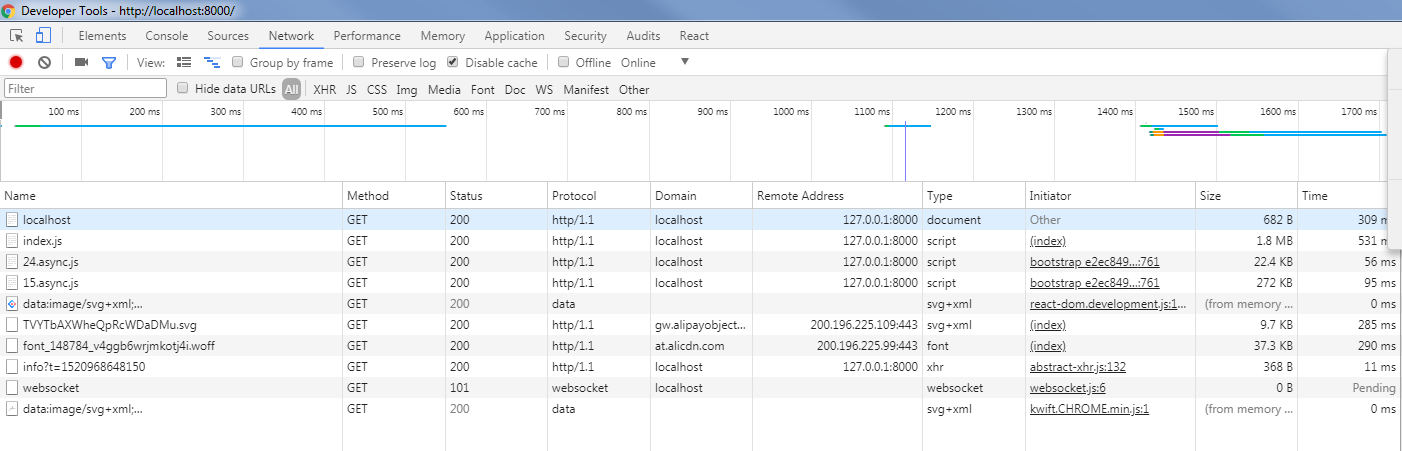
I would like to change the fonts file to a local file, however I could not do it properly.
- Downloaded font files ( https://at.alicdn.com/t/font_148784_v4ggb6wrjmkotj4i.xxx )
- I added to src/theme.js the line below
'icon-url': 'http://localhost:8000/fonts/font_148784_v4ggb6wrjmkotj4i'
Is it possible to change the font source to a local directory?
Best Regards
Felipe
 felipehsantos
All 8 comments
 afc163
on 14 Mar 2018
afc163
on 14 Mar 2018
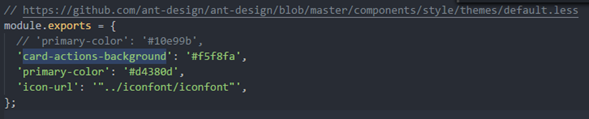
According to https://pro.ant.design/docs/theme I should change the file Scaffolding found in the directory below.src/theme.js which I did with the example posted above. It did not work:
// https://github.com/ant-design/ant-design/blob/master/components/style/themes/default.less
module.exports = {
// 'primary-color': '#10e99b',
'card-actions-background': '#f5f8fa',
'primary-color': '#d4380d',
'icon-url': '../iconfont/iconfont',
};
felipehsantos
on 14 Mar 2018

afc163
on 14 Mar 2018
Could you recend the link. It's an image instead of an url
felipehsantos
on 14 Mar 2018
The link is inside https://github.com/ant-design/antd-init/tree/master/examples/local-iconfont
I send the screenshot to make the point that you should notice the reference.
afc163
on 14 Mar 2018
Hi,
I read the references and still could not make this work. Reading through https://github.com/vision8tech/dvajs-user-dashboard/pull/2 (which is referenced at https://github.com/ant-design/antd-init/tree/master/examples/local-iconfont) showed that I had to define icon-url between quotes ("), which I did but now I got compilation errors:
Configuration @ src/theme.js

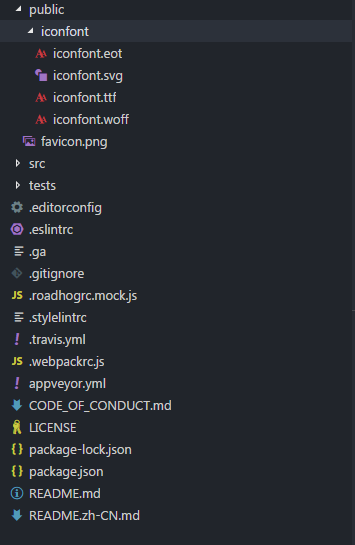
Ant Design Pro is using https://github.com/sorrycc/roadhog instead of webpack.config in the root directory. I did not know how to repplicate the solutions (https://github.com/vision8tech/dvajs-user-dashboard/pull/2) with .webpackrc.js. Reading through roadhog docs it´s said that data in the public directory will be copied to dist though. I did the following:
- Copy iconfont to public directory
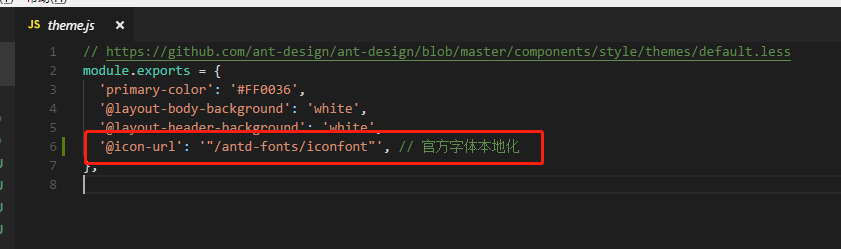
- Change configuration to:

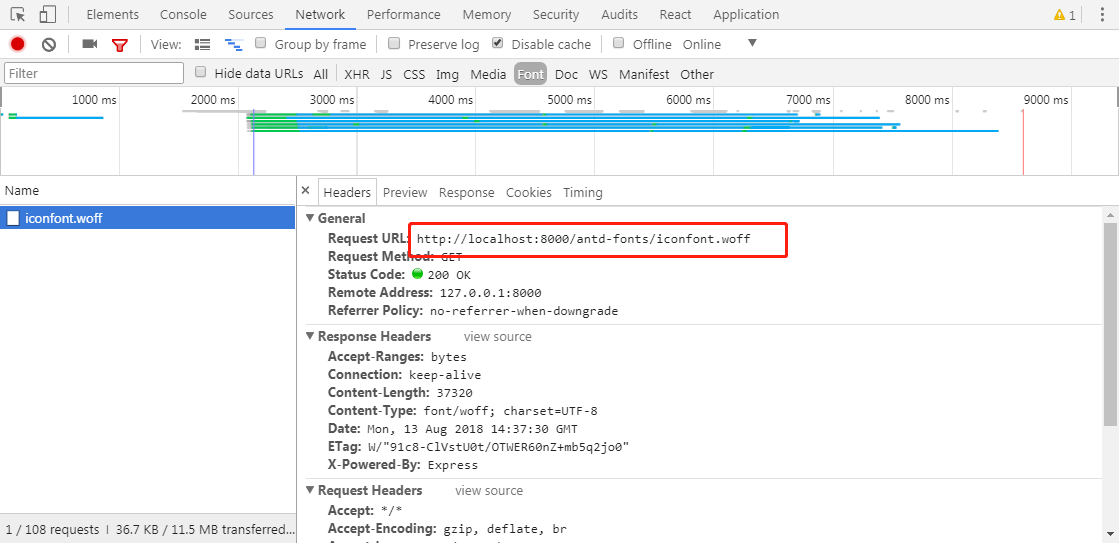
It worked.
felipehsantos
on 15 Mar 2018
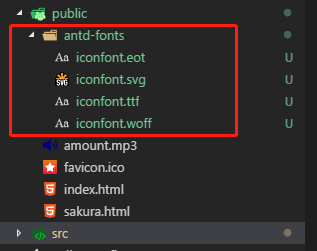
正确方法:
 liran
on 13 Aug 2018
liran
on 13 Aug 2018
@RanQiwu thanks!
 changyu72
on 29 Aug 2018
changyu72
on 29 Aug 2018
Related issues
 RichardStark
·
3Comments
RichardStark
·
3Comments
 kaoding
·
3Comments
kaoding
·
3Comments
 lvzheng0404
·
3Comments
lvzheng0404
·
3Comments
 wuyongdec
·
3Comments
wuyongdec
·
3Comments
 gaoqiang19514
·
3Comments
gaoqiang19514
·
3Comments