Ant-design-mobile: ListView: when sroll, next sticky header should push prev sticky header to top
List.Item 会挡,List.renderHeader 不会。
Card 整体都会挡住 ListView sticky SectionHeader
去掉以下 css 会露出来
.am-list-body .am-list-item {
  position: relative;
}

Version
1.3.0
Environment
web
Reproduction link
https://codepen.io/colder/pen/QgGzxq
Steps to reproduce
list or card as row
What is expected?
sticky section header fixed top
What is actually happening?
card and list item cover section header
 cncolder
All 16 comments
Reproduction link ?
 afc163
on 16 Jun 2017
afc163
on 16 Jun 2017
@afc163 Reproduction link updated
@paranoidjk 你的 codepen 该更新一下了。
cncolder
on 16 Jun 2017
@cncolder codepen 有问题的话,直接来个 PR 更新一下吧。 https://github.com/ant-design/antd-issue-helper/search?utf8=%E2%9C%93&q=codepen&type=
 paranoidjk
on 16 Jun 2017
paranoidjk
on 16 Jun 2017
我就是觉得 react 版本有点旧了。倒也问题不大。
cncolder
on 16 Jun 2017
@cncolder 已更新,不再指定版本,取 latest
paranoidjk
on 16 Jun 2017
还有个问题,Sticky header 里的 List 组件是哪里来的? 我翻 m-list-view 和 react-sticky 代码都找不到这个。
<div class=" sticky" style="transform: translateZ(0px); position: fixed; top: 0px; left: 0px; width: 477px;">
<div class="am-list-item am-list-item-middle">
<div class="am-list-line">
<div class="am-list-content">
<div style="color: red; background-color: gray; padding: 0.3rem;">list</div>
</div>
</div>
<div class="am-list-ripple" style="display: none;"></div>
</div>
</div>
找到出处了
感觉这里有点武断了,这里没必要用 List.Item 吧,而且 style 里也没有关于 ListView 的部分,只有 IndexedList。
cncolder
on 16 Jun 2017
@cncolder list 确实是可用也可不用、rmc-list-view 里就没用到。不过 antd-mobile 里 listview 用 list ,是考虑到 header footer 等样式和 list 的一致,就集成进来了 list 的样式名及样式,除了 list.item 还有 list.body list.header footer 等样式名。


.am-list-item {
  position: relative;  // 这个不能去掉,list 里 ripple 或边线的 css position 设置需要这个
}
此问题解决办法:
<ListView ... stickyProps={{ stickyStyle: { zIndex: 999} }} />
 warmhug
on 19 Jun 2017
warmhug
on 19 Jun 2017
It's right: zIndex
cncolder
on 19 Jun 2017
@warmhug z-index 的方法不可行,这样不但遮住了 row,同时也遮住了其他 section header。
cncolder
on 29 Jun 2017
@cncolder 试了下原来的行为就是 一个 sticky header 全部滚上去之后才会替换,我看下 native 的行为是怎样 https://github.com/ant-design/ant-design-mobile/commit/50daddcd771581f90edfca11c02584bef8be5a15#commitcomment-22826757
paranoidjk
on 29 Jun 2017
我记得也是这样,但要第二个遮住第一个才显得自然。
cncolder
on 29 Jun 2017
native 的 listview,下一个 sticky header 会顶着上一个 一起往上运动,直到消失并占位
paranoidjk
on 29 Jun 2017
这个是 stacked 效果,当时没注意。依赖的库是支持的、可能因为没用好~ http://rawgit.com/captivationsoftware/react-sticky/master/examples/stacked/index.html
warmhug
on 29 Jun 2017
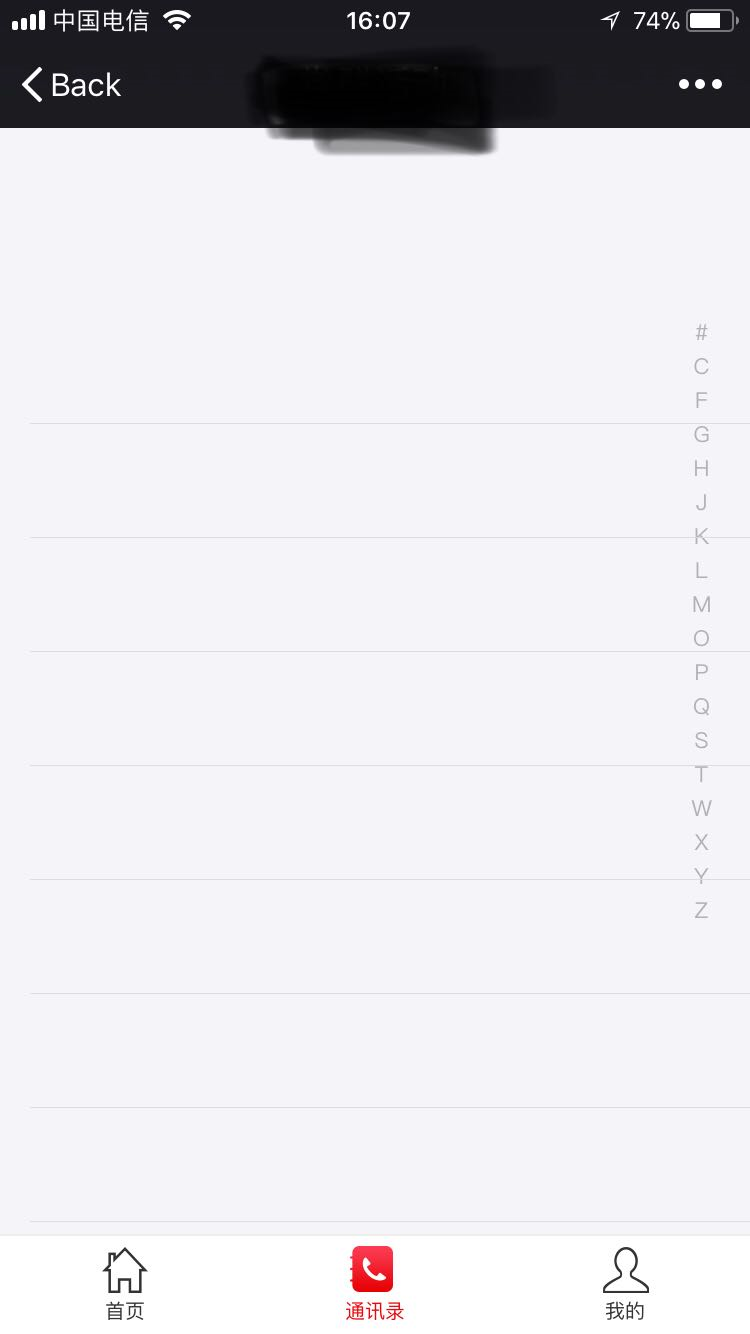
ListView.IndexedList使用:ios11.2.1手机端,数据只有20条,滚动到最后一条,进入详情页面,浏览器回退,重新请求接口拿到数据,就会出现这种情况(首次进入不会出现,并且不滚动到下面的数据回退也不会出现)。。有个莫名的空列表挡住了列表数据,电脑端不存在这个情况。麻烦请看下呢 @paranoidjk @afc163
 chenghaohao
on 5 Jan 2018
chenghaohao
on 5 Jan 2018
@chenghaohao 就会出现这种情况?是什么情况没明确,新开 issue 明确描述。这个 issue 跟你这个情况也没关系的。
warmhug
on 5 Jan 2018
Related issues
 lixiaoyang1992
·
3Comments
lixiaoyang1992
·
3Comments
 myLazyProgrammer
·
4Comments
myLazyProgrammer
·
4Comments
 kossel
·
3Comments
kossel
·
3Comments
 FancyShare
·
3Comments
FancyShare
·
3Comments
 18019675002
·
4Comments
18019675002
·
4Comments
Most helpful comment
@cncolder list 确实是可用也可不用、rmc-list-view 里就没用到。不过 antd-mobile 里 listview 用 list ,是考虑到 header footer 等样式和 list 的一致,就集成进来了 list 的样式名及样式,除了 list.item 还有 list.body list.header footer 等样式名。


此问题解决办法: