Anki-android: Side menu does not correctly close
Reproduction Steps
- click on the very left edge of the deck menu (i.e. slightly left of the '>' for folded decks)
- try to click anywhere on the screen
Expected Result
One should be able to click anywhere and e.g. access decks.
Actual Result
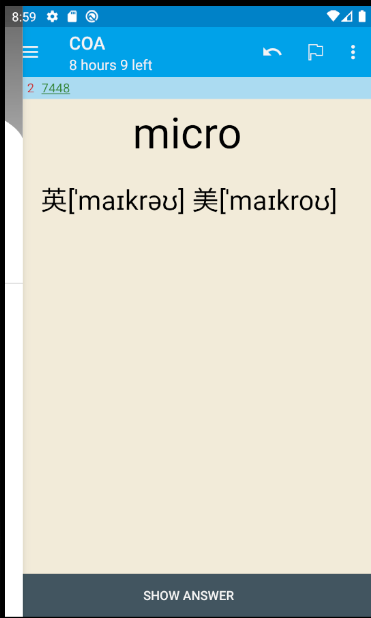
After 1. the side menu pops up a little bit (roughly up to the '>' icons). In 2., the menu retracts, but the screen is unresponsive until you actually slide the side menu completely open and then close it back.
Debug info
As far as I know, it was there in a recent update (already present prior to the 20-09-29 one)
Research
- [x] I have read the support page and am reporting a bug or enhancement request specific to AnkiDroid
- [x] I have checked the manual and the FAQ and could not find a solution to my issue
- [x] I have searched for similar existing issues here and on the user forum
- [ ] (Optional) I have confirmed the issue is not resolved in the latest alpha release (instructions)
 julienbaley
All 16 comments
Hi @julienbaley, thanks for the report.
Could you provide debug information: Settings - Advanced - About AnkiDroid - Copy Debug Info
Could you download: https://github.com/ankidroid/Anki-Android/releases/download/v2.12.1/AnkiDroid-2.12.1.parallel.A.apk and see if the problem occur then.
Could you provide a short screen recording of the issue - I can't reproduce this on my phone
 david-allison-1
on 4 Oct 2020
david-allison-1
on 4 Oct 2020
It seems to be gone with the alpha. For the sake of the report, here's what I had before the alpha:
AnkiDroid Version = 2.13.4
Android Version = 9
ACRA UUID = 5a15499c-8686-431f-afe7-bb85d64c77fa
Scheduler = std
And a screen recording of it
https://photos.app.goo.gl/56q1ANjP12DaL98Q7
julienbaley
on 4 Oct 2020
Thanks! What's the version of the alpha that solved it.
david-allison-1
on 4 Oct 2020
I've used the link you've posted in your previous comment. (I realise it may not be an alpha)
julienbaley
on 4 Oct 2020
@julienbaley Which device are you using?
david-allison-1
on 4 Oct 2020
OnePlus 3 on Oxygen OS 9.0.6 (Android 9)
julienbaley
on 4 Oct 2020
@julienbaley
Could you test on:
https://github.com/ankidroid/Anki-Android/releases/download/v2.14alpha4/AnkiDroid-2.14alpha4.parallel.A.apk - I expect this to work
https://github.com/ankidroid/Anki-Android/releases/download/v2.14alpha5/AnkiDroid-2.14alpha5.parallel.A.apk - I expect this bug to appear
Thanks
david-allison-1
on 4 Oct 2020
Both "work" (the side-menu doesn't pop up when clicking near the border of the screen, and therefore the rest of the bug doesn't happen).
julienbaley
on 4 Oct 2020
That's unexpected
https://github.com/ankidroid/Anki-Android/releases/download/v2.14alpha9/AnkiDroid-2.14alpha9.parallel.A.apk - I expect this to work
https://github.com/ankidroid/Anki-Android/releases/download/v2.14alpha10/AnkiDroid-2.14alpha10.parallel.A.apk - I expect this bug to appear
david-allison-1
on 4 Oct 2020
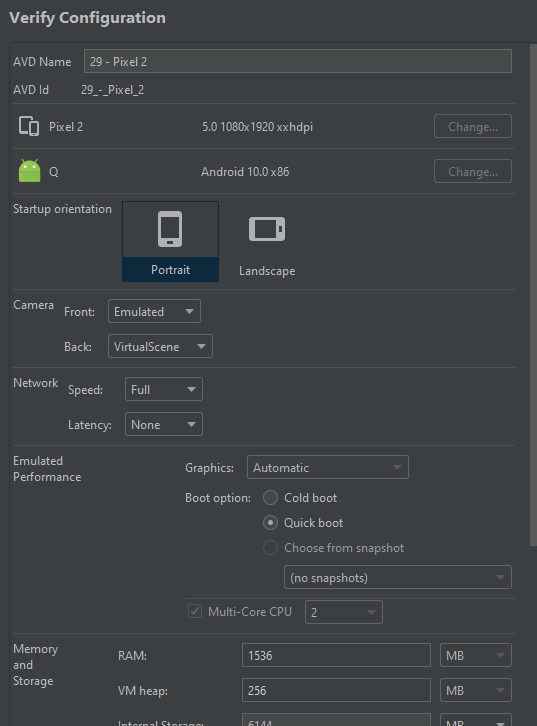
Interesting, duplicated this on a API 29 emulator
david-allison-1
on 18 Nov 2020
I can only trigger this if "Safe Display Mode" is enabled.
@julienbaley Could you try disabling this setting and seeing if this problem goes away?
david-allison-1
on 18 Nov 2020
It does indeed go away!
Is it possible to fix it, still? Of the two (this bug and the animations), the animations are far more annoying for me :)
julienbaley
on 18 Nov 2020
Absolutely possible now I've tracked it down - I probably won't have the bandwidth to look at it this week, but please tag me if I haven't managed to resolve this in the next fortnight
Thanks for the fast response!
david-allison-1
on 18 Nov 2020
Superb :)
It's not too urgent, but happy to ping if that helps.
julienbaley
on 18 Nov 2020
@david-allison-1 here is your "bump" :)
julienbaley
on 25 Nov 2020
I needed that, thanks! I'm out tonight so won't be able to look at it today, but I plan to get it done tomorrow.
Please bump again in 24 hours if it's not assigned/fixed
david-allison-1
on 25 Nov 2020
Related issues
 sudomain
·
3Comments
sudomain
·
3Comments
 snowtimeglass
·
5Comments
snowtimeglass
·
5Comments
 noamraph
·
3Comments
noamraph
·
3Comments
 homocomputeris
·
5Comments
homocomputeris
·
5Comments
 Anthropos888
·
5Comments
Anthropos888
·
5Comments