Animation_nodes: MIDI and OSC Trigger Animation - Sonic Pi 3
I am bringing back old issue to life and will try MIDI and OSC, but will need Sonic Pi 3.
https://github.com/JacquesLucke/animation_nodes/issues/332
First of all I might need some kind of MIDI data.
Two ideas:
- MIDI trigger Blender Action/F-Curve/Animation
- Blender Particles trigger sounds via MIDI or OSC
 enzyme69
All 28 comments
Sonic Pi:
http://sonic-pi.net
Python Sonic:
https://github.com/gkvoelkl/python-sonic
We got some awesome tools to generate "realtime" procedural music, I think.
enzyme69
on 4 Oct 2017
@LeonCheung are you still around? I probably wonder if @ClockMender is interested.
enzyme69
on 4 Oct 2017
At some point, @OmarSquircleArt already made a setup utilizing Sequencer that trigger MIDI sound. The Blend was using older AN and no longer working.
It has limitation with Blender Sequencer itself, but was a really nice visualization of MIDI trigger node.
I think one idea is to trigger place and generate Action Animation Strips inside NLA... but a bit hacky but might work.
Anyhow for now, I think I will test the MIDI from Sonic Pi to Blender first. With Python and MIDI to CSV, the data is already there and baked. I am sure that "semi-realtime" will be more interesting.
enzyme69
on 4 Oct 2017
It's great seeing this MIDI stuff come to (back to?) life. Thanks guys for warming it up.
 unity2k
on 4 Oct 2017
unity2k
on 4 Oct 2017
Welcome to join this thread @unity2k!
This article talks Sonic Pi and MIDI / OSC message:
https://rbnrpi.wordpress.com/2017/07/19/sonic-pi-3-0-arrives-get-going-with-its-midi-and-osc-commands/
MIDI itself is seems simple, but not quite simple :] Imagine a MIDI object, what would it have? Note On, Note Off, etc... many things to consider.
I will simplify my task for now:
- MIDI trigger node using AN Script Node --> Sonic Pi event listener (live loop)
- MIDI to CSV or text that can be parsed using AN... somewhat converting it into Sequencer or Stripes of Actions anyhow.
- MIDI sound generated LIVE from Sonic Pi, into OSC into Blender to trigger animation in realtime.
enzyme69
on 4 Oct 2017
I have a feeling that OSC is simpler...
enzyme69
on 4 Oct 2017
@enzyme69 I'm thinking about the possibility of making use of the incoming Action feature for that. I think it can be done, just the timing conversion part needs to be achieved in sorta tricky way, such as what you mentioned. Not sure yet. I bet JL would find a one-stop shpping way when possible (maybe not now), which could save us quite a few brain cells. Anyway, it's good see how far we can go. :)
 LeonCheung
on 4 Oct 2017
LeonCheung
on 4 Oct 2017
Oh cool. Yeah too many possible scenarios... 😃
- Simple MIDI, if already CSV "baked" then Python script can layout the actions, no need to be realtime, maybe just a once off thing, but always nice to be able to tweak and update
- If LIVE and realtime, ala Sonic Pi multi thread, then this is also interesting, and performance can be heavy, but OSC seems fast enough. All these sound and animation at some point will be baked.
Sonic Pi plug really opens up few brain cell neuron of mine to think this multi threaded "message". I think Ialso need to understand better how Blender or AN handles multiple "events" or listening to something to trigger ... "something action".
Feels more like BGE or interactive realtime game situation (button trigger, pulse, once off, burst, ...etc).
So far OSC seems the simplest to understand:
- I tested TouchOSC on iPhone with all kind of controls and hook it into Sonic Pi -- this works easily
- Then I replace TouchOSC with Blender Animation Nodes and hook it into Sonic Pi, also works!
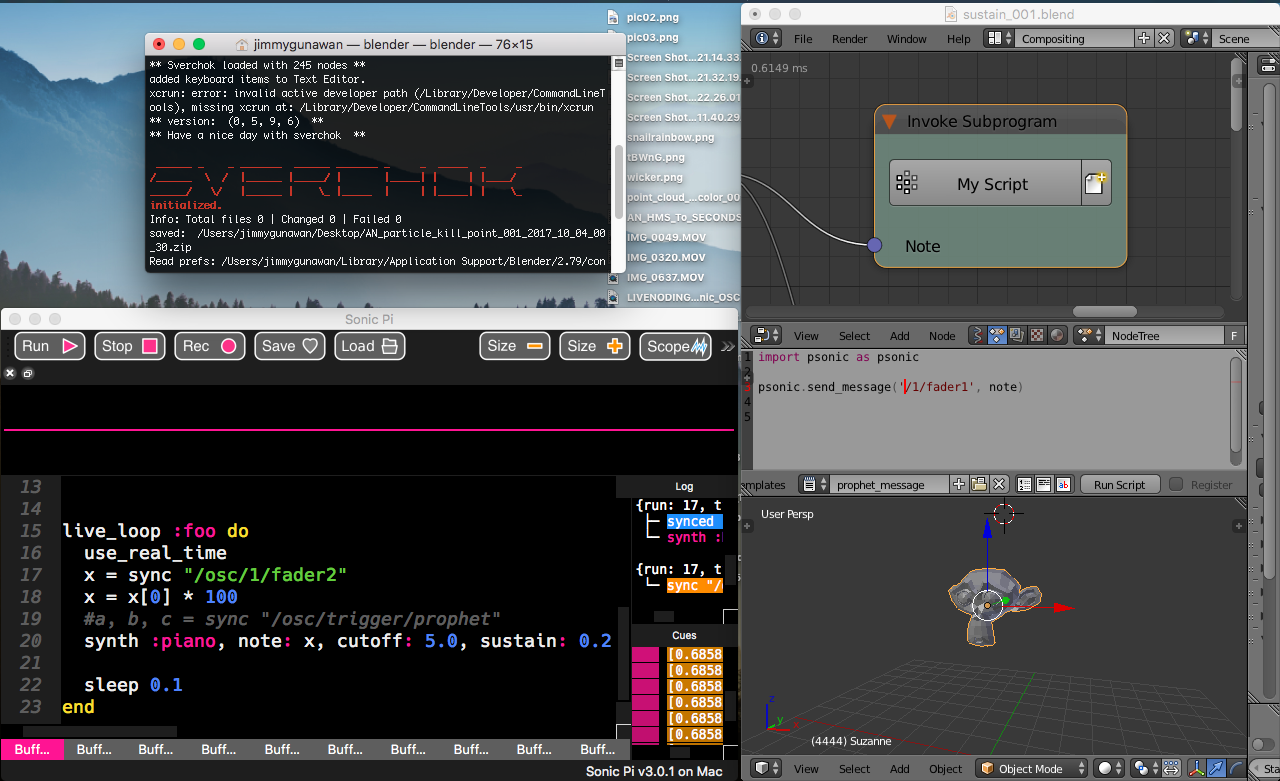
The thing now is really finding out the best way to "trigger action" and recording some kind of interactive realtime session and turn it into NLA environment 💃
That's all I like to share I guess.
PS:
With the MIDI to CSV ==> my suggestion is to convert the data into nice animation F-Curves and then animate it.
What would be cool is if sound can trigger motion of puppet and have delay lag... physical motion. Complex!
enzyme69
on 4 Oct 2017
So many weirds ideas when thinking of MOTION, SOUND, and INTERACTION.
We can enliken it to sound game design like Super Mario or Sonic, where a tap might trigger action and sound, double tap for double jump.
iPad "Garageband"
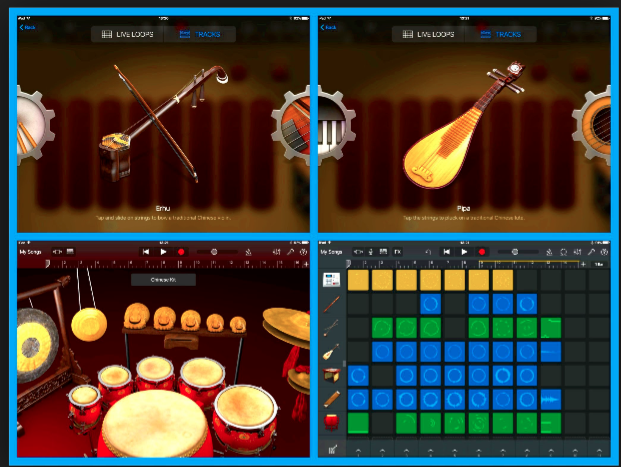
iPad "Playgrounds"
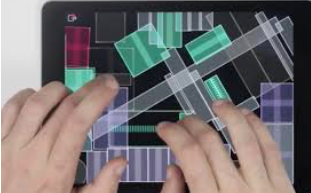
Maybe with MIDI, there should also be extra rigid body physics involved, apart from procedural.
enzyme69
on 4 Oct 2017
Very likely quickly beyond the scope of animation nodes, unless we have interaction buttons, events triggering system.
So for now, I think it is gonna be back to my other question of: triggerring action based on events.
enzyme69
on 4 Oct 2017
Yes I am very interested. I have written a prototype script that takes a MIDI CSV file (I used a freely available converter to make the CSV file see here):
http://www.fourmilab.ch/webtools/midicsv/
My script reads the CSV file and adds empties for each note played in each track of the file and then builds F-Curves for each midi event (note-on, note-off, velocity) so you end up with a series of controls to drive any animation. I have then built an AN node tree that animates a set of mesh objects based upon these empties, so I can have an 88 key piano playing a tune. See this:
https://blenderartists.org/forum/showthread.php?438780-Sound-Bake-amp-MIDI-Sync-Animations
The MIDI to CSV is written in C++ I think.... but it works well. I have previously got a biped robot to play guitar and drums and "Humans" to play violin and keyboards (both chords an melody) using the old Blender 2.49 script for MIDI - this is flaky, but the new script I have written seems to be better. I have lots more testing to do and want to build an Animation Node to operate it - I have never done this so I have some learning to do.....
I am quite happy to share my work, just ask! (pm me through BA, or contact me through here?) I am also open to others improving my work and working with me on this. You can find my Youtube channel on BA - it's in my signature, so you can see the types of things I have done with MIDI sync. Some not so good, later works are better.
The main advantage with these Empties is that you can always edit the F-curve afterwards, add new notes, correct notes, etc. and can animate any object with them using AN. I thought long and hard about having to have the meshes ordered as the controls are, but have written another script to take care of this, so both sets can be in any order in the blend file.
I hope all these ramblings make sense, I am getting old you know!
Cheers, Clock.
PS. I have never tried live playing to Blender, but that will open a new avenue for animators, although as I always render videos, maybe it's not for me. I use Reason DAW to get the MIDI files and play myself using a StudioLogic TMK88 keyboard, an iRig and an iMac - then export the MIDI, convert to CSV on my Ubuntu server and animate in Blender.
Here's my latest effort - three keyboards and a set of drum sticks playing "Homburg" I haven't rendered the video yet as I have to add meshes for the other two channels - this runs at 30 fps realtime on my MacBook - i7 CPU, 16Gb RAM.
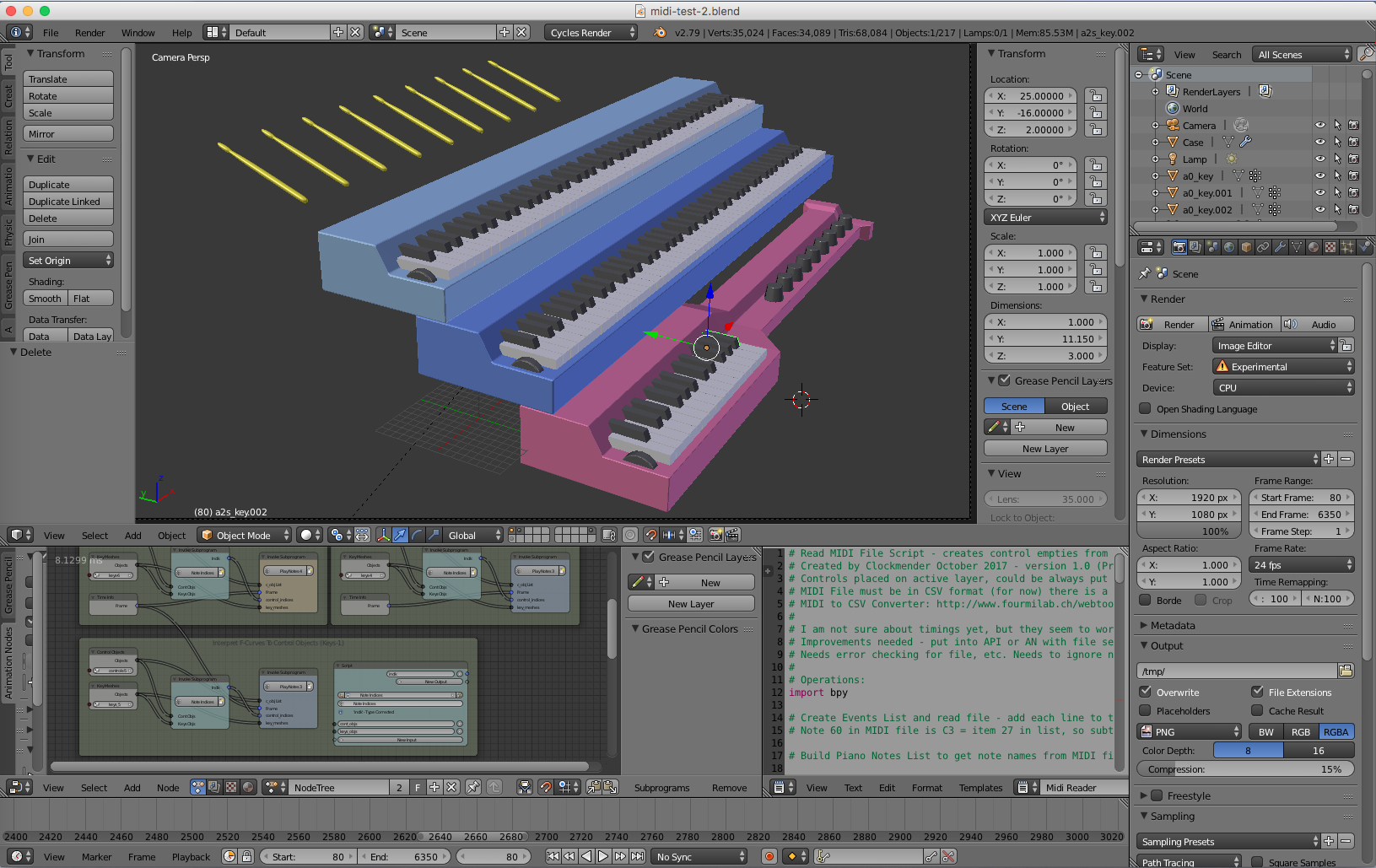
 Clockmender
on 4 Oct 2017
Clockmender
on 4 Oct 2017
I have just realised my method of getting the timings right from the MIDI file - needed to sync to the music - needs a little more work, I have spotted inconsistencies from MIDI files on the net and what Reason produces, I will keep you all posted as I solve this.
Cheers, Clock.
Clockmender
on 4 Oct 2017
I will keep my eyes on your project and would like to see update time to time. If you blog or vlog or YouTube, it will be easier for me to follow.
I am experimenting with OSC and realtime, however, I keep asking myself: What is really I am trying to do? Eventually I think making some kind of interesting performance using VIRTUAL CHARACTER, Motion, Sound and Interaction with Users.
enzyme69
on 5 Oct 2017
I'll be keeping this thread on BlenderArtist:
https://blenderartists.org/forum/showthread.php?438780-Sound-Bake-amp-MIDI-Sync-Animations
_reasonably_ up to date with developments, sorry, I had a website/blog built using Wordpress, with all my Blender and Music stuff on - but TalkTalkBusiness totally screwed it up, by deleting all the pages and I haven't had time to rebuild it elsewhere yet.
BTW, I have finally cracked how to get the timings precisely from the MIDI CSV file - took some doing as most websites on this issue have the wrong formulae and workings.......
I have the MIDI keyboard, I have the H/W interface, so if anyone wants me to test live links to Blender, just let me know.
Clockmender
on 5 Oct 2017
Hey, I haven't followed this in detail the last few days but here is something that @OmarSquircleArt found: https://tonejs.github.io/MidiConvert/
This can convert midi files into the json format which is even easier to read in python.
 JacquesLucke
on 7 Oct 2017
JacquesLucke
on 7 Oct 2017
Thanks Jacques - another new thing for me to learn!
I have cracked most issues now - the big one was, for example, when a note ends at frame 100 and then starts again at the same frame - this resulted no release of the key at frame 100 (first note-off keyframe was over-written by new note-on). So I modified the code so the release happens one prefixed delta time earlier - you then see the key release and then go down again. This coupled with my "easing" routine to slope the F-curves slightly results in a good "look" for the key. This is a problem when the MIDI sequence has been "quantised" to exact note lengths and the note is played more than once in a sequence with no gaps.
I am currently rendering a video to post on my BA thread (as the "Screencast" effort failed I have to do the full render and not go for the quick option) - should be ready later today. I am also investigating the possibility for the script to select a proper MIDI file, then convert it to CSV, then use the CSV to process the controls. I have no knowledge of how to do this, or for the script to wait for the CSV file to complete, so this may take some time to achieve.
I am also working on Tempo changes in the file - this affect the F-Curves although PPQN stays the same, only BPM alters, so therefore the read event time has to be adjusted. I made a version of "Blue Rondo" (Dave Brubeck) that has many Tempo changes and quite a few instruments so will be a good test.
I think I am now getting near to a workable solution!
Cheers, Clock.
Clockmender
on 7 Oct 2017
I have posted a video for review here:
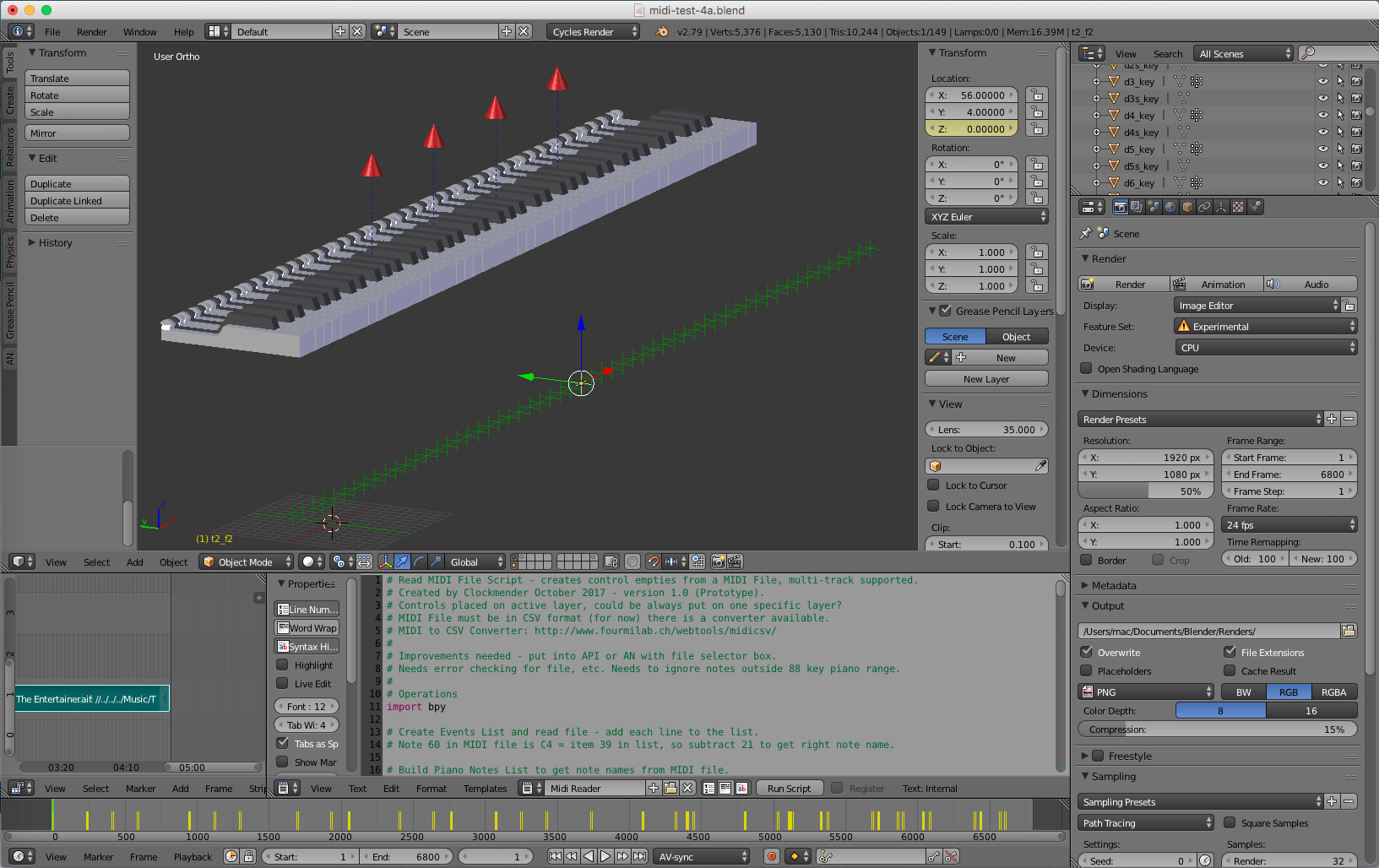
I am still working on refinements, but this looks promising to me.
Cheers, Clock.
Clockmender
on 8 Oct 2017
This is GREAT!! With motion and sound when in synch, it always feels good. I really want to try this now~
enzyme69
on 9 Oct 2017
Found some time today to make a quick and dirty midi animation myself: https://www.youtube.com/watch?v=MhUS13dzF5A&feature=youtu.be
This is only ment to be a quick test to see if I can get it working. I won't continue to work on it very soon because other things have higher priority for me atm but it is definitly something I'm interested in.
Read the video description on youtube for more details on how I archieved this.
JacquesLucke
on 9 Oct 2017
I Like it - I wonder if json or CSV is the way to go?
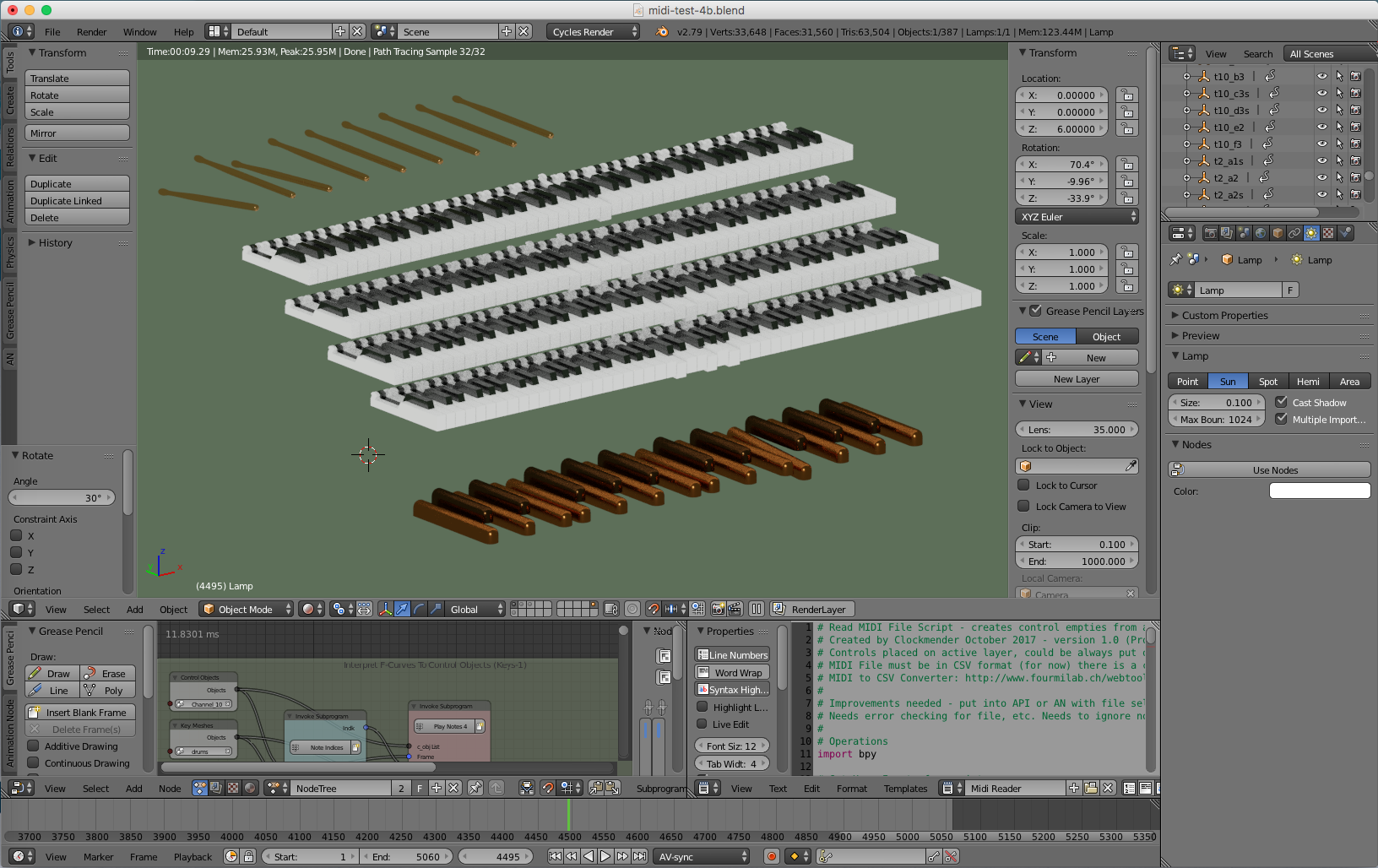
Here is my latest test piece. I got a raw MIDI file from the 'net, so it hasn't been through Reason to be cleaned and sorted. I ran my script on the CSV version of it - that took 2.3 seconds to generate all the F-Curves for all the controls (92 controls across 6 channels and 5060 frames). Sync to the sound is absolutely spot on. I used MIDI Velocity for all the keys and drums sticks and offset the animation to start 20 frames in, just because I can! I have eased the F-Curves so the notes don't just "jump" up or down, all done in the script. I have started commenting and cleaning my script, so might be able to share it soon. It would be nice to build this into a node, but I don't know how so have some reading to do.....
The only problem with this animation is that you need 17 hands and two feet to play all the instruments!
Cheers, Clock.
Clockmender
on 9 Oct 2017
OK so one problem we have to deal with is:
In my latest MIDI test file the drum notes are only on for 0.2 of a frame long at 24FPS - this means that unless part of the F-Curve is at value 1 on an integer frame number, the drum is not played. I can deal with this in Reason, I just change all the note lengths, but I am wondering if there is a way to do this in the script so "Note-on" events are a minimum of 1 frame long - tons of extra code I think, maybe not worth the hassle as I can easily change the MIDI file in Reason. Changing the FPS is not really practical as I would have to go to 120FPS to be sure to capture the event on an integer frame number. Any thoughts on this?
Clockmender
on 9 Oct 2017
Aaaaaargh!!!
Can someone tell me just what is wrong with this as a new node .py file please:
import bpy
from ... base_types import AnimationNode
from bpy.props import *
from ... events import propertyChanged
class MidiControlNode(bpy.types.Node, AnimationNode):
bl_idname = "an_MidiControlNode"
bl_label = “MIDI Control Node“
useV = BoolProperty(name = "Use Velocity", default = False, update = propertyChanged)

def create(self):
    self.newInput(“Float”, “Easing”, “easing”)
    self.newInput(“Integer”, “Offset”, “offset”)

def draw(self, layout):
    layout.prop(self, "useV”)
Blender complains of a "Syntax error - invalid character in identifier"
next line is ^
next line says bl_label = "Midi Control Node"
What is wrong - this is exactly the same format as every node that does work........
Clockmender
on 14 Oct 2017
please correct the syntax of your post so that I can see better how your code actually looks like. Or upload your .py file somewhere else.
Also please provide an image of the error message
JacquesLucke
on 14 Oct 2017
Really sorry, I tried to upload the code....
here is a zip file with the code - I changed the node's bl_idname and now get a new error!

I am trying to follow your example in this page:
Obviously not very well!!!
I want to run my new script from a Node. Thanks for any help.
Clockmender
on 14 Oct 2017
Please use a proper editer when developing new nodes for AN. (I suggest you to use Atom)
You will have to restart Blender every time you want to load the changes then. It might work even when you don't do it like this but I can't help you in that case.
I think the problem in you code is that you used the wrong " sometimes. Please compare them in your code, you'll see that you used two different ".
Code snippets can be shared using github gists: https://gist.github.com
JacquesLucke
on 14 Oct 2017
Now I feel like a proper idiot, how could I make such a mistake!
I will find Atom and start again. Thank you so much!
Clockmender
on 14 Oct 2017
You're welcome.
For the next node development related problem please open a new issue.
When you need help to develop nodes also feel free to contact me personally. (for AN related questions, not so much how to archieve your goal in general)
JacquesLucke
on 14 Oct 2017
Jacques - please ignore my last email, I was of course, being a total **head.....
I now have this:
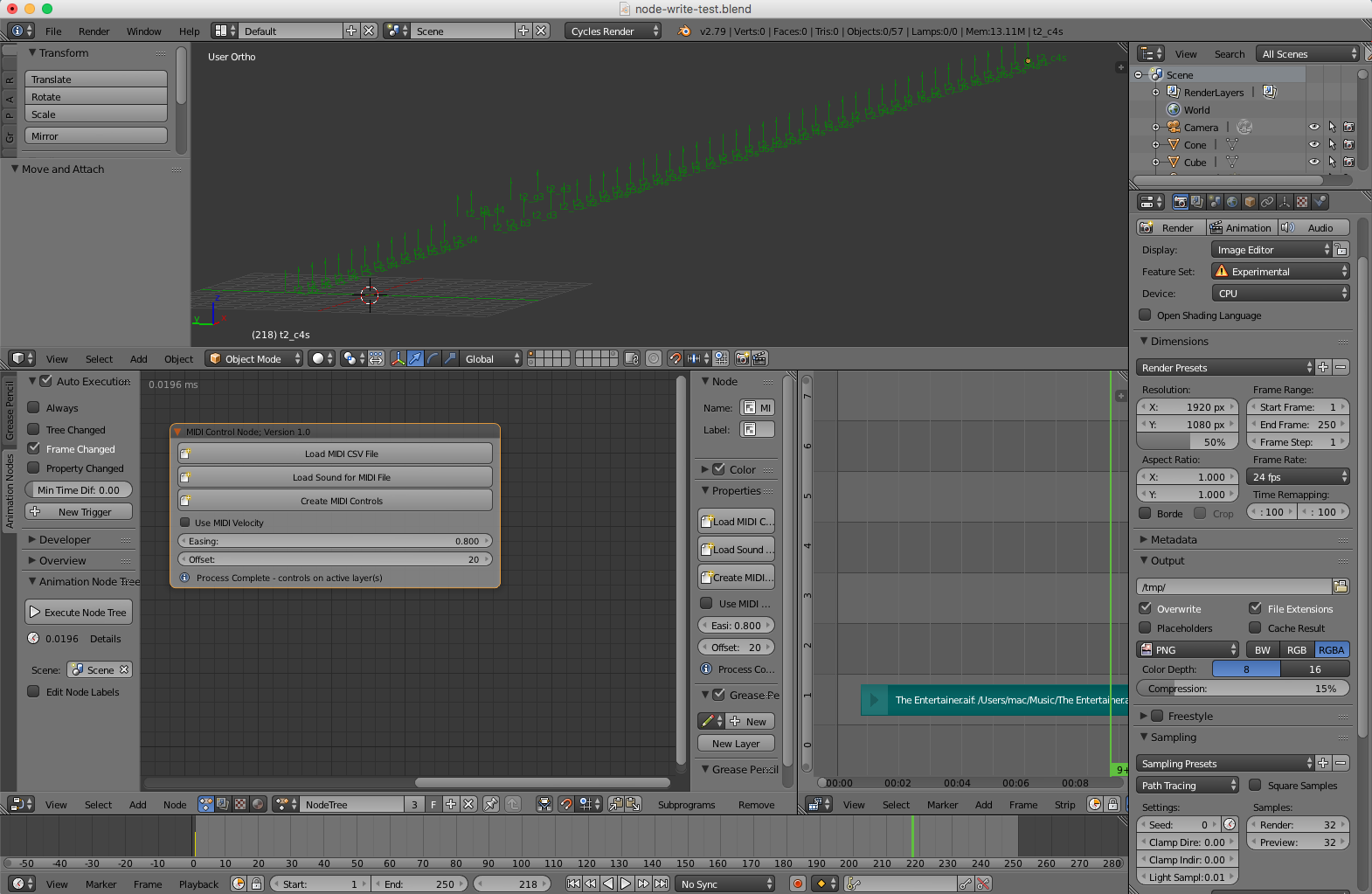
And I am very pleased with myself! More testing is required, then I can distribute to a few interested parties for further testing.
Cheers, Clock.
Clockmender
on 16 Oct 2017
Related issues
 baudouin-hub
·
9Comments
baudouin-hub
·
9Comments
 dimitripaiva
·
6Comments
dimitripaiva
·
6Comments
 tofuhead
·
7Comments
tofuhead
·
7Comments
 LupoMarcio
·
4Comments
LupoMarcio
·
4Comments
 ricardoroehe
·
4Comments
ricardoroehe
·
4Comments