Angular-gridster2: Container height not set
Is it possible not to set container height? I want to define item height only (row height).
Now I think I always have to define container height.
 piernik
All 8 comments
@piernik Which container? I think that grid container has to have height defined with css (but I'm not a associated with this project, so I don't have the best knowledge about it). If you want do define height of the cell (row) then you have to use _vertical fixed_ grid type i.e. gridType: GridType.VerticalFixed together with the row height option. E.g.
this.options = {
    gridType: GridType.VerticalFixed,
    fixedRowHeight: 500
}
 petarGitNik
on 11 Jan 2019
petarGitNik
on 11 Jan 2019
Container of whole grid:
<div class="container" style="height: 500px">
<gridster [options]="options"></gridster>
</div>
I have to set height of div.container and I don't want to. Toy solution is not working for me.
Edit:
it started to work when I added in css
gridster.scrollVertical {
  overflow: visible !important;
}
but it's not perfect - gridster is not propper block tag (it has no height)
piernik
on 14 Jan 2019
@piernik As far as I know, the container of the gridster needs to have the height set - the gridster will then take all the possible space of the parent element. This is because the gridster is a block element with height and width defined relative to the parent (using percents in CSS) (as you can see in the source code). So I think that you must set the height of the container div. Maybe you can refactor your HTML markup to match your needs?
petarGitNik
on 15 Jan 2019
Hi @piernik ,
I think @petarGitNik is right.
Thanks @petarGitNik
 tiberiuzuld
on 19 Jan 2019
tiberiuzuld
on 19 Jan 2019
@tiberiuzuld I want to return to that issue. I still think that there should be option in which gridster will take as much height as needed.
On my site I have gridster with widgets. Due to fixed height of container I often have two sliders, or unecessary one slider.
I post two screenshots:
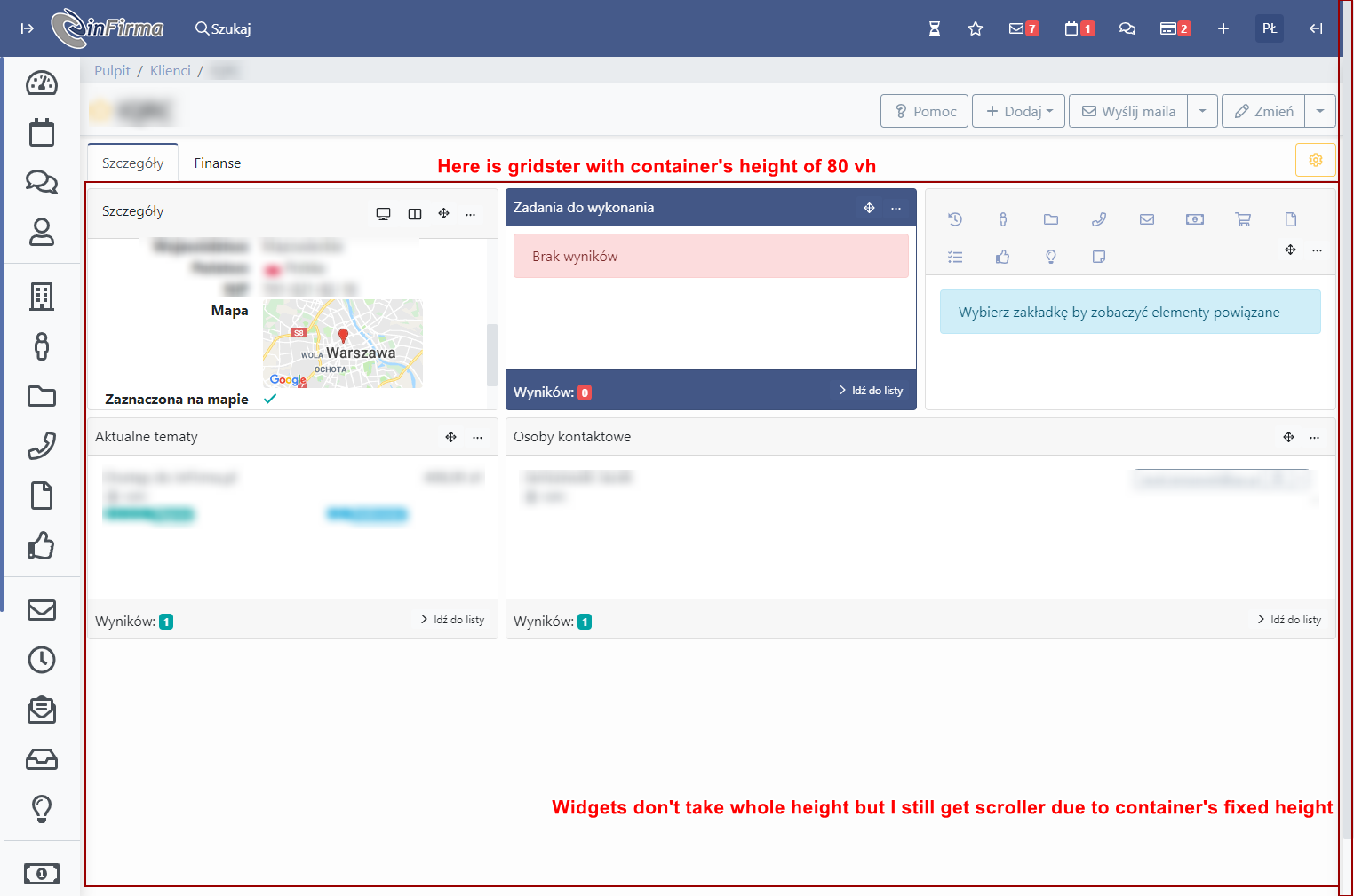
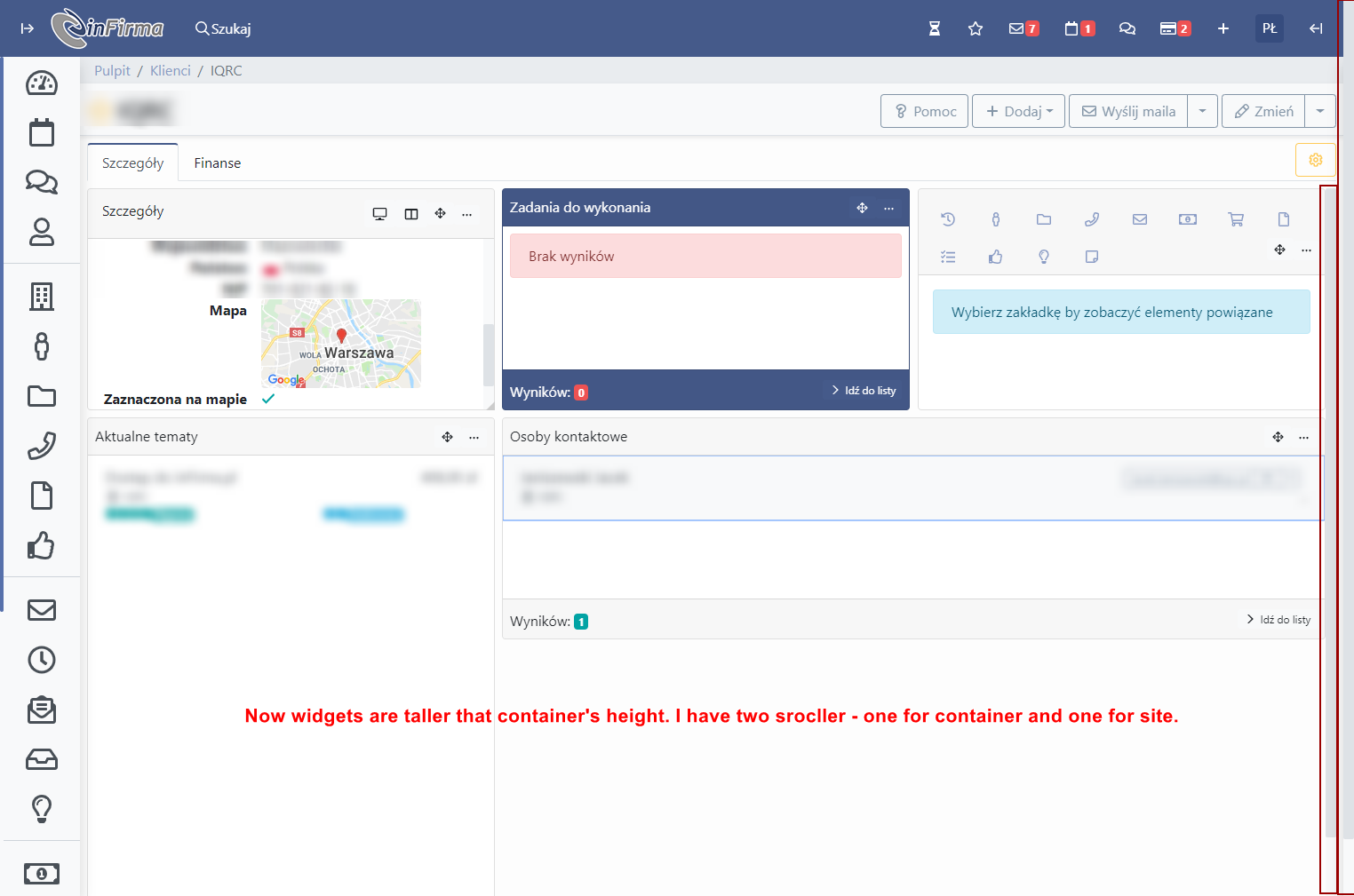
Is there something You can change?
piernik
on 9 Jul 2019
I noticed that You set gridster-column height. Can You also set gridster height. Off course if propper setting ex. 'adoptGridsterHeight' is set to true
piernik
on 11 Jul 2019
Try setGridSize: true
 lifeinchords
on 31 Jan 2020
lifeinchords
on 31 Jan 2020
The setGridSize: true seems to lock both the width and the height on the grid. This prevents the grid from resizing to different form factors it seems.
 RunnersReign
on 27 Feb 2020
RunnersReign
on 27 Feb 2020
Related issues
 marco-martins
·
4Comments
marco-martins
·
4Comments
 CollinGraf314
·
3Comments
CollinGraf314
·
3Comments
 leandro-ali-elel
·
4Comments
tiberiuzuld
·
3Comments
leandro-ali-elel
·
4Comments
tiberiuzuld
·
3Comments
 Vojislav-Vukovic
·
4Comments
Vojislav-Vukovic
·
4Comments
Most helpful comment
Hi @piernik ,
I think @petarGitNik is right.
Thanks @petarGitNik