Angular-gridster2: Dragged GridsterItem should stay in grid bounds
Hi!
I'm searching for an option that all dragged GridsterItem can't be moved over the green borders visible in the screenshot.
thx!

 fjauer
All 9 comments
Hi @fjauer ,
Don't think this will happen because:
- if the user wants to drag the item to a new row/column to the right or bottom the item need to pass that green border.
- if the user uses the grid in scroll mode then again he needs to be able to move the item in all directions.
If you want to limit the user to drag when he is on max cols/rows or 0 in case of left and top or when he reaches the limit where items can be put then we can discuss about that and implemention.
 tiberiuzuld
on 14 Dec 2018
tiberiuzuld
on 14 Dec 2018
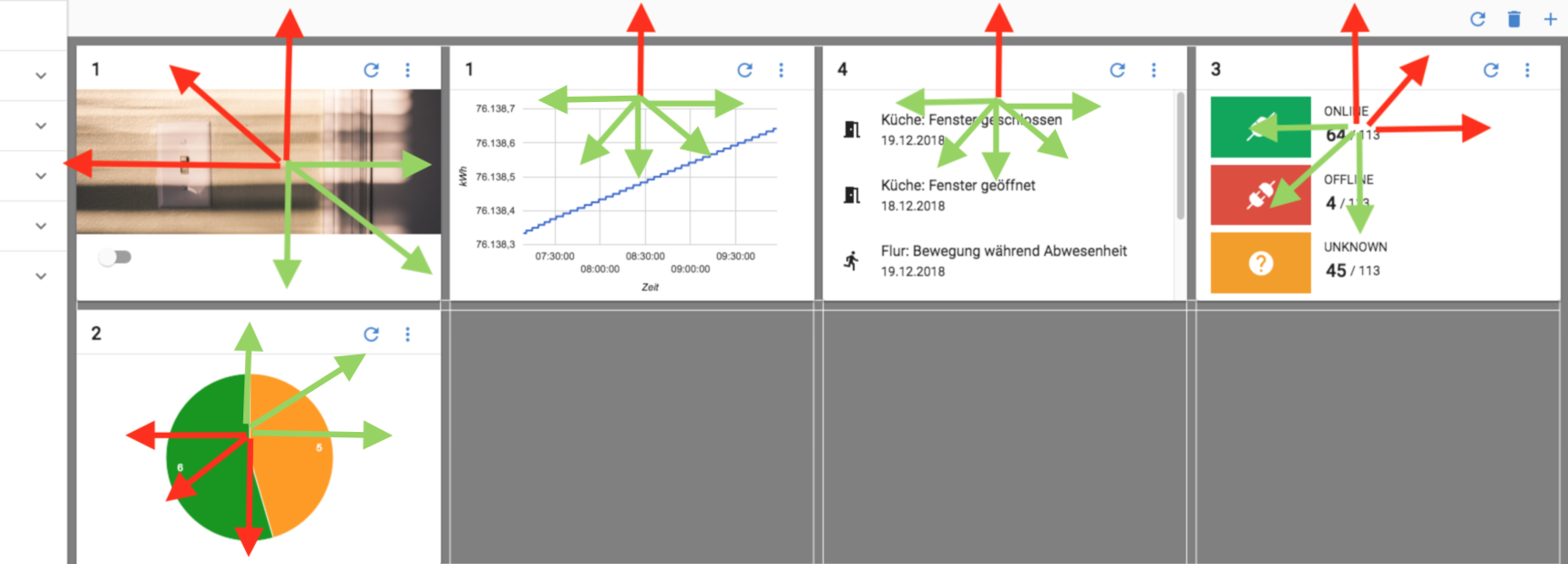
Hi that is excatly what it want. Below you could see my original dashboard with max 4 cols and max 2 rows. The user should only be able to drag in the green arrow directions.
fjauer
on 19 Dec 2018
I'm attempting to do something similar. The idea is to just allow placement within a grid of a fixed width (always 3 columns, in my case), not allow the user to grow the grid arbitrarily sideways.
By setting both minCols and maxCols to 4 and both minRows and maxRows to 2 in the example @fjauer gave you can _effectively_ prevent the grid from resizing, but the UI effect is a little janky. It allows you to drag as far as you want to the bottom and to the right, but then everything "snaps back" to the closest allowed position.
Here are some screenshots of the example UI with settings that illustrate what I'm trying to get at:
Setting min/max rows/cols to the same values and remove all items:
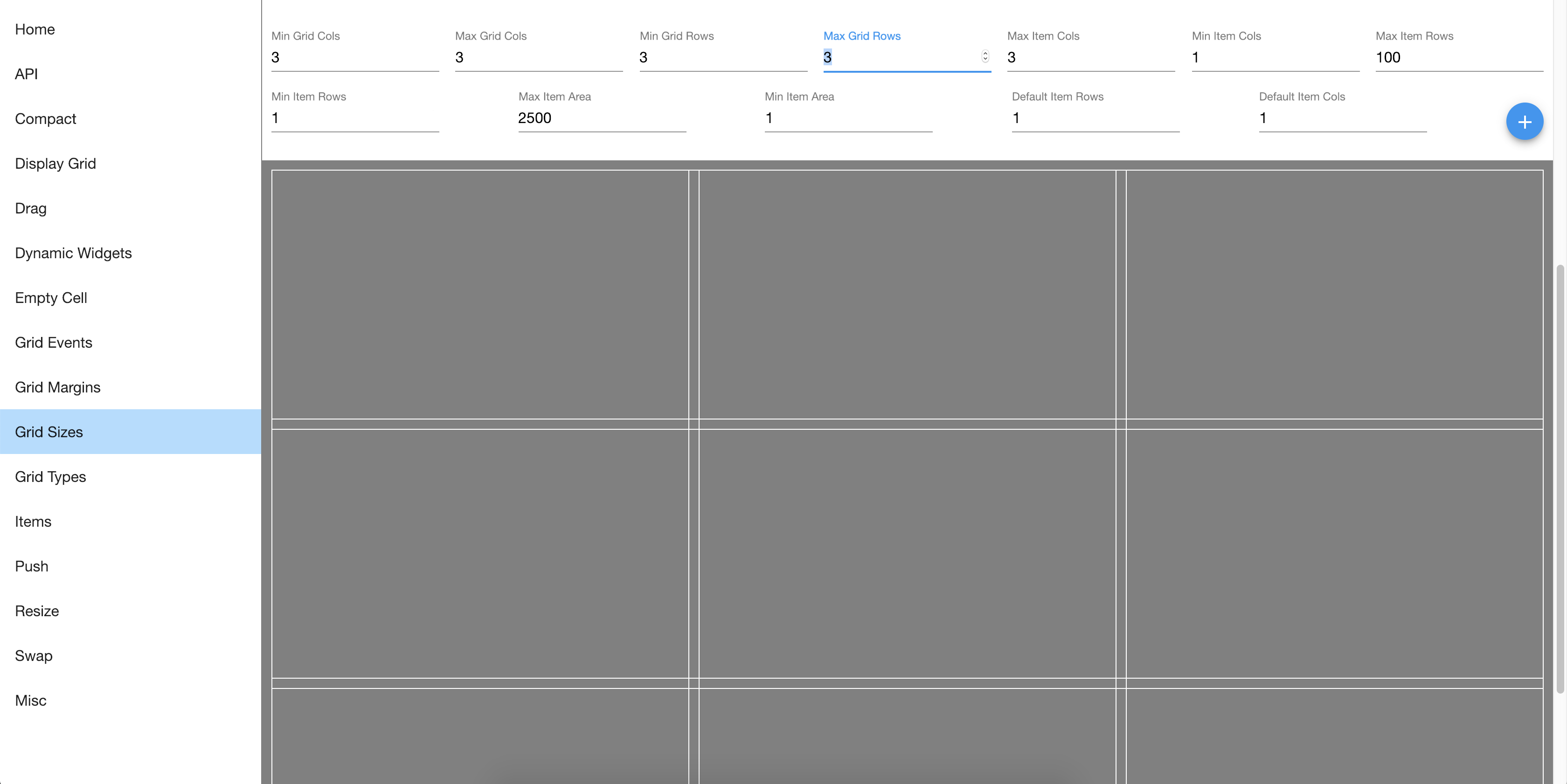
Then add an item:

All good, except you can drag very far away:
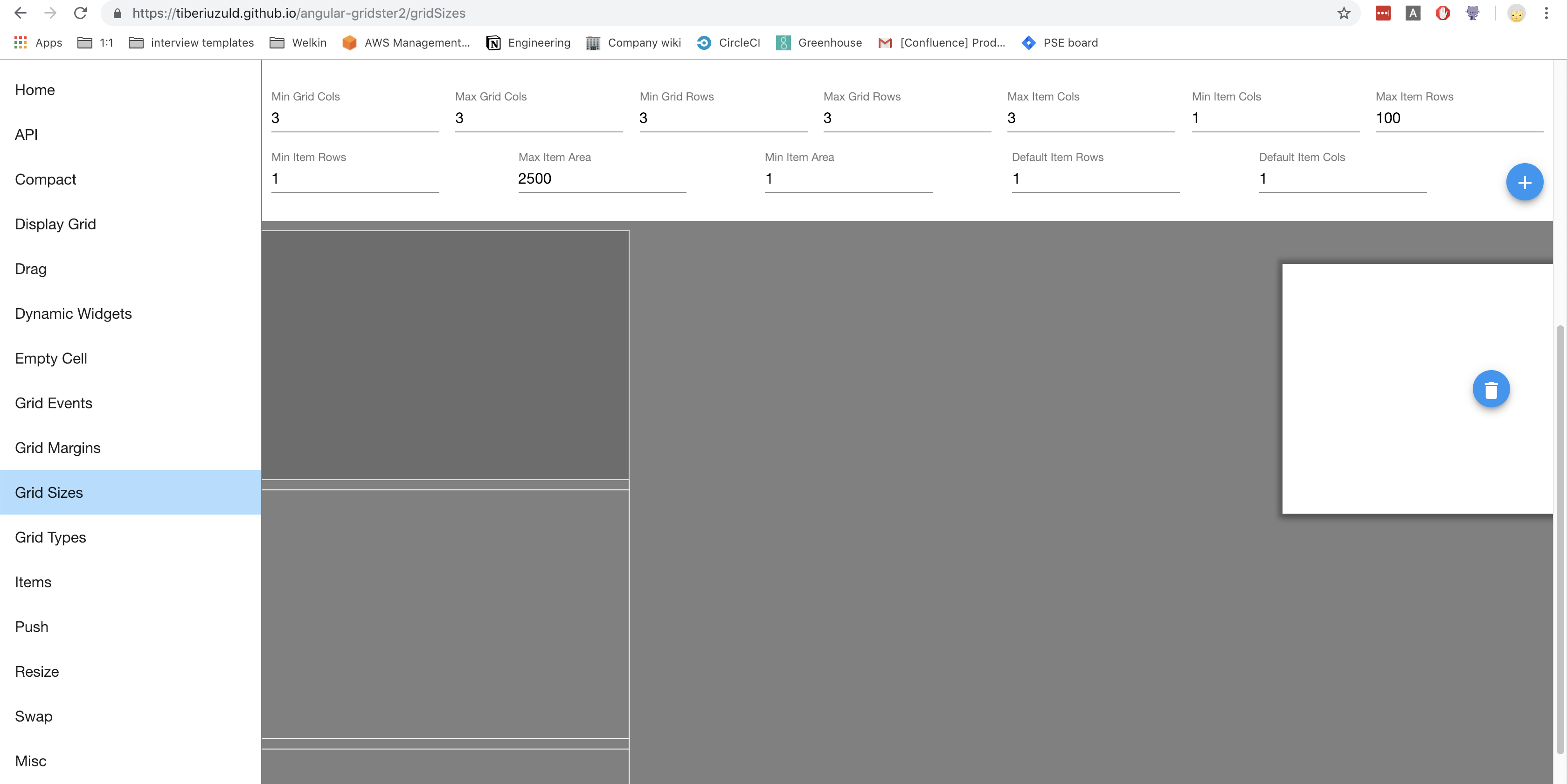
For my use case I never want the user to be able to change the dimensions of the grid horizontally, it's always 3 columns, so it's strange UX when they can drag/scroll off the screen like this.
Any ideas on how we might accomplish something like this? Gridstack, the gridster successor, can operate in a similar mode (see their first example here: http://gridstackjs.com/ ), but I like the great Angular integration that angular-gridster2 provides -- thank you for all the work on it, it's very easy to use.
 wiltzius
on 27 Dec 2018
wiltzius
on 27 Dec 2018
Is there anything new to this request?.. as I'm working within a fixed height / width, this is the only feature I'd like to configure off or disable. This does feel like a bug as it's quite counter-intuitive when I have my "grid type" to "fixed" but items still seem to disregard the rule.
 METACEO
on 3 Jun 2019
METACEO
on 3 Jun 2019
disableScrollHorizontal?
https://tiberiuzuld.github.io/angular-gridster2/drag
 nickbullock
on 12 Sep 2019
nickbullock
on 12 Sep 2019
no its only disabling the scroll. But i want kind of a boundary.
see picture:
https://github.com/tiberiuzuld/angular-gridster2/issues/448#issuecomment-448524237
fjauer
on 12 Sep 2019
disableScrollHorizontal?
https://tiberiuzuld.github.io/angular-gridster2/drag
Disabling vertical and horizontal scrolling gets me close but (using the link you provided) I can still take a larger element and drag and drop it into the bottom right-hand corner and it creates a new column/row.
But there may be another setting that that example doesn't provide, I'll look some more into it for my use case.
Thanks!
METACEO
on 19 Sep 2019
@METACEO
I created https://stackblitz.com/edit/angular-gridster-static, please check gridster configuration and behavior. Is it what you want to achieve?
Width and height are fixed, both axis scrolling disabled, no way to add new items, swap is working, but you can disable if you want
Only one thing seems to be unreachable - consider the gridser bounds when dragging gridster item
nickbullock
on 19 Sep 2019
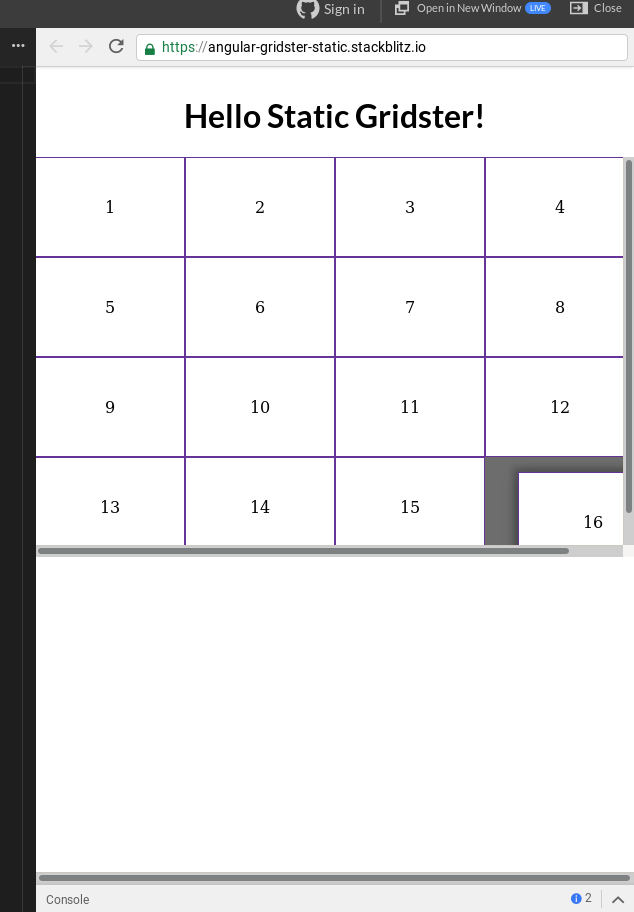
@nickbullock this is certainly almost there for me, this configuration looks a lot better. I do however see the below, still. Could this be a simple overflow: hidden; around the container - mainly for the user's sake, because it does not look to actually affect anything (it transitions back into place when you let it go.)
Thanks for the new demo!
METACEO
on 21 Sep 2019
Related issues
tiberiuzuld
·
3Comments
 aren5a
·
5Comments
aren5a
·
5Comments
 petarGitNik
·
3Comments
petarGitNik
·
3Comments
 klemenoslaj
·
4Comments
klemenoslaj
·
4Comments
 leandro-ali-elel
·
4Comments
leandro-ali-elel
·
4Comments
Most helpful comment
I'm attempting to do something similar. The idea is to just allow placement within a grid of a fixed width (always 3 columns, in my case), not allow the user to grow the grid arbitrarily sideways.
By setting both minCols and maxCols to 4 and both minRows and maxRows to 2 in the example @fjauer gave you can _effectively_ prevent the grid from resizing, but the UI effect is a little janky. It allows you to drag as far as you want to the bottom and to the right, but then everything "snaps back" to the closest allowed position.
Here are some screenshots of the example UI with settings that illustrate what I'm trying to get at:
Setting min/max rows/cols to the same values and remove all items:
Then add an item:
All good, except you can drag very far away:
For my use case I never want the user to be able to change the dimensions of the grid horizontally, it's always 3 columns, so it's strange UX when they can drag/scroll off the screen like this.
Any ideas on how we might accomplish something like this? Gridstack, the gridster successor, can operate in a similar mode (see their first example here: http://gridstackjs.com/ ), but I like the great Angular integration that angular-gridster2 provides -- thank you for all the work on it, it's very easy to use.