Angular-gridster2: is there any way to keep height of tile same or increase the height of tile when mobile breakpoint is reached.
@tiberiuzuld ,
i noticed that when breakpoint is reached it also reduces the height of my tile,
before breakpoint
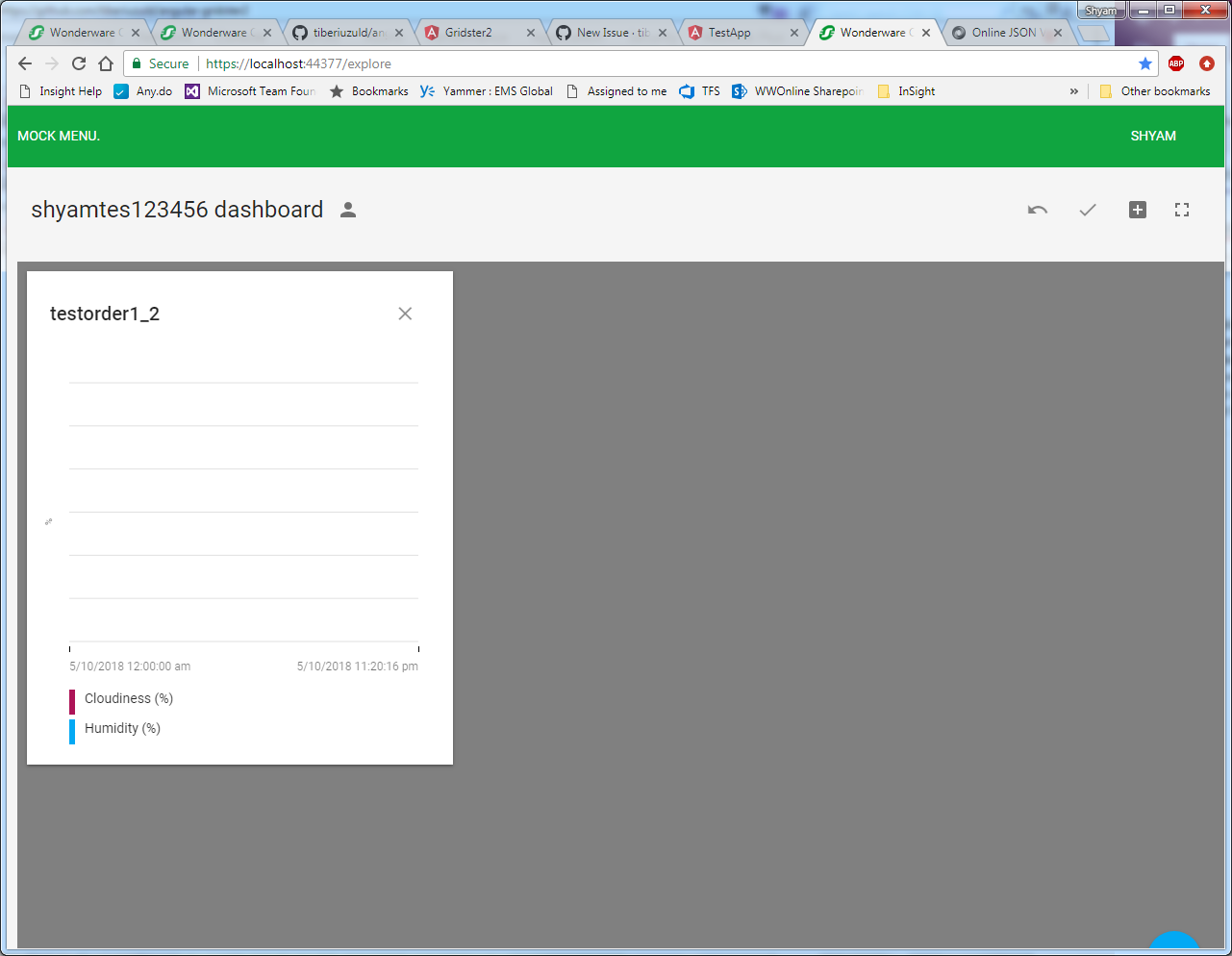
after breakpoint, notice the cropped tile area
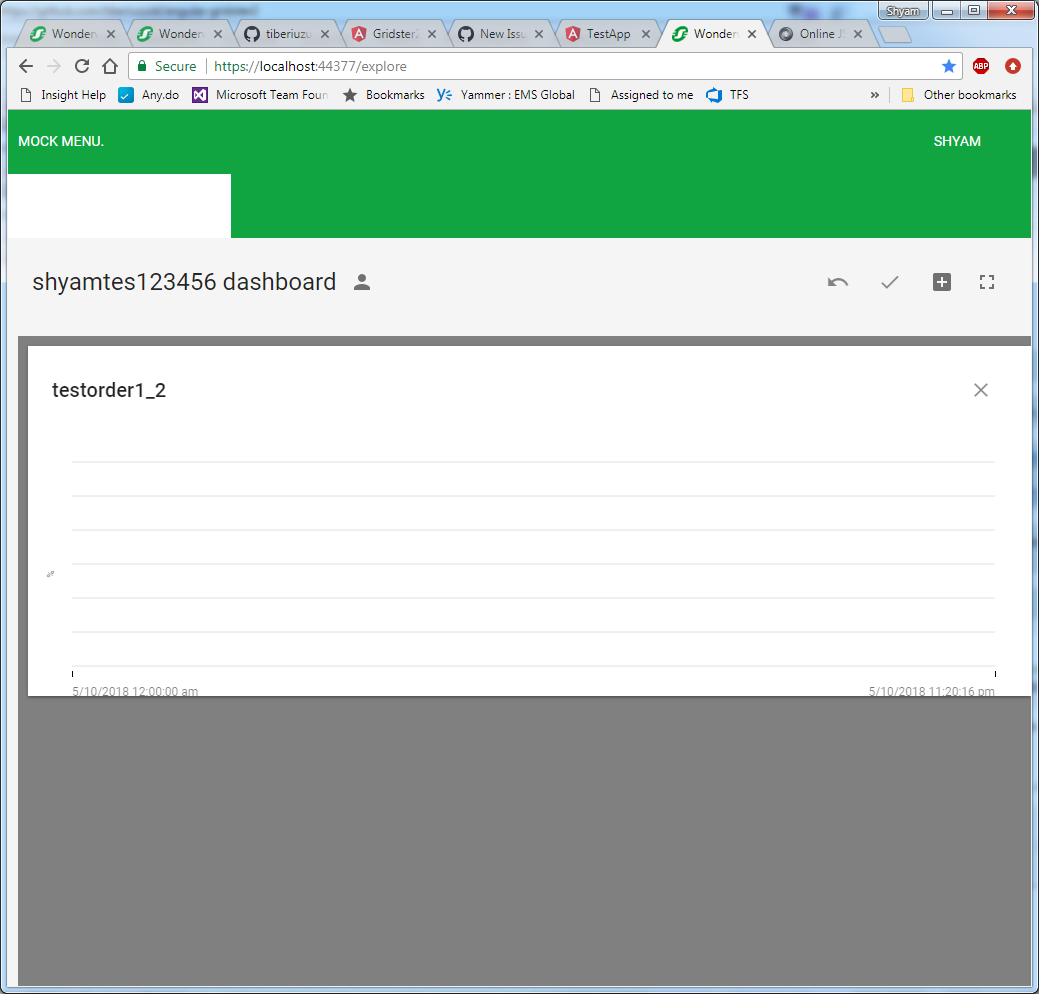
is it possible to maintain or increase the height of tile when breakpoint is reached.
 shyambhiogade
All 16 comments
 tiberiuzuld
on 11 May 2018
tiberiuzuld
on 11 May 2018
i need to use the verticalScroll type, i can not use the fixed type grid.
shyambhiogade
on 11 May 2018
Ok seems that keepFixedHeightInMobile is no longer used in the library. Seems I removed it from the code with the css grid refactoring try.
Will try to have it fixed this week.
tiberiuzuld
on 11 May 2018
Fixed in v6.0.3
You can use now keepFixedHeightInMobile to set what size you want in mobile.
Thanks
tiberiuzuld
on 12 May 2018
hi @tiberiuzuld ,
i tried using the latest library,
i have verticalScroll grid type set and when in increase the breakpoint, it doesnt main the height, please see below image,

i feel it should just maintain whatever size tile had, when breakpoint was reached.
shyambhiogade
on 14 May 2018
Hi @shyambhiogade ,
The property fixedRowHeight sets the height of the items in mobile view if you use keepFixedHeightInMobile
tiberiuzuld
on 15 May 2018
Hi @tiberiuzuld ,
I still cannot see keepFixedHeightInMobile work.
I tested it in my application with the latest version installed and also in your demo page and this is what happens:
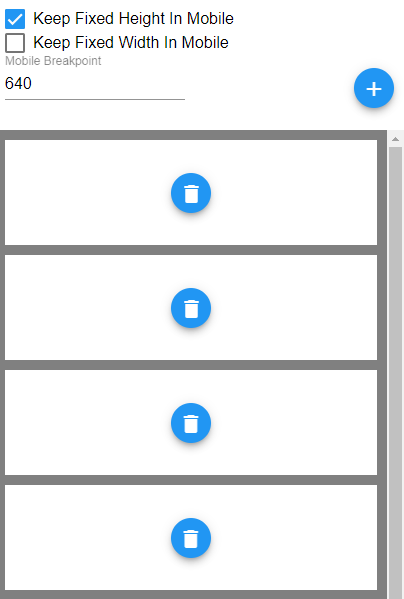
It does not keep the height of the items as it used to before.
I was using v4.2.0 before trying to update, and it did work just fine without specifying any other property, it just kept the same height the items occupied when in full screen after reaching the mobile breakpoint, only by setting the keepFixedHeightInMobile flag to true.
I'm waiting for a fix before updating permanently because I need this property to work.
 julsette
on 16 May 2018
julsette
on 16 May 2018
Hi @julsette ,
Yes before the height was not removed from items style when moving from a above the mobileBreakpoint to lower.(from my point of view this was a bug) But on page refresh was applied a percentage of height from what I remember. https://github.com/tiberiuzuld/angular-gridster2/blob/4.x/src/lib/gridsterItem.component.ts#L82
Also even then in 4.x the keepFixedHeightInMobile will seet the height of property fixedRowHeight.
But if you still want that functionality maybe will think of something.
tiberiuzuld
on 16 May 2018
hi @tiberiuzuld
would it not be nicer if the minimum height set for each tile is maintained in mobile mode. i have tiles of different size which basically grows vertically, once user adjust it to show correctly, and if after that he goes in mobile mode, tiles are again resized to fixedMinimumHeight, not all the tiles can fit into that minimum height and also that minimum height could be too big for some tile,
i would suggest to maintain whatever the height tile was before reaching the breakpoint or there should be option on each tile to set minimum height which will be maintain in mobile mode.
shyambhiogade
on 16 May 2018
@shyambhiogade
- if the dashboard loads directly in mobile view there is no height to keep.
- making extra option on widgets to keep a min height in px is not usable and complex to use.
- the height you mention depends on the
gridTypeand screen dimensions.
The only thing I can do easily is to make mobile view behave like gridType: 'scrollVertical' with only one column. In scrollVertical the width of the column will be equal to height of a row.
But not every one will like that, will think about it and how to implement it.
Do you guys will be satisfied with this option?
tiberiuzuld
on 16 May 2018
@tiberiuzuld Thanks for your answer!
It's strange because even after a page refresh the items in my dashboard keep the same height as they did before.
The reason why I needed an input like this is that there are cases in which a common height for all the items does not look great.
For example, this is a sample dashboard with two items and the keepFixedHeight I was using in v4
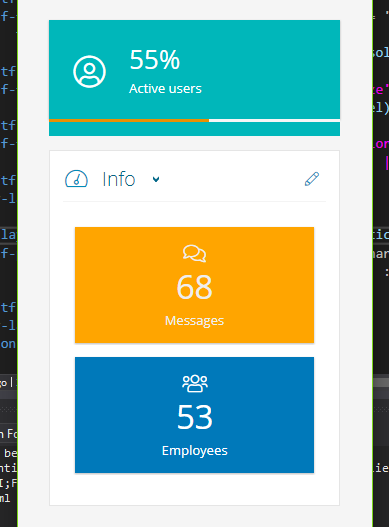
With keepFixedHeight in 6.x it would be something like this:
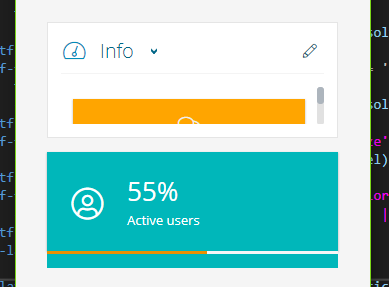
In this case the teal item is just fine with that height but the other one needs to have a different height to be usable/visible in a decent way.
Setting the fixedRowHeight property, if I understood correctly, I'd have that height fixed for each item. But in my case that would not be good considered that the teal item would be too high and would not look good. (I hope I explained my issue well)
julsette
on 16 May 2018
@julsette hmm interesting, ok maybe is something I missed in v4, will have a look to try to have the same effect.
tiberiuzuld
on 16 May 2018
Ok I think I have a fix in v6.0.4
Now with keepFixedHeightInMobile will multiply fixedRowHeight by the number of rows the item has. This is the thing I missed when making changes.
Now without fixedRowHeight will also multiply the item.rows with half of the column width.
Please confirm that works as before.
tiberiuzuld
on 16 May 2018
I just tried the new version and it seems like it works like it did in v.4.
Thank you very much!
julsette
on 17 May 2018
Glad to hear, thanks for the confirmation.
tiberiuzuld
on 17 May 2018
Are there settings that would make each widget height set to auto so it takes up as much height as it content? I can get there with this style override if that's the only way to achieve the result.
gridster-item {
        height: auto !important;
    }
 lefoulkrod
on 13 Aug 2020
lefoulkrod
on 13 Aug 2020
Related issues
 MaiGhoneem
·
4Comments
MaiGhoneem
·
4Comments
 matpag
·
3Comments
matpag
·
3Comments
 petarGitNik
·
3Comments
petarGitNik
·
3Comments
 JohnxAss
·
5Comments
JohnxAss
·
5Comments
 leandro-ali-elel
·
4Comments
leandro-ali-elel
·
4Comments