Angular-cli: Upgrade to 9 breaks ng-universal application.
Angular 9 Upgrade Issues
Our team recently tried to upgrade to Angular 9 RC following the migration guide https://update.angular.io/ upgrading from 8.0x to 9.
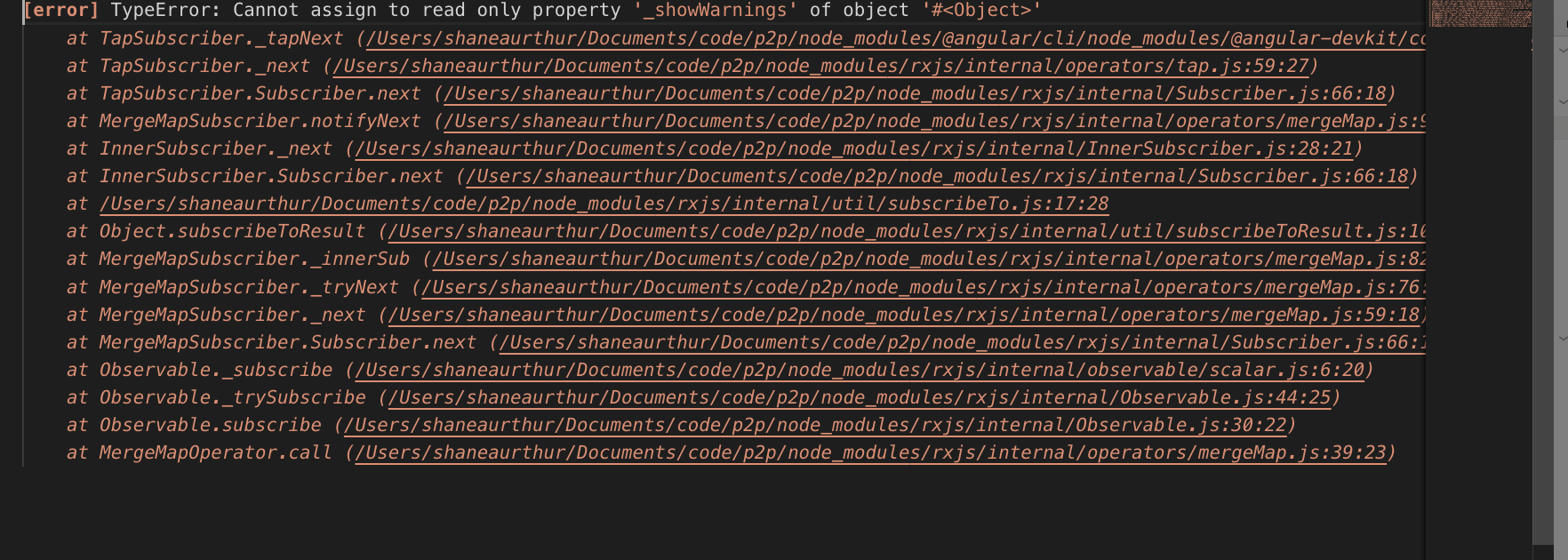
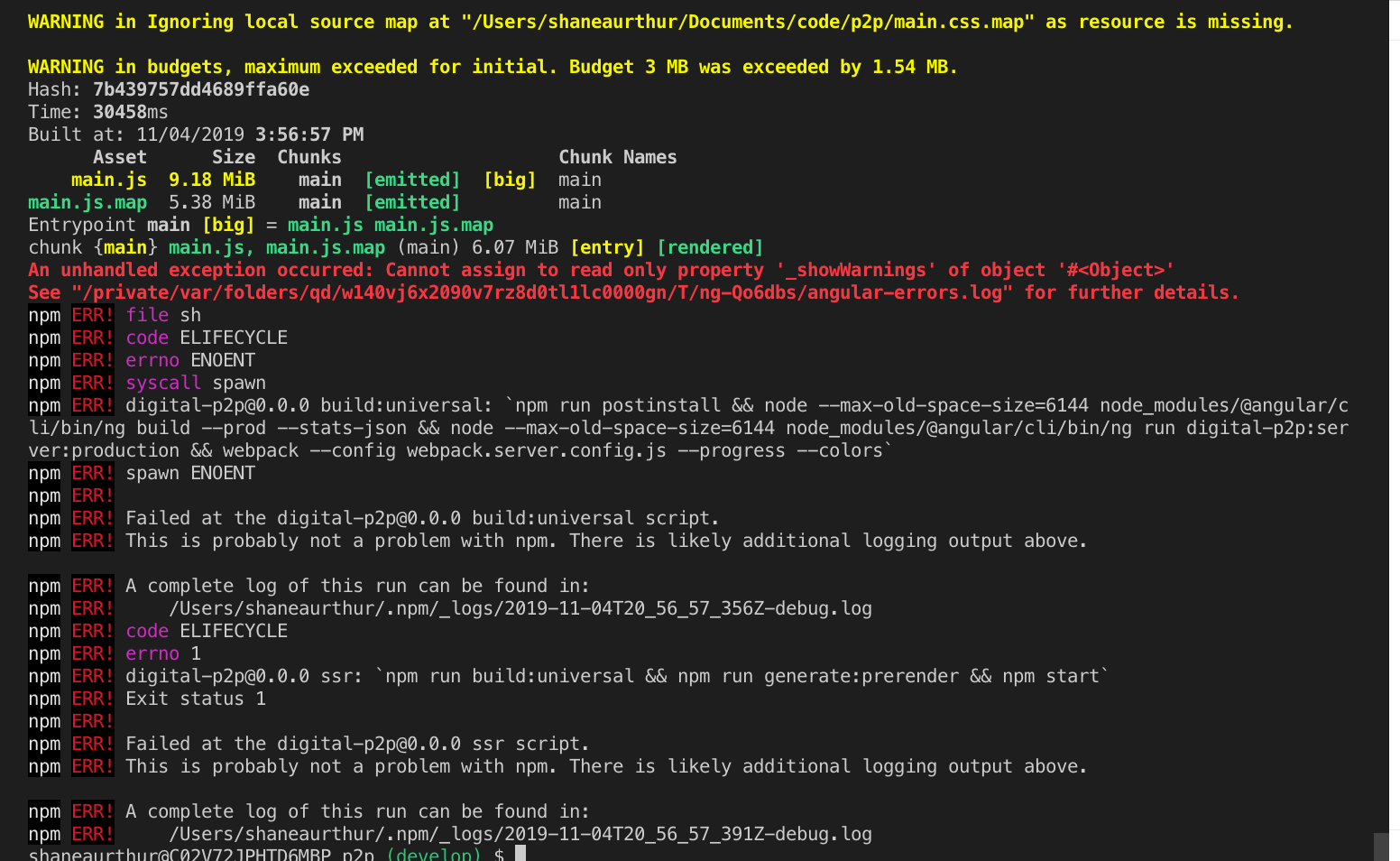
When trying to run our universal build we are met with the following errors.
TypeError: Cannot Assign to read only property '_showWarnings' of object '#
 shane-arthur
All 18 comments
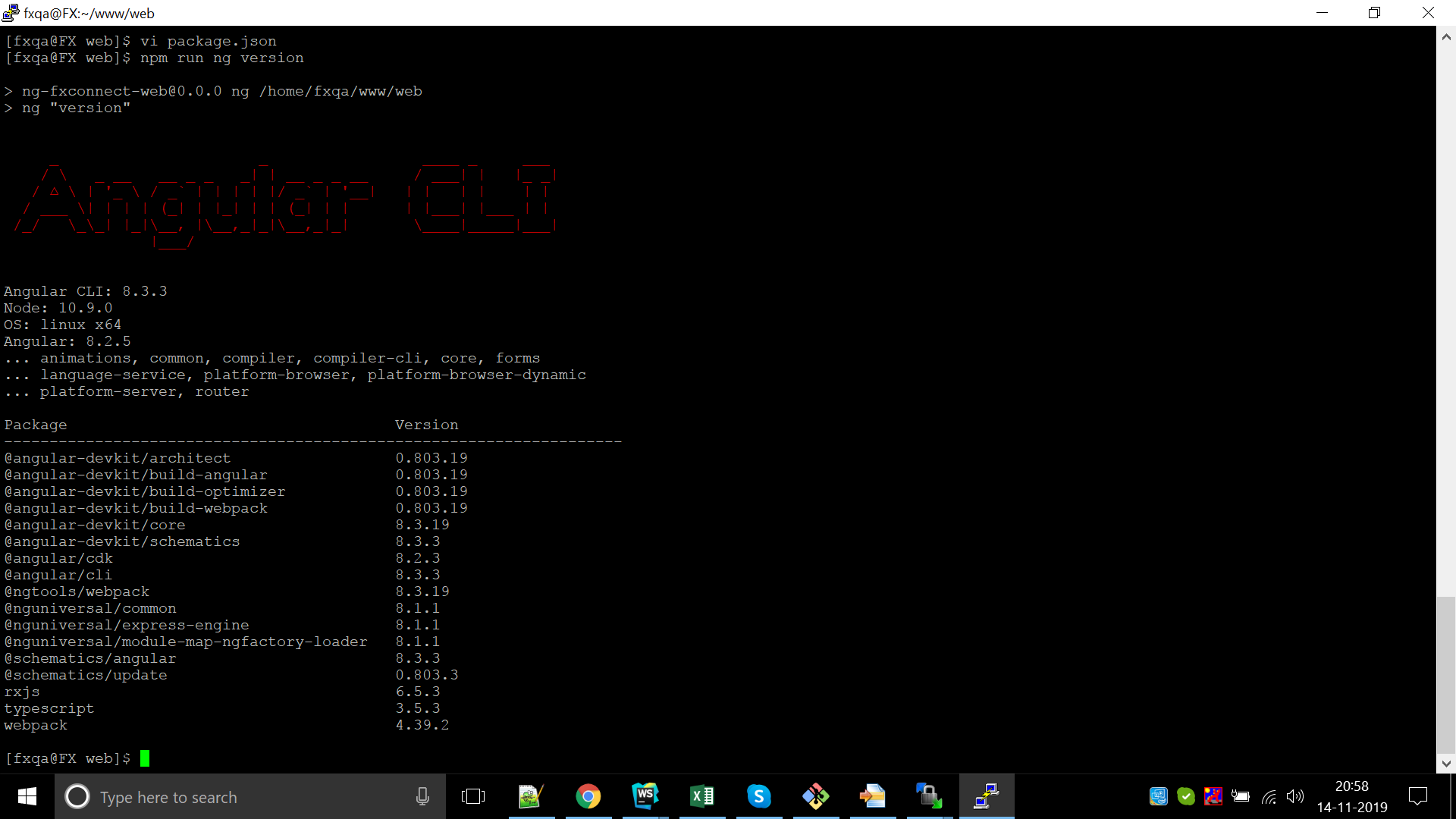
Kindly provide the full output of ng version & also the output of the log file. Parts of it is truncated in the the screenshot.
Thanks.
 alan-agius4
on 7 Nov 2019
alan-agius4
on 7 Nov 2019
I am facing the same issue . Here below is my ng version
 kapilpatel20
on 14 Nov 2019
kapilpatel20
on 14 Nov 2019
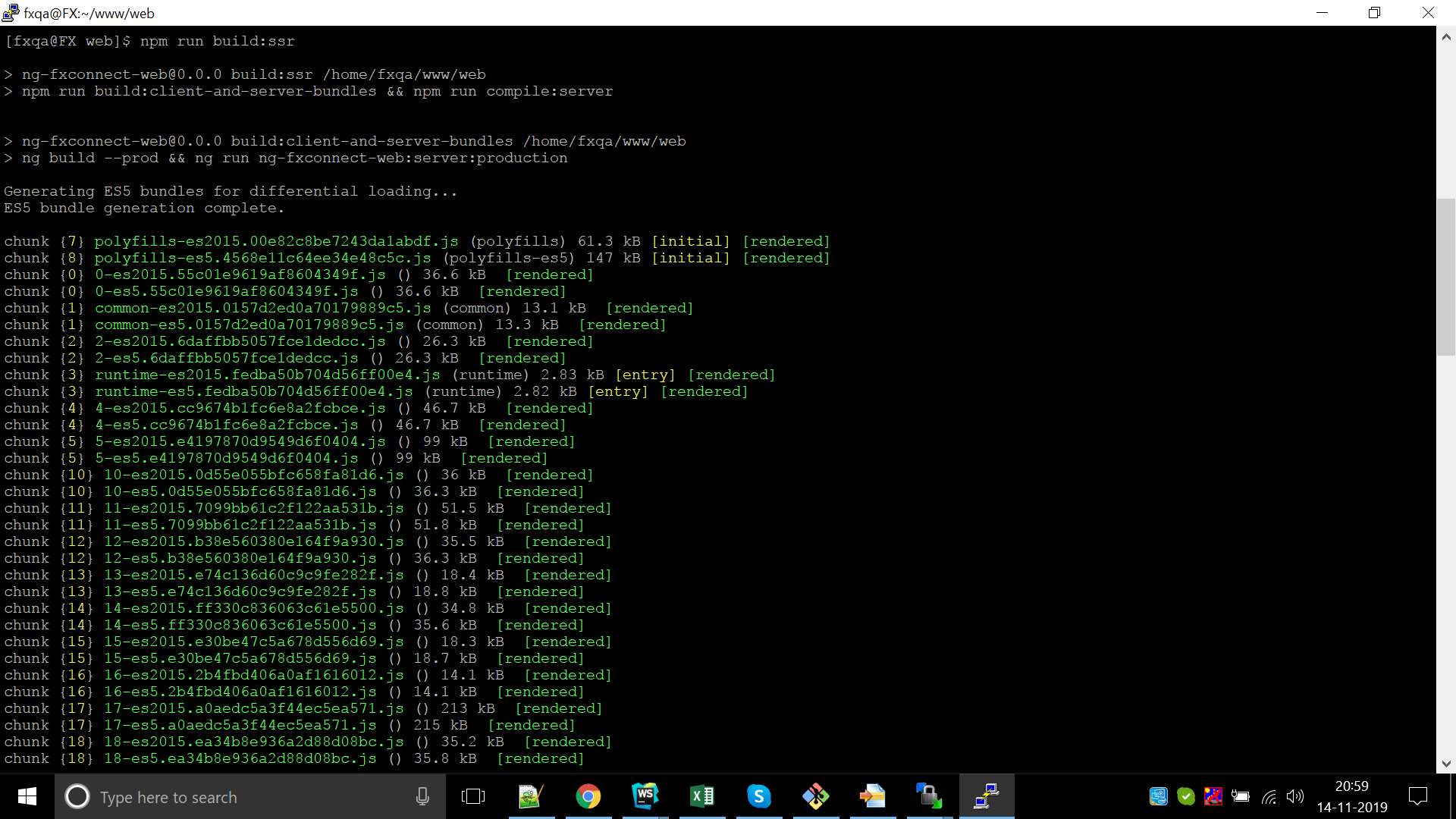
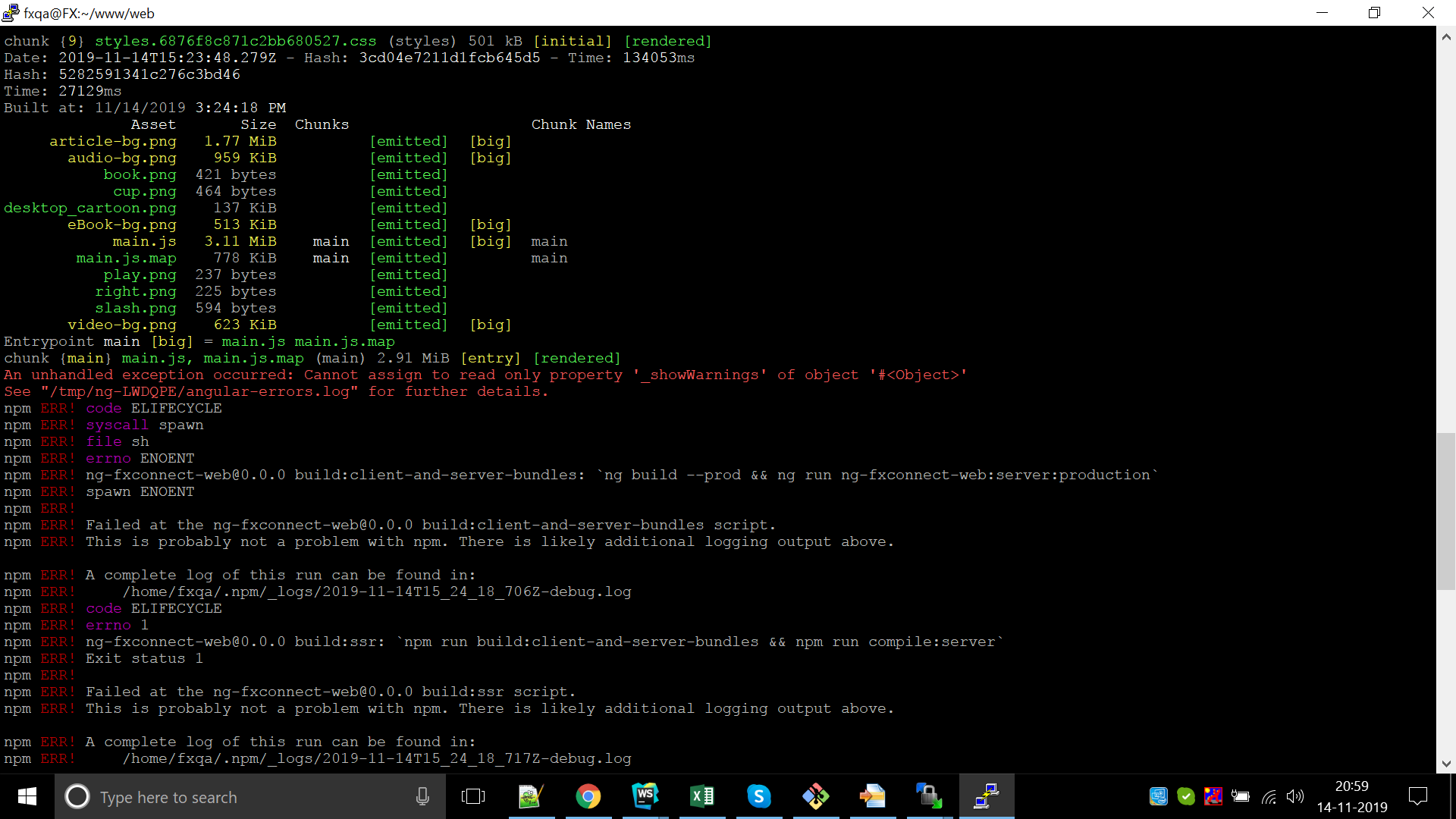
I am using Angular 8 universal and facing the same problem.
kapilpatel20
on 14 Nov 2019
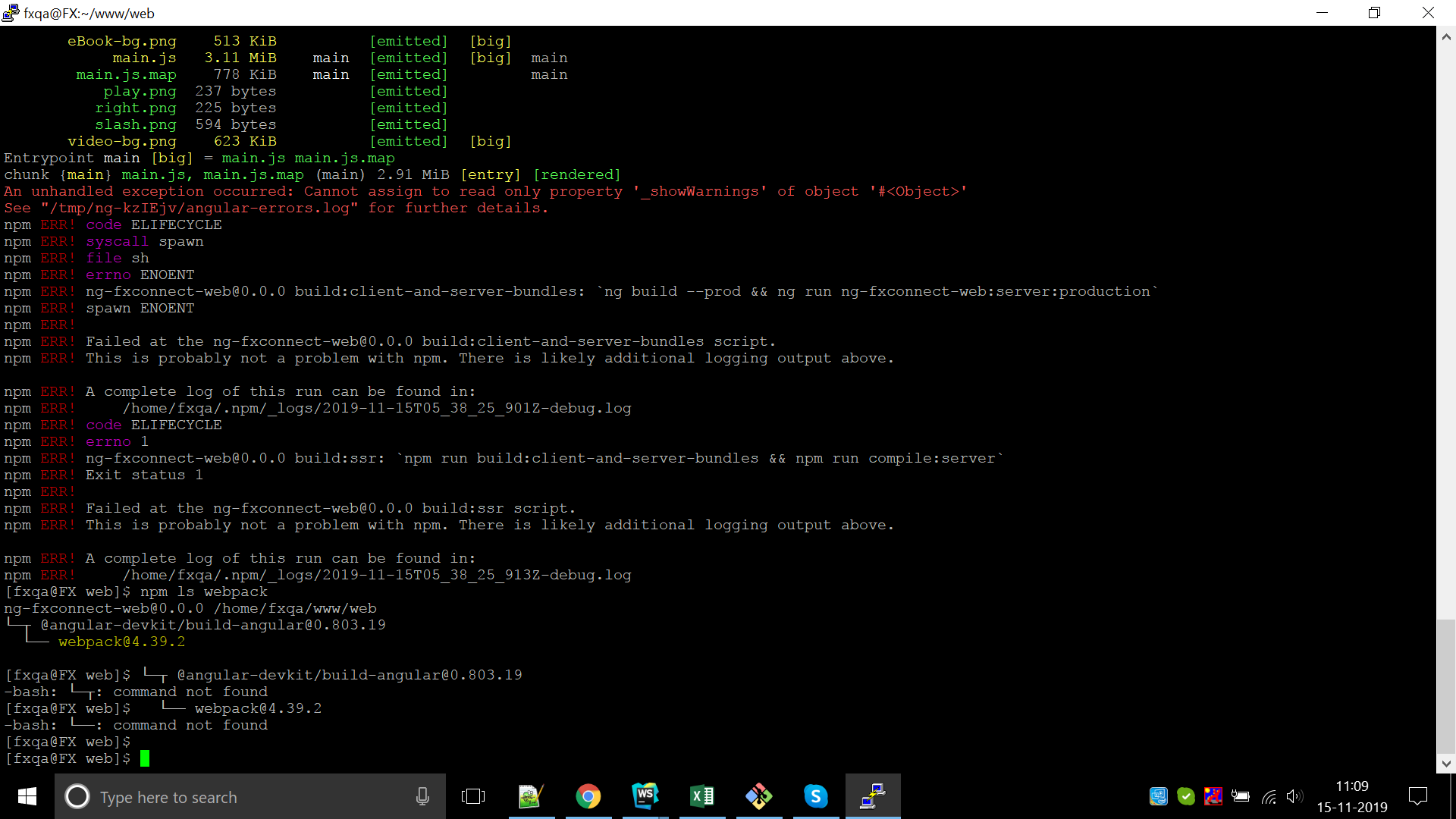
Can you provide the output of npm ls webpack from within the project?
 clydin
on 14 Nov 2019
clydin
on 14 Nov 2019
 kapilpatel20
on 15 Nov 2019
kapilpatel20
on 15 Nov 2019
Hey @alan-agius4
@shane-arthur Did you solve this one?
This is the output of the log file.
TypeError: Cannot assign to read only property '_showWarnings' of object '#
 kaushikparmar
on 20 Nov 2019
kaushikparmar
on 20 Nov 2019
@shane-arthur
Me and @kapilpatel20 are able to solve this issue.
The reason behind this is @angular-devkit/[email protected]
It was @angular-devkit/[email protected] when we created the Angular Universal project then someone did npm install and it got updated due to ^ symbol.
We reverted the version back to @angular-devkit/[email protected] and it started working properly.
kaushikparmar
on 20 Nov 2019
i have the same problem... works but doesn't allow sequential or concurrent commands for practical builds
 guiseek
on 21 Nov 2019
guiseek
on 21 Nov 2019
@shane-arthur
Me and @kapilpatel20 able to solve this issue.
The reason behind this is @angular-devkit/[email protected]
It was @angular-devkit/[email protected] when we created the Angular Universal project then someone did npm install and it got updated due to ^ symbol.
We the version back to @angular-devkit/[email protected] and it started working properly.
Great!!! thanks bro!
guiseek
on 21 Nov 2019
Replying "me too" except I am on [email protected] after installing a new app from Nx. This only occurs when I build my universal server. Downgrading to 0.803.5 works.
If it matters here are my dependencies, since I seem to be the outlier experiencing the error on 8 and not 9:
{
    "@angular/common": "^8.2.0",
    "@angular/compiler": "^8.2.0",
    "@angular/core": "^8.2.0",
    "@angular/platform-browser": "^8.2.0",
    "@angular/platform-browser-dynamic": "^8.2.0",
    "@angular/platform-server": "^8.2.14",
    "@nguniversal/common": "^8.1.1",
    "@nguniversal/express-engine": "^8.1.1",
    "@nguniversal/module-map-ngfactory-loader": "^8.1.1",
}
 eternalmatt
on 21 Nov 2019
eternalmatt
on 21 Nov 2019
We are experiencing the same issue in our team. Downgrading build-angular to 0.803.6 fixed our problem
With 0.803.7 up to the current version - which is 0.803.20 at the time of writing - we get the error, which has been reported in our Universal Builds
 mehrad-rafigh
on 5 Dec 2019
mehrad-rafigh
on 5 Dec 2019
@shane-arthur
Me and @kapilpatel20 are able to solve this issue.
The reason behind this is @angular-devkit/[email protected]
It was @angular-devkit/[email protected] when we created the Angular Universal project then someone did npm install and it got updated due to ^ symbol.
We reverted the version back to @angular-devkit/[email protected] and it started working properly.
Thanks !
The only downside is that still you get some deps warnings with that version of @angular-devkit
 pakman198
on 3 Jan 2020
pakman198
on 3 Jan 2020
Is this still reproducible? If so, can we please get a reproduction?
alan-agius4
on 24 Jan 2020
@shane-arthur
Me and @kapilpatel20 are able to solve this issue.
The reason behind this is @angular-devkit/[email protected]
It was @angular-devkit/[email protected] when we created the Angular Universal project then someone did npm install and it got updated due to ^ symbol.
We reverted the version back to @angular-devkit/[email protected] and it started working properly.
I have issue which solved from 0.803.7
so I can't back to 0.803.5
 mohamedaboelmagd
on 28 Jan 2020
mohamedaboelmagd
on 28 Jan 2020
I change to "@angular-devkit/build-angular": "~0.800.0", and it work for me.
 at-dongho
on 12 Mar 2020
at-dongho
on 12 Mar 2020
Hi all, is this still reproducible using Angular CLI latest version 9 or prerelease of 10?
alan-agius4
on 24 Jun 2020
Thanks for reporting this issue. This issue is now obsolete due to changes in the recent releases. Please update to the most recent Angular CLI version.
If the problem persists after upgrading, please open a new issue, provide a simple repository reproducing the problem, and describe the difference between the expected and current behavior.
alan-agius4
on 13 Jul 2020
This issue has been automatically locked due to inactivity.
Please file a new issue if you are encountering a similar or related problem.
Read more about our automatic conversation locking policy.
_This action has been performed automatically by a bot._
![angular-automatic-lock-bot[bot] picture](https://avatars0.githubusercontent.com/in/40213?v=4&s=40) angular-automatic-lock-bot[bot]
on 13 Aug 2020
angular-automatic-lock-bot[bot]
on 13 Aug 2020
Related issues
 ericel
·
3Comments
ericel
·
3Comments
 NCC1701M
·
3Comments
NCC1701M
·
3Comments
 rwillmer
·
3Comments
rwillmer
·
3Comments
 daBishMan
·
3Comments
daBishMan
·
3Comments
 hartjo
·
3Comments
hartjo
·
3Comments
Most helpful comment
@shane-arthur
Me and @kapilpatel20 are able to solve this issue.
The reason behind this is @angular-devkit/[email protected]
It was @angular-devkit/[email protected] when we created the Angular Universal project then someone did npm install and it got updated due to ^ symbol.
We reverted the version back to @angular-devkit/[email protected] and it started working properly.