Angular-cli: [Windows] build progress output broken on Windows since version 6.0
Bug Report or Feature Request
- [x] bug report
- [ ] feature request
Area
- [x] devkit
- [ ] schematics
Versions
- Windows 10 1803 Build 17134.137
- node
10.5.0 - npm
6.1.0 - ng version
Angular CLI: 6.0.8
Node: 10.5.0
OS: win32 x64
Angular: 6.0.7
... animations, common, compiler, compiler-cli, core, forms
... http, language-service, platform-browser
... platform-browser-dynamic, router

Package                           Version
-----------------------------------------------------------
@angular-devkit/architect         0.6.8
@angular-devkit/build-angular     0.6.8
@angular-devkit/build-optimizer   0.6.8
@angular-devkit/core              0.6.8
@angular-devkit/schematics        0.6.8
@angular/cli                      6.0.8
@ngtools/webpack                  6.0.8
@schematics/angular               0.6.8
@schematics/update                0.6.8
rxjs                              6.2.1
typescript                        2.7.2
webpack                           4.8.3
Repro steps
- create a new project with
ng new - try to build/serve the project on Windows
- see the build progress output
I tried both
powershellandcmdon Windows
I'm not sure if this is a Windows issue and I also tried on the Windows Insiders as well
I think the issue Microsoft/vscode#19665 may helps probably
The log given by the failure
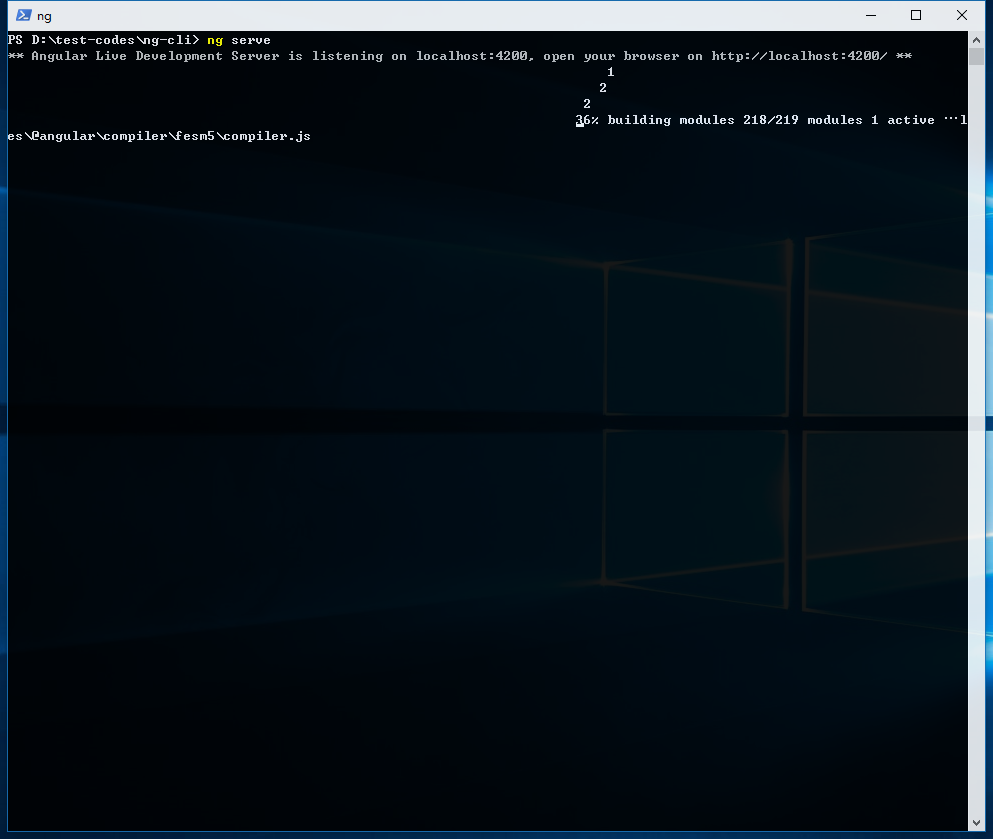
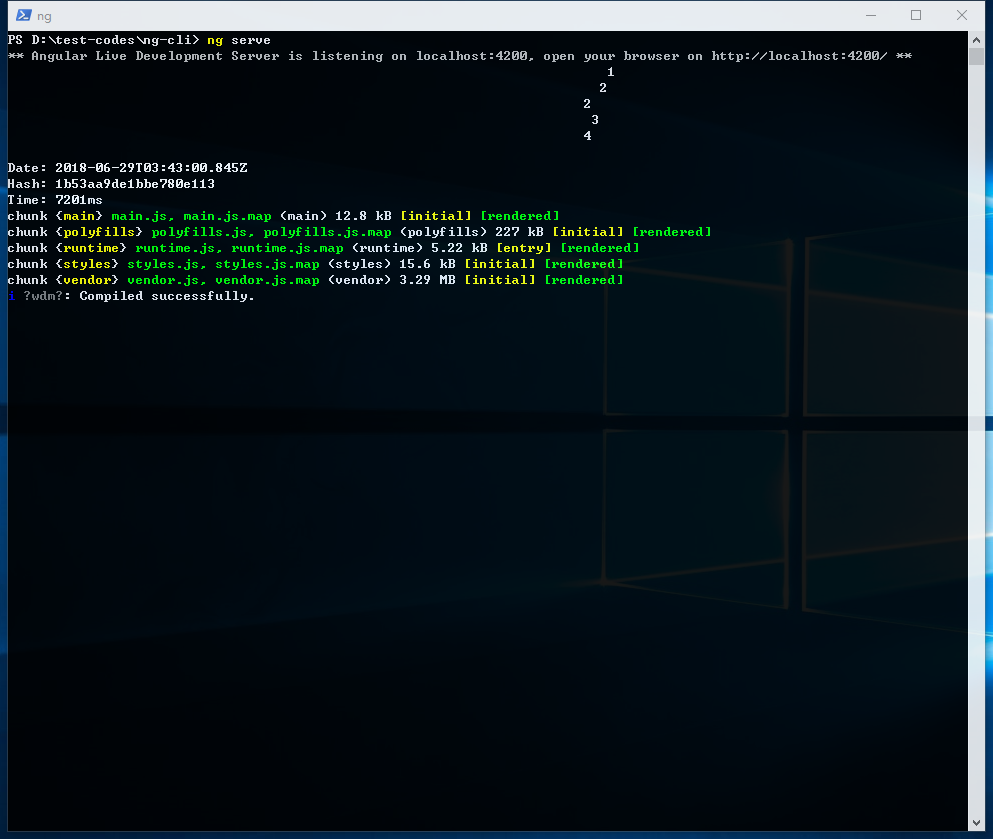
Desired functionality
the build progress output should not be broken on Windows
BTW: the progress output works nicely as always in Bash on Ubuntu 16.04
SORRY for my poor English 😆
 Emeryao
All 8 comments
it's @angular/[email protected] with @angular-devkit/[email protected] and the issue is still there
any news ?
Emeryao
on 2 Aug 2018
it's @angular/[email protected] with @angular-devkit/[email protected] and the issue is still there 😢
Emeryao
on 10 Aug 2018
I'm not sure what's happening, but I am on Windows, using Git Bash, and don't see this behaviour.
 filipesilva
on 10 Aug 2018
filipesilva
on 10 Aug 2018
hi @filipesilva
After doing some experiments, I think this issue is related to the font setting of the terminal (powershell, git bash , etc)
when I change the font setting of Git Bash like this the build output goes into a mess
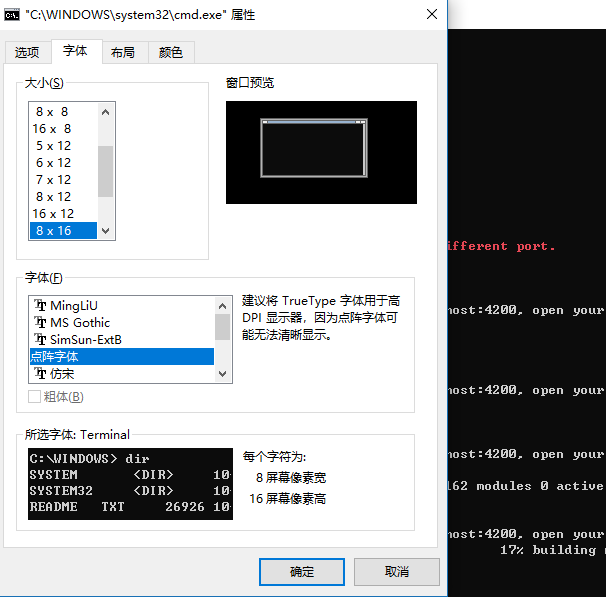
but when I change the font setting of Git Bash like this the output goes well
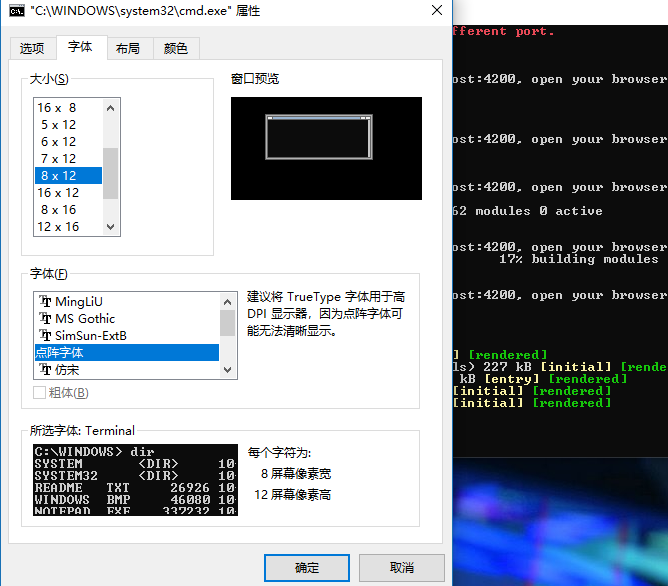
just changed the font size from
8x16to8x12
SORRY for my poor English 😆
Emeryao
on 10 Aug 2018
I redo the experiment above on an old angular project with [email protected] and @angular/[email protected]
the output goes very well no matter what the font setting of Git Bash is
Emeryao
on 10 Aug 2018
Thanks for investigation 👍
It might be related with changes on Webpack's side as well, we'll have to investigate. Best I can say for now is to turn off progress reporting via --progress=false or in the angular.json file.
filipesilva
on 10 Aug 2018
@filipesilva
this issue has been fixed with @angular/[email protected] and @angular-devkit/[email protected] in my scenario 🎉
Emeryao
on 7 Sep 2018
This issue has been automatically locked due to inactivity.
Please file a new issue if you are encountering a similar or related problem.
Read more about our automatic conversation locking policy.
_This action has been performed automatically by a bot._
![angular-automatic-lock-bot[bot] picture](https://avatars0.githubusercontent.com/in/40213?v=4&s=40) angular-automatic-lock-bot[bot]
on 8 Sep 2019
angular-automatic-lock-bot[bot]
on 8 Sep 2019
Related issues
 MateenKadwaikar
·
3Comments
MateenKadwaikar
·
3Comments
 rwillmer
·
3Comments
rwillmer
·
3Comments
 daBishMan
·
3Comments
daBishMan
·
3Comments
 5amfung
·
3Comments
5amfung
·
3Comments
 gotschmarcel
·
3Comments
gotschmarcel
·
3Comments
Most helpful comment
Thanks for investigation 👍
It might be related with changes on Webpack's side as well, we'll have to investigate. Best I can say for now is to turn off progress reporting via
--progress=falseor in theangular.jsonfile.