Angular-cli: Angular 6 migration loading chunks failed
Versions
Output from: `ng --version`.
Angular CLI: 6.0.3
Node: 8.11.1
OS: win32 x64
Angular: 6.0.2
... animations, common, compiler, compiler-cli, core, forms
... http, language-service, platform-browser
... platform-browser-dynamic, router

Package                           Version
-----------------------------------------------------------
@angular-devkit/architect         0.6.3
@angular-devkit/build-angular     0.6.3
@angular-devkit/build-optimizer   0.6.3
@angular-devkit/core              0.6.3
@angular-devkit/schematics        0.6.3
@angular/cli                      6.0.3
@ngtools/webpack                  6.0.3
@schematics/angular               0.6.3
@schematics/update                0.6.3
rxjs                              6.1.0
typescript                        2.7.2
webpack                           4.8.3
Repro steps
- Mgarting to Angular 6 by following guide https://update.angular.io/
- run the following command
npm-start - application compiled successfully but unable to load lazy loaded routes. Following errors are occured Loading chunks failed
Observed behavior
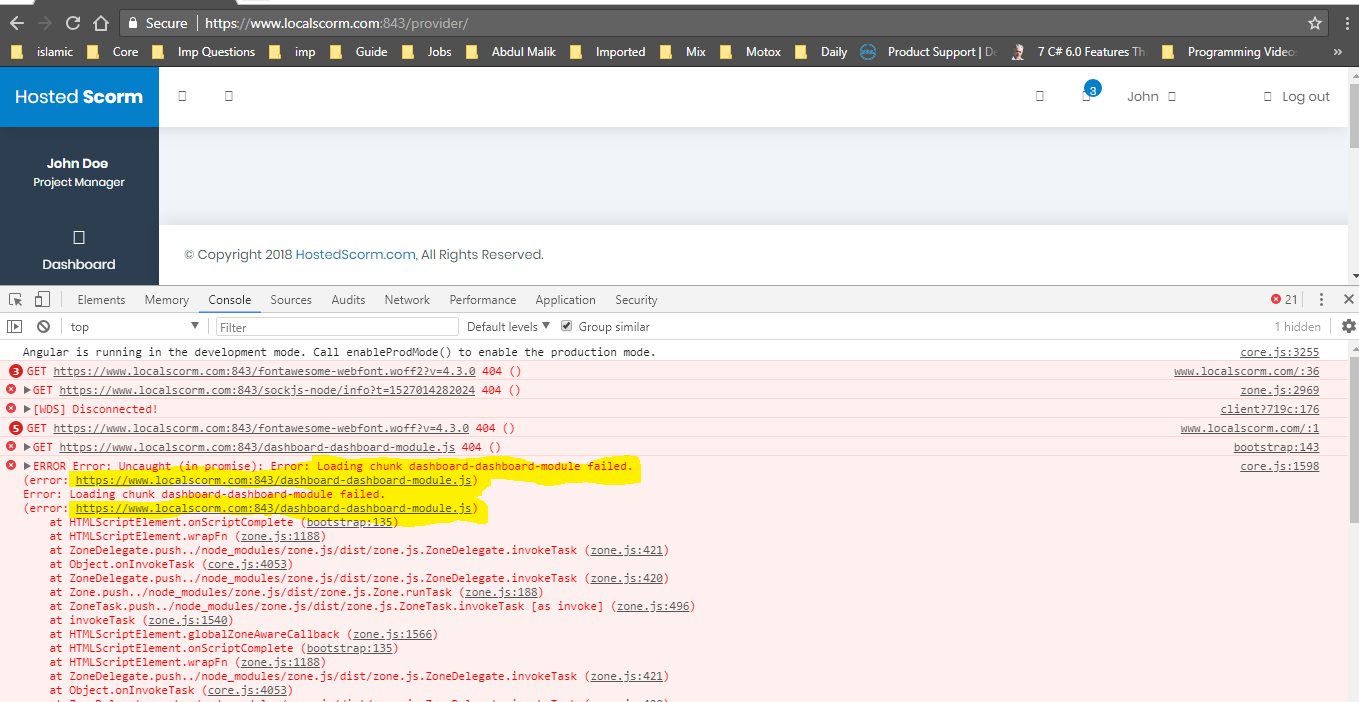
ERROR Error: Uncaught (in promise): Error: Loading chunk dashboard-dashboard-module failed.
(error: https://www.localscorm.com:843/dashboard-dashboard-module.js)
Error: Loading chunk dashboard-dashboard-module failed.
(error: https://www.localscorm.com:843/dashboard-dashboard-module.js)
at HTMLScriptElement.onScriptComplete (bootstrap:135)
at HTMLScriptElement.wrapFn (zone.js:1188)
at ZoneDelegate.push../node_modules/zone.js/dist/zone.js.ZoneDelegate.invokeTask (zone.js:421)
at Object.onInvokeTask (core.js:4053)
at ZoneDelegate.push../node_modules/zone.js/dist/zone.js.ZoneDelegate.invokeTask (zone.js:420)
at Zone.push../node_modules/zone.js/dist/zone.js.Zone.runTask (zone.js:188)
at ZoneTask.push../node_modules/zone.js/dist/zone.js.ZoneTask.invokeTask [as invoke] (zone.js:496)
at invokeTask (zone.js:1540)
at HTMLScriptElement.globalZoneAwareCallback (zone.js:1566)
at HTMLScriptElement.onScriptComplete (bootstrap:135)
at HTMLScriptElement.wrapFn (zone.js:1188)
at ZoneDelegate.push../node_modules/zone.js/dist/zone.js.ZoneDelegate.invokeTask (zone.js:421)
at Object.onInvokeTask (core.js:4053)
at ZoneDelegate.push../node_modules/zone.js/dist/zone.js.ZoneDelegate.invokeTask (zone.js:420)
at Zone.push../node_modules/zone.js/dist/zone.js.Zone.runTask (zone.js:188)
at ZoneTask.push../node_modules/zone.js/dist/zone.js.ZoneTask.invokeTask [as invoke] (zone.js:496)
at invokeTask (zone.js:1540)
at HTMLScriptElement.globalZoneAwareCallback (zone.js:1566)
at resolvePromise (zone.js:814)
at resolvePromise (zone.js:771)
at zone.js:873
at ZoneDelegate.push../node_modules/zone.js/dist/zone.js.ZoneDelegate.invokeTask (zone.js:421)
at Object.onInvokeTask (core.js:4053)
at ZoneDelegate.push../node_modules/zone.js/dist/zone.js.ZoneDelegate.invokeTask (zone.js:420)
at Zone.push../node_modules/zone.js/dist/zone.js.Zone.runTask (zone.js:188)
at drainMicroTaskQueue (zone.js:595)
at ZoneTask.push../node_modules/zone.js/dist/zone.js.ZoneTask.invokeTask [as invoke] (zone.js:500)
at invokeTask (zone.js:1540)
Desired behavior
How to load chunks properly?
Mention any other details that might be useful (optional)
my package.json is
 "scripts": {
    "ng": "ng",
    "start": "ng serve --deploy-url http://localhost:4300/dist/ --serve-path /dist/ --public-host http://localhost:4300",
    "build": "ng build",
    "test": "ng test",
    "lint": "ng lint",
    "watch:tsc": "tsc -p src/tsconfig.app.system.json -w",
    "html": "copyfiles -u 1 src/app/**/*.html src/app/**/*.css ../dist/",
    "assets": "copyfiles -u 1 src/assets/**/* ../dist/",
    "watch:global:static": "npm run assets",
    "watch:app:static": "npm run html",
    "watch": "npm-watch"
  },
 haseeb200
All 6 comments
we had this problem after upgrading to Angular 6. The think was we were allocating the js chunks files in a folder with a RefExp in Djangonize that would allocate any file with the pattern .chunk.js.
Apparently Angular 6 does not add anymore the suffix chunk, so this was failing.
We solved this with a new regular expression as follows:
location ~* ^/[a-zA-Z0-9]*\.[a-zA-Z0-9]*.js {
root /projects/exolever/static/scripts/;
}
Don't know if that might be of help in your case, or at least give you a hint.
 thir13en
on 24 May 2018
thir13en
on 24 May 2018
The easy way to solve this issue is by creating a browser target for local environment and then reference in serve node in an angular.json file
"build": {
  "configurations": {
      "local":{
              "deployUrl": "http://localhost:4300/dist/"
            }
}}
"serve": {
          "builder": "@angular-devkit/build-angular:dev-server",
          "options": {
            "browserTarget": "my-app:build:local",
            "port": 4300,
            "servePath": "/dist/"
          },
          "configurations": {
            "production": {
              "browserTarget": "my-app:build:production"
            },
            "staging": {
              "browserTarget": "my-app:build:staging"
            }
          }
        },
This seems like a bug but we'll need to look at a reproduction to find and fix the problem. Can you setup a minimal repro please?
You can read here why this is needed. A good way to make a minimal repro is to create a new app via ng new repro-app and adding the minimum possible code to show the problem. Then you can push this repository to github and link it here.
 filipesilva
on 24 May 2018
filipesilva
on 24 May 2018
Closing as no reproduction was provided
 alan-agius4
on 3 Sep 2018
alan-agius4
on 3 Sep 2018
Try to run the app (ne serve). I got the same error when open the page from cache.
 duxor
on 11 Jun 2019
duxor
on 11 Jun 2019
This issue has been automatically locked due to inactivity.
Please file a new issue if you are encountering a similar or related problem.
Read more about our automatic conversation locking policy.
_This action has been performed automatically by a bot._
![angular-automatic-lock-bot[bot] picture](https://avatars0.githubusercontent.com/in/40213?v=4&s=40) angular-automatic-lock-bot[bot]
on 9 Sep 2019
angular-automatic-lock-bot[bot]
on 9 Sep 2019
Related issues
 daBishMan
·
3Comments
daBishMan
·
3Comments
 ericel
·
3Comments
ericel
·
3Comments
 sysmat
·
3Comments
sysmat
·
3Comments
 MateenKadwaikar
·
3Comments
MateenKadwaikar
·
3Comments
 brtnshrdr
·
3Comments
brtnshrdr
·
3Comments
Most helpful comment
The easy way to solve this issue is by creating a browser target for local environment and then reference in serve node in an angular.json file