Angular-cli: How to Remove default favicon bundle with beta.22-1
Please provide us with the following information:
OS?
os: win32 x64
Versions.
angular-cli: 1.0.0-beta.22-1
node: 7.1.0
Repro steps.
>
1) Remove the line <link rel="icon" type="image/x-icon" href="favicon.ico"> from index.html
2) ng build
3) ng serve
4) browse through http://localhost:4200/ ,still shows the default angular favicon.
Also tried the above steps after clearing the browser cache and still the same issue.
Below browser are used to reproduced the issue:
1) Chrome(Version 54.0.2840.99 m)
2) IE(Version 11.0.98600.18499)
Thanks! We'll be in touch soon.
 Meet91
All 6 comments
You need to do three things to remove the icon from the build:
- remove
<link rel="icon" type="image/x-icon" href="favicon.ico">fromindex.html - remove
"favicon.ico"fromapps[0].assetsinangular-cli.json - delete
src/favicon.ico
This way you eliminate all traces of the default favicon. If you still see it in your browser, it is likely being cached somewhere and should go away in time.
 filipesilva
on 7 Dec 2016
filipesilva
on 7 Dec 2016
thanks @filipesilva its working but after
1) Restart the app , If still not change
2) Restart the system (I dont know it is better way or not but it works for me)
3) Clear browsing data and cache.
If still not working then follow this i am sure it works.
To refresh your site's favicon you can force browsers to download a new version using the link tag and a query string on your filename. This is especially helpful in production environments to make sure your users get the update.
 shehzadshafi42
on 13 Sep 2017
shehzadshafi42
on 13 Sep 2017
You just need change the file's name favicon.ico and update the index file with the new name!
e.g:
Rename the file favicon.ico to my-favicon.ico
in the file index.html:
It's work!
 brunosantosec
on 17 May 2018
brunosantosec
on 17 May 2018
clear cache ...after deleting the favicon icon..it will work
 vikasmis
on 12 Jul 2019
vikasmis
on 12 Jul 2019
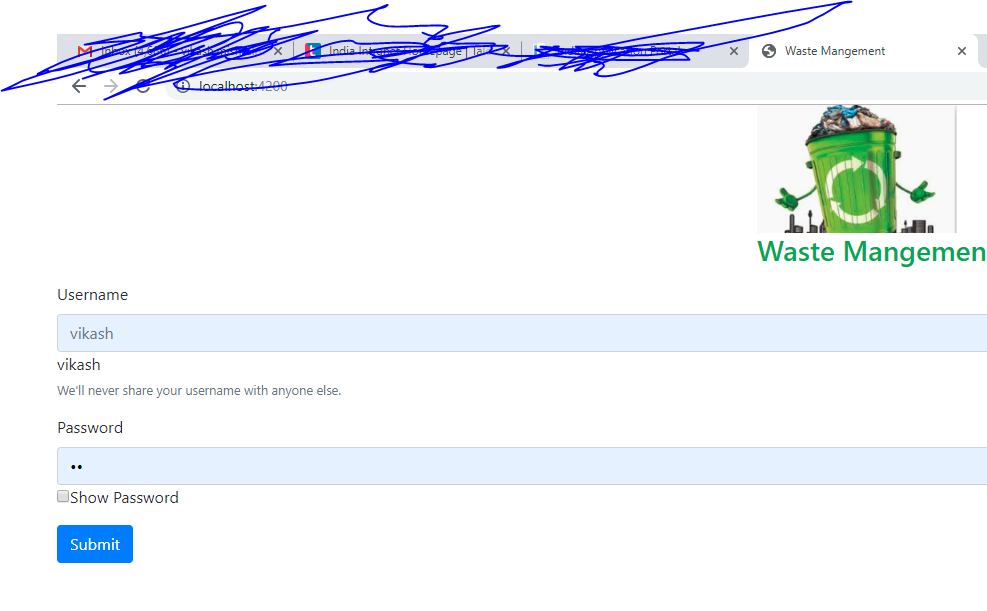
vikasmis
on 12 Jul 2019
This issue has been automatically locked due to inactivity.
Please file a new issue if you are encountering a similar or related problem.
Read more about our automatic conversation locking policy.
_This action has been performed automatically by a bot._
![angular-automatic-lock-bot[bot] picture](https://avatars0.githubusercontent.com/in/40213?v=4&s=40) angular-automatic-lock-bot[bot]
on 9 Sep 2019
angular-automatic-lock-bot[bot]
on 9 Sep 2019
Related issues
 donaldallen
·
3Comments
donaldallen
·
3Comments
 jbeckton
·
3Comments
jbeckton
·
3Comments
 rajjejosefsson
·
3Comments
rajjejosefsson
·
3Comments
 ericel
·
3Comments
ericel
·
3Comments
 daBishMan
·
3Comments
daBishMan
·
3Comments
Most helpful comment
You need to do three things to remove the icon from the build:
<link rel="icon" type="image/x-icon" href="favicon.ico">fromindex.html"favicon.ico"fromapps[0].assetsinangular-cli.jsonsrc/favicon.icoThis way you eliminate all traces of the default favicon. If you still see it in your browser, it is likely being cached somewhere and should go away in time.