Angular-calendar: bug: angular-cli build tool example not working in stackblitz
Describe the bug
If you're not aware, Stackblitz has an awesome feature that allows it to import an angular-cli project from github for easy testing. Unfortunately, the angular-calendar angular-cli build tool example produces the following error when imported (unchanged) into stackblitz:
Error: StaticInjectorError(AppModule)[DraggableDirective -> ElementRef]:
StaticInjectorError(Platform: core)[DraggableDirective -> ElementRef]:
NullInjectorError: No provider for ElementRef!
This error appears to leave the angular-cli example unusable and prevent it from fully rendering. At this moment, I'm not sure if it's a stackblitz only problem.
Minimal reproduction of the problem with instructions
Simply navigate to the angular-cli build tool example inside this repo and change "github" in the url to "stackblitz" and add "/github" immediately preceding "stackblitz.com". Or just click on this link:
https://stackblitz.com/github/mattlewis92/angular-calendar/tree/master/build-tool-examples/angular-cli
If you open up the stackblitz console, you'll see the error.
Screenshots
Versions
@angular/core: 6.1.10angular-calendar: 0.26.4- Browser name and version: Google Chrome 70
 jorroll
All 8 comments
It looks like an issue with the way stackblitz creates the project, probably because it doesn't like the dependencies of the project. If you hit the reload dependencies button on the sidebar it'll reload everything and it works then
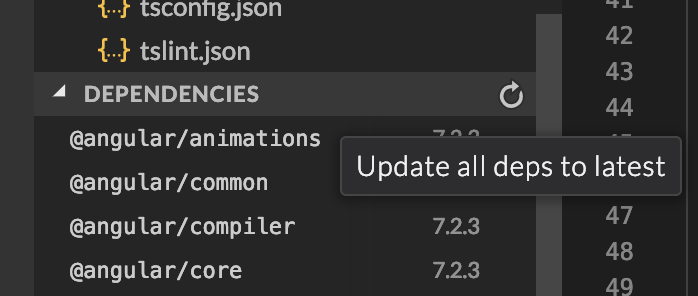
I've filed an issue with stackblitz to see if they can find a workaround: https://github.com/stackblitz/core/issues/857
p.s. you can fork a stackblitz from any of the demos here, just hit the "Edit in stackblitz" button on any of the demos 😄
 mattlewis92
on 3 Feb 2019
mattlewis92
on 3 Feb 2019
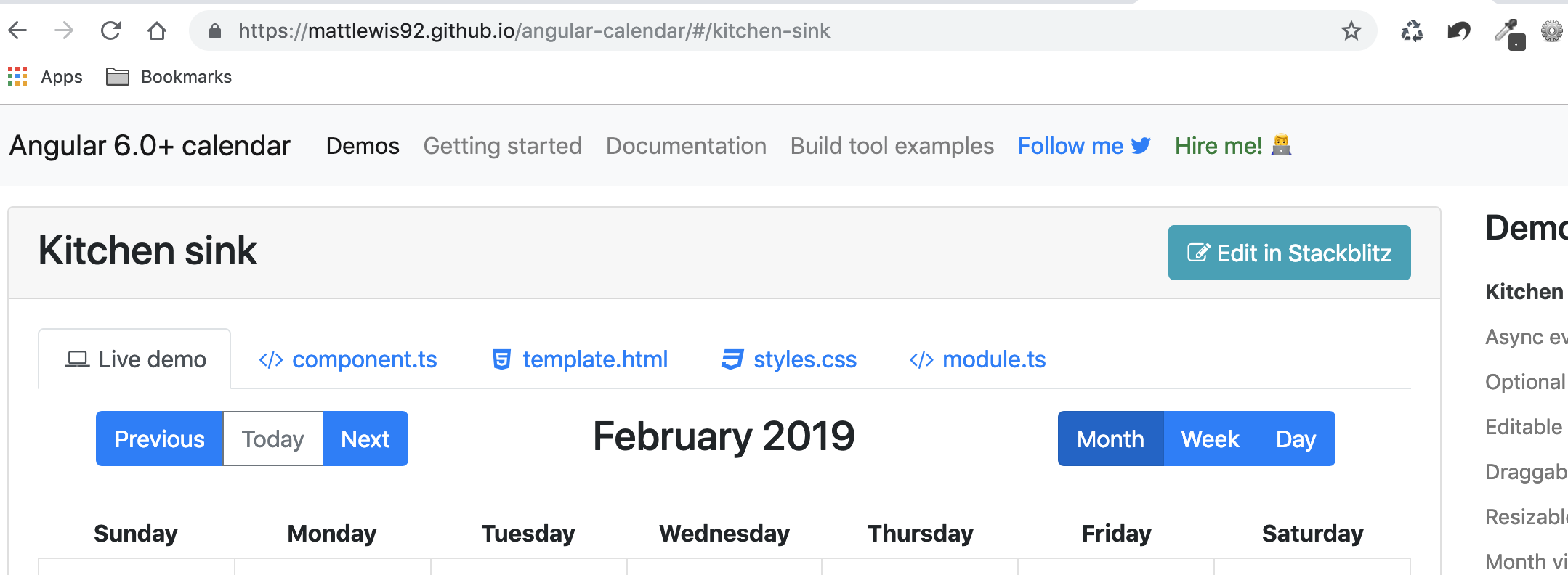
Looks like all the demos have an "Edit in Plunker" button rather than "Edit in Stackblitz"
jorroll
on 4 Feb 2019
That'd odd, it used to use plunker like a year ago?
mattlewis92
on 4 Feb 2019
Hu, This is what I see when I visit the demo.
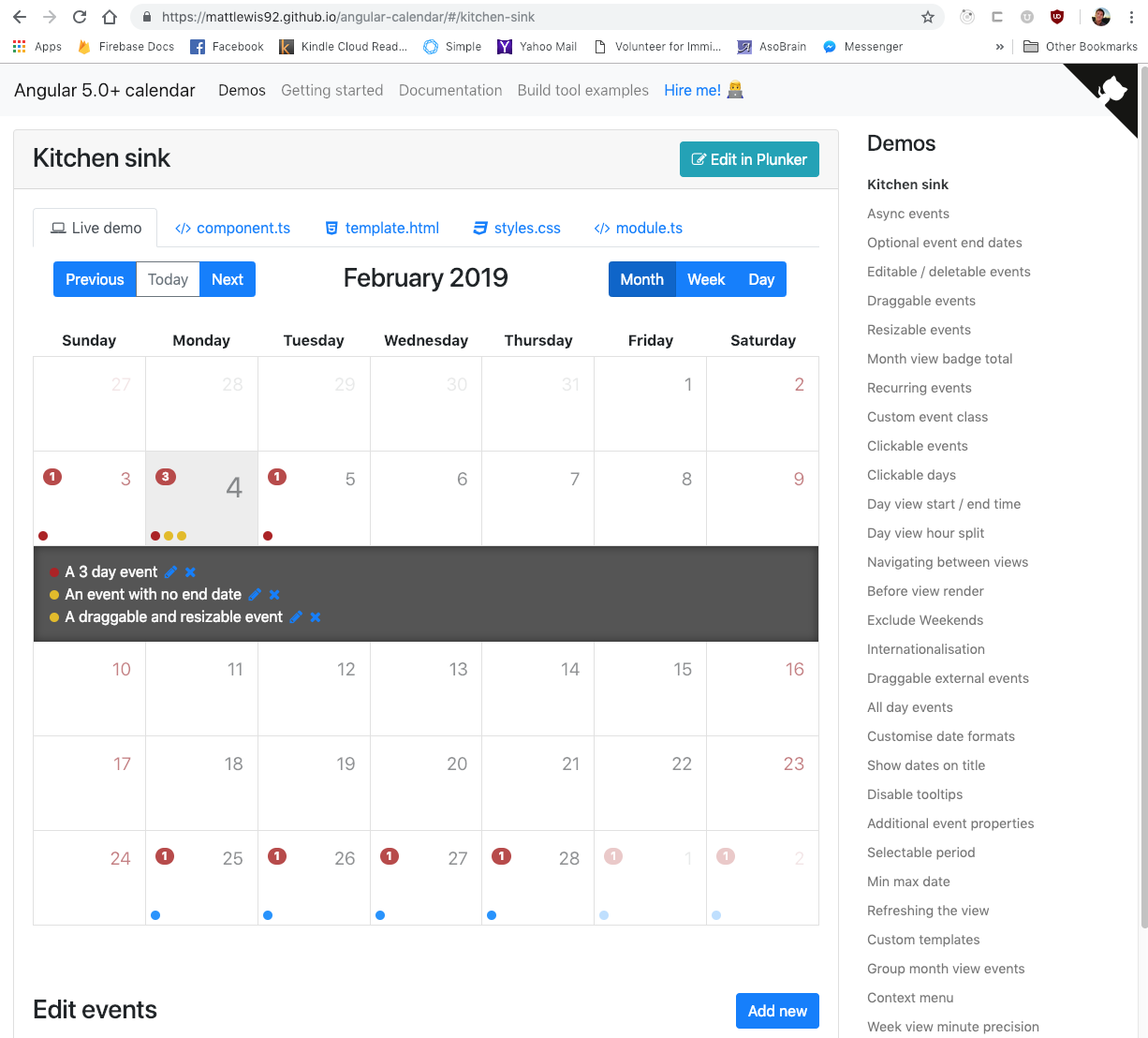
Don't know why it would matter, but I'm on OSX Mojave & Google Chrome 71
jorroll
on 5 Feb 2019
Look's like the demo page had installed a service worker that was preventing the newer code from running for me. I unregistered the service worker and reloaded and now I see the correct page. I don't know a lot about service workers, but simply "stopping" it was not enough. Manually telling it to update didn't do the trick either.
jorroll
on 5 Feb 2019
Oh weird, I did use to have a service worker on the old docs which might have been why, the unregister code obviously isn't working though :/
mattlewis92
on 5 Feb 2019
Re-opening as a reminder to find a workaround to force unregistering it
mattlewis92
on 5 Feb 2019
Ah, I got it, I had a kill switch but never actually tested it, it should work now. Thanks for reporting that, I would have had no idea otherwise! 😄
mattlewis92
on 5 Feb 2019
Related issues
 daneshmandi
·
4Comments
daneshmandi
·
4Comments
 chaouiy
·
3Comments
chaouiy
·
3Comments
 arvind-das
·
3Comments
arvind-das
·
3Comments
 sylvain-fr
·
3Comments
sylvain-fr
·
3Comments
 Sushma-tiwari
·
3Comments
Sushma-tiwari
·
3Comments