Android: Background Location Updates not working anymore
Home Assistant Android version: 3.0.2-full
Android version: 11 (Google Pixel 2), 9 (Xiaomi Mi A1)
Phone model: Google Pixel 2 and Xiaomi Mi A1
Home Assistant version: 0.118.1
Last working Home Assistant release (if known): Android 2.5.0-full
Description of problem:
The problem is, that the App is not anymore pushing the location (in certain intervals) when I don't use the phone.
The location will only be updated, if I use the phone. Turn on the lock screen, is sufficient to get a location update.
I go daily for a walk of about 1-2h where I don't use my phone and my location is not updated in the mean time. Previously the location was updated in an certain interval (I think it was every 15 minutes)
Traceback (if applicable):
Screenshot of problem:
Additional information:
I have already read the steps under https://companion.home-assistant.io/docs/troubleshooting/faqs/#location-is-not-updating-in-android-app and everything is activated.
 edenhaus
All 21 comments
please try the steps above and start fresh and ensure that you grant permission and that the toggles are enabled.
https://companion.home-assistant.io/docs/troubleshooting/faqs/#starting-fresh-with-the-android-app
 dshokouhi
on 21 Nov 2020
dshokouhi
on 21 Nov 2020
@dshokouhi I have already done this without success. The problem still exists. Sorry forgotten to write on the description
edenhaus
on 21 Nov 2020
What "certain intervals" are you expecting? The app will no longer send updates based on certain conditions like if you don't move for 15 minutes and the location has not changed. We also no longer send invalid updates based on accuracy and other settings. You may need to adjust those settings or change your expectations if you have not moved much. Can you double check that battery optimization is turned off and the setting in App Configuration says the app has background access? Did you change any of the location settings?
dshokouhi
on 21 Nov 2020
I check both, battery optimization is disabled and the app has background access.
No I didn't change anything in my location settings.
What "certain intervals" are you expecting?
Today I was going for a walk (distance was more 7km, around 1,5h), where I also had perfect mobile and gps signal.
I am expecting that I see some updates during this walk. The only location update I got, was when I turn on the lock screen to see what time it is.
I have activated the last update sensor. So maybe I get more information and this sensor was only reporting during the walk android.intent.action.SCREEN_ON and android.intent.action.SCREEN_OFF
In addition, my mum was also walking with me and here location was never updates, as she never used her phone. HA says she was always at home which is not correct.
For completeness her phone is a Xiaomi Mi A1 with Android 9 installed
edenhaus
on 21 Nov 2020
Are you checking the device tracker entity or the geocoded sensor? Can you please check the sensor settings for all 3 location sensors and let me know what each of the settings are set to? Is location permission granted all the time? Are you certain that you started fresh with the app and performed all the steps in the order mentioned in the link I posted? You will need to check similar steps on the other device too.
dshokouhi
on 21 Nov 2020
I'm checking the device tracker and the location permission is granted all the time.
I have done the steps above and also uninstalled the app yesterday and then set it up form scratch.
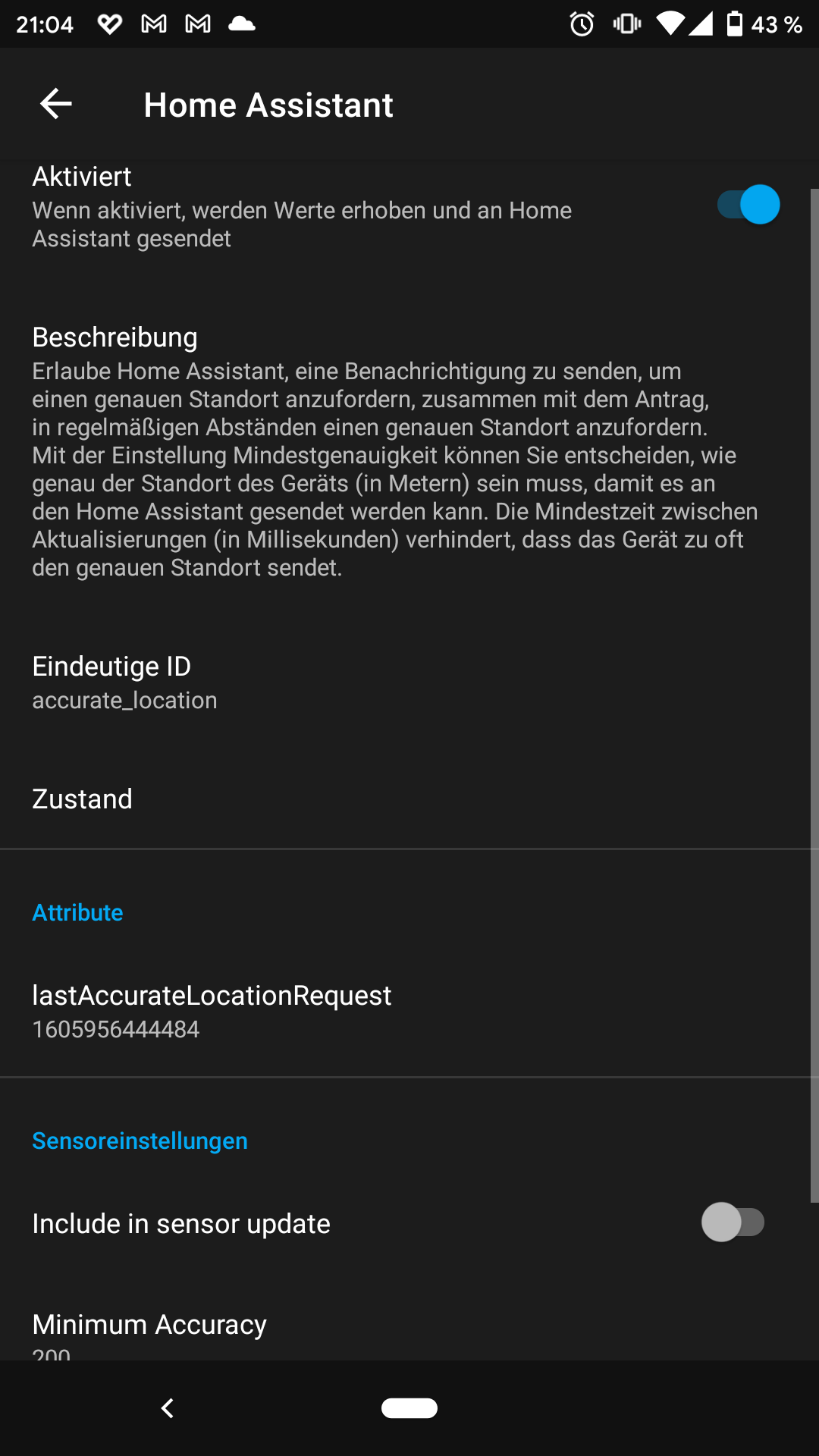
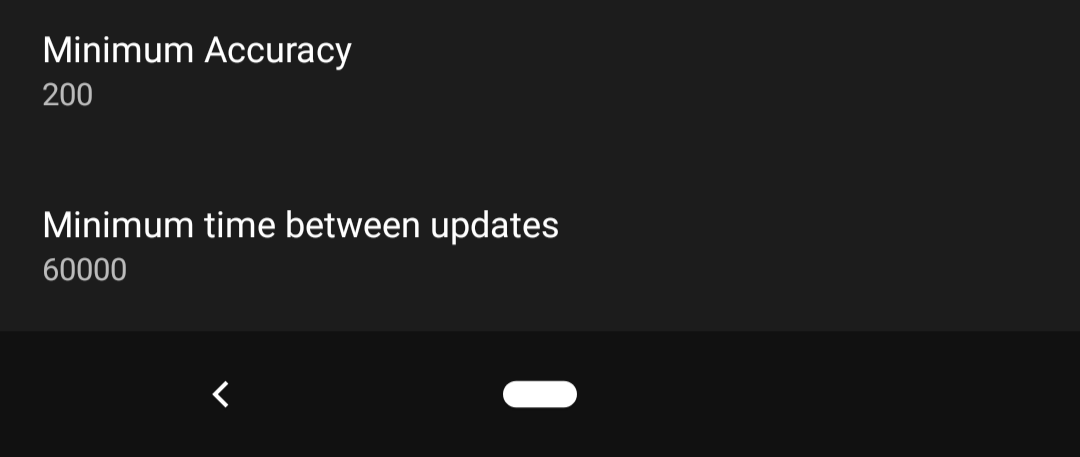
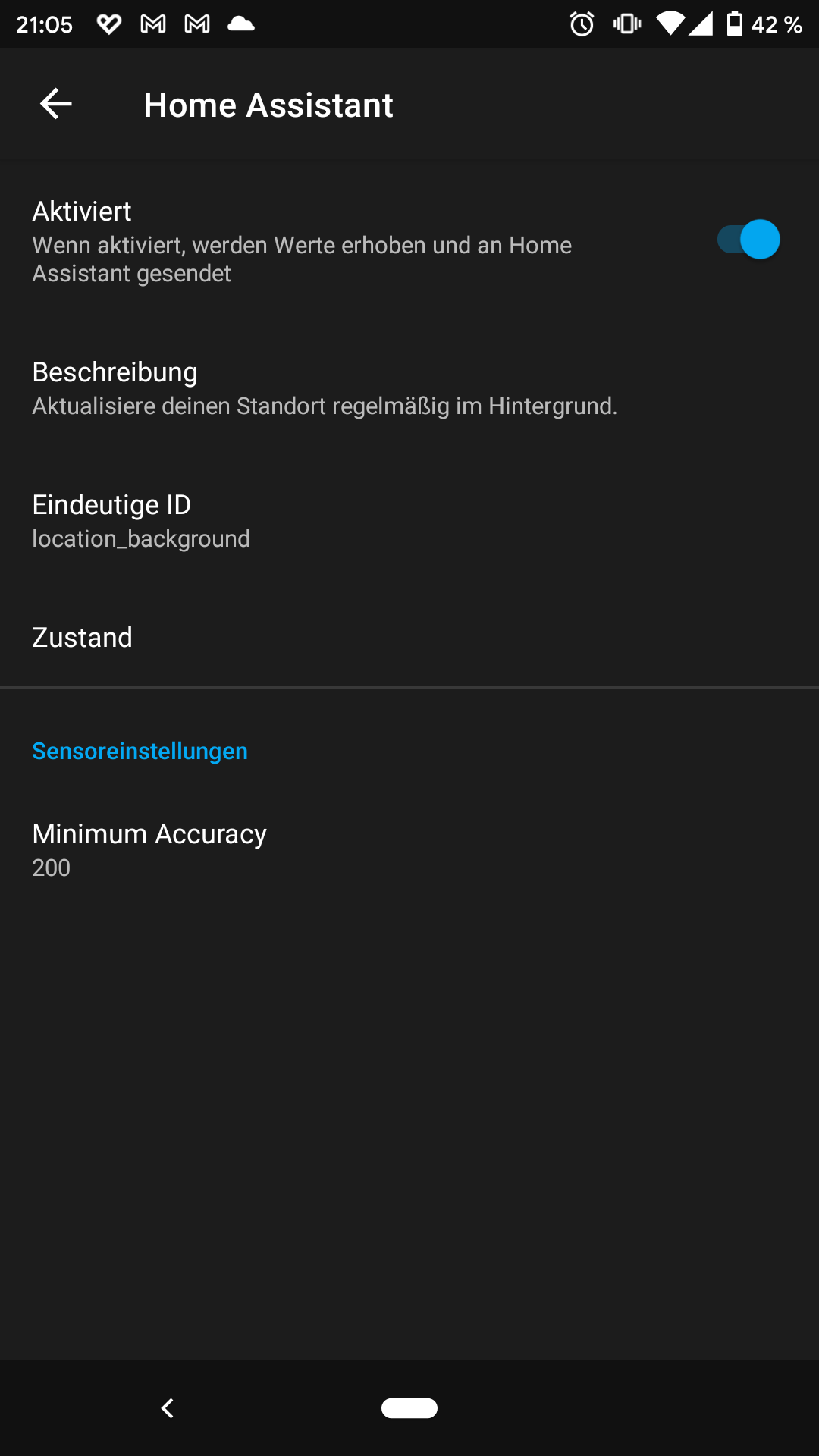
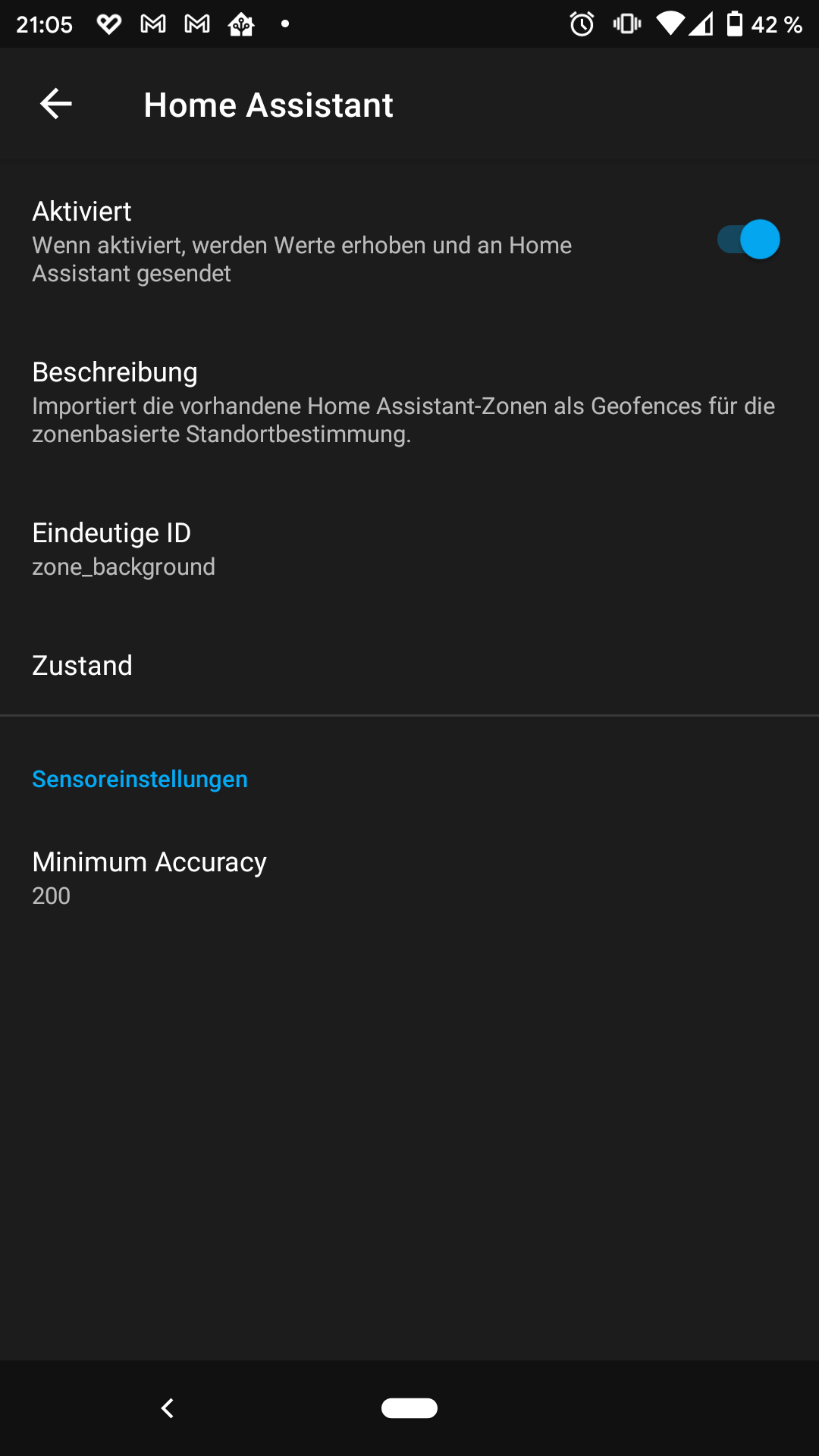
Below the screenshots about the the location sensor settings.
What does include in sensor update do?
edenhaus
on 21 Nov 2020
The include in sensor update option means that on every sensor update the app will also make an additional location request. This is not needed as the app does background location reporting. I believe your issue is that your location reports probably have a very high accuracy number which therefore gets rejected. Try to change the 200 to 400 for all 3 sensors before attempting to enable the include in sensor update.
More about these settings are in the docs: https://companion.home-assistant.io/docs/core/location#android-location-settings
You should also look at the zone entry/exit events as well to see what accuracy is being reported: https://companion.home-assistant.io/docs/integrations/app-events
You will need to do some research and find out which settings works best for you.
dshokouhi
on 21 Nov 2020
I experience this issue too. All three phones in the family seems to have stopped updating in the background in beta-527. Also no zone enter/leaving is happening.
If running an application that uses the location such as Maps, Waze or Pokemon Go, the Home Assistant app successfully catches the location update and updates the location instantly.
In 3.0.2 and beta-525 I can not recall having the issue.
I have not yet enabled debug logging, and only made basic troubleshooting such as rebooting the phone.
Phones: Pixel 4a, Pixel 3a, Motorola Moto G7
 rs443
on 2 Dec 2020
rs443
on 2 Dec 2020
We did not have any changes around location tracking itself so I am not sure how it correlates to those versions. This might be a play services issue or google just sending us invalid time. If possible please grab the ADB logs for about 15 minutes and we can see what reports are being ignored, if any. I personally do not have this issue on my Pixel 4 XL and neither does my wifes phone on a Pixel 3 XL.
dshokouhi
on 2 Dec 2020
Ok! I managed to install ADB debugging, but I have not yet figured out how to enable the debug logs for io.homeassistant.companion.android. Run command adb logcat > logfile which dumps lots of logs, but I seem to be missing the verbose homeassistant logs you are asking for. Have I missed a step? I got some LocBroadcastReceiver, but there should be more I guess?
rs443
on 2 Dec 2020
you don't need to enable debugging the logs will always be there, you may need to use Android Studio to properly show verbose logging or you can try some of the commands from: https://developer.android.com/studio/command-line/logcat
Edit: look for lines that start with: 2020-12-02 11:48:21.476 7380-7380/? D/LocBroadcastReceiver: Begin evaluating if location update should be skipped
Then a couple lines later you should be able to see the decision making process like:
2020-12-02 11:48:21.476 7380-7380/? D/LocBroadcastReceiver: Begin evaluating if location update should be skipped
2020-12-02 11:48:21.477 7380-7380/? D/LocBroadcastReceiver: Received location that is 65 milliseconds old, 1606938501411 compared to 1606938501476 with source fused
2020-12-02 11:48:21.477 7380-7380/? D/LocBroadcastReceiver: Duplicate location received, not sending to HA
this is taken from the play store version of the app too, but I am using android studio which by default gets verbose logging
dshokouhi
on 2 Dec 2020
Thanks! Then I do have the exact logs you are looking for.
Last correct location update was a few hours ago when I manually opened Google maps. My location was immediately retrieved and updated in Home Assistant. Since then there are no updates. Updates like the below is repeated since starting debugging. Very poor accuracy and old timestamp?
12-02 20:34:14.128  6201  6201 D LocBroadcastReceiver: Received location update.
12-02 20:34:14.131  6201  6201 W LocBroadcastReceiver: Location accuracy didn't meet requirements, disregarding: Location[fused N,263667,E,314091 hAcc=1700 et=+1d4h32m59s56ms vAcc=??? sAcc=??? bAcc=???]
12-02 20:36:14.033  6201  6201 D LocBroadcastReceiver: Received location update.
12-02 20:36:14.051  6201  6201 W LocBroadcastReceiver: Location accuracy didn't meet requirements, disregarding: Location[fused N,263667,E,314091 hAcc=1700 et=+1d4h34m59s96ms vAcc=??? sAcc=??? bAcc=???]
12-02 20:40:44.025  6201  6201 D LocBroadcastReceiver: Received location update.
12-02 20:40:44.032  6201  6201 W LocBroadcastReceiver: Location accuracy didn't meet requirements, disregarding: Location[fused N,263667,E,314091 hAcc=1700 et=+1d4h39m29s86ms vAcc=??? sAcc=??? bAcc=???]
12-02 20:42:49.801  6201  6201 D LocBroadcastReceiver: Received location update.
12-02 20:42:49.804  6201  6201 W LocBroadcastReceiver: Location accuracy didn't meet requirements, disregarding: Location[fused N,263667,E,314091 hAcc=1700 et=+1d4h41m34s783ms vAcc=??? sAcc=??? bAcc=???]
12-02 20:48:48.676  6201  6201 D LocBroadcastReceiver: Received location update.
12-02 20:48:48.678  6201  6201 W LocBroadcastReceiver: Location accuracy didn't meet requirements, disregarding: Location[fused N,263667,E,314091 hAcc=1700 et=+1d4h47m33s681ms vAcc=??? sAcc=??? bAcc=???]
12-02 20:52:09.100  6201  6201 D LocBroadcastReceiver: Received location update.
12-02 20:52:09.104  6201  6201 W LocBroadcastReceiver: Location accuracy didn't meet requirements, disregarding: Location[fused N,263667,E,314091 hAcc=1700 et=+1d4h50m54s156ms vAcc=??? sAcc=??? bAcc=???]
12-02 20:54:47.512  6201  6201 D LocBroadcastReceiver: Received location update.
12-02 20:54:47.520  6201  6201 W LocBroadcastReceiver: Location accuracy didn't meet requirements, disregarding: Location[fused N,263667,E,314091 hAcc=1700 et=+1d4h53m32s539ms vAcc=??? sAcc=??? bAcc=???]
12-02 20:56:47.523  6201  6201 D LocBroadcastReceiver: Received location update.
12-02 20:56:47.536  6201  6201 W LocBroadcastReceiver: Location accuracy didn't meet requirements, disregarding: Location[fused N,263667,E,314091 hAcc=1700 et=+1d4h55m32s580ms vAcc=??? sAcc=??? bAcc=???]
12-02 21:00:46.366  6201  6201 D LocBroadcastReceiver: Received location update.
12-02 21:00:46.375  6201  6201 W LocBroadcastReceiver: Location accuracy didn't meet requirements, disregarding: Location[fused N,263667,E,314091 hAcc=1700 et=+1d4h59m31s373ms vAcc=??? sAcc=??? bAcc=???]
12-02 21:03:16.800  6201  6201 D LocBroadcastReceiver: Received location update.
12-02 21:03:16.809  6201  6201 W LocBroadcastReceiver: Location accuracy didn't meet requirements, disregarding: Location[fused N,263667,E,314091 hAcc=1700 et=+1d5h2m1s817ms vAcc=??? sAcc=??? bAcc=???]
12-02 21:06:45.353  6201  6201 D LocBroadcastReceiver: Received location update.
12-02 21:06:45.356  6201  6201 W LocBroadcastReceiver: Location accuracy didn't meet requirements, disregarding: Location[fused N,263667,E,314091 hAcc=1700 et=+1d5h5m30s230ms vAcc=??? sAcc=??? bAcc=???]
@rs443 i think you can tell by the logs here that the error is not old timestamp related but accuracy related, you need to adjust your settings as I mentioned earlier.
The logs will tell you if the rejection was timestamp related or not. Here is the code for some of the other log statements you will see: https://github.com/home-assistant/android/blob/master/app/src/full/java/io/homeassistant/companion/android/sensors/LocationSensorManager.kt#L317-L351
dshokouhi
on 2 Dec 2020
Try to change the
200to400for all 3 sensors before attempting to enable the include in sensor update.
Did not help. I tried also to increase it to 1000 without success. I also check the states entries in the db and find out the accuracy was always below 100. So I think the accuracy is not the problem.
A few days ago I installed the latest beta and the problem still exists.
If running an application that uses the location such as Maps, Waze or Pokemon Go, the Home Assistant app successfully catches the location update and updates the location instantly.
I have exactly the same problem.
@dshokouhi Is there a way I can export the logs later on? Example I make a quick walk outside and then retrieve later on the logs with the PC. Sorry I'm new in Android development.
edenhaus
on 2 Dec 2020
@edenhaus if you look at the logs up above you can see that @rs443 was having accuracy reports as high as 1700 so even my own suggestion would not work there.
To get the logs you will need to use something like android studio to grab verbose logging, the apps in the play store do not get the level of detail we require.
dshokouhi
on 2 Dec 2020
Thank you @dshokouhi. It is strange though, we have accuracy configured at 200 meters and have always hade constant and accurate updates (<25 meters), but the last ~10 days the location gets "stuck" and updated several hours apart (when not running maps/waze).
When the LocBroadcastReceiver is requesting an update, in my logs the exact same fused location is presented. Shouldn't it update after a while?
But one thing is for sure though, the logs show Home assistant is correctly fetching the presented location.
rs443
on 2 Dec 2020
Shouldn't it update after a while?
that purely depends on the checks we do and the data Google sends to us. I think for your use case just need to change your accuracy.
dshokouhi
on 2 Dec 2020
To get the logs you will need to use something like android studio to grab verbose logging, the apps in the play store do not get the level of detail we require.
Thanks :) I have installed it and after a quick look at the logs my accuracy is fine also inside my house.
2020-12-02 21:04:31.312 6979-6979/? D/LocBroadcastReceiver: Received location update.
2020-12-02 21:04:31.317 6979-6979/? D/LocBroadcastReceiver: Last Location:
    Coords:([REMOVED], [REMOVED])
    Accuracy: 20.9
    Bearing: 0.0
2020-12-02 21:04:31.317 6979-6979/? D/LocBroadcastReceiver: Begin evaluating if location update should be skipped
2020-12-02 21:04:31.317 6979-6979/? D/LocBroadcastReceiver: Received location that is 70 milliseconds old, 1606939471247 compared to 1606939471317 with source fused
2020-12-02 21:04:31.317 6979-6979/? D/LocBroadcastReceiver: Duplicate location received, not sending to HA
Obviously the location will not update as I'm at home for a couple of hours.
I will go tomorrow for a walk with my dog and then hopefully I can see what is happening.
@dshokouhi Can I retrieve logs from the past without any problem or do I have to activate something?
edenhaus
on 2 Dec 2020
Thank you @dshokouhi. It is strange though, we have accuracy configured at 200 meters and have always hade constant and accurate updates (<25 meters), but the last ~10 days the location gets "stuck" and updated several hours apart (when not running maps/waze).
I have the same experience. Today I was able to get the logs...
2020-12-03 15:02:45.673 6979-6979/? D/LocBroadcastReceiver: Received location update.
2020-12-03 15:02:45.679 6979-6979/? D/LocBroadcastReceiver: Last Location:
    Coords:([REMOVED], [REMOVED])
    Accuracy: 42.5
    Bearing: 0.0
2020-12-03 15:02:45.679 6979-6979/? D/LocBroadcastReceiver: Begin evaluating if location update should be skipped
2020-12-03 15:02:45.679 6979-6979/? D/LocBroadcastReceiver: Received location that is 53 milliseconds old, 1607004165626 compared to 1607004165679 with source fused
2020-12-03 15:02:45.679 6979-6979/? D/LocBroadcastReceiver: Duplicate location received, not sending to HA
2020-12-03 15:06:42.681 6979-6979/? D/LocBroadcastReceiver: Received location update.
2020-12-03 15:06:42.757 6979-6979/? D/LocBroadcastReceiver: Received location update.
2020-12-03 15:06:42.760 6979-6979/? W/LocBroadcastReceiver: Location accuracy didn't meet requirements, disregarding: Location[fused [REMOVED],[REMOVED] hAcc=900 et=+3d5h56m18s37ms vAcc=??? sAcc=??? bAcc=???]
2020-12-03 15:06:42.786 6979-6979/? D/LocBroadcastReceiver: Received location update.
2020-12-03 15:10:50.754 6979-6979/? D/LocBroadcastReceiver: Received location update.
2020-12-03 15:10:50.756 6979-6979/? W/LocBroadcastReceiver: Location accuracy didn't meet requirements, disregarding: Location[fused [REMOVED],[REMOVED] hAcc=900 et=+3d5h59m23s87ms vAcc=??? sAcc=??? bAcc=???]
2020-12-03 15:12:31.748 6979-6979/? D/LocBroadcastReceiver: Received location update.
2020-12-03 15:40:54.660 6979-6979/? D/LocBroadcastReceiver: Received location update.
2020-12-03 15:40:54.662 6979-6979/? W/LocBroadcastReceiver: Location accuracy didn't meet requirements, disregarding: Location[fused [REMOVED],[REMOVED] hAcc=2100 et=+3d6h29m30s930ms vAcc=??? sAcc=??? bAcc=???]
2020-12-03 15:40:54.760 6979-6979/? D/LocBroadcastReceiver: Received location update.
2020-12-03 15:41:05.694 6979-6979/? D/LocBroadcastReceiver: Received location update.
2020-12-03 15:41:05.698 6979-6979/? W/LocBroadcastReceiver: Location accuracy didn't meet requirements, disregarding: Location[fused [REMOVED],[REMOVED] hAcc=2100 et=+3d6h30m30s63ms vAcc=??? sAcc=??? bAcc=???]
2020-12-03 15:44:06.405 6979-6979/? D/LocBroadcastReceiver: Received location update.
2020-12-03 15:44:06.408 6979-6979/? D/LocBroadcastReceiver: Last Location:
    Coords:([REMOVED], [REMOVED])
    Accuracy: 20.0
    Bearing: 0.0
2020-12-03 15:44:06.408 6979-6979/? D/LocBroadcastReceiver: Begin evaluating if location update should be skipped
2020-12-03 15:44:06.408 6979-6979/? D/LocBroadcastReceiver: Received location that is 6142 milliseconds old, 1607006640266 compared to 1607006646408 with source fused
2020-12-03 15:44:06.507 6979-7019/? D/LocBroadcastReceiver: Location update sent successfully
The strange thing is, when I open for example Google Maps or another App, which requires gps, I get a good signal and the accuracy is under 50.
edenhaus
on 3 Dec 2020
I don't think this is something we can fix. Please stick to the recommendation of increasing accuracy until you get the results you expect. We can see from both sets of logs location is coming as expected.
dshokouhi
on 3 Dec 2020
This should be fixed after #1229 going to close now please comment back if you notice the issue again.
dshokouhi
on 10 Dec 2020
Related issues
 Nik71git
·
4Comments
Nik71git
·
4Comments
 Anonym-tsk
·
3Comments
Anonym-tsk
·
3Comments
 jokerigno
·
4Comments
jokerigno
·
4Comments
 acme-szala
·
3Comments
acme-szala
·
3Comments
 andriej
·
4Comments
andriej
·
4Comments