Android: Widgets show ERROR since App 3.0.0
Home Assistant Android version:
3.0.0-full
Android version:
9
Phone model:
Huawei P10
Home Assistant version:
0.117.2
Last working Home Assistant release (if known):
Description of problem:
I had several widgets on my home screen before. Now they disappeared.
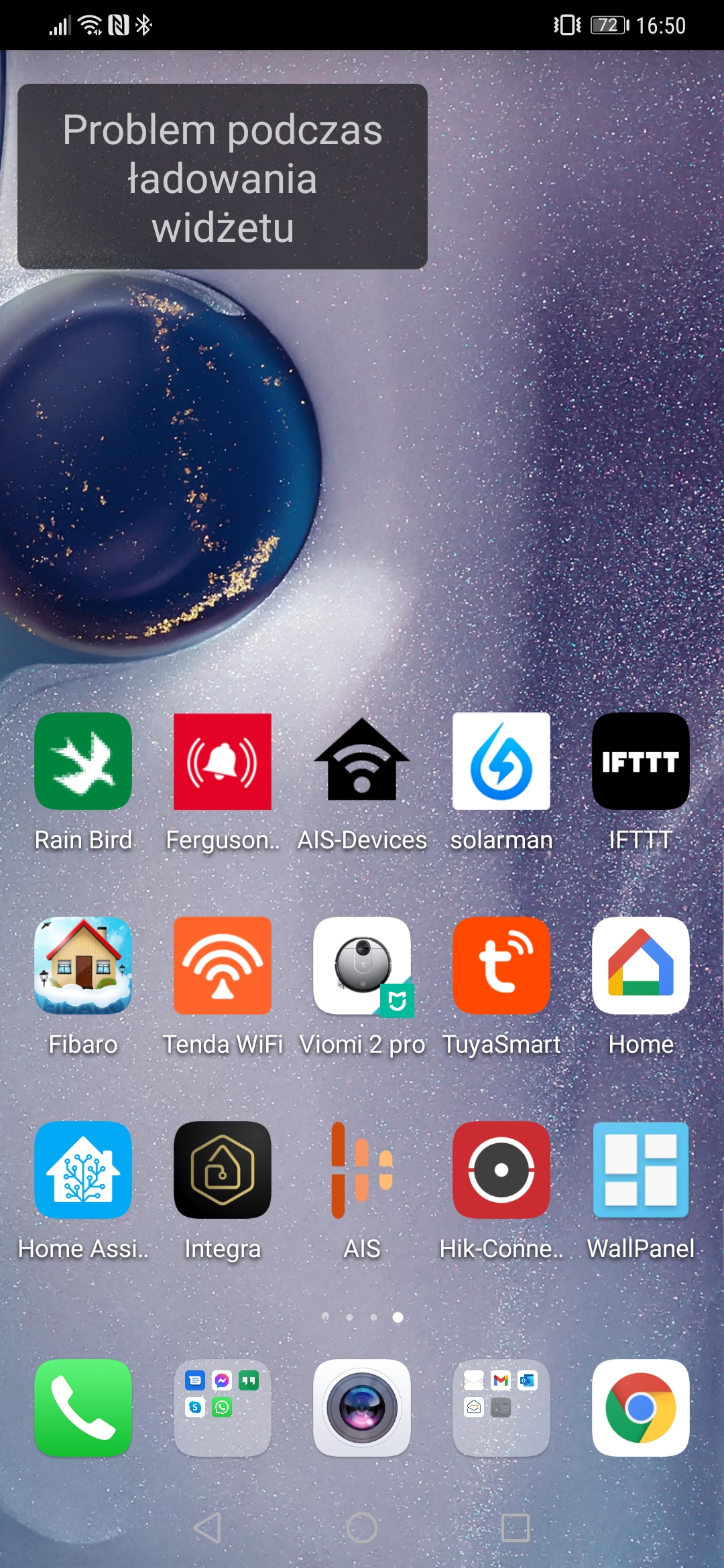
When I recreate them, I only see an "F E H" text on the widget, with probably means "ERR(or)".
My widgets are mainly scripts, switches or rest commands, like:
script.shutter_all_open
rest_command.fountain_toggle
switch.toggle
None of them work when recreating.
Screenshot of problem:

 membersound
All 15 comments
Have the same issue using Huawei Mate 20 pro.
 traviz-pl
on 7 Nov 2020
traviz-pl
on 7 Nov 2020
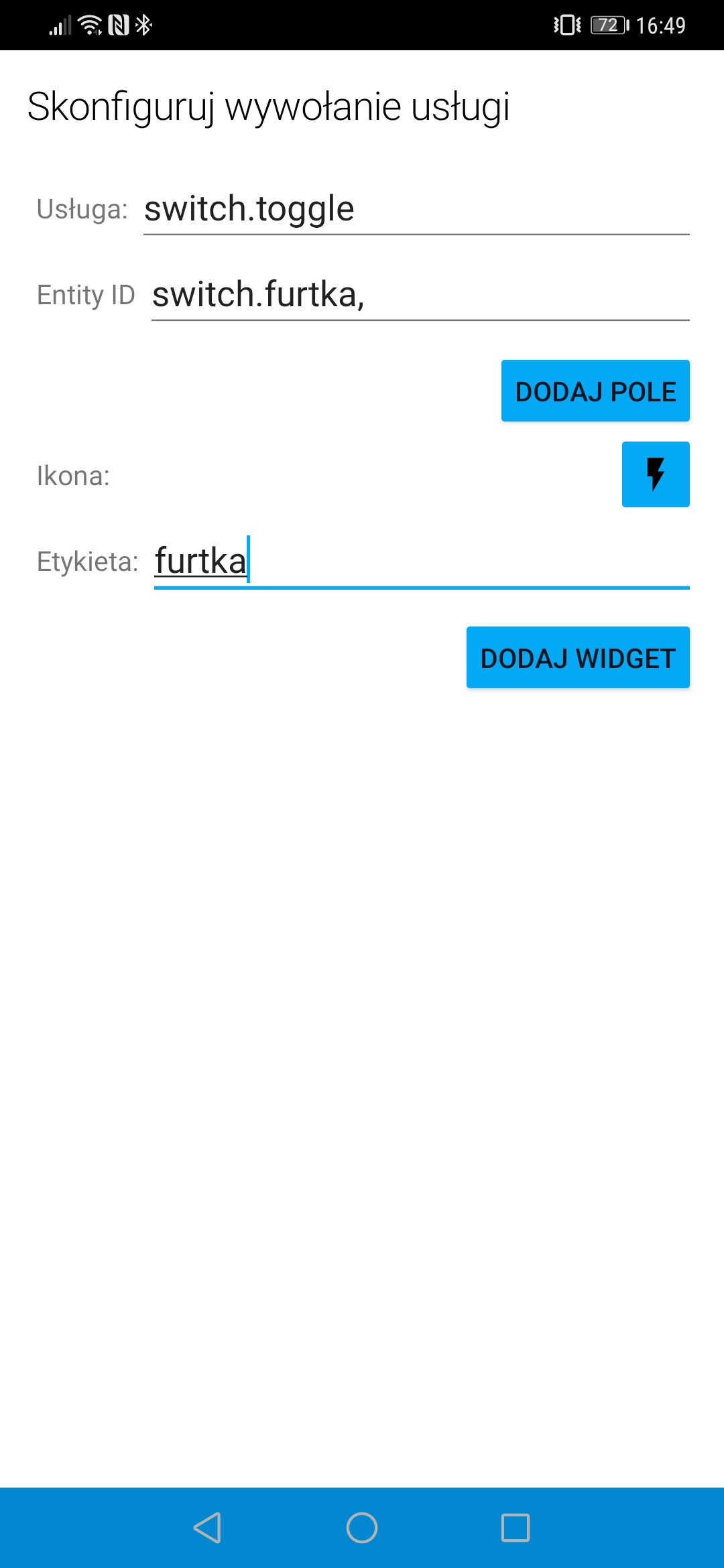
Can you share a screen shot of the widget configuration screen when you edit a widget with the issue?
 dshokouhi
on 7 Nov 2020
dshokouhi
on 7 Nov 2020
Can you share a screen shot of the widget configuration screen when you edit a widget with the issue?
Here u are.
traviz-pl
on 7 Nov 2020
Whats that "," in entity namae? Have you tried without it?
 andriej
on 7 Nov 2020
andriej
on 7 Nov 2020
It shows up automaticaly when the entity is chosen from the list.
I accidentally reboot my phone and now the newly added widgets are working as before HA app upgrade. Hope it will also work for @membersound.
traviz-pl
on 7 Nov 2020
Nice catch, that also fixed it for me.
Though I'm not sure whether to close this issue, because it then is clearly a bug?
membersound
on 7 Nov 2020
I think i see the cause of the issue, does this happen to newly created widgets or just existing ones you guys are editing?
dshokouhi
on 7 Nov 2020
@dshokouhi in my case all old widgets gone after HA app update so I wanted to create a new ones. Then I found out that they don't work as usually. After phone reboot I have created a completely new widgets and now all are working correctly.
traviz-pl
on 7 Nov 2020
@traviz-pl ok that makes sense and should be expected due to the breaking change.
@membersound is that the same case for you too? or did the issue start after editing a widget?
dshokouhi
on 7 Nov 2020
All my old widgets are gone. And when recreating widgets I got that issue.
membersound
on 7 Nov 2020
did you make sure to delete the old widgets from the manage widget screen?
dshokouhi
on 7 Nov 2020
Hello,
Same issue and I did delete old widget. I don't have the issue when I am connected in the local network. Same for you?
 PoVPoV29
on 8 Nov 2020
PoVPoV29
on 8 Nov 2020
The issue doesn't appears for some time after laughing the app. Same thing for you?
PoVPoV29
on 8 Nov 2020
Error message when I click on widgets : "unable to send service call" Is it the same issue for you ?
PoVPoV29
on 12 Nov 2020
@PoVPoV29 that error shows up when the widget is unable to successfully send the service call to your server.
dshokouhi
on 12 Nov 2020
Related issues
 simbesh
·
3Comments
simbesh
·
3Comments
 Hypfer
·
3Comments
Hypfer
·
3Comments
 Nik71git
·
4Comments
andriej
·
4Comments
Nik71git
·
4Comments
andriej
·
4Comments
 tiagofreire-pt
·
3Comments
tiagofreire-pt
·
3Comments