Android: /media files in subfolder not showing in notification
Home Assistant Android version: latest stable 2.5.0-full
Android version: 10.0
Phone model: Oneplus 6
Home Assistant version: 0.116.4 (latest)
Last working Home Assistant release (if known): n/a
Description of problem:
While trying to use new HA's /media folder to serve filess for my mobile phones, I've came across idea of putting camera snapshots in subfolder.
So I've created directory named 'snapshots' inside default's /media (Supervised Debian 10).
And while trying to make notifications working, I couldn't do that.
Unless I've done something like this in HA's configuration:
homeassistant:
  media_dirs:
    local: /media
    snapshots: /media/snapshots
After declaring 'snapshots' subfolder, notifications started to work and shows image hidden in subfolder of 'snapshots'.
So it seems like HA app is not able to somehow 'parse' directory unless it's declared.
In HA's frontend I was able to browse and see files without any problem with or without this declaration.
Code to test:
message: test
title: test2
data:
  image: '/media/snapshots/taras_16_010852.jpg'
This image didn't show without 'snapshots' declaration and was working well with declaration in HA's config.
Traceback (if applicable):
no error in log of HA/ no debug in app
Screenshot of problem:
n/a, just notification with title 'test2' and message 'test' with no image and with image when subfolder declared.
Additional information:
I'm not sure if it's app or HA's core issue, so start here.
Please help debug and eventually I'll open an issue on core repo if it's not apps fault.
 andriej
All 4 comments
Just took a look at this. I did not have a media folder in my core install so this is what I did.
Created media folder in my config directory and copied over a valid image
used following service data:
message: test
data:
  image: '/media/test.jpg'
This failed and I noticed the error in my logcat went to my domain followed by the path set, using a browser I get a 404 error. Then in chrome using developer tools I went to media browser and looked at the image and saw the path was different! /media/local/test.jpg so I adjusted service call appropriately.
message: test
data:
  image: '/media/local/test.jpg'
and it worked!
Then I proceeded to create a snapshots directory and moved over the same image and the path became /media/local/snapshots/test.jpg and this path also worked.
message: test
data:
  image: '/media/local/snapshots/test.jpg'
This is without overriding media_dirs too.
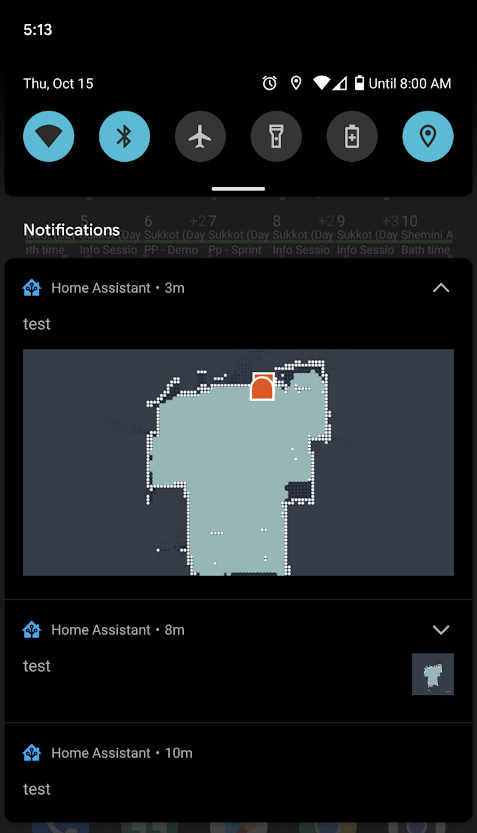
Heres a screenshot of all 3 tests I just performed. The last one in the list is the first failure i mentioned...the expanded notification is the one in the snapshots directory
 dshokouhi
on 16 Oct 2020
dshokouhi
on 16 Oct 2020
So it's more misunderstanding of the /media than a bug.
Probably to be fixed in docs :-)
andriej
on 16 Oct 2020
Thank you for reporting!
dshokouhi
on 16 Oct 2020
Default media folder is not in the config directory.
 skynetua
on 4 Nov 2020
skynetua
on 4 Nov 2020
Related issues
 N-Schaef
·
5Comments
andriej
·
4Comments
N-Schaef
·
5Comments
andriej
·
4Comments
 CedrickFlocon
·
4Comments
CedrickFlocon
·
4Comments
 acme-szala
·
3Comments
acme-szala
·
3Comments
 jokerigno
·
4Comments
jokerigno
·
4Comments