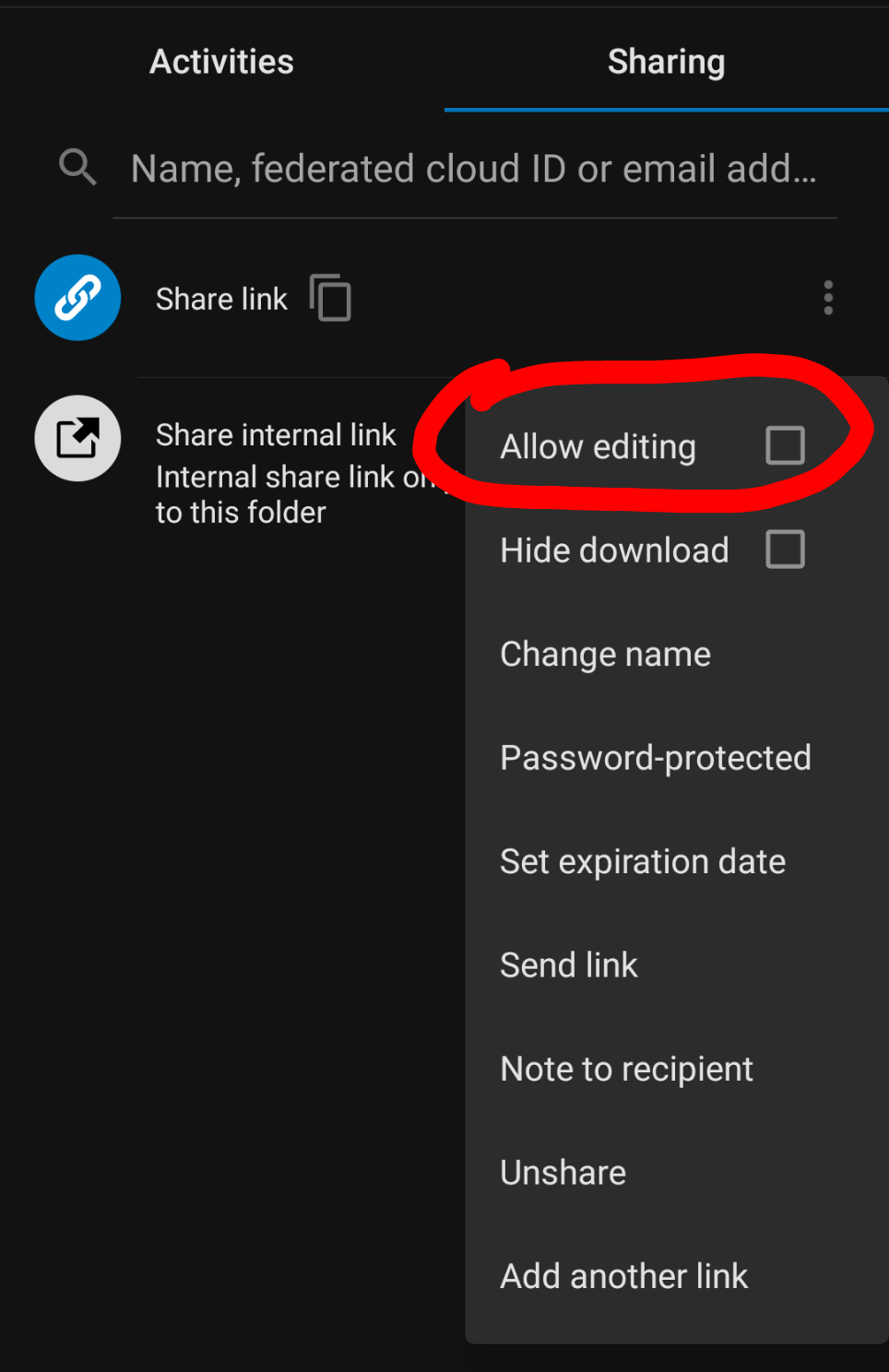
Android: Shared folder check mark missing for "Allow editing"
Steps to reproduce
- Share a folder
- Enable "Allow editing"
Expected behaviour
- After enable editing the setting should have a visible checkmark
Actual behaviour
- No visible checkmark although editing seems to be allowed
- Tapping again "Allow editing" does not seem to disable it again
- The setting below "Hide download" can be toggled as expected
Environment data
Android version: 10
Device model: SHIFT6mq
Stock or customized system: Stock
Nextcloud app version: 3.13.1
Nextcloud server version: 18.0.3
Reverse proxy:
 billie80
All 6 comments
This will be fixed with 3.14, you can already test it with latest dev version.
 tobiasKaminsky
on 29 Sep 2020
tobiasKaminsky
on 29 Sep 2020
Thanks for letting me know. Any ETA for the 3.14 release?
billie80
on 29 Sep 2020
Release Candidate might be available next week, so ETA of the final release is ~3 weeks
 AndyScherzinger
on 29 Sep 2020
AndyScherzinger
on 29 Sep 2020
I just tested Nextcloud Dev 20200927 and for me the problem is still there.
The buttons have changed. Now one can radio between 'Read only', 'Allow upload and editing' and 'File drop (Upload only). When selecting 'Allow upload and editing' there is still the empty button. The buttons for the other two options work.
billie80
on 29 Sep 2020
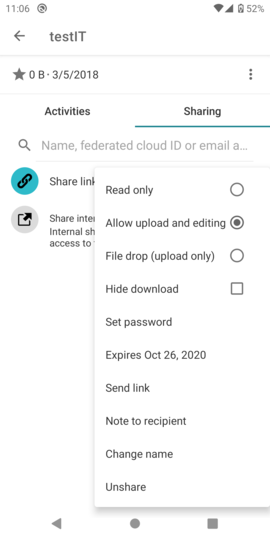
Can you give me a screenshot, so that we can compare?
tobiasKaminsky
on 19 Oct 2020
Looks like this is not necessary anymore! It works now as expected with the latest dev version 20201017. However it also works with 3.13.1.
Yesterday the cloud was updated to version 20.0.0. So I guess this is an issue with the server version!
billie80
on 19 Oct 2020
Related issues
 JSoko
·
3Comments
JSoko
·
3Comments
 Tie-fighter
·
3Comments
JSoko
·
3Comments
Tie-fighter
·
3Comments
JSoko
·
3Comments
 markbryanduncan
·
3Comments
markbryanduncan
·
3Comments
 ThaDaVos
·
3Comments
ThaDaVos
·
3Comments