Android: SimpleIcons disappear from Lovelace UI and Sidebar.
Home Assistant Android version:
2.21-29-g5ee23a7-303-full
Android version:
Emui 10 Android 10
Phone model:
Huawei Mate 20
Home Assistant version:
0.114.4
Last working Home Assistant release (if known):
not known
Description of problem:
SimpleIcons disappear from Lovelace UI and Sidebar.
Traceback (if applicable):
no
Screenshot of problem:


Additional information:
Problem does not exist in Google Chrome Mobile.
 FeromonDE
All 19 comments
Is simpleicons a custom integration or something?
 dshokouhi
on 27 Aug 2020
dshokouhi
on 27 Aug 2020
 ludeeus
on 27 Aug 2020
ludeeus
on 27 Aug 2020
Yes
panel_iframe:
configurator:
title: Configurator
icon: si:electron
url: http://192.168.2.11:3218
nodered:
title: Node-Red
url: http://192.168.2.11:1880
icon: si:node-red
portainer:
title: Portainer
url: http://192.168.2.11:9000
icon: mdi:docker
esphome:
title: EspHome
url: http://192.168.2.11:6052
icon: si:arduino
FeromonDE
on 27 Aug 2020
This seems to be a caching issue, I just added si:gatsby and it loaded in the emulator. Try to clear app cache and see if that works.
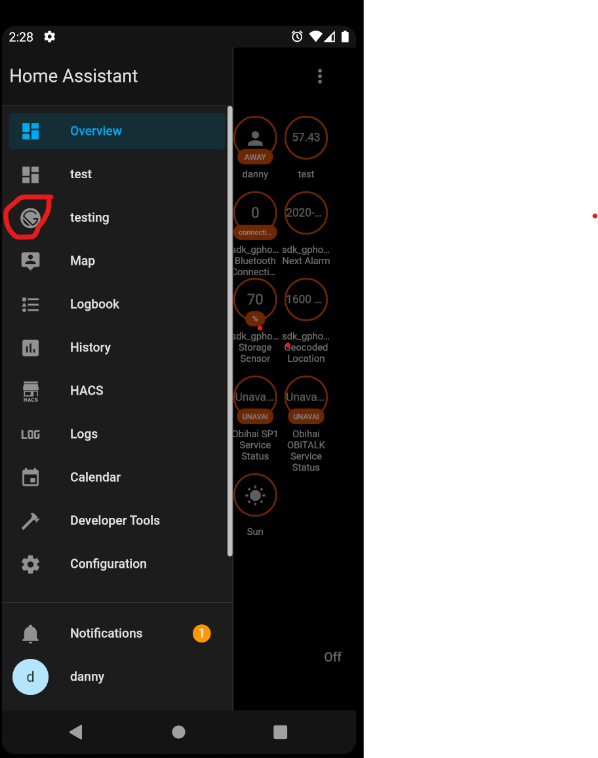
dshokouhi
on 27 Aug 2020
Can you replicate on Android's Chrome browser?
 JBassett
on 27 Aug 2020
JBassett
on 27 Aug 2020
This seems to be a caching issue, I just added
si:gatsbyand it loaded in the emulator. Try to clear app cache and see if that works.
After clearing app cache it load, until i force stop the app.
FeromonDE
on 27 Aug 2020
Can you replicate on Android's Chrome browser?
No, there is no Problem on Android's Chrome.
FeromonDE
on 27 Aug 2020
Just tested it on my Pixel 4 XL and even if I force stop the app and open it the icon is still there.
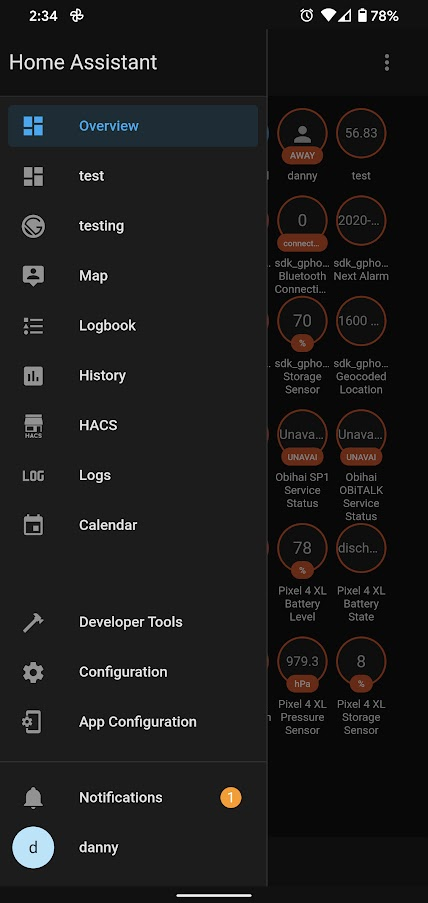
dshokouhi
on 27 Aug 2020
Just tested it on my Pixel 4 XL and even if I force stop the app and open it the icon is still there.
Hmm...
I even reinstalled but to no avail. Problem still exist.
FeromonDE
on 27 Aug 2020
can you check that android system webview is up to date?
dshokouhi
on 27 Aug 2020
can you check that android system webview is up to date?
85.0.4183.81 25.08.20
FeromonDE
on 27 Aug 2020
I was able to reproduce this on a desktop in Chrome incognito mode. This is probably an issue with the custom integration itself. Notice the missing icon in the sidebar next to testing
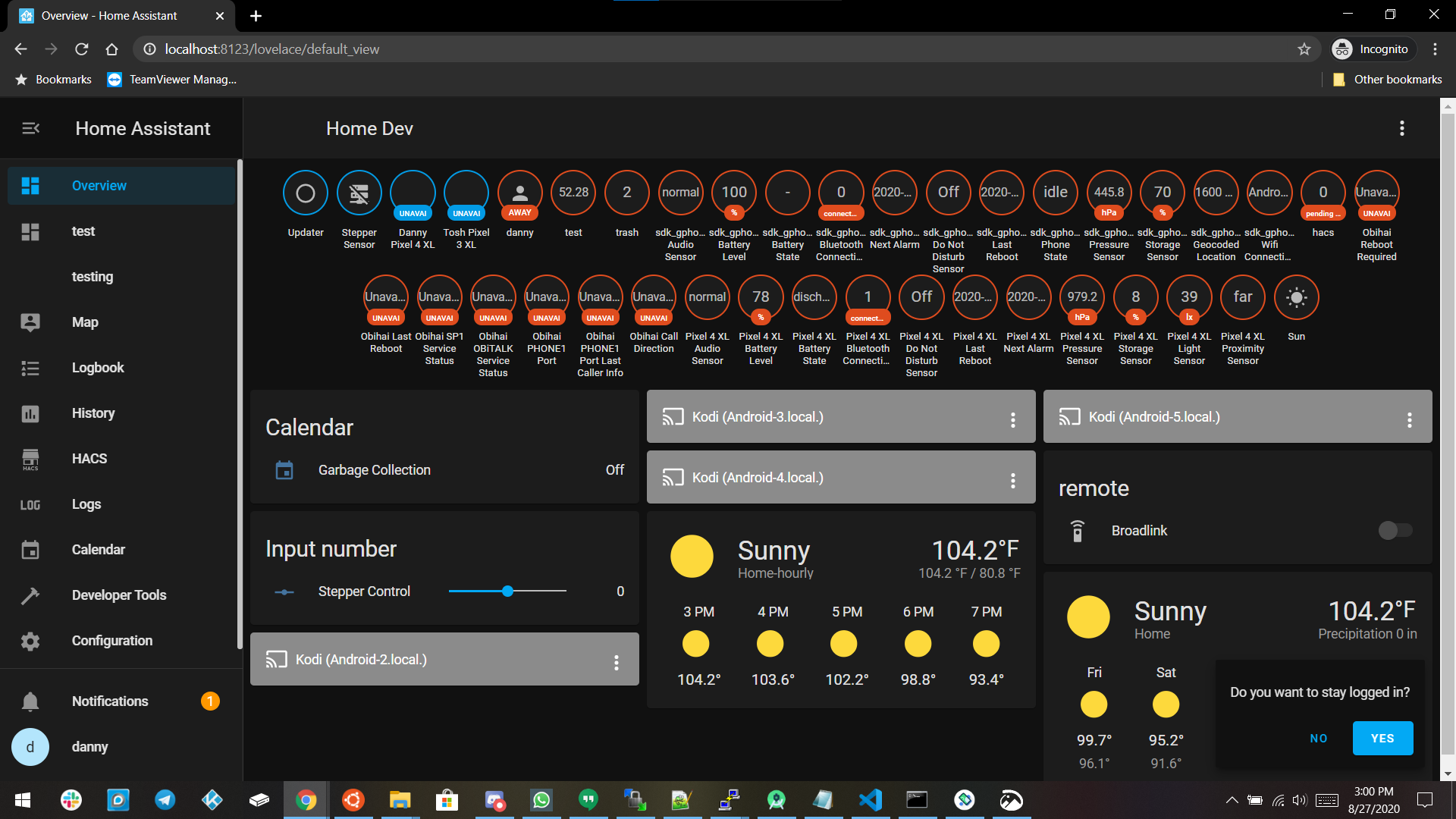
dshokouhi
on 28 Aug 2020
There is no Problem if i switch from Wifi to 4G.
I dont understand. Why?
FeromonDE
on 28 Aug 2020
This is a caching issue and since I saw it on my desktop its either an issue with the HA frontend (which @ludeeus would know I think :P ) or an issue with the custom integration.
dshokouhi
on 28 Aug 2020
Most likely the integration, if you look at the screenshots, you see the hacs logo, that is a custom icon as well and that works
ludeeus
on 28 Aug 2020
Sorry. There is a Problem on Android's Chrome too. :(
FeromonDE
on 28 Aug 2020
Most likely the integration, if you look at the screenshots, you see the hacs logo, that is a custom icon as well and that works
Yes, Icons from mdi works fine.
FeromonDE
on 28 Aug 2020
@FeromonDE please open an issue with the custom integration, going to close this one now.
dshokouhi
on 28 Aug 2020
mdi is shipped with the frontend, simpleicons and the hacs logo is not
ludeeus
on 28 Aug 2020
Related issues
 Nik71git
·
4Comments
Nik71git
·
4Comments
 ofalvai
·
5Comments
ofalvai
·
5Comments
 Bruceforce
·
3Comments
Bruceforce
·
3Comments
 make-all
·
3Comments
make-all
·
3Comments
 jokerigno
·
4Comments
jokerigno
·
4Comments
Most helpful comment
It is https://github.com/vigonotion/hass-simpleicons