Android: Status bar is not readable when the Android Night Light function is enabled
Home Assistant Android version: 2.1.0-7
Android version: 10
Phone model: Samsung Galaxy S9
Home Assistant version: 0.113.3
Last working Home Assistant release (if known): n/a
Description of problem: Status bar is not readable when the Android Night Light function is enabled.
Screenshot of problem:
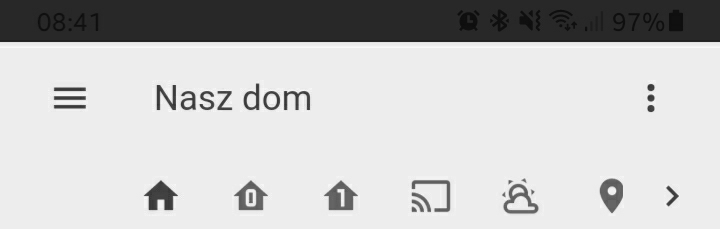
Additional information: With the PR #716 there has been resolved an issue #433 . However, now the status bar is not readable when using a light theme in HA and the Night Light function on the mobile. It seems like a decision about the font color on the status bar is being made based on the HA theme and not on the status bar background color.
 anybody84
All 10 comments
Can you explain what the night light function does? Never heard of that function. On my one plus i have a night mode function which disables just the blue light, but doesn't change the color of the status bar or system.
Edit: Oh i see. Samsung does some additionally magic and turns also the ui dark in dark mode, which overwrites the color of the status bar.
 chriss158
on 11 Aug 2020
chriss158
on 11 Aug 2020
@chriss158, sorry for confusing you. It was rather about Dark Theme, not the Night Light. So, if it's enabled the status bar becomes unreadable.
This is how it looks when it's off:
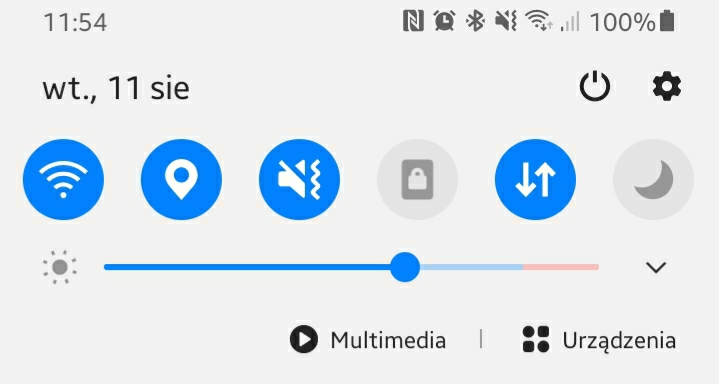
And when it's on:

It affects also the bottom bar:
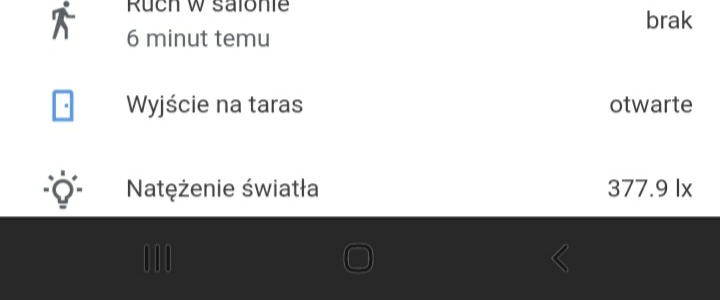
This also can be useful if you need more details.
anybody84
on 11 Aug 2020
@anybody84 so to confirm you have dark mode on the device enabled and what theme are you using? Google light theme?
 dshokouhi
on 12 Aug 2020
dshokouhi
on 12 Aug 2020
@dshokouhi, yes, correct, Google light theme.
Just FYI - I also use dark mode enabled on my device + Google dark theme, but for these combination everything looks good.
anybody84
on 12 Aug 2020
If i enable dark mode and using the google light theme, it will work on the emulated pixel 3a device.
Looks like samsung overwrites the statusbar color in dark mode not matter which color is set by the app. Do you have other apps with the same behaviour?
So you have a dark statusbar and light theme? Normally it should be a light statusbar and the light theme.
Can you test the opposite. Using normal/day mode and set a dark theme. Is then the statusbar light or dark ?
chriss158
on 12 Aug 2020
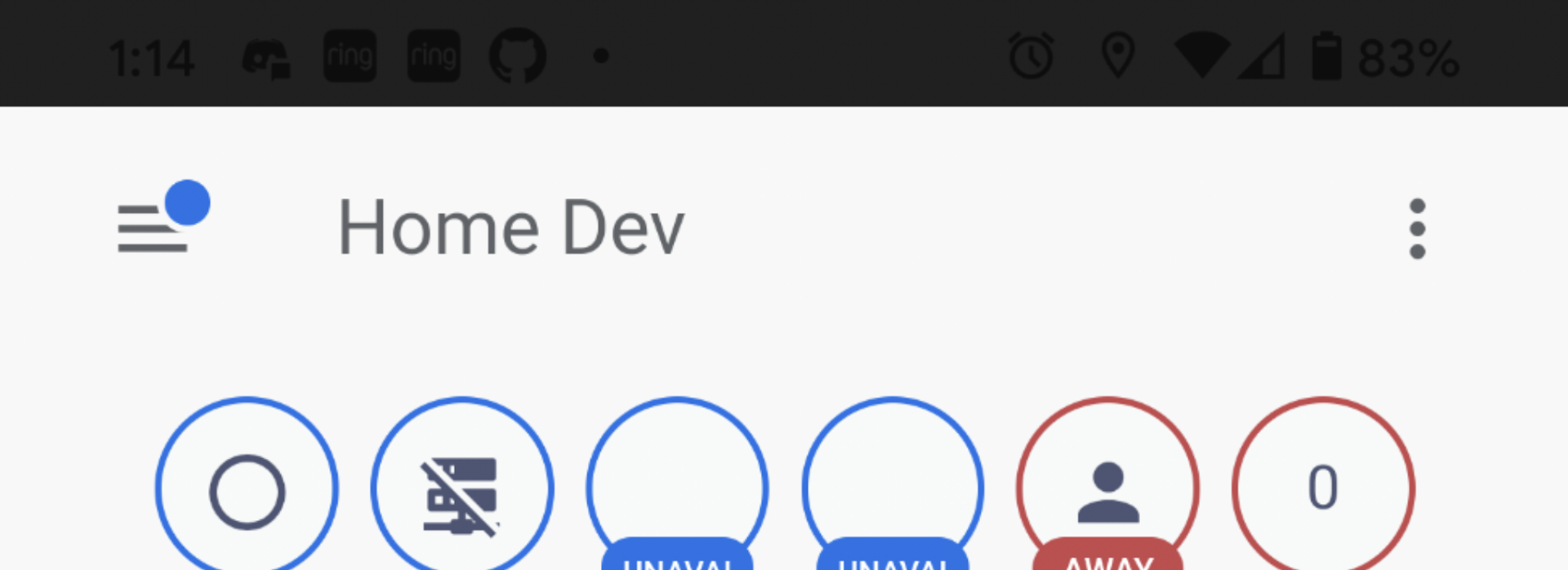
@chriss158 so just now I was able to reproduce it on my pixel locally. I loaded up "Google Light Theme", called frontend.set_theme to ensure the status bar would change, force closed and opened the app to make sure it pulled in teh value. Then enabled dark theme on my device
dshokouhi
on 12 Aug 2020
@chriss158, no, I don't have any other apps with the same behaviour. When I use the normal/day mode on my device and a dark theme, then the status bar is also dark with white characters, which also looks good.
anybody84
on 12 Aug 2020
Please check if set the theme Backend-selected in your profile of the HA mobile app. Then set frontend.set_theme to Google Light Theme.
@dshokouhi I cannot reproduce this :/
chriss158
on 12 Aug 2020
Not really. I always have backend-selected theme on my mobile app and an automation which uses frontend.set_theme service to change the theme. When I do it manually it helps until I restart the app. Then the issue appears again.
anybody84
on 12 Aug 2020
Ok now i reproduced it. Looks like change of statusBarColor is not respected.
chriss158
on 12 Aug 2020
Related issues
 kmlucy
·
3Comments
kmlucy
·
3Comments
 N-Schaef
·
5Comments
N-Schaef
·
5Comments
 ofalvai
·
5Comments
ofalvai
·
5Comments
 rradar
·
4Comments
rradar
·
4Comments
 jokerigno
·
4Comments
jokerigno
·
4Comments