Android: [3.13.0 RC4] Avatars in a shared file
Steps to reproduce
- Select "All files" from the menu.
- Share the file with another user.
- Return to the "All files" menu.
Expected behaviour
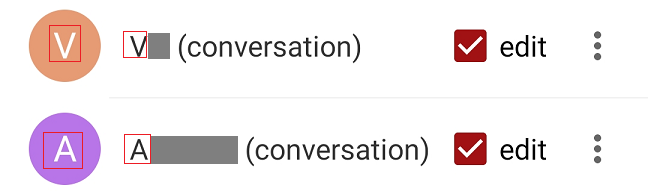
- Avatars of shared users should contain the correct first letter of the username.
In my opinion, if the user has his avatar set, it should be displayed for shared files.
Actual behaviour
- The avatars of shared users contain an invalid letter of the name.

After selecting file sharing details, the letter in the avatar is correct.
Environment data
Android version: 10
Nextcloud app version: 3.13.0 RC4 and Dev 20200809
 Valdnet
All 11 comments
@tobiasKaminsky I can reproduce this (to some extend).
What I tested (2 users with usernames and name differing the name being first/last name leading to server-side 2-letter avatars, one user with a uploaded image)
- Sharing details view only shows the single-letter avatar (thus must be client-side generated)
- oc file list, initially shows single-letter with some folder refresh app restarts shows the 2-letter avatars
- _no_ display of the image avatar
 AndyScherzinger
on 14 Aug 2020
AndyScherzinger
on 14 Aug 2020
I am totally out of clue :/
I fear we have to postpone this to 3.13.1, but I will mark it as "high".
 tobiasKaminsky
on 17 Aug 2020
tobiasKaminsky
on 17 Aug 2020
I fear we have to postpone this to 3.13.1
@tobiasKaminsky Version 3.13.1 released, and there are no correct avatars 😁.
Valdnet
on 26 Oct 2020
@Valdnet can you test it with https://github.com/nextcloud/android/pull/7098 ?
tobiasKaminsky
on 27 Oct 2020
@tobiasKaminsky In the test version, the letters in the avatars are displayed correctly 👍.
Is it possible to show avatar pictures in sharing details? Same as they appear in the list of shared files.
Off topic:
I noticed that if there is an image file in the files and you set the files to be displayed as a list, the files display like this:

Only after another change to the list view, the file display is correct until the application is restarted.
Valdnet
on 27 Oct 2020
@tobiasKaminsky In the test version, the letters in the avatars are displayed correctly +1.
nice :+1:
Is it possible to show avatar pictures in sharing details? Same as they appear in the list of shared files.
It should already be correctly shown, as both use the same function to generate avatar.
Can you post a sample?
Off topic:
Please create a new issue.
tobiasKaminsky
on 28 Oct 2020
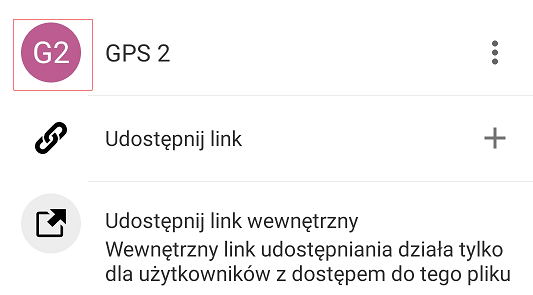
@tobiasKaminsky This is what it looks like:
View from the file list:
View with file sharing details:
Valdnet
on 28 Oct 2020
Hm. What is GPS 2? A regular user, a federated user?
tobiasKaminsky
on 29 Oct 2020
This is a regular user 😉.
Valdnet
on 30 Oct 2020
@Valdnet
There is an APK file in this PR #7271, which you can install in parallel to your existing Nextcloud app.
tobiasKaminsky
on 9 Nov 2020
@tobiasKaminsky https://github.com/nextcloud/android/pull/7271#issuecomment-724642883
Avatars are displayed correctly 🥇.
Valdnet
on 10 Nov 2020
Related issues
 ezaquarii
·
3Comments
ezaquarii
·
3Comments
 ThaDaVos
·
3Comments
ThaDaVos
·
3Comments
 Bugsbane
·
3Comments
Bugsbane
·
3Comments
 markbryanduncan
·
3Comments
markbryanduncan
·
3Comments
 JSoko
·
3Comments
JSoko
·
3Comments