Android: Text not showing in dark mode on Samsung
Steps to reproduce
- Set phone to dark mode
3.
Expected behaviour
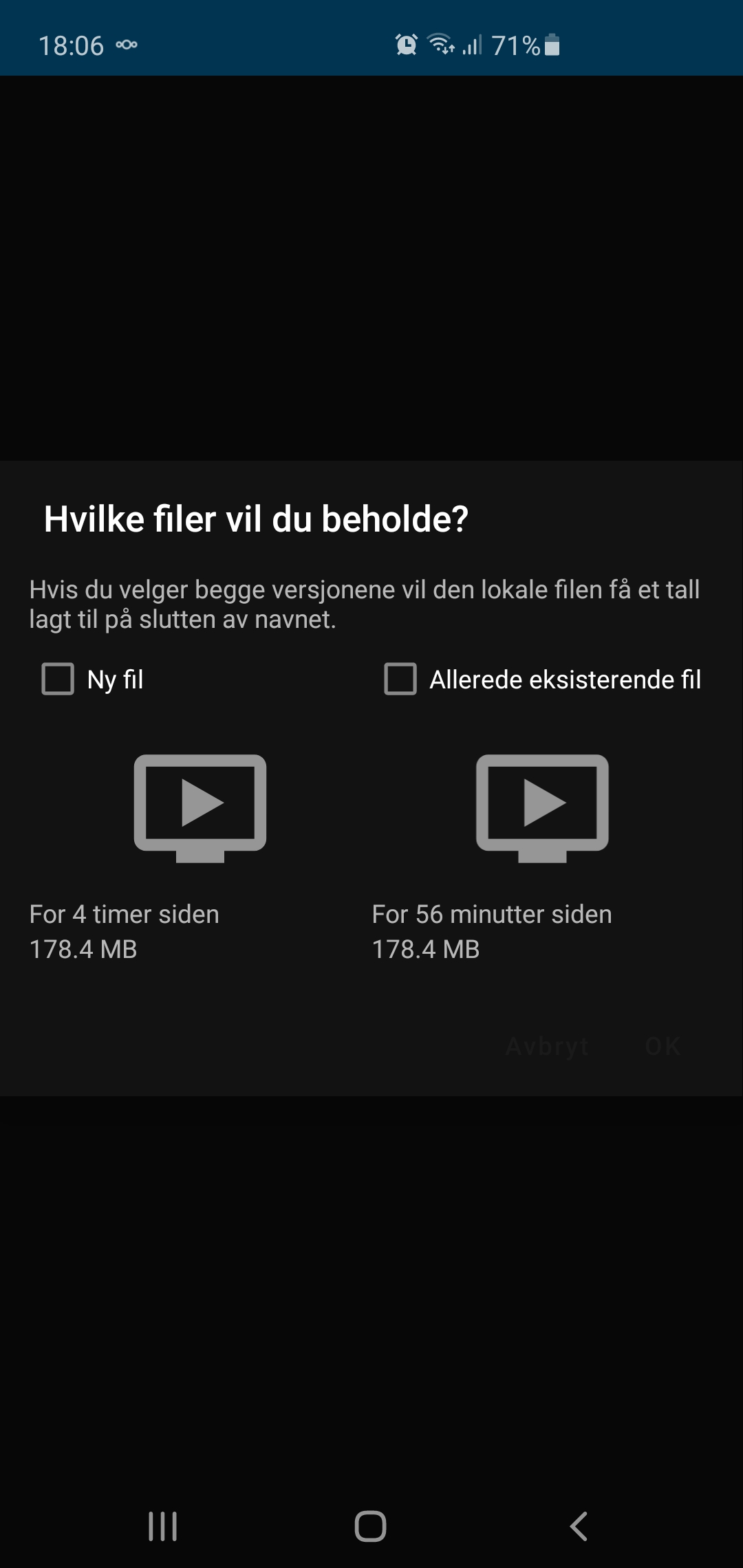
- you should se all check boxes, and OK buttons
Actual behaviour
- black text on black background is not visible
Can you
- If yes, please open up a bug report
- If not, please verify server setup and ask for help on forum
Environment
Samsung galaxy s10+
 Bergum
All 12 comments
@Bergum Do you by any chance use a dark-grey color? (as-in set via theming on the server)
 AndyScherzinger
on 14 Aug 2020
AndyScherzinger
on 14 Aug 2020
No, i use the standard colors.
But i do use dark mode on my phone.
Bergum
on 14 Aug 2020
@Bergum which version of the app are you using? (can be found in the app settings screen). It work fine for me on master branch (3.13.0+)
AndyScherzinger
on 14 Aug 2020
Im using 3.13.0 rc 4
@AndyScherzinger
Bergum
on 14 Aug 2020
@tobiasKaminsky Can you reproduce this?
AndyScherzinger
on 18 Aug 2020
Yes i can duplicate it.
Every time i switch between light/dark mode.
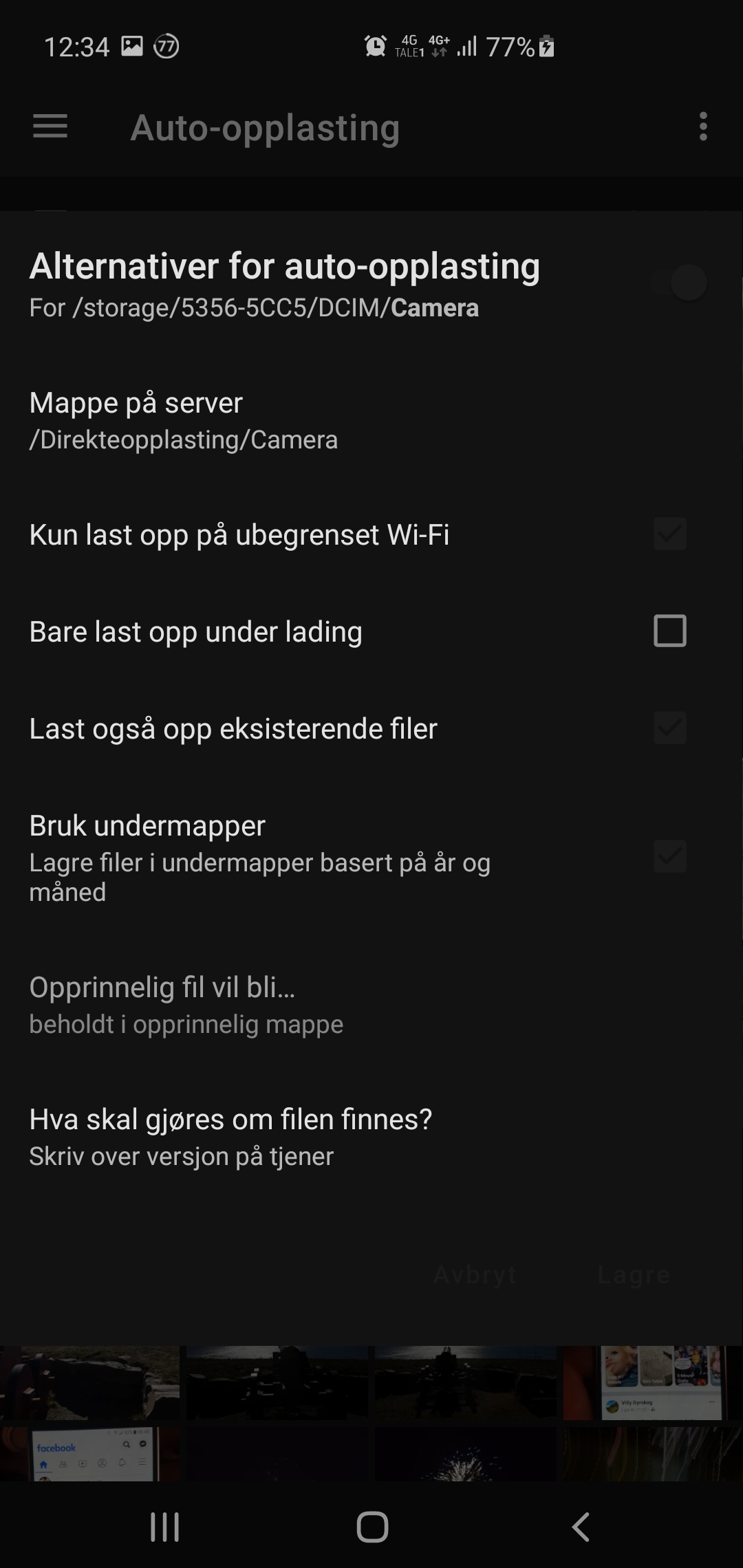
Is the text in an other color than black?

Bergum
on 18 Aug 2020
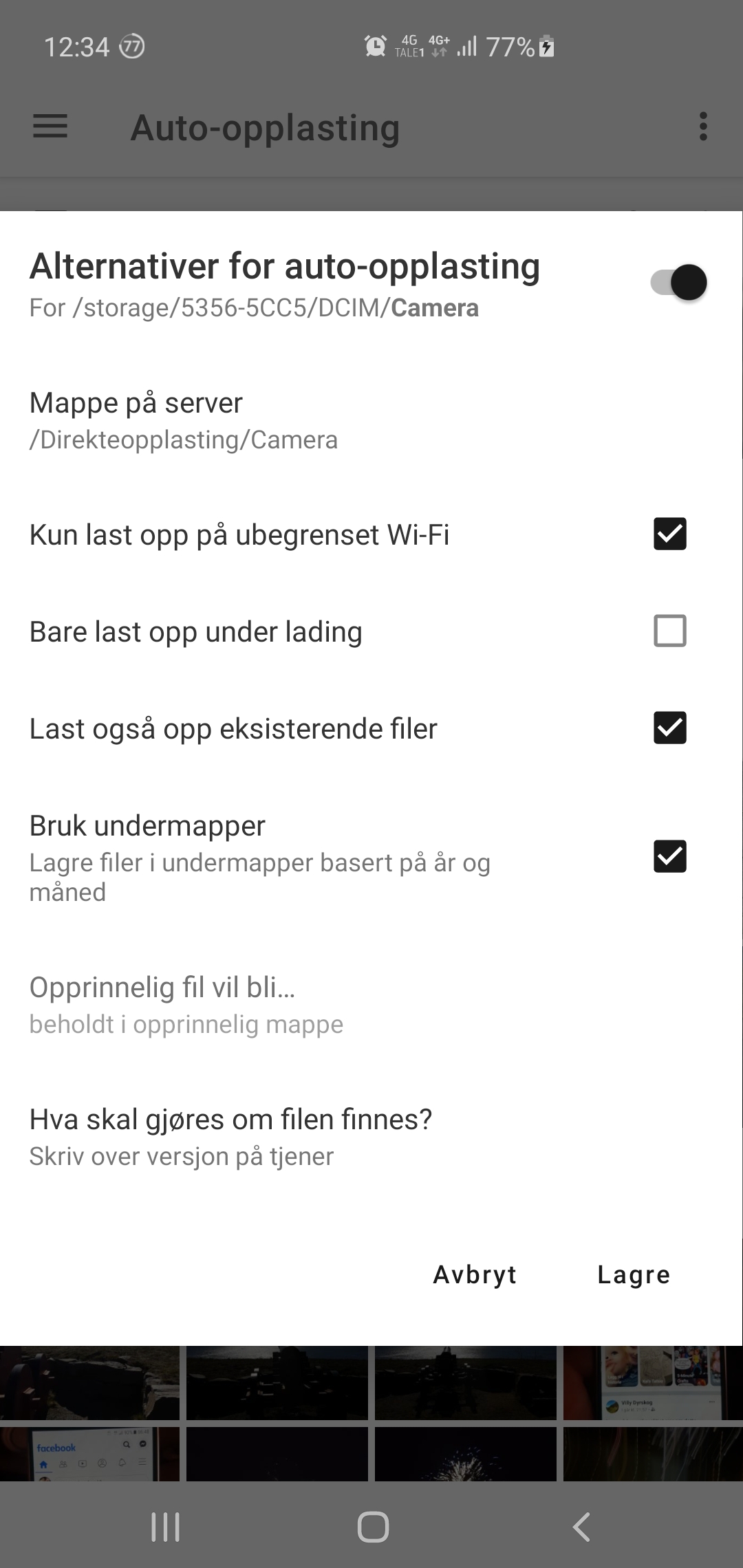
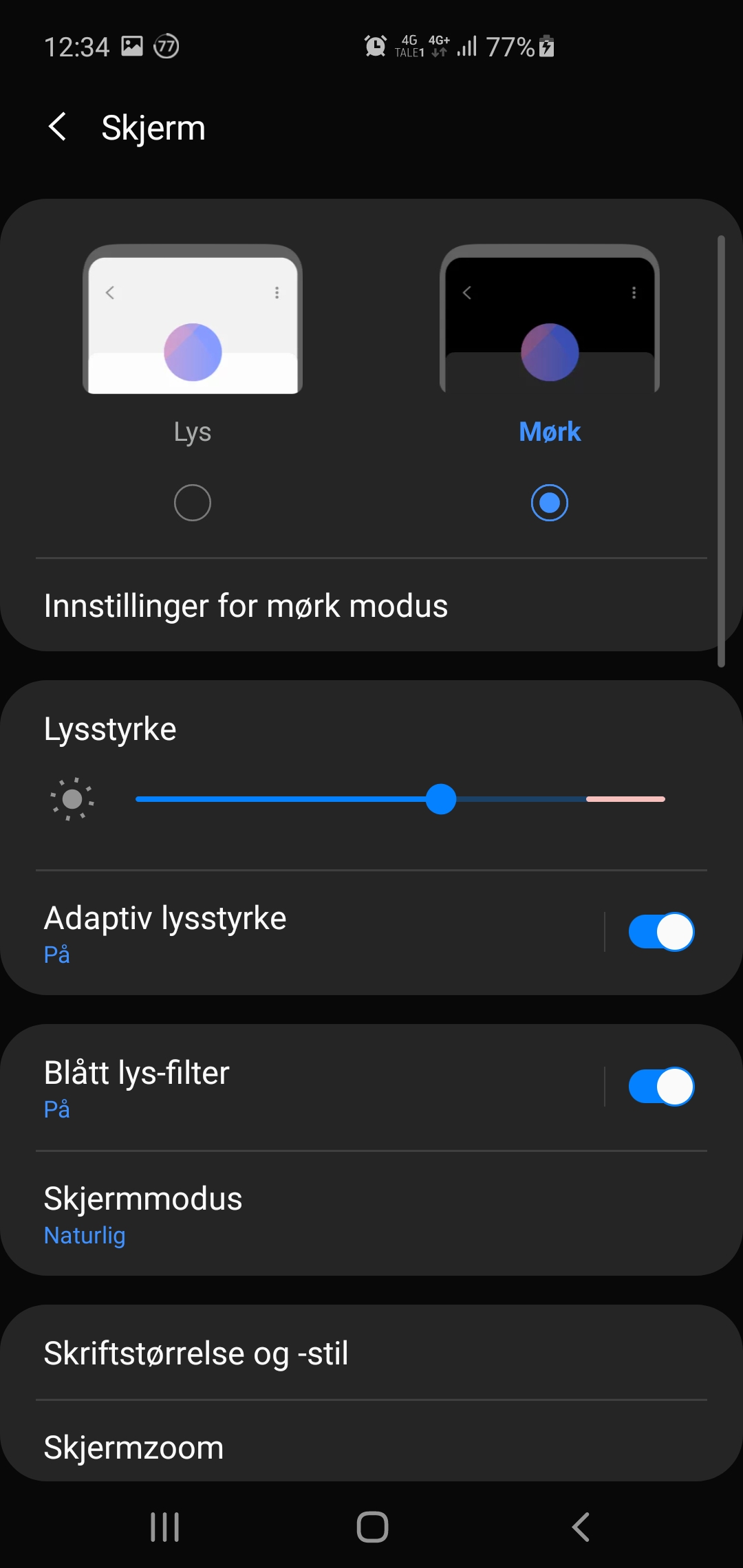
@Bergum looking at your screenshots you actually do have black set as your primary color on the server side (!) (see light screenshot with black tinted UI elements). _If_ you wouldn't have set it the default would be blue. The Fallback is lightening the colors a bit for dark mode (you might be able to see a very dark text on your screenshots).
AndyScherzinger
on 18 Aug 2020
_If_ you just set it to a very dark grey, maybe try to set it to black (#000000) which might trigger a fallback mechanism.
AndyScherzinger
on 18 Aug 2020
Ahhh.
You are good.
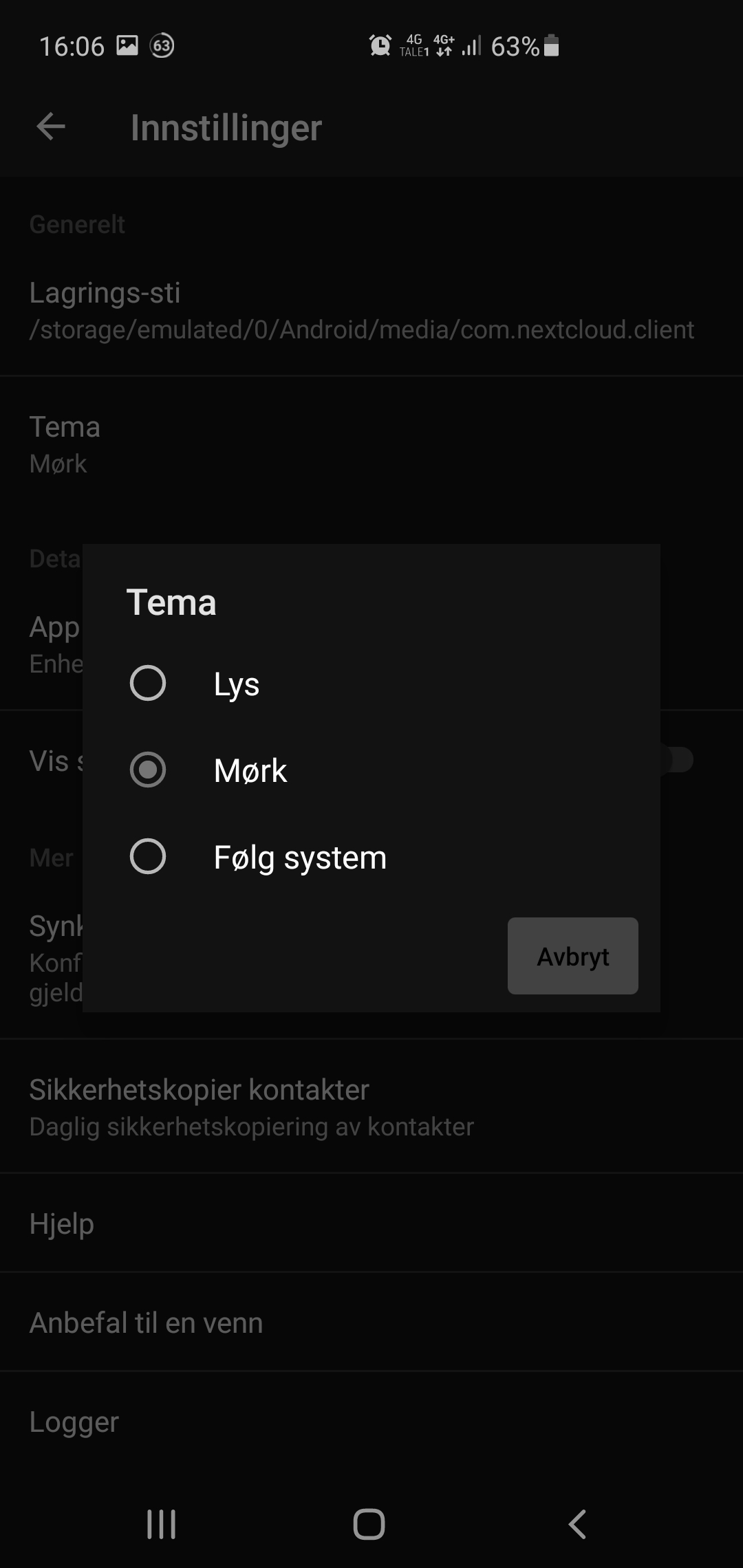
I had the system on #00000
But, i did one thing to fix the problem.
Moved the marker from system to only dark.
That fixed it.
So, not really a bug, but something to be aware of in the future?
Bergum
on 18 Aug 2020
So, not really a bug, but something to be aware of in the future?
We'll have to look into it because it should also work in the system scenario not only dark/light
AndyScherzinger
on 18 Aug 2020
Thank you for your great job.
Bergum
on 18 Aug 2020
Steps to reproduce would be:
- set color on server to black
- set app to "follow system"
- enable dark mode
- open auto upload folder configuration or duplicate file dialog
 tobiasKaminsky
on 19 Aug 2020
tobiasKaminsky
on 19 Aug 2020
Related issues
 eppfel
·
3Comments
eppfel
·
3Comments
 JSoko
·
3Comments
AndyScherzinger
·
3Comments
JSoko
·
3Comments
AndyScherzinger
·
3Comments
 ikke-t
·
3Comments
ikke-t
·
3Comments
 Tie-fighter
·
3Comments
Tie-fighter
·
3Comments