Android: Html showing in preview of notification, vibration and ttl/priority high not working
**Home Assistant Android version: 2.1.0-239-full
Android version:9.1.0
Phone Model: Honor 9 lite
**Home Assistant version:0.113.3
Last working Home Assistant release (if known):
**Description of problem: html is showing in preview of notification sent to my phone. Open up and all is OK.
My 2nd issue relates to having to open the notification. Should it not all be there on the screen ?
Ive tried ledcolor and that works but not got vibration working either.
Ive also used the ttl:0 and priority: high and these dont work as described either. They dont turn screen on immediately
Traceback (if applicable):
Screenshot of problem:
Additional information:
 nytram-md
All 20 comments
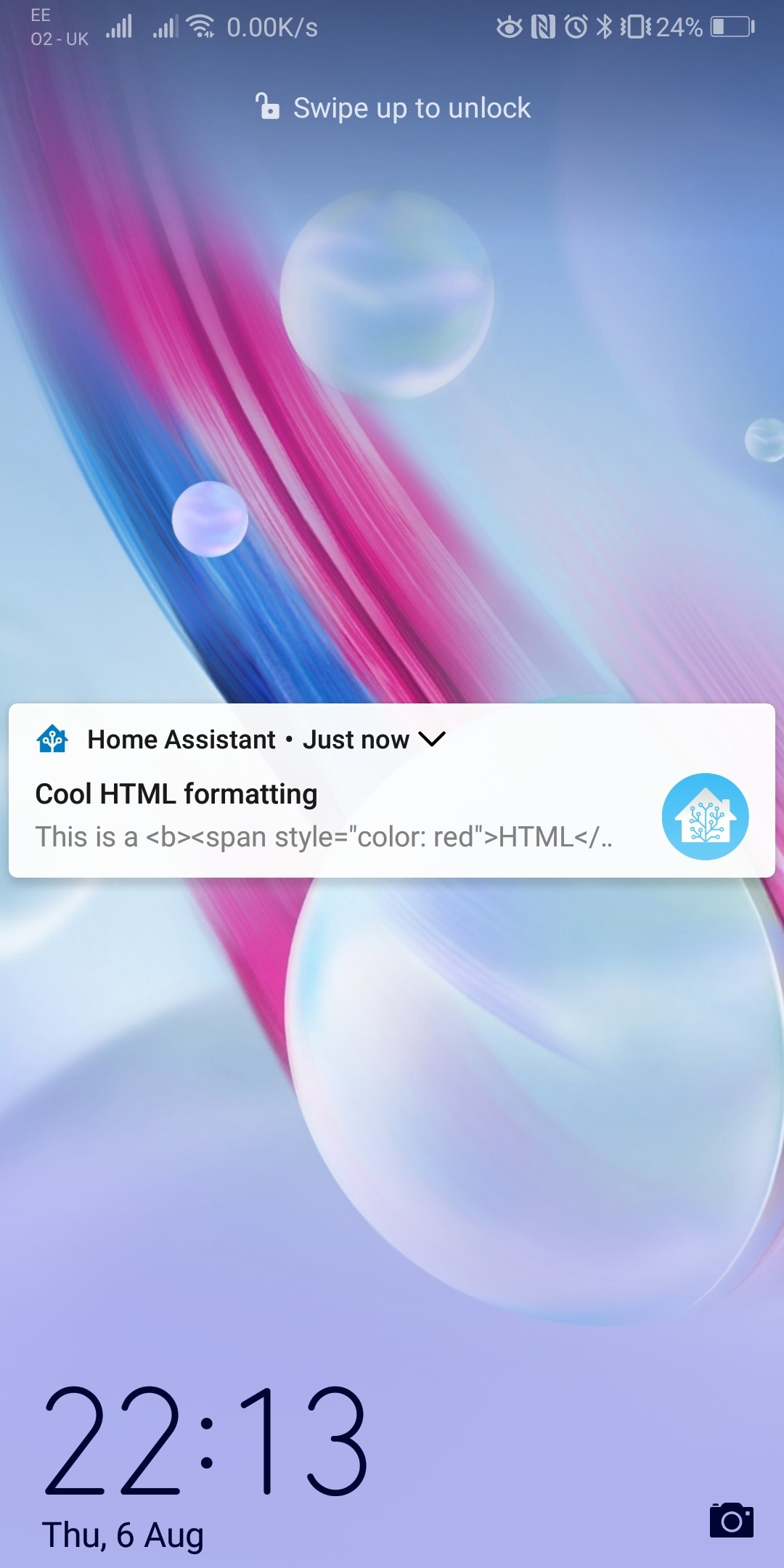
Screen shot
As above, should we have to click on the notification to see the full message ?
Thanks
Martyn
nytram-md
on 7 Aug 2020
Friend of mine had similar problems with led color and vibration on his honor/huawei devices. For me this worked flawlessly on my oneplus.
Right now i don't know how that would be fixable, as these features all based on simple android methods. For me it looks like huawei does something different than base android.
Try to expand the notification to see the html formatting.
 chriss158
on 7 Aug 2020
chriss158
on 7 Aug 2020
Hi
I can confirm that once open it shows fine. I was just logging the issue for the preview screen showing html.
The ledcolor works fine now after update other day.
I just know that this stuff wirked in telegram, so know it was not my phone for ledcolor and vibration.
Thanks
Martyn
Regards
Martyn
From: chriss158 notifications@github.com
Sent: Friday, August 7, 2020 11:20:56 AM
To: home-assistant/android android@noreply.github.com
Cc: nytram-md martyn_dickinson@hotmail.com; Author author@noreply.github.com
Subject: Re: [home-assistant/android] Html showing in preview of notification, vibration and ttl/priority high not working (#711)
Friend of mine had similar problems with led color and vibration on his honor/huawei devices. For me this worked flawlessly on my oneplus.
Right now i don't know how that would be fixable, as these features all based on simple android methods. For me it looks like huawei does something different than base android.
Try to expand the notification to see the html formatting.
—
You are receiving this because you authored the thread.
Reply to this email directly, view it on GitHubhttps://github.com/home-assistant/android/issues/711#issuecomment-670446337, or unsubscribehttps://github.com/notifications/unsubscribe-auth/ANHZVQDE7MSROO5WBNJAKS3R7PIQRANCNFSM4PXKPZ7A.
nytram-md
on 7 Aug 2020
Even on my Pixel 4 XL the formatting does not show up until I expand the notification, even with that said the red text does not get rendered. I am using a dark theme so the text is already in white font color. I think a lot of this is based on what the device supports given theme and other things to consider.
Not sure if Telegram is a good comparison here, do they use FCM or do their own thing?
 dshokouhi
on 7 Aug 2020
dshokouhi
on 7 Aug 2020
Hi
No problems. I was just mentioning Telegram as i know i used that on the ledcolor and vibration.
I wont be going back to telegram as i like all this under 1 hood. These were niceties.
If you know a theme that works on a phone. I dont mind testing to see if this is the reason
Im going to try nova launcher and see.
Thanks
Martyn
Regards
Martyn
From: Daniel Shokouhi notifications@github.com
Sent: Friday, August 7, 2020 3:48:46 PM
To: home-assistant/android android@noreply.github.com
Cc: nytram-md martyn_dickinson@hotmail.com; Author author@noreply.github.com
Subject: Re: [home-assistant/android] Html showing in preview of notification, vibration and ttl/priority high not working (#711)
Even on my Pixel 4 XL the formatting does not show up until I expand the notification, even with that said the red text does not get rendered. I am using a dark theme so the text is already in white font color. I think a lot of this is based on what the device supports given theme and other things to consider.
Not sure if Telegram is a good comparison here, do they use FCM or do their own thing?
—
You are receiving this because you authored the thread.
Reply to this email directly, view it on GitHubhttps://github.com/home-assistant/android/issues/711#issuecomment-670554287, or unsubscribehttps://github.com/notifications/unsubscribe-auth/ANHZVQDVU2VBKB2B44K4SNDR7QH45ANCNFSM4PXKPZ7A.
nytram-md
on 7 Aug 2020
I think if you add a subject without html that will display when it is minimized if I remember correctly.
 JBassett
on 7 Aug 2020
JBassett
on 7 Aug 2020
So this is what I see. If we have a small amount of text that does not require the notification to expand the formatting displays as intended. Once the text is long enough to require it to be expanded (bigText) the formatting no longer displays when minimized and a subject would be better fit. I'll update the docs to include this.
@nytram-md since you mentioned more than 1 notification tag can you share the example you used for all of them?
dshokouhi
on 7 Aug 2020
Hi
I just tested with subject and it gets rid of the html showing on preview.
Would be nice if we knew what was stopping the full notification from showing all the message.
[Image]
[Image]
Regards
Martyn
From: Daniel Shokouhi notifications@github.com
Sent: Friday, August 7, 2020 4:43:33 PM
To: home-assistant/android android@noreply.github.com
Cc: nytram-md martyn_dickinson@hotmail.com; Mention mention@noreply.github.com
Subject: Re: [home-assistant/android] Html showing in preview of notification, vibration and ttl/priority high not working (#711)
So this is what I see. If we have a small amount of text that does not require the notification to expand the formatting displays as intended. Once the text is long enough to require it to be expanded (bigText) the formatting no longer displays when minimized and a subject would be better fit. I'll update the docs to include this.
@nytram-mdhttps://github.com/nytram-md since you mentioned more than 1 notification tag can you share the example you used for all of them?
—
You are receiving this because you were mentioned.
Reply to this email directly, view it on GitHubhttps://github.com/home-assistant/android/issues/711#issuecomment-670580473, or unsubscribehttps://github.com/notifications/unsubscribe-auth/ANHZVQGLTCDTNEHRR22AHXDR7QOKLANCNFSM4PXKPZ7A.
nytram-md
on 7 Aug 2020
i could fix the html formatting.

I will make a pull request soon.
chriss158
on 7 Aug 2020
Wow. Thank you. That would be great.
Did your notification open up like that ? It must be a Huawei/honor thing.
Thanks
Martyn
Regards
Martyn
From: chriss158 notifications@github.com
Sent: Friday, August 7, 2020 6:58:11 PM
To: home-assistant/android android@noreply.github.com
Cc: nytram-md martyn_dickinson@hotmail.com; Mention mention@noreply.github.com
Subject: Re: [home-assistant/android] Html showing in preview of notification, vibration and ttl/priority high not working (#711)
i could fix the html formatting.
[https://user-images.githubusercontent.com/12832850/89674128-e9379380-d8e7-11ea-907d-b118f02c74f8.png]https://user-images.githubusercontent.com/12832850/89674128-e9379380-d8e7-11ea-907d-b118f02c74f8.png
I will make a pull request soon.
—
You are receiving this because you were mentioned.
Reply to this email directly, view it on GitHubhttps://github.com/home-assistant/android/issues/711#issuecomment-670638123, or unsubscribehttps://github.com/notifications/unsubscribe-auth/ANHZVQFEUHS6PFCJ25B23WTR7Q6DHANCNFSM4PXKPZ7A.
nytram-md
on 7 Aug 2020
Yes on the lock screen the notification opens collapsed. If unlocked the notification is shown expanded.
I think this is the default behavior on all devices.
chriss158
on 7 Aug 2020
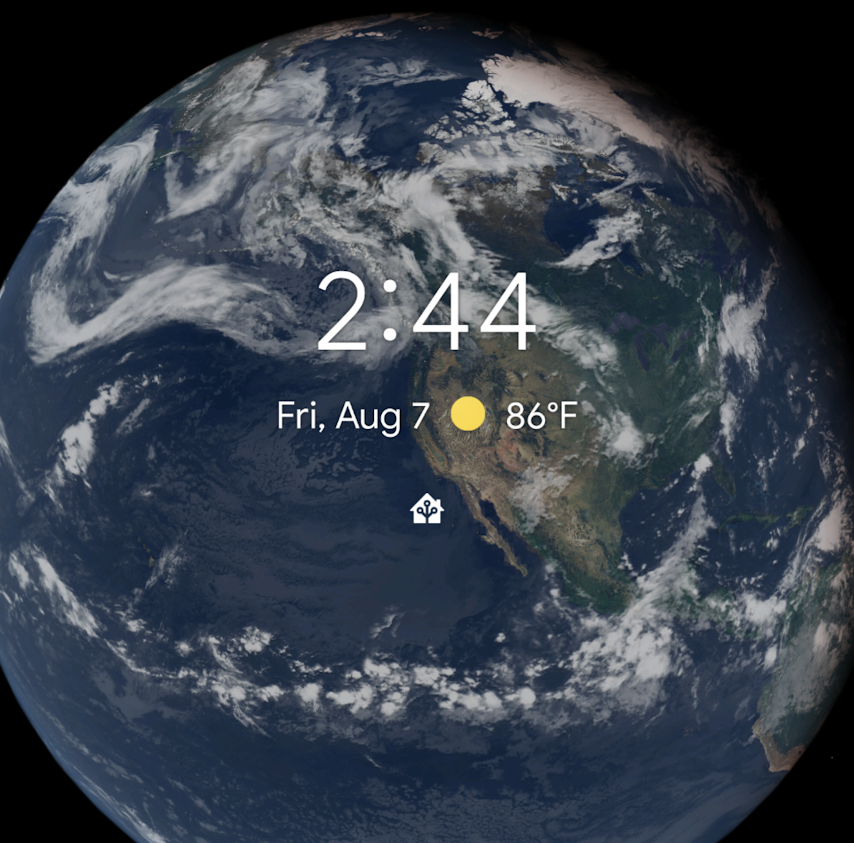
On my pixel 4 xl I don't even get to see it collapsed on the lockscreen its only the icon. I think it may be a device specific thing in how they handle it.
dshokouhi
on 7 Aug 2020
On my pixel 4 xl I don't even get to see it collapsed on the lockscreen its only the icon. I think it may be a device specific thing in how they handle it.
You don't see the html formatting on collapsed notification (Just the text with html tags in it) or you don't see the text at all (Just an empty notification)?
The first option is fixed with #712
chriss158
on 7 Aug 2020
@chriss158 as in it only shows the app icon to indicate that I have a notification. I have all notifications set to show lockscreen content. It used to show me like your screenshot however I believe that Google changed this for this device only.
dshokouhi
on 7 Aug 2020
https://www.androidpolice.com/2019/10/25/pixel-4-lock-screen-notifications/
Looks like this is duo to the face unlock of the pixel 4.
chriss158
on 8 Aug 2020
@chriss158 thank you! Now I see the same thing you guys do lol.
dshokouhi
on 8 Aug 2020
I believe this issue is fixed now in the latest beta right?
dshokouhi
on 8 Aug 2020
The html formatting is fixed.
Also your other issues? @nytram-md
chriss158
on 8 Aug 2020
Hi
Thats great. How do we get these updates ?
Thanks for all your help and understanding.
Martyn
Regards
Martyn
From: chriss158 notifications@github.com
Sent: Saturday, August 8, 2020 10:45:35 PM
To: home-assistant/android android@noreply.github.com
Cc: nytram-md martyn_dickinson@hotmail.com; Mention mention@noreply.github.com
Subject: Re: [home-assistant/android] Html showing in preview of notification, vibration and ttl/priority high not working (#711)
The html formatting is fixed.
Also your other issues? @nytram-mdhttps://github.com/nytram-md
—
You are receiving this because you were mentioned.
Reply to this email directly, view it on GitHubhttps://github.com/home-assistant/android/issues/711#issuecomment-670977150, or unsubscribehttps://github.com/notifications/unsubscribe-auth/ANHZVQC567LWBDK7T24KD3TR7XBP7ANCNFSM4PXKPZ7A.
nytram-md
on 8 Aug 2020
You can get them by signing up for the android play store beta: https://play.google.com/apps/testing/io.homeassistant.companion.android
Closing this issue now
dshokouhi
on 8 Aug 2020
Related issues
dshokouhi
·
3Comments
 aleksandrov1995
·
4Comments
aleksandrov1995
·
4Comments
 acme-szala
·
3Comments
acme-szala
·
3Comments
 AndrewDaws
·
4Comments
AndrewDaws
·
4Comments
 Knoxie
·
5Comments
Knoxie
·
5Comments
Most helpful comment
i could fix the html formatting.

I will make a pull request soon.