With 3.11 RC1 I get a file dupliccation error.
Files they are at NC won't be overwritten with newly update since 3.11 RC1.
I have to delete same named old files in NC before auto upload can upload these files.
Version's before aren't affected.
In my case I'll upload WhatsApp Backups to my NC storage.
Thanks for fixing or rolling back.
 Siggi0904
All 31 comments
Looping in @tobiasKaminsky and @ArisuOngaku - my guess is this is related to the upload existing files change (while it is just a guess)
 AndyScherzinger
on 10 Mar 2020
AndyScherzinger
on 10 Mar 2020
Hi, bug still exists with 3.11.0 RC2
Siggi0904
on 15 Mar 2020
cc @tobiasKaminsky @ArisuOngaku this has been reported on the forum too
https://help.nextcloud.com/t/android-sync-file-conflict-setting-wont-work/73452/2
AndyScherzinger
on 16 Mar 2020
Yes this is because there is no setting to let the user choose what to do in case of conflict. So we chose to let the user decide instead of doing a destructive operation by default.
We should add such a setting; What to do if the file already exists?:
- Ask me everytime
- Rename new version
- Overwrite remote version
- Ignore (are there use cases which make this preferable to "Ask me everytime"?)
 ArisuOngaku
on 16 Mar 2020
ArisuOngaku
on 16 Mar 2020
Hm. Auto upload should only upload new files (after initial set-up).
So the conflict should only be there once.
@ArisuOngaku we should discuss this idea in a new issue :+1:
 tobiasKaminsky
on 18 Mar 2020
tobiasKaminsky
on 18 Mar 2020
@tobiasKaminsky custom folder upload changes also!
AndyScherzinger
on 18 Mar 2020
I fear that there is no short term solution for this, but we should do this like Arisu said, and have an option how to deal with conflicts per each auto upload.
We should add such a setting; What to do if the file already exists?:
* Ask me everytime

* Rename new version

* Overwrite remote version

* Ignore (are there use cases which make this preferable to "Ask me everytime"?)
I would not offer ignore, as this might cause "data loss" due to not handling a conflict problem.
tobiasKaminsky
on 19 Mar 2020
@ArisuOngaku do you have time to look into this? :heart:
tobiasKaminsky
on 19 Mar 2020
@tobiasKaminsky as I understand it, a file changing its content (at least in this specific case) gets handled like a newly created file (like if it was deleted then created again?). So in this case it would happen more than once.
Do you want this setting for 3.11.0?
ArisuOngaku
on 20 Mar 2020
I tried putting the option in as it annoyed me enough today... :)
Should I submit another PR to stable-3.11 or wait for review first?
See 30aa67d for a commit based on 3.11.
 fodinabor
on 5 Apr 2020
fodinabor
on 5 Apr 2020
You can wait for the review, backports if automatable will be created by the backport bot :)
AndyScherzinger
on 5 Apr 2020
Since a few days I'm getting pestered by the file duplication error in Android client too, not sure if it has anything to do with upgrading the server to beta channel/19.0.1 that happened around the same time (the client itself I'm running the Play Store version/beta and updating as soon as possible since a long time).
What's strange is that I checked both stat (timestamps) and md5sum, the files are precisely the same on the server and phone. Also what might be annoying (but probably expected) is that once you get the files in the upload que the notifications won't be stopping even if you go and take even more and more powerful measures like:
- set the autoupload to overwrite remote
- disable autoupload for that directory
- remove the files completely from the phone
Also what I've noticed (and probably isn't expected) is that no matter what you chose (keep new/old file) the notification comes again anyway (I'm not talking about the cases where the file is removed or anything else changed in the configuration).
 vb0
on 30 Jul 2020
vb0
on 30 Jul 2020
with latest stable an option was added to auto upload function.
But these option who you can decide, what apps at file conflict didn't work with version 13.
Siggi0904
on 2 Aug 2020
@Siggi0904 Did you update to 3.13.0RC2 since that should ship a fix ?
AndyScherzinger
on 3 Aug 2020
Hi Andy,
yes some days before I get an update. But nothing has changed and nothing as written in changelog.
Should I see any relate changes with RC2?
Same duplicate messages since RC1.
Thanks.
Siggi0904
on 3 Aug 2020
6557 should fix this (RC2) - for time savings we don't list all changes, especially fixes in the changelog but rather the "big" changes and always with regards to the latest feature release.
AndyScherzinger
on 3 Aug 2020
Hm, then it doesn't work. Issue should be reopened.
If I can help let me know on which way, but no dev skills.
Siggi0904
on 3 Aug 2020
Thanks for the feedback @Siggi0904
@tobiasKaminsky: re-opened since the issue still occurs for @Siggi0904
AndyScherzinger
on 3 Aug 2020
@Siggi0904 what exactly are you doing and how have you configured your auto upload?
tobiasKaminsky
on 5 Aug 2020
Hi, I'd like to backup the whole whatsapp folder in addition to the picture folders.
Duplication error is related to the files in folder "backup" and "database".
Other files in whatsapp folder are unique by name.
In latest stable all works fine with these newly settings from vb0.
Settings for whatsapp folder in android app:
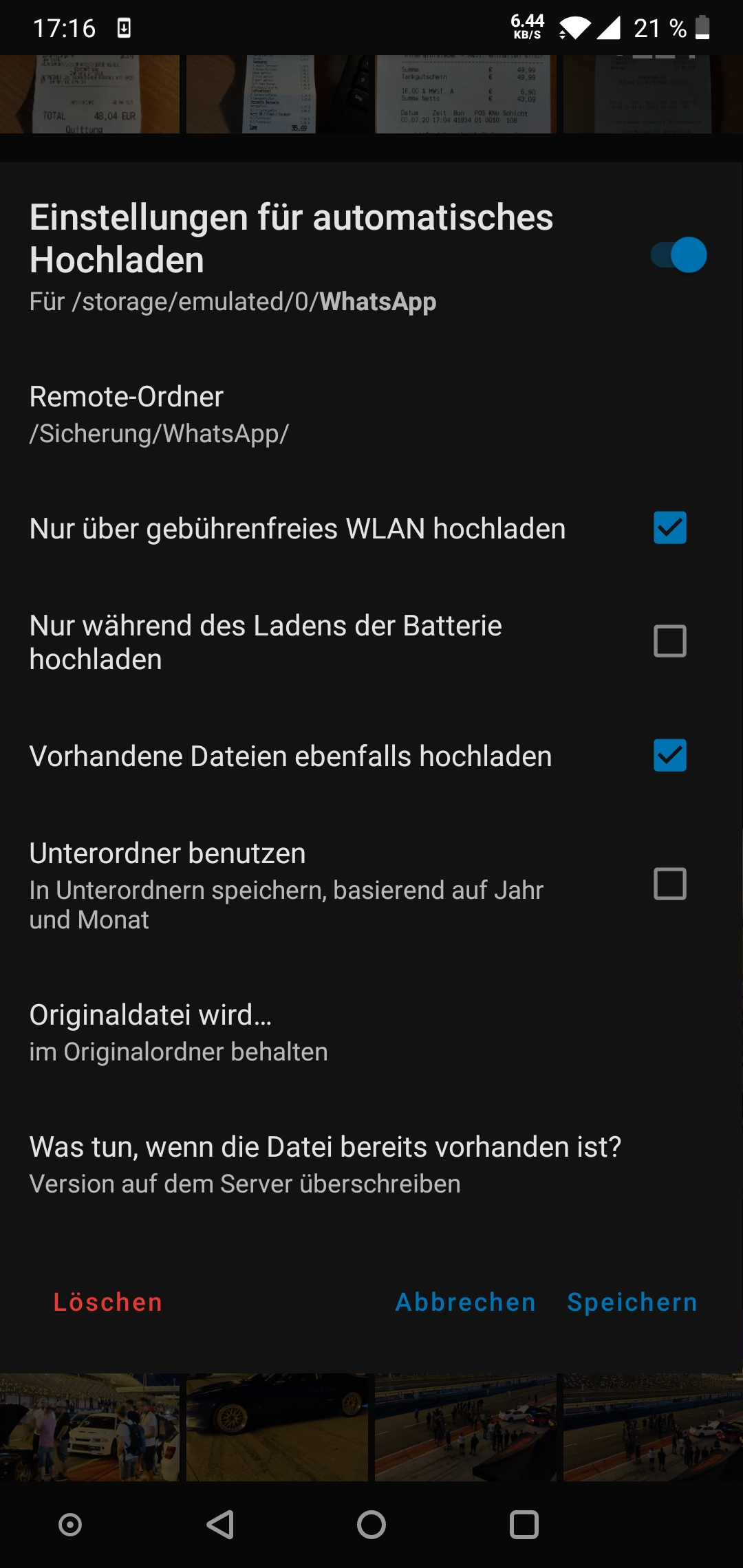
Siggi0904
on 5 Aug 2020
Short info, not finished with latest RC4.
Is it sub-sub folder related or what is the problem?
What can I do for the final release and these bug fix?
Great thanks.
Siggi0904
on 9 Aug 2020
Same here, with RC4 too. Just the normal Camera directory (with the "use subfolders" option if it matters). Not only the duplicate notification comes for no good reason (as nothing is changed) but also:
- I have it set to "overwrite remote version"
- the notification comes repeatedly even if there should be no activity as I have it set to "only upload when charging" (and the phone isn't and wasn't charging for a long time)
- no matter which version I chose to keep I can't get rid of the notification unless I go to Uploads and remove it from the queue by hand.
vb0
on 9 Aug 2020
Same issue here. Even with setting the "overwrite remote version" option is keeps asking me to resolve conflicts. I also have a lot of pictures to auto backup, and Nextcloud app will crash before getting through all of them, then it start and recheck everything it already uploaded and ask if I want to resolve a conflict. Can't fully upload everything because of it.
 brandons209
on 14 Aug 2020
brandons209
on 14 Aug 2020
Same issue here. Using a custom auto upload folder (WhatsApp Databases) with "Overwrite remote version" on (as shown in screenshot below). Manually resolving the conflict with either "New file" or "Already existing file" won't prevent the conflict to show up again (within an hour or so).
I notice this open issue is linked to (the already released) Nextcloud App 3.11.1 instead of the unreleased Nextcloud App 3.14.0
Some logcat
I captured some logcat logging, available here. Note, nextcloud instance urls, usernames and paths are replaced with random text for privacy reasons.
Relevant timestamps of manual actions taken:
Action taken | Timestamp
------------ | -------------
|Manually resolve conflict|2020-08-26 22:38:49.635|
|Upload done |2020-08-26 22:39:36.234|
|Stop app* |2020-08-26 22:40:15.179|
|Open app |2020-08-26 22:40:29.11|
|Conflict reemerging |2020-08-26 22:40:30.445|
* Stopped app from Android app settings to invoke auto backup sync without having to wait for it.
Some screenshots
Below some screenshots of auto backup settings and conflict.
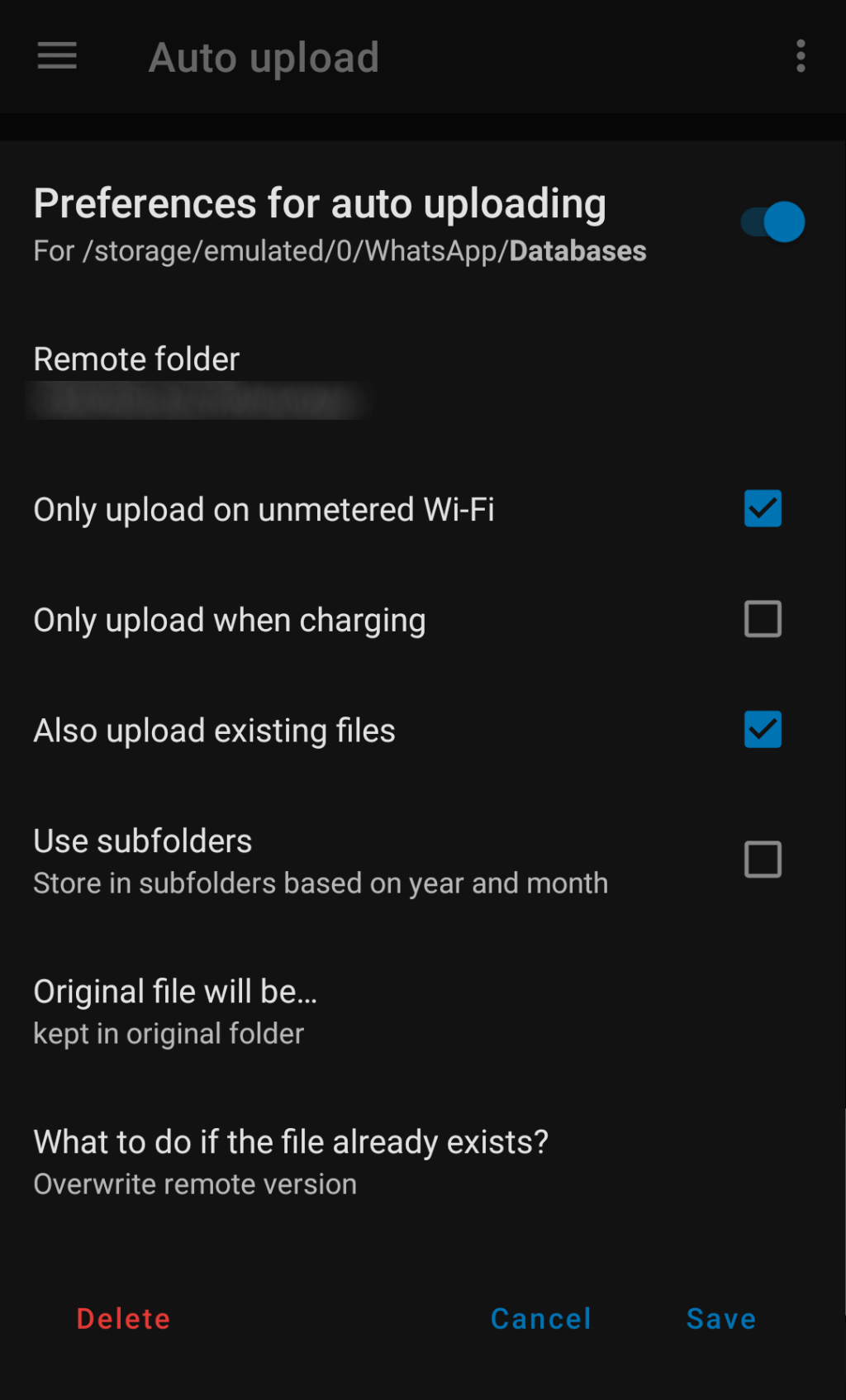
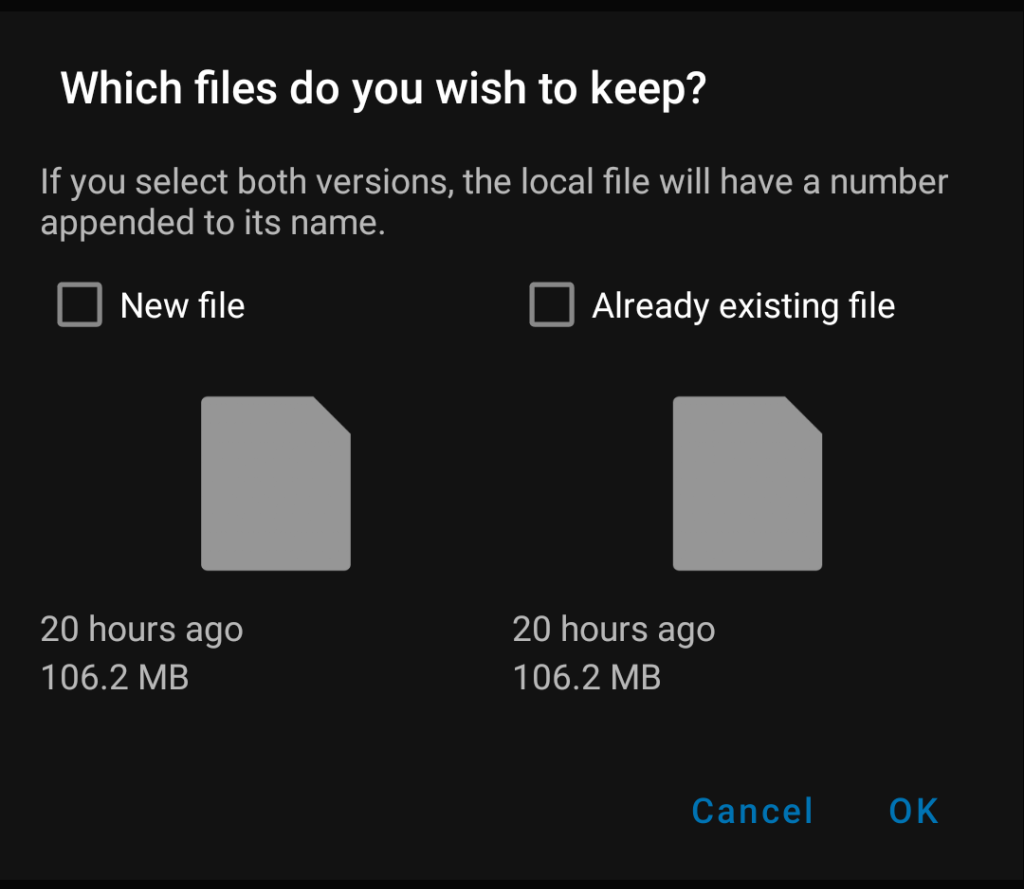
 erikhubers
on 26 Aug 2020
erikhubers
on 26 Aug 2020
Can you try latest dev version, or the APK in https://github.com/nextcloud/android/pull/6771 to confirm if this is fixed?
Both can be installed in parallel.
tobiasKaminsky
on 27 Aug 2020
@tobiasKaminsky : Did a quick check by installing NextCloud dev from F-Droid (v20200821). Unfortunately it still seems to be an issue. I can do some additional testing/log-grabbing tonight if needed, just let me know what u need.
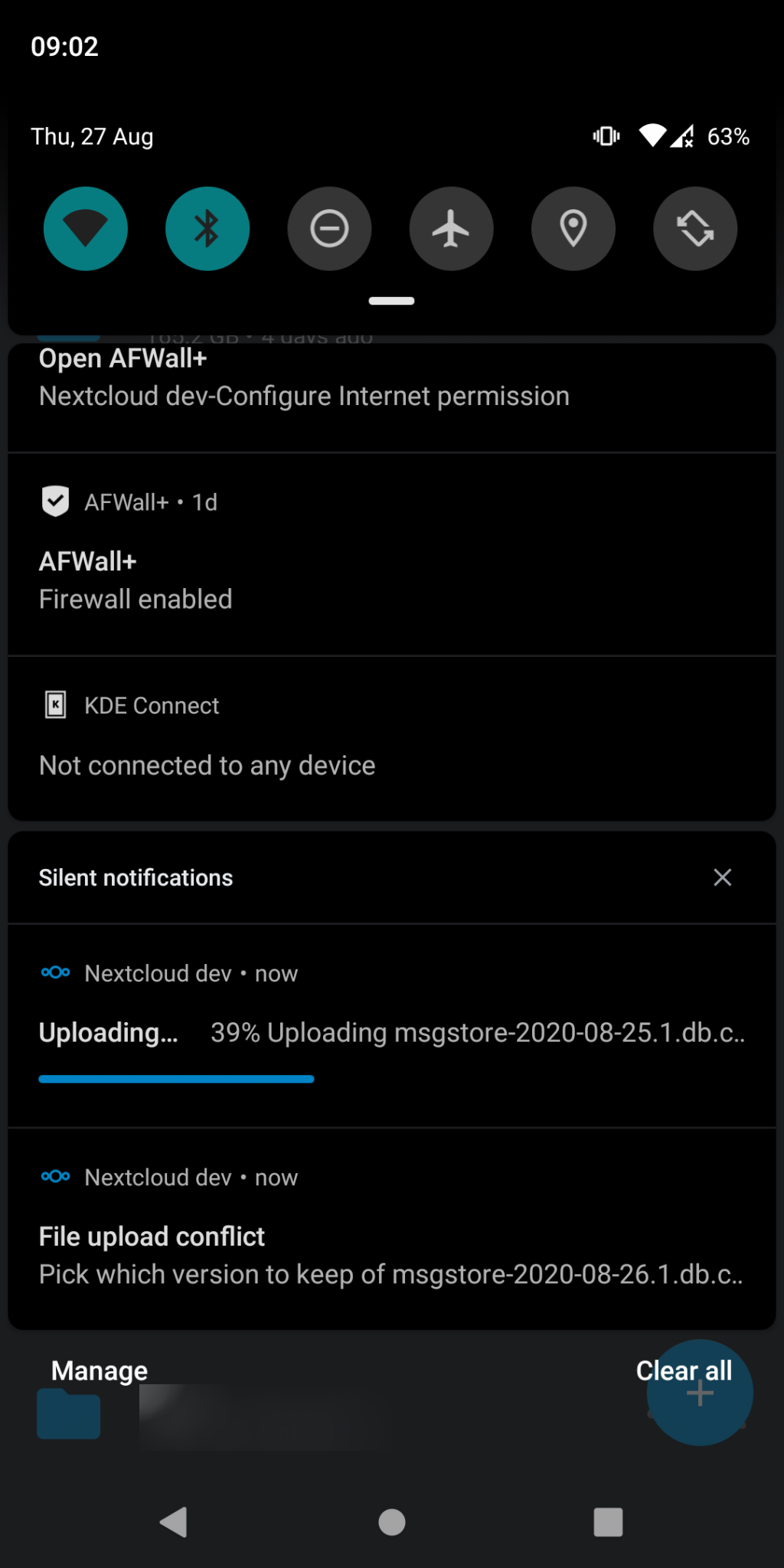
erikhubers
on 27 Aug 2020
v20200821
It was merged at 24.08.20, so you tested it on an old version.
tobiasKaminsky
on 28 Aug 2020
Doh, silly me, assumed F-Droid would have latest in repo. Now installed v20200828 and issues haven't occurred yet. I'll check if this all goes well with tonights nightly WhatsApp backup and let you know tomorrow.
erikhubers
on 28 Aug 2020
Seems to work fine!
erikhubers
on 30 Aug 2020
Sound's great.
Then release a beta or RC for more testing.
Great thanks.
Siggi0904
on 30 Aug 2020
Fixed with #6771
tobiasKaminsky
on 31 Aug 2020
Related issues
tobiasKaminsky
·
3Comments
tobiasKaminsky
·
3Comments
 Shagequi
·
3Comments
Shagequi
·
3Comments
 ThaDaVos
·
3Comments
ThaDaVos
·
3Comments
 daywalk3r666
·
3Comments
daywalk3r666
·
3Comments
Most helpful comment
I fear that there is no short term solution for this, but we should do this like Arisu said, and have an option how to deal with conflicts per each auto upload.
I would not offer ignore, as this might cause "data loss" due to not handling a conflict problem.