Android: Dark mode: some polishing to the topbar
Steps to reproduce
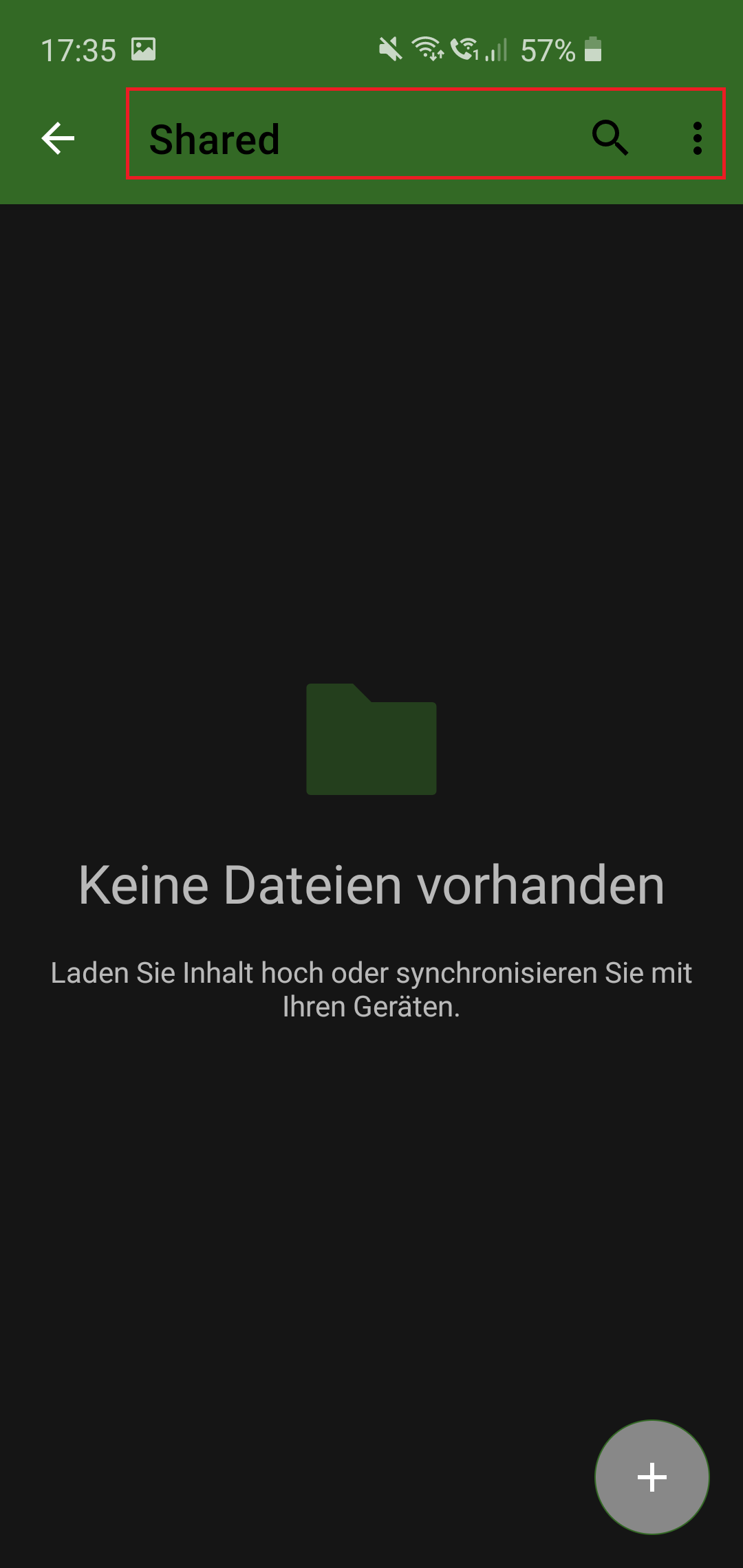
- Set the app to dark mode (not system default)
- open a folder
- some elements in the topbar are black but all should be white
Expected behaviour
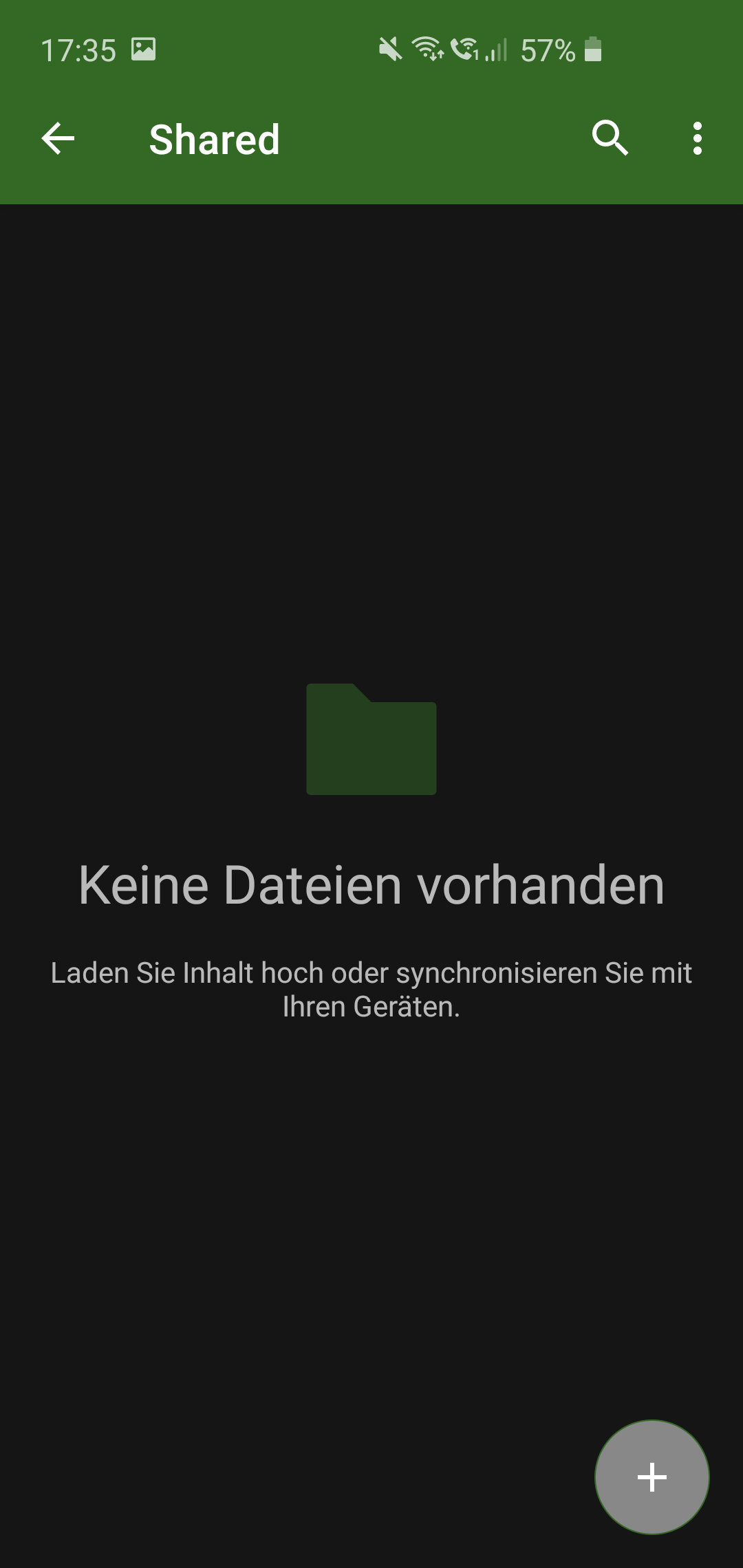
all elements in the topbar should be white
Actual behaviour
some elements in the topbar are black
Environment data
Android version: 10
Device model: SGS10e
Stock or customized system: Stock
Nextcloud app version: 3.10.0
Nextcloud server version: 17.0.2
Screenshots:
Dark mode (manual, not system default)
This is how I would expect it (dark mode, system default)
 szaimen
All 9 comments
BTW: when closing the app after setting to dark mode in the app manually, and reopening, all text in the topbar is black. just after opening the first folder, the back button gets white.
szaimen
on 28 Jan 2020
This request did not receive an update in the last 4 weeks. Please take a look again and update the issue with new details, otherwise the issue will be automatically closed in 2 weeks. Thank you!
![stale[bot] picture](https://avatars3.githubusercontent.com/in/1724?v=4&s=40) stale[bot]
on 27 Feb 2020
stale[bot]
on 27 Feb 2020
Could this be something for 3.11? Now that "follow systemdesign" is standard more users will notice it...
szaimen
on 6 Mar 2020
Hard to tell for which version since we don't assign issues to versions up-front. So it'll be fixed whenever somebody picks up the issue (or I find the time to fix it myself 😞)
also cc @tobiasKaminsky @dan0xii maybe you folks find the time 🤞
 AndyScherzinger
on 9 Mar 2020
AndyScherzinger
on 9 Mar 2020
just after opening the first folder, the back button gets white.
This is the real problem.
It seems to be some sort of race condition…
For tests I changed every occurence of it to red/green, but still the very first show is white…
 tobiasKaminsky
on 10 Mar 2020
tobiasKaminsky
on 10 Mar 2020
But why does it work on system default then? What is the difference?
szaimen
on 10 Mar 2020
On light mode, it is also white, but it should be black:
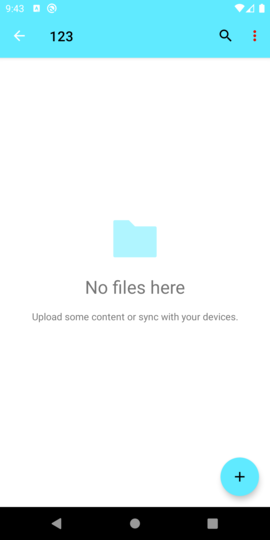
Color depends on primary color:
bright background -> black
dark background -> white
tobiasKaminsky
on 10 Mar 2020
So, after a lot of testing:
If I set this to false, then it directly shows the correct color.
https://github.com/nextcloud/android/blob/01b1e719ffdf0546acf54d2e450aca81edee59be/src/main/java/com/owncloud/android/ui/activity/DrawerActivity.java#L782
But this is needed to show the animated hamburger menu.
It seems that
- in root: shows hamburger menu
- go to subfolder:
- changes hamburger to arrow
- tints it
- not correctly shown
- go to root
- go to subfolder -> correct
tobiasKaminsky
on 11 Mar 2020
@tobiasKaminsky I've tested the apk from the PR and it seems to be a problem still with the theme manually set to dark mode:
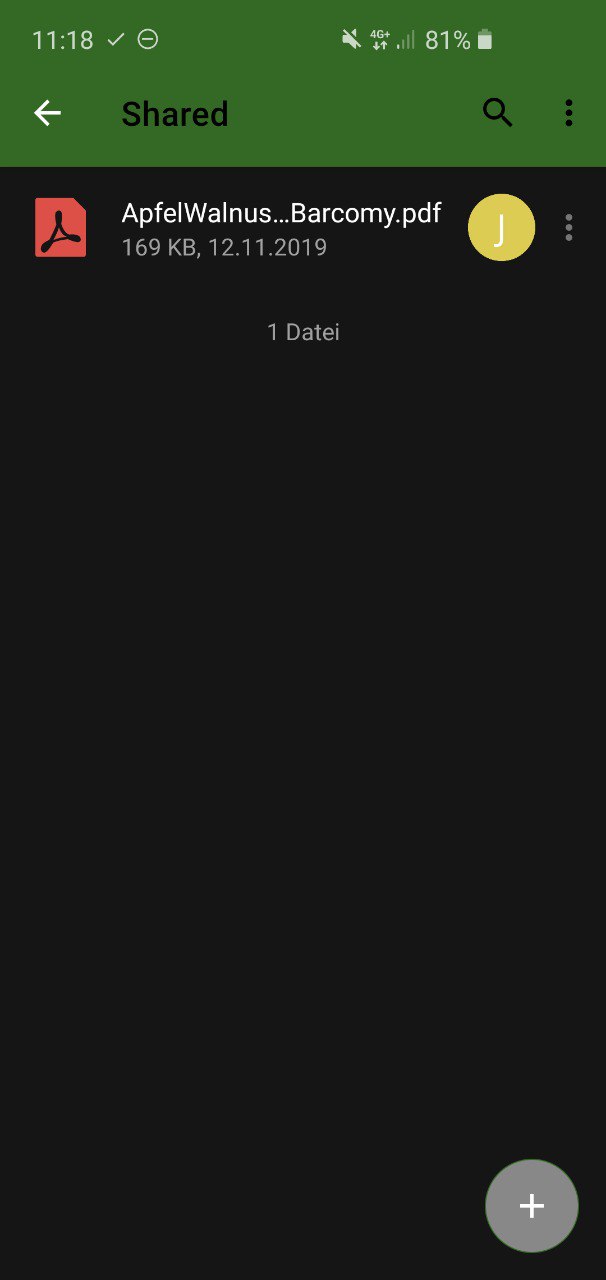
Also shouldn't those characters in the topbar be white when activating the dark mode.
Also with the latest apk "use system defaults" seems to be the only working mode...
BTW: the characters are white when using the bright mode setting, although they should be dark?
szaimen
on 11 Mar 2020
Related issues
 JSoko
·
3Comments
JSoko
·
3Comments
 ikke-t
·
3Comments
tobiasKaminsky
·
3Comments
ikke-t
·
3Comments
tobiasKaminsky
·
3Comments
 ThaDaVos
·
3Comments
ThaDaVos
·
3Comments
 eppfel
·
3Comments
eppfel
·
3Comments