Android: Editing files from nextcloud app
Currently the app has two ways to download/upload file:
- One can use Download option in file menu. Later the file can be opened in any application for viewing/editing. However, after this is complete the file is not uploaded to the server.
- Full synchronization of file ("set as available offline" file menu entry) - this keeps the file always on device and uploads if needed.
Note that menu entry names might not be 100% correct as I have Polish version of Nextcloud Android client.
I think the second option above corresponds to a valid use case. However, the first option has flawed design. For two reasons:
- When operating on a single file you rarely care abound download as such - you immediately want to do something with the file. Therefore it makes sense to show the "Open with" option also for files that have not yet been downloaded and download then as needed.
- If the user modified the file they probably expect that the modification will be synchronized back to the server. IMO the app should detect the file modification (I guess it is not a technical problem) and either sync back automatically or at least ask user about it.
Please note that using full synchronization is not a solution because when user wants to edit a file he doesn't necessarily want the file to be available offline in the future (storage on device, network usage, security, etc.). He just wants to edit the file now and do not care if file is available locally after that operation.
So now comes the question:
- Do you think it all makes sense? In particular to replace the download option with direct "Open with" command and automatically sync back if file was modified?
- Is someone working on changing this functionality?
- Would a patch implementing point 1 be accepted?
BTW, here is an interesting discussion from the forum: https://help.nextcloud.com/t/how-to-edit-nextcloud-files-on-android/21154/26
Comments? @nextcloud/designers ? @jancborchardt ?
 tomasz-grobelny
All 27 comments
GitMate.io thinks possibly related issues are https://github.com/nextcloud/android/issues/3036 (Open a (downloaded) file with Nextcloud app), https://github.com/nextcloud/android/issues/3389 (File detail exact time edited), https://github.com/nextcloud/android/issues/1069 (Open links to Nextcloud files in the app), https://github.com/nextcloud/android/pull/3132 (App crashes when uploading files to Nextcloud), and https://github.com/nextcloud/android/issues/1048 (Nextcloud android app does not move or delete original files).
 nextcloud-android-bot
on 3 Jan 2019
nextcloud-android-bot
on 3 Jan 2019
cc @tobiasKaminsky @AndyScherzinger for the current state and further planning on "sync vs download". :)
 jancborchardt
on 4 Jan 2019
jancborchardt
on 4 Jan 2019
With the latest change implemented by Tobias (thanks for the effort) a downloaded file will be kept in sync automatically (when the device is connected to a wifi).
 AndyScherzinger
on 4 Jan 2019
AndyScherzinger
on 4 Jan 2019
With the latest change implemented by Tobias (thanks for the effort) a downloaded file will be kept in sync automatically (when the device is connected to a wifi).
Does this mean that the user no longer has the option to just view the file without telling the app to keep it in sync later (as mentioned: resource utilization issues)?
tomasz-grobelny
on 4 Jan 2019
Yes and no. Before if you opened a file it has been downloaded and stayed on your device. Now the client will also keep it in sync with the server when being on wifi. So the storage utilization doesn't change really.
AndyScherzinger
on 5 Jan 2019
Yes and no. Before if you opened a file it has been downloaded and stayed on your device. Now the client will also keep it in sync with the server when being on wifi. So the storage utilization doesn't change really.
I see two issues here:
- From your description it seems that the edit will not be saved to server when not on wifi. So sometimes works, sometimes not. Which is super confusing.
- From time to time I might want to delete all files that happen to be on my device just because I am running out of local storage. When the file is kept in sync it will be restored automatically which I don't want. So yes, in the immediate scenario the resource utilization doesn't go up, but having longer term in mind it does. (Also it might make sense in future to have some policies to remove local files if not used for longer period of time.)
Would you be ok with the behaviour I described in the original post (irrespective of who would implement it) or do you see any issues with such design?
tomasz-grobelny
on 5 Jan 2019
Personally I'd be fine with somebody implementing 1. while it also depends on the feedback of @jancborchardt, designers and @tobiasKaminsky.
Afaik files that change will be synced back to the server with Tobias' change the download will basically be a download+kepp available offline.
Syncing changes back to the server immediately is impossible, that would require knowing that the files has been changes and that the is completed. Which is why we just do the periodical checks and then upload or download the new file version.
AndyScherzinger
on 5 Jan 2019
Best thing would actually be to implement the document provider write part (we only have the read part) and then (proper, modern) apps that integrated with the document provider can directly resd/write the files via the Nextcloud app itself.
Unfortunately nobody ever found the time to research how to implement this :(
AndyScherzinger
on 5 Jan 2019
From time to time I might want to delete all files that happen to be on my device just because I am running out of local storage.
This is separate, and would be the "Clear downloaded files" option talked about at https://github.com/nextcloud/android/issues/3342#issuecomment-449385565
jancborchardt
on 7 Jan 2019
I think there are two use cases / ways:
- direct (file level) access: this is handled now "like" on desktop: we sync periodically all downloaded files
- using files from within other apps via document provider: this is as @AndyScherzinger stated, currently read-only and this needs to be enhanced
I think this would solve most of the use cases?
 tobiasKaminsky
on 8 Jan 2019
tobiasKaminsky
on 8 Jan 2019
I'll have a look at document provider right away.
tobiasKaminsky
on 8 Jan 2019
Is there a text editor app (or any other) I can use for testing?
I tried several text editors, but either they only try to access the file read-only, or they are browsing the sdcard…
tobiasKaminsky
on 8 Jan 2019
I personally don't know any :/
AndyScherzinger
on 8 Jan 2019
Guys, given we have trouble figuring out which editor supports rw document provider I can imagine that average user will be even more confused even if this got implemented in nextcloud client. It is not the point to implement the file uploading in the "correct" way, but first and foremost in a way that works for most users and most editor applications (not only text, but also exif editor - this is where I need it).
From technical perspective periodically polling the file for changes is IMO good enough. My only concern is that we should NOT automatically change the mode of the file to "make available offline" because this is not what the user asked the app to do - they may want to clear downloaded files later on to save space, but that should not include files that are explicitly marked as "keep in sync" (because for those files they explicitly asked to keep those files locally).
tomasz-grobelny
on 8 Jan 2019
Is there a text editor app (or any other) I can use for testing?
I tried several text editors, but either they only try to access the file read-only, or they are browsing the sdcard…
I am trying it now with the internal file browser.
Currently adding a new folder is working.
Also deleting files.
Updating files will then be the next step.
tobiasKaminsky
on 8 Jan 2019
So, I made some progress, which I will post tomorrow.
- [x] create folder
- [x] create file
- [x] delete files/folders (remote)
- [x] updating a file
- [x] rename file
- [x] copy file to a new parent directory
- [x] move a file
- [x] refresh on entering folder, with proper offline handling
- [x] :exclamation: after all operation document/files app is not refreshed :exclamation:
Then we should have a fully working document provider.
tobiasKaminsky
on 8 Jan 2019
Awesome work @tobiasKaminsky ❤️
@tomasz-grobelny the storage issue is there no matter what and like Jan mentioned something that needs a solution in general. The watch on downloaded files is already there with the next release so changes will periodically be checked and synced.
Other than that we need a check for a storage limit (eg 1GB) and inform the users in this case and offer a clean up with showing files sorted by their modification date maybe.
But as mentioned before. Cleanup is a separate issue and should be discussed in a new, to be opened issue.
AndyScherzinger
on 8 Jan 2019
But as mentioned before. Cleanup is a separate issue and should be discussed in a new, to be opened issue.
How to do the cleanup is indeed a separate issue. However, we need to be able to differentiate two types of files:
- those for which user explicitly wants to have them available on the device and synced (not subject to cleanup),
- those that just happen to be on the device (and are synced) because the user wanted to edit them once and doesn't care if they are available or not (and so may be subject to cleanup).
tomasz-grobelny
on 8 Jan 2019
Hm. I am not sure if we need this distinction as this require manual work on each file/folder.
The new approach would simple assume that all downloaded files are important (videos and images are not downloaded anymore, but streamed on first. Only if user really clicks on download, they are saved. Thus we can assume that they are then that important to keep them up to date).
But let us discuss this in a new issue, please.
tobiasKaminsky
on 9 Jan 2019
[ ] after all operation document/files app is not refreshed
This is also not the case on the reference project: https://github.com/googlesamples/android-StorageProvider
So I guess we can also ommit this…
Maybe this is a limitation somehow…
tobiasKaminsky
on 9 Jan 2019
With upcoming version (and current dev version) this should be fixed/included, please test it and if there is something not working as expected, please re-open.
tobiasKaminsky
on 21 Jan 2019
@tobiasKaminsky, I have just installed dev version from f-droid and would like to test your changes - do you have any basic use case to check if it is working? I mean eg. editing .txt file - what should I click, which app to use, etc.
tomasz-grobelny
on 30 Jan 2019
Hm. I assumed that you would have apps that were not working and now they should work.
In another issue there was problems with keepass or Excel.
I used a regular text editor.
tobiasKaminsky
on 30 Jan 2019
Ok, so I tried the following:
- Navigate to folder containing .txt file
- Select Download from file menu.
- Select Open with from file menu.
- Edit in QuickEdit, click save.
- I can see changes when clicking on the file again, but it is not uploaded to nextcloud.
- If I press Synchronize (which should not be needed) then the file is uploaded.
tomasz-grobelny
on 30 Jan 2019
Open Files app
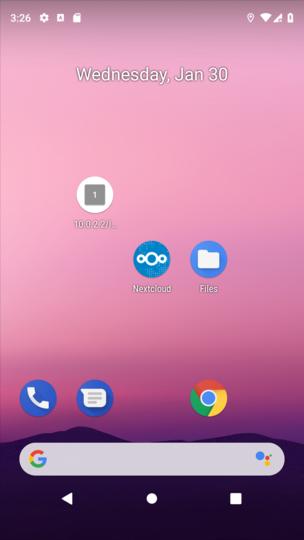
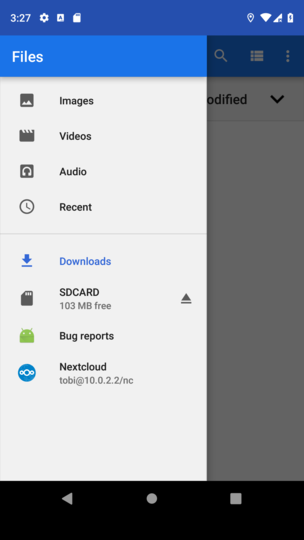
See nextcloud as storage provider:
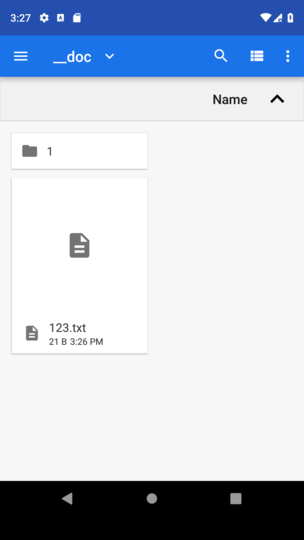
Navigate to text file:
Open with QuickEdit:
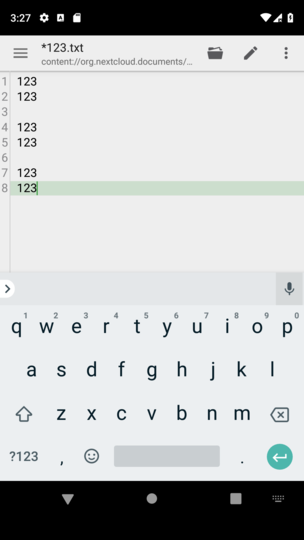
After editing click on back and save.
--> see file gets updated on server.
tobiasKaminsky
on 30 Jan 2019
See nextcloud as storage provider:
For me the Files app (which I assume is something built-in, not nextcloud related) looks like this:
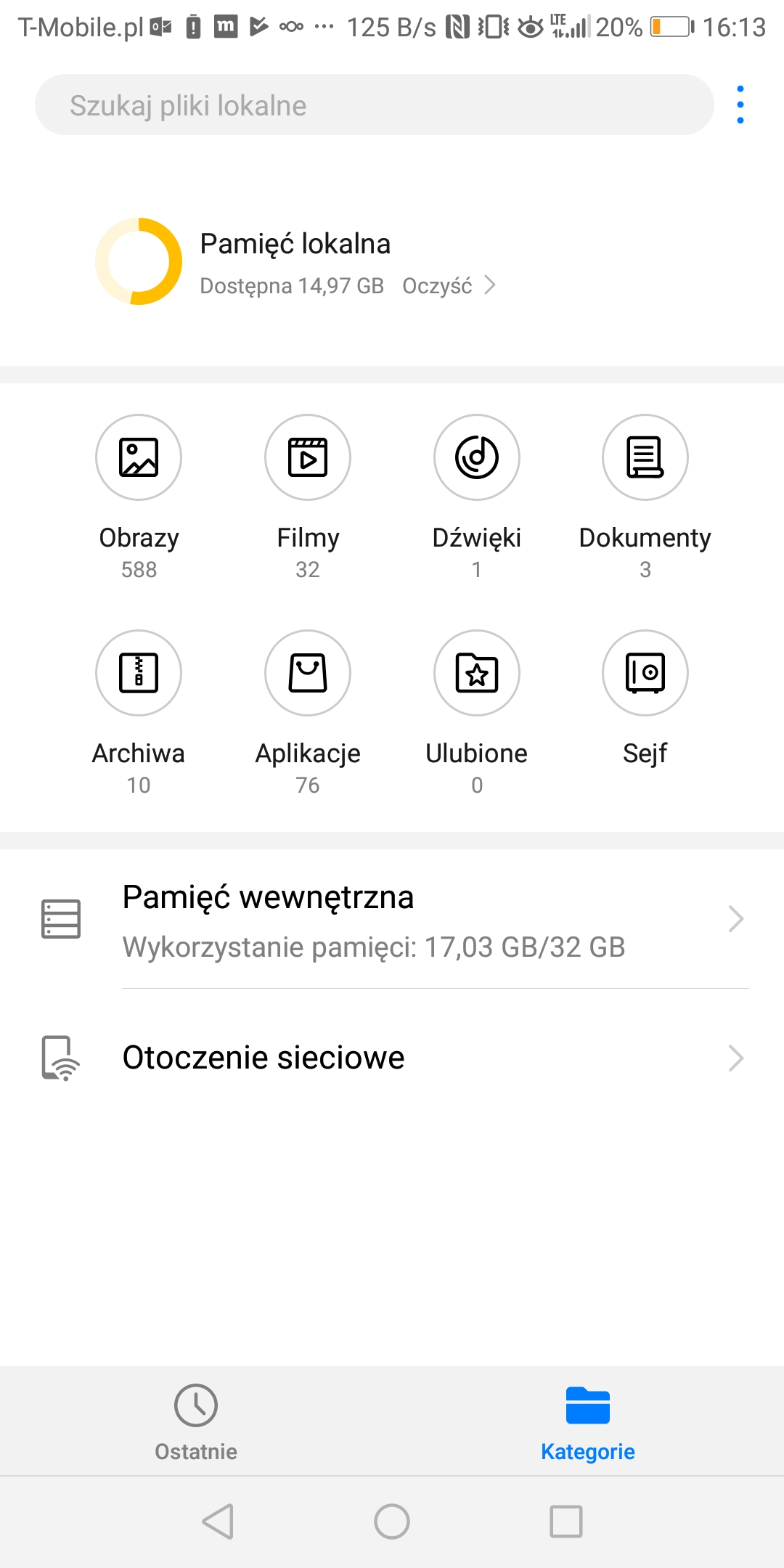
As you can see no reference to Nextcloud - any idea how to proceed from here? Any other way to check for file providers eg. in system settings?
BTW, I am using Nextcloud Dev version 20190123.
tomasz-grobelny
on 30 Jan 2019
Hm, I do not know this device, but I would have expected that there is always an app to access storage manager.
tobiasKaminsky
on 31 Jan 2019
Related issues
 JSoko
·
3Comments
JSoko
·
3Comments
JSoko
·
3Comments
JSoko
·
3Comments
 Bugsbane
·
3Comments
AndyScherzinger
·
3Comments
tobiasKaminsky
·
3Comments
Bugsbane
·
3Comments
AndyScherzinger
·
3Comments
tobiasKaminsky
·
3Comments
Most helpful comment
So, I made some progress, which I will post tomorrow.
Then we should have a fully working document provider.