Android: AutoUpload stuck on "Waiting for Wifi" when using VPN
Actual behaviour: When VPN is active, and Nextcloud app is set to "Upload photos on unmetered Wifi", and (unmetered) wifi is connected, files fail to upload. They remain queued "waiting for wifi".
Expected behaviour: files should upload when unmetered wifi is connected
Steps to reproduce
- Set photos to AutoUpload when unmetered wifi is available
- Activate VPN. In my particular case, I use DNS66, which provides ad-blocking without root. It does so by routing all traffic via its own internal DNS-server, blocking known ad-domains. It is able to do so by posing as a VPN to the OS.
- Photos will not upload, but will remain queued "waiting for wifi" forever, until
- either the VPN service is disconnected/switched off -- at that point, NEW photos will auto-upload as expected;
- or: the Nextcloud app is allowed to bypass the VPN (in my case, DNS66 has an app exclusion list). In this case too, new photos will auto-upload as expected
Environment data: Nokia 7 plus, stock Android 8.1 (July update), unrooted.
DNS66 installed and running as VPN service.
Newest Nextcloud beta app. Nextcloud server 13.0.4 (other Android clients not using VPN upload to this server without issues)
I should add that I started having this problem about two months ago. I have been using DNS66 for much longer. It appears that Autoupload used to work correctly via VPN in previous Nextcloud app versions, but stopped working due to some recent changes.
 nonplusnl
All 38 comments
I can confirm this issue with NoRoot Firewall too. When the vpn is closed the uploads run with the VPN (or other real VPN App like the official OpenVPN Client) the upload did not run. So I can fully confirm the issue reported by @nonplusnl
 zero-24
on 26 Jul 2018
zero-24
on 26 Jul 2018
Thanks for reporting this issue. Just to help me a long a bit, could you share a screenshot of the "waiting for wifi" message in the app?
 ardevd
on 2 Aug 2018
ardevd
on 2 Aug 2018
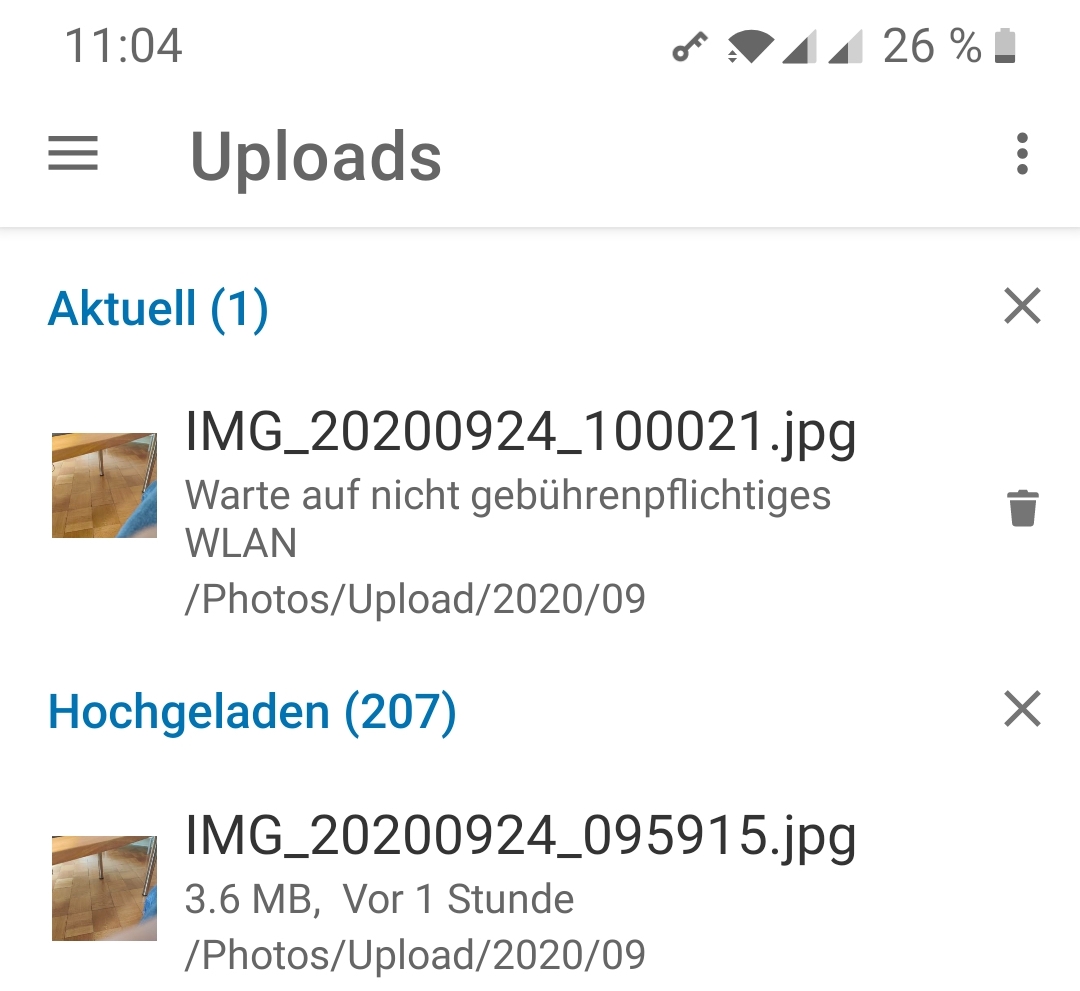
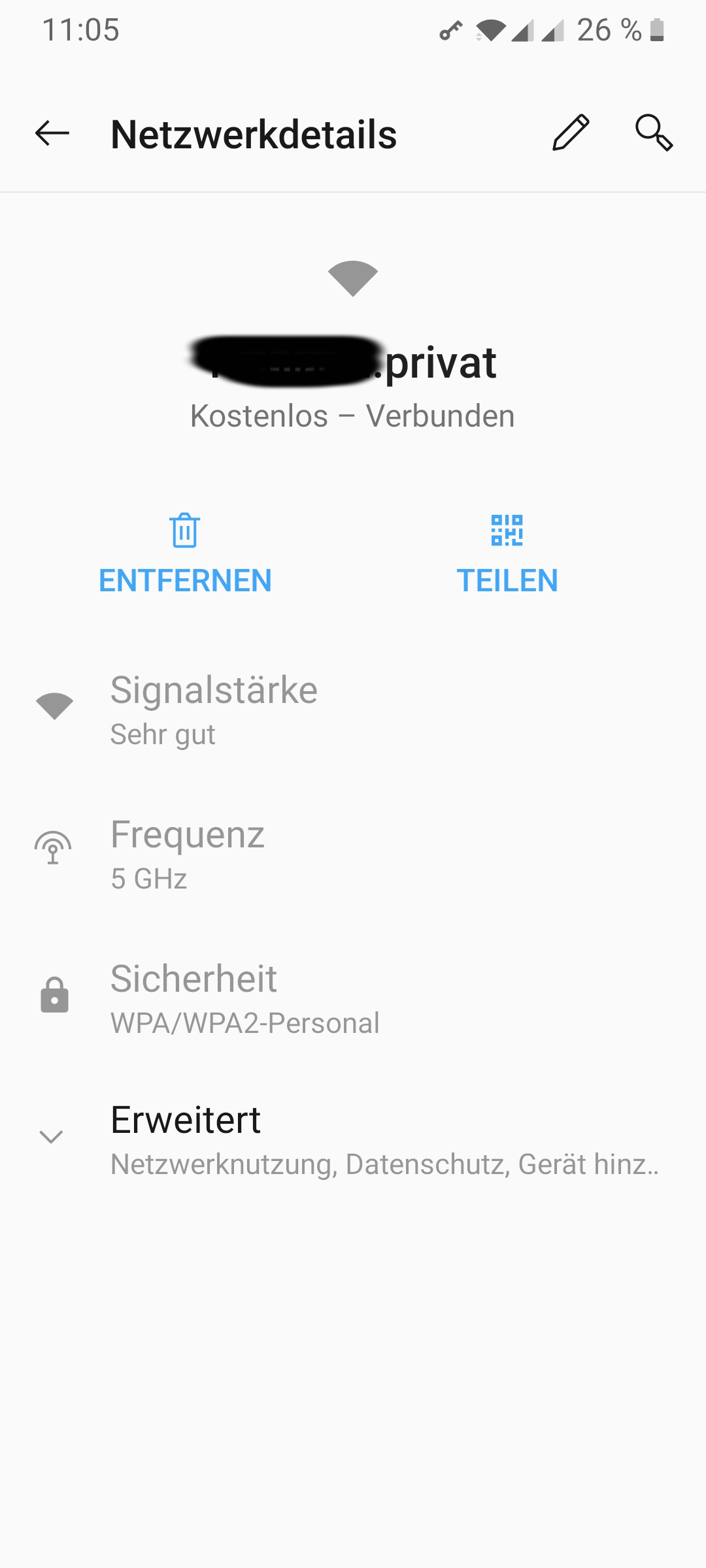
Hi, it seams that the app does not allow screenshots? So I have took it with a different phone. Does that help even when it is german, as i have not found a place where i could switch the language. Let me know when you need more details.
zero-24
on 2 Aug 2018
This request did not receive an update in the last 4 weeks. Please take a look again and update the issue with new details, otherwise the issue will be automatically closed in 2 weeks. Thank you!
![stale[bot] picture](https://avatars3.githubusercontent.com/in/1724?v=4&s=40) stale[bot]
on 10 May 2019
stale[bot]
on 10 May 2019
Auto Upload works form me now including using it via VPN.
zero-24
on 11 May 2019
This request did not receive an update in the last 4 weeks. Please take a look again and update the issue with new details, otherwise the issue will be automatically closed in 2 weeks. Thank you!
stale[bot]
on 8 Jun 2019
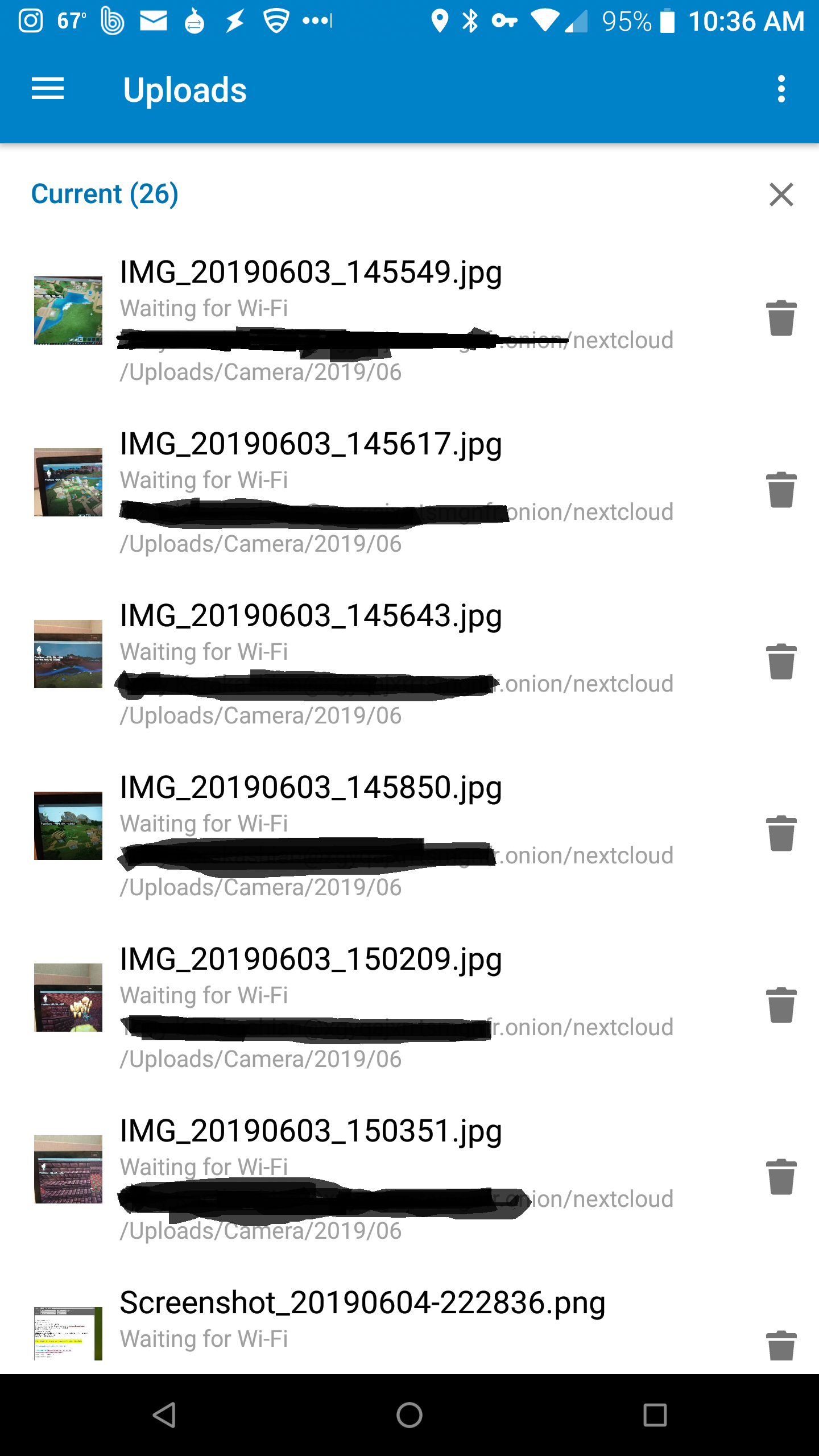
I can confirm this is still an issue, however I've noticed it's not consistent. Sometimes files will upload, sometimes they won't. I haven't updated the app since I installed it for the first time a couple of weeks ago (v3.6.2), but it seems auto-uploads have stopped entirely in the last day or two.
Files will upload manually without issue. In fact, the screenshot I'm posting was uploaded manually to my Nextcloud (I have the screenshot folder auto-upload because I'm usually taking one for a reason, but this one did not auto-upload. The app hasn't even attempted it despite my sitting here typing this for the last 10 minutes.
What's odd is the Camera folder only has the "Use subfolders" option checked as I want those to automatically upload no matter where I am or what network I'm connected to, so there's no reason they should be "waiting for wifi".
The images you can see in the screenshot were taken a few days ago, but some other files that were taken after HAVE auto-uploaded.
I have also noticed that the upload queue doesn't change when you change settings. So, for example, if I have a folder set to "Upload on wifi", and uncheck that box, if it does auto-upload files that were in the queue, it will only do so when connected to wifi. I've confirmed that I had a file sitting in that state for a couple of hours until I got home. I connected to wifi, and it attempted to upload immediately.
To be clear: I can't test this without the VPN since my Nextcloud is a Tor hidden service, so VPN is required to get there.
[Update] Aaaand, I just realized I should probably attach that screenshot...
[Update] And, I just realized my .onion was showing in the screenshot. I need to edit...
[Update the last] Attached. Some days I'm too dumb for words...
 QuibblingAsh42
on 9 Jun 2019
QuibblingAsh42
on 9 Jun 2019
This request did not receive an update in the last 4 weeks. Please take a look again and update the issue with new details, otherwise the issue will be automatically closed in 2 weeks. Thank you!
stale[bot]
on 7 Jul 2019
I just looked through a few of the other instances of this on the site, and it appears this was resolved for some people, but still an issue for me.
QuibblingAsh42
on 8 Jul 2019
This request did not receive an update in the last 4 weeks. Please take a look again and update the issue with new details, otherwise the issue will be automatically closed in 2 weeks. Thank you!
stale[bot]
on 5 Aug 2019
@QuibblingAsh42 for me it seams it depends on the wifi i'm connected to. You might check whether the wifi is set to be chargeable or not?
zero-24
on 6 Aug 2019
In general, I only connect to my home wifi. I have a Tasker profile that automatically shuts down wifi when I'm outside the range of the cell towers around my house. I'm not sure what you mean by "chargeable", though? Is that related to the "unmetered wifi" I see in the options for auto-uploads? I had to ask the Duck what that was, but I'm definitely not using unmetered.
All of that being said, I had been running my Nextcloud environment as a POC under Windows Subsystem for Linux. Two weeks ago, I finally purchased a new PC to dedicate to running my protected node. It ended up just being easier to reinstall Nextcloud and all of the other products on the box, and since then I have not seen this issue on my phone or either of my daughter's.
I did go from v15 of Nextcloud to v16, and in order to take advantage of the new v3 onion addresses, I've upgraded Orbot on all of our phones, but nothing else has changed. I didn't even reinstall the NC app, I just removed the accounts from each phone and added anew (BTW, kudos to the team for the ease of setup with the qr codes!)
I'll certainly report back if I see the issue again, but I'm afraid I'm not going to be any help in solving right now.
QuibblingAsh42
on 6 Aug 2019
I'm not sure what you mean by "chargeable", though? Is that related to the "unmetered wifi" I see in the options for auto-uploads? I had to ask the Duck what that was, but I'm definitely not using unmetered.
My phone allows to set an option that this specific wifi you need to pay to use, the point is that than only necessary things go over this wifi. Thats what i mean by chargeable :D
zero-24
on 7 Aug 2019
This request did not receive an update in the last 4 weeks. Please take a look again and update the issue with new details, otherwise the issue will be automatically closed in 2 weeks. Thank you!
stale[bot]
on 4 Sep 2019
I'm having this same issue with Wireguard. When I'm on my wifi network with Wireguard enable nothing uploads even if I turn off the option to only upload on wifi. When I disable it, it starts working. Is there a fix for this? I have having to remember to disable wireguard to get syncing to work. It's both insecure and could cause me to lose data if I forget to do it and something were to happen to my phone.
 caseyhoward
on 25 Jan 2020
caseyhoward
on 25 Jan 2020
I also confirm this issue is =not= solved, and still a thing...
 Heidistein
on 1 Feb 2020
Heidistein
on 1 Feb 2020
Yes, for me also.
 Bobo-amg
on 25 Feb 2020
Bobo-amg
on 25 Feb 2020
Same here!
 hcrohland
on 26 Feb 2020
hcrohland
on 26 Feb 2020
I can confirm that this issue is still ongoing. Is there a planned fix for this?
 bcatly
on 9 Jul 2020
bcatly
on 9 Jul 2020
Is this possible to test with any v4 vpn? Or do I need something special?
 tobiasKaminsky
on 21 Jul 2020
tobiasKaminsky
on 21 Jul 2020
This bug report did not receive an update in the last 4 weeks. Please take a look again and update the issue with new details, otherwise the issue will be automatically closed in 2 weeks. Thank you!
stale[bot]
on 22 Aug 2020
Good morning,
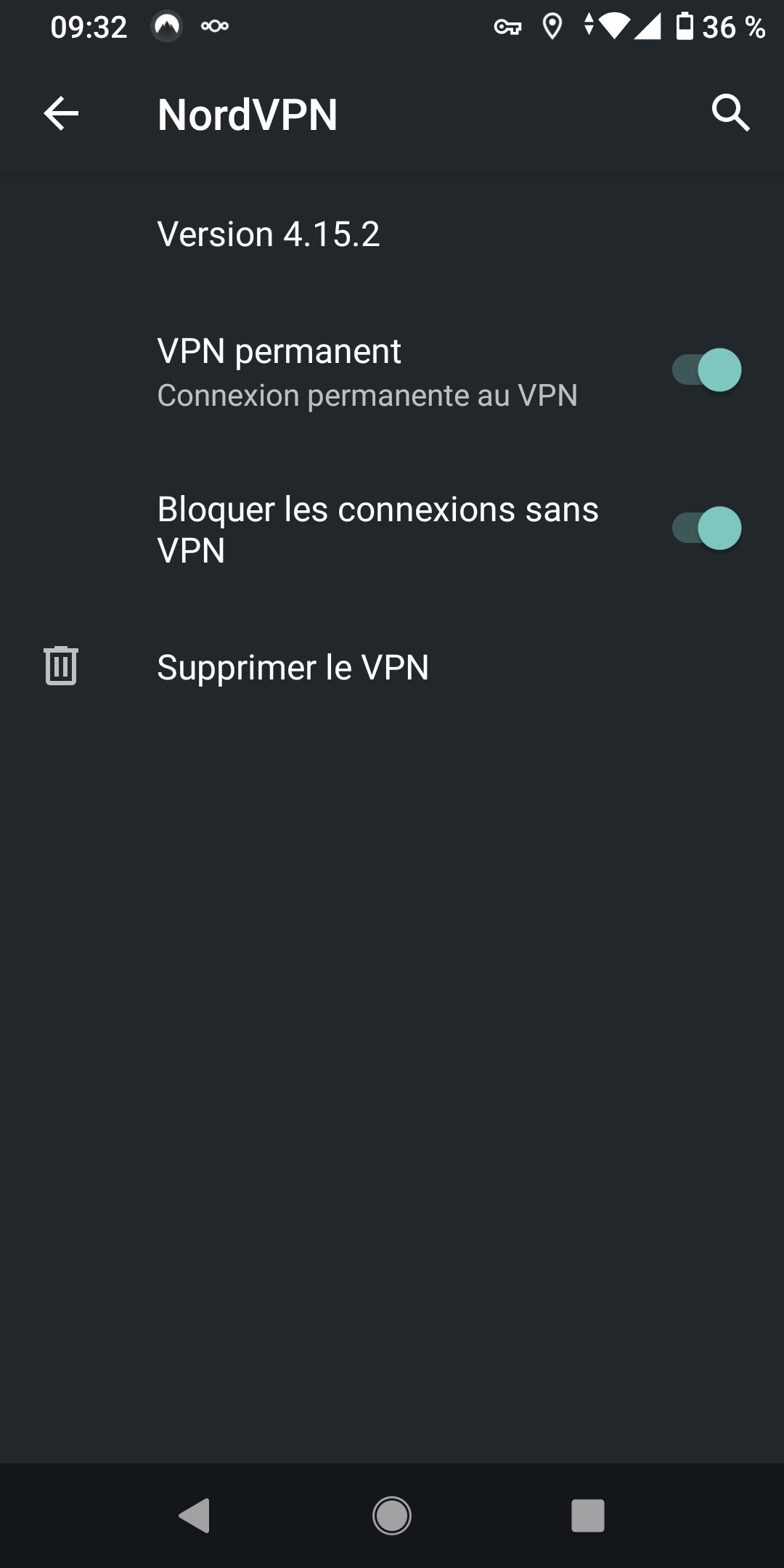
I am facing this very same issue for a few days now (see the first screenshot). It may be since I have upgraded Nextcloud Android app to the version 3.13.1, but I'm not quite sure.
I am using NordVPN VPN app for Android, and I do so for about two years now. Nextcloud used to work seamlessly with it.
As soon as I unregister NordVPN as a permanent and unavoidable VPN (see the second screenshot, where it's all activated again) all my pictures get uploaded to my Nextcloud server.
(Interestingly enough: to get these two screenshots from my phone I manually shared them to a Nextcloud folder, and it worked like a charm, though I am on the very same "limited" Wifi network.)
My Nextcloud server version is 19.0.3. The problem first occured on version 18 and I upgraded.

 LucDachary
on 22 Sep 2020
LucDachary
on 22 Sep 2020
Manual upload always work, only automatic upload is checking if wifi is available.
We did not changed anything in latest releases regarding auto upload.
Check if wifi is available is done by Android and additional by checking if index.php/204 is reachable (as you might be connected to wlan, but have no internet).
Can you check if something in this regard has changed for you?
tobiasKaminsky
on 23 Sep 2020
I don't understand what you mean by :
Check if wifi is available is done by Android
index.php/204 is reachable from my device :+1: And in addition, as soon as I connect to the Wifi, my Nextcloud server logs a few /index.php/204 calls that all get 204 responses. Here is an extract from the logs:
[23/Sep/2020:06:35:28 +0000] "GET /index.php/204 HTTP/1.1" 204 0 "-" "Mozilla/5.0 (Android) Nextcloud-android/3.13.1"
Edit: typos
LucDachary
on 23 Sep 2020
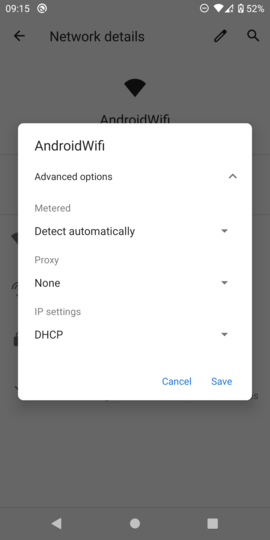
Our app respects the "metered" option.
It might be that VPN is setting this.
tobiasKaminsky
on 24 Sep 2020
hcrohland
on 24 Sep 2020
@tobiasKaminsky I certainly upgraded both NordVPN and Nextcloud apps at the same moment before I first faced this issue.
I have wrote to NordVPN's customer service and they told me metered connection Android issue has already been reported to them. Their developers are working on a fix.
Nextcloud is out of the picture. Thanks for your help!
LucDachary
on 28 Sep 2020
So we are sure about the fact it s a VPN issue and not a nextcloud issue? I m using openvpn for pdnsf and facing the same issue
 boistordu
on 6 Oct 2020
boistordu
on 6 Oct 2020
Hi,
I got hit by the same issue on 02.10 this month. If it was a nextcloud update or a VPN update I cannot say, but what I know is, that I am using Blokada to block adds and tracking, it is a VPN but not connection to an external resource.
Turning Blokada 5 off, lets the upload working immediately, and as soon as I turn it on again, the upload stops.
I am using Blokada for years now, and I never had the issue.
The latest I did was also upgrading Blokada to the latest version, but my server and the index.php are reachable, with and without Blokada VPN running.
 feutl
on 8 Oct 2020
feutl
on 8 Oct 2020
I'm facing this same issue on Nextcloud for Android with my Nextcloud Server (Version 20). Running Mullvad VPN on my phone blocks instant uploads, says it's waiting to be on a non-metered wifi connection.
 KevinNThomas
on 19 Oct 2020
KevinNThomas
on 19 Oct 2020
Is there any open source vpn I can use for debugging / testing?
tobiasKaminsky
on 19 Oct 2020
hcrohland
on 19 Oct 2020
@tobiasKaminsky
Use Blokada 5 (https://blokada.org/) they do have the same issue, without needing a VPN provider itself.
feutl
on 19 Oct 2020
We rely on this Android's built in function:
https://developer.android.com/reference/androidx/core/net/ConnectivityManagerCompat#isActiveNetworkMetered(android.net.ConnectivityManager)
By accident I first installed Blokada 4, which was working fine.
Directly after upgrade to Blokada 5 it gave same error.
tobiasKaminsky
on 21 Oct 2020
Can you please redirect this to Blokada?
They of course can also add info here, but for me it seems to be a problem on their side.
tobiasKaminsky
on 21 Oct 2020
@tobiasKaminsky
I already did some time ago, as I realized that NC Client is not the issue but the VPN itself.
I assume the others do have the same issue.
feutl
on 21 Oct 2020
@feutl thanks 👍
Then let us close this issue here…
tobiasKaminsky
on 21 Oct 2020
Just as an information, Blokada fixed it with their latest 5.3 update and everything works fine now
feutl
on 27 Oct 2020
Related issues
 JSoko
·
3Comments
JSoko
·
3Comments
 markbryanduncan
·
3Comments
markbryanduncan
·
3Comments
 ikke-t
·
3Comments
ikke-t
·
3Comments
 AndyScherzinger
·
3Comments
AndyScherzinger
·
3Comments
 ezaquarii
·
3Comments
ezaquarii
·
3Comments
Most helpful comment
Just as an information, Blokada fixed it with their latest 5.3 update and everything works fine now
https://github.com/blokadaorg/blokada/issues/790