Android: Sharing: app icons are not sized equally
Actual behaviour
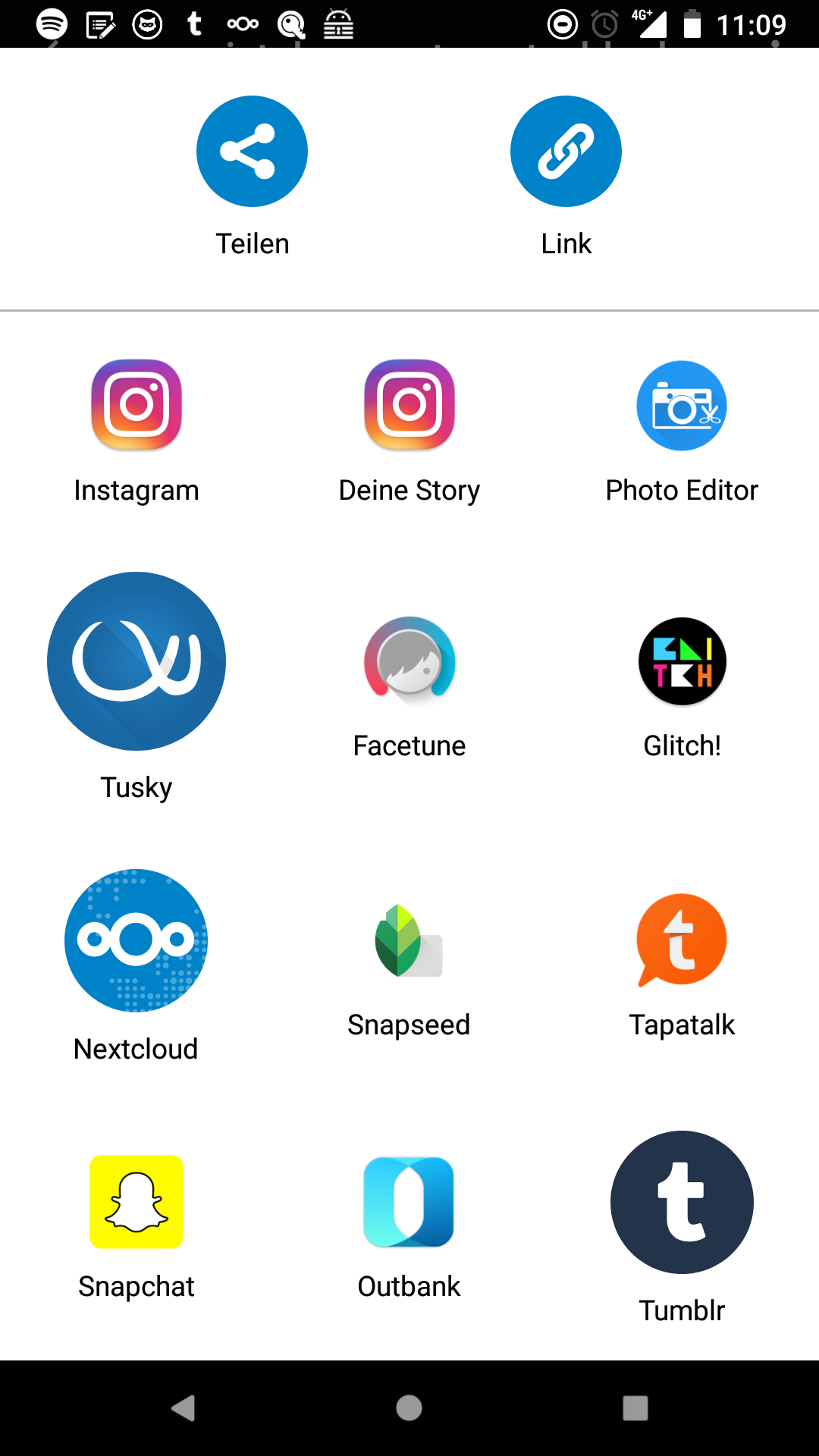
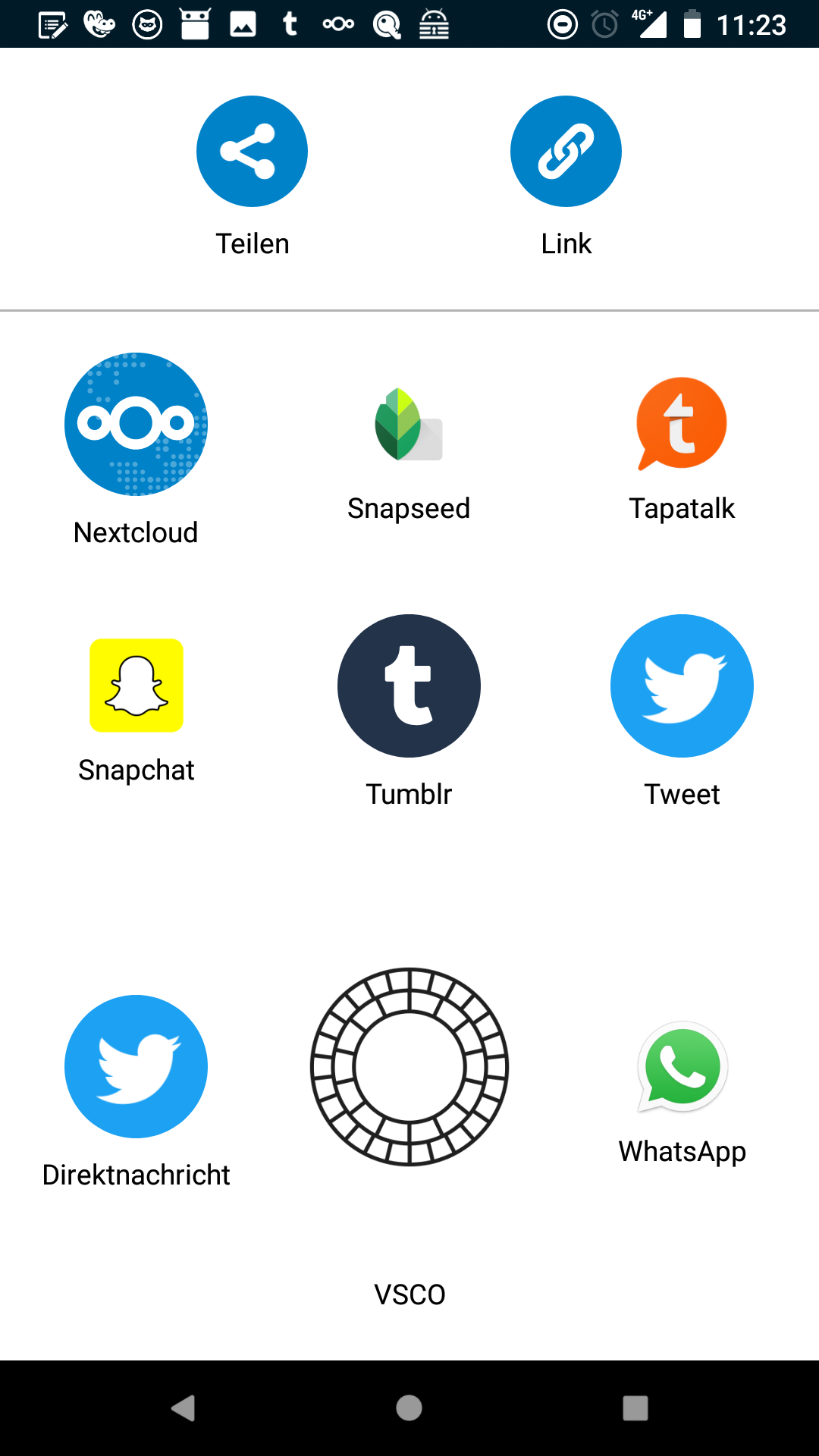
The app icons in the sharing menu are not equally sized, instead they are displayed in their original size.
2 screenshots:
Expected behaviour
The app icons in the sharing menu should be equally sized.
Steps to reproduce
- Click 'Share' icon on any file
Environment data
Android version: 8.1.0
Device model: Google Pixel 2
Stock or customized system: stock
Nextcloud app version: 3.0.1
Nextcloud server version: 13.0.0
Logs
(n/a)
 karottenbaum
All 5 comments
This needs to be fixed for next release.
If anyone wants to pick it up, please feel free.
Otherwise I'll do it close to feature freeze.
 tobiasKaminsky
on 28 Feb 2018
tobiasKaminsky
on 28 Feb 2018
@tobiasKaminsky I am not even sure what the correct size is. Looking at Twitter and Tumbler they are the same and both ship the Android 8 defined launcher icon sizes. But yeah should probably be smaller for the moment but we might have to enlarge it again at a later point in time in case more apps support Android 8 icons.
 AndyScherzinger
on 28 Feb 2018
AndyScherzinger
on 28 Feb 2018
Without looking at the code, I assume that a defined size is missing, e.g. 32dp.
tobiasKaminsky
on 28 Feb 2018
I will look into it and try my best ;)
 xXSTrikeXx
on 28 Feb 2018
xXSTrikeXx
on 28 Feb 2018
@tobiasKaminsky
Can you explain me how the images are set there without an "< ImageView/>"
The library for that is still there, but never declared. I waysted a lot of time (confused about the 2nd system share layout [pr exist] and the missing ImageView.
Maybe you can give me a hint and I can learn more about android ;)
Edit: No solution found :D Maybe someone can give me hints.
image is set via sendButton.setCompoundDrawablesWithIntrinsicBounds(null, item.getDrawable(), null, null);
in SendButtonAdapter
xXSTrikeXx
on 4 Mar 2018
Related issues
 JSoko
·
3Comments
tobiasKaminsky
·
3Comments
JSoko
·
3Comments
tobiasKaminsky
·
3Comments
 Bugsbane
·
3Comments
Bugsbane
·
3Comments
 eppfel
·
3Comments
eppfel
·
3Comments
 ikke-t
·
3Comments
ikke-t
·
3Comments