Showing the new background image in drawer looks a bit strange as the full hd image is resized to e.g. 1260x643 on my emulator:
The "dots" are too small and get blurry.
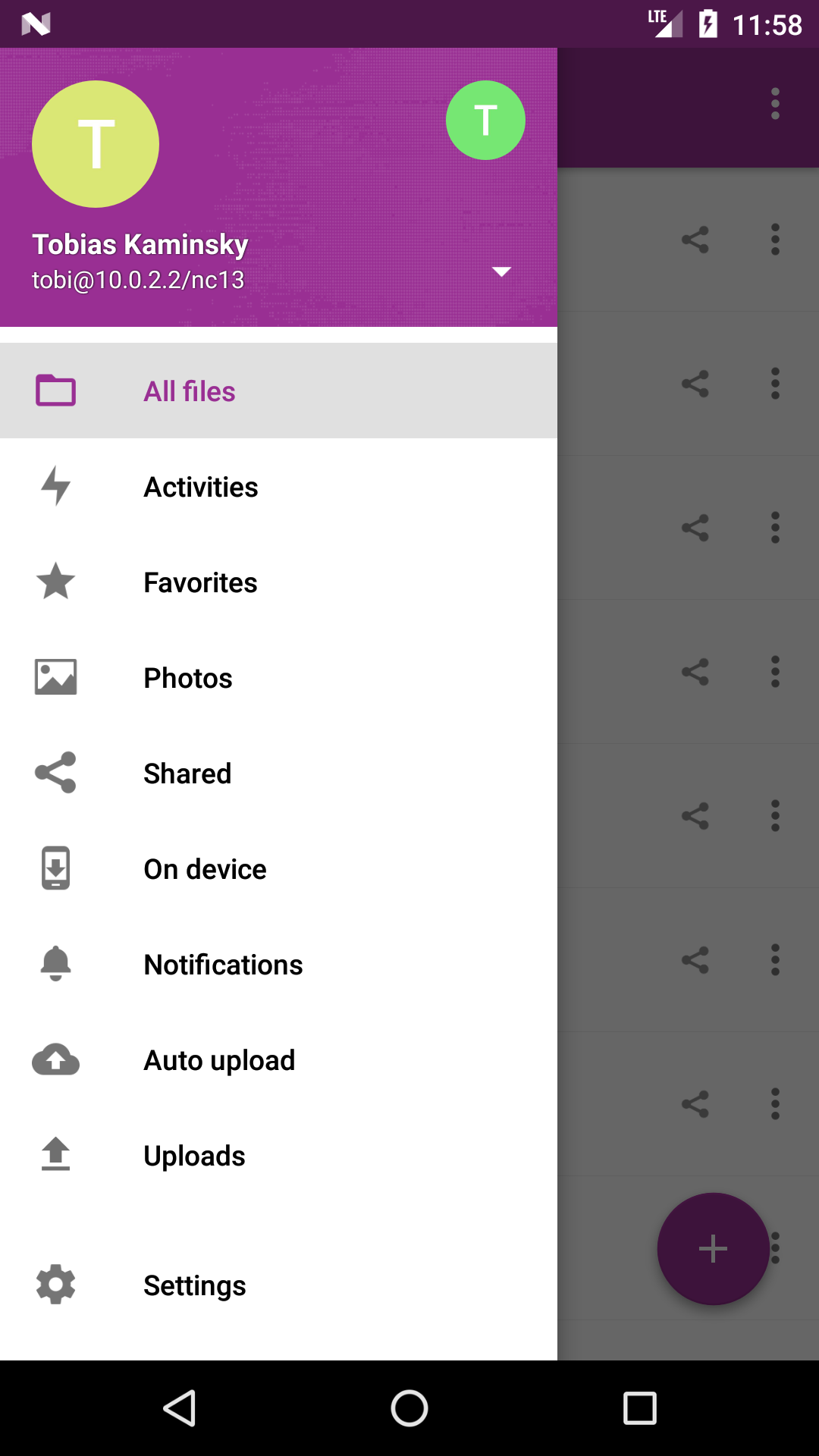
We currently have the "clouds" as a fallback image and this is 984x656.
@nextcloud/designers
 tobiasKaminsky
All 25 comments
Same for IOS @marinofaggiana ...
 MariusBluem
on 18 Dec 2017
MariusBluem
on 18 Dec 2017
Same for IOS @marinofaggiana ...
Marino pointed it out in the first place - but yes, this should also be properly handled on iOS. Having the coloured background to properly support transparent PNGs in the menu.
 MorrisJobke
on 18 Dec 2017
MorrisJobke
on 18 Dec 2017
The "dots" are too small and get blurry.
Could we just use a smaller version for this? But I don't know how to properly "announce" this based on the server.
MorrisJobke
on 18 Dec 2017
in iOS this is done and ready from Friday and available :-)
 marinofaggiana
on 18 Dec 2017
marinofaggiana
on 18 Dec 2017
Agree with @MorrisJobke - if there is no theming, can we just crop the background to make the dots bigger?
 jancborchardt
on 18 Dec 2017
jancborchardt
on 18 Dec 2017
Agree with @MorrisJobke - if there is no theming, can we just crop the background to make the dots bigger?
But what happens with the default theming that has the same problem (but the file is loaded from the server). How should the android app know when to crop and to which size?
MorrisJobke
on 18 Dec 2017
Indeed, this is the problem: when to crop?
Currently we always download the "full" background, accessible via theming api. What if we do a background api where a client can request a background with a given width and height? Then the server can do prober resizing:
- if a custom image: scale
- if default: crop
tobiasKaminsky
on 18 Dec 2017
cc @nextcloud/theming
MorrisJobke
on 18 Dec 2017
This is the background on iOS
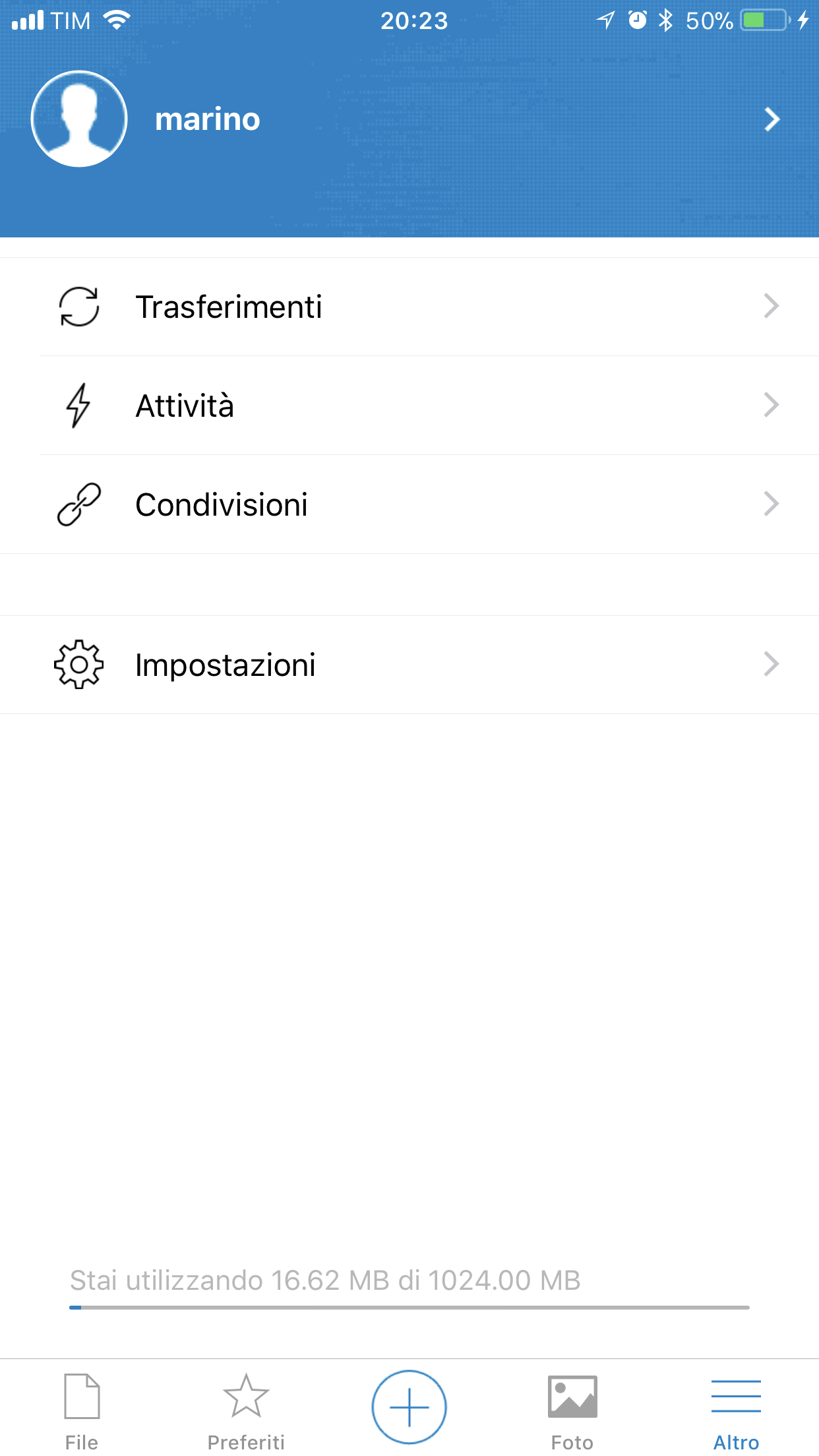
marinofaggiana
on 18 Dec 2017
So what to do? For android icon we have a version with bigger dots
@nextcloud/theming
tobiasKaminsky
on 8 Jan 2018
What's the format you need? I can crop something with bigger dots.
And should that then be on the server, or in the app?
jancborchardt
on 9 Jan 2018
And should that then be on the server, or in the app?
Currently this is used from the server and I have no good idea how to make this nicely working, because if you change the background there it should also properly reflect in the Android/iOS app and not be randomly cropped.
MorrisJobke
on 9 Jan 2018
Currently this is used from the server and I have no good idea how to make this nicely working, because if you change the background there it should also properly reflect in the Android/iOS app and not be randomly cropped.
Yes, it should be done in the app, i think. Otherwise there needs to be too much logic inside the theming app that. Clients can check if the default image or a custom image is used though the capabilities api and then adjust the background depending on that.
 juliushaertl
on 9 Jan 2018
juliushaertl
on 9 Jan 2018
Capabilities show me:
- on custom image:
http://localhost/nc13/index.php/apps/theming/loginbackground?v=27 - on default image:
http://localhost/nc13/core/img/background.png?v=29
So I would have to check for some hardcoded string, e.g "background.png" to distinguish if default image or custom image?
tobiasKaminsky
on 9 Jan 2018
Hm, not the ideal situation, yes. I guess we should move to more detailed capabilities values in the future. We also use the background field for color values when no image is set. For now I'd just check the string for "apps/theming/loginbackground".
juliushaertl
on 9 Jan 2018
@jancborchardt currently we have a jpg file with 984x656 (width x height).
It is scaled with correct aspect ratio depending on the display size:
Nexus 5 emulator: 431 x 646
Samsung S5 neo: 492 x 738
Tablet emulator (Nexus 7): 328 x 492
I am not sure how we can make sure that the "dots" are always as big as needed.
tobiasKaminsky
on 9 Jan 2018
So as a quick fix we can definitely just go with a simple Nextcloud blue there (except if themed / a manual image is set).
jancborchardt
on 9 Jan 2018
We have time till Friday to fix it properly, otherwise we can do it this way ;-)
tobiasKaminsky
on 9 Jan 2018
Does this work well?

https://github.com/nextcloud/promo/commit/04490f37123f94b0d134c7500fe09ed355bbba77
I can modify the opacity etc of course. But since in this case it’s a background for text, I think the increase of the size is enough, and the opacity should stay the same. And it seems to look nice on smaller resolutions.
jancborchardt
on 9 Jan 2018
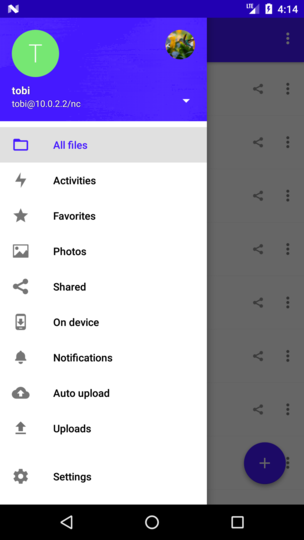
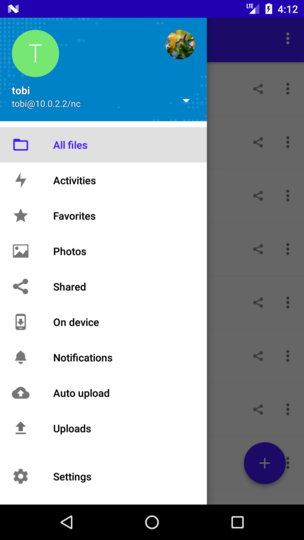
Left: plain image from server
Right: new version by Jan
tobiasKaminsky
on 9 Jan 2018
Maybe you can make it transparent so that a solid color is chosen, I can also use the adapted image?
tobiasKaminsky
on 9 Jan 2018
@nextcloud/designers ping.
We want to release a RC1 tomorrow and this issue is open since 24 days!
tobiasKaminsky
on 11 Jan 2018
Also ping @jancborchardt
tobiasKaminsky
on 11 Jan 2018
I like the right version.
MorrisJobke
on 11 Jan 2018
Having the right version with a transparent background has the advantage that we can e.g. use orange as a background color, but with default background.
With https://github.com/nextcloud/server/pull/7776 we can support this.
tobiasKaminsky
on 11 Jan 2018
Related issues
tobiasKaminsky
·
3Comments
 AndyScherzinger
·
3Comments
AndyScherzinger
·
3Comments
 eppfel
·
3Comments
eppfel
·
3Comments
 rainer042
·
3Comments
tobiasKaminsky
·
3Comments
rainer042
·
3Comments
tobiasKaminsky
·
3Comments
Most helpful comment
I like the right version.