Android: Screenshots/release notes for Fdroid & Google Play
F-Droid has a new release upcoming with a design overhaul: https://f-droid.org/posts/a-new-ux-6-years-in-the-making/
They allow adding screenshots and a teaser image, all info at https://eighthave.gitlab.io/fdroid-website/docs/All_About_Descriptions_Graphics_and_Screenshots/
We should add our usual screenshots. As teaser/background image we can use our standard background: https://github.com/nextcloud/server/blob/master/core/img/background.jpg
TODO
- [ ] generate new screenshots (with generic usernames / avatars)
- [ ] add screenshots
- [x] verify if there is a fallback for non-localized screenshots
- [ ] test the plugin / get fastlane working with transifex.
- [ ] translate with transifex
- [ ] add 7" images to google play to get tag "developed for tablets"
- [ ] add corresponding 7" and 10" images
 jancborchardt
All 45 comments
Probably something for you @tobiasKaminsky since you are handling all things f-droid usually?
I can cover anything media related 👍
 AndyScherzinger
on 12 Jun 2017
AndyScherzinger
on 12 Jun 2017
There are two ways:
- put it directly in fdroid repo
- put it in our repo
which one do we want to do?
 tobiasKaminsky
on 14 Jun 2017
tobiasKaminsky
on 14 Jun 2017
I'd say our repo 🎫
AndyScherzinger
on 14 Jun 2017
Yup, our repo cause then we have the sources centrally. :)
jancborchardt
on 14 Jun 2017
exactly my reason behind voting our repo :)
AndyScherzinger
on 14 Jun 2017
Currently testing it on dev.
As far as I understand it, fdroid will automatically use the icon / description if the folder structure is correct finger-cross
tobiasKaminsky
on 16 Jun 2017
So finally I got it working on fdroid, tested only with dev version:
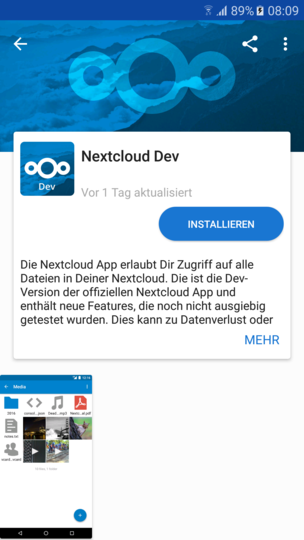
Now the remaining problem is how to get this integrated to transifex: https://github.com/fastlane/fastlane/issues/9520
tobiasKaminsky
on 29 Jun 2017
We should also use this for play store to have the description translated into all supported languages.
tobiasKaminsky
on 29 Jun 2017
Is this f-droid update related to the issue that the official release there is out of date? It is still 1.4.2 while playstore is already at 1.4.3 Even more curious : The more recent playstore version was uploaded in May, the older f-droid version in June.
 LukeOwlclaw
on 28 Jul 2017
LukeOwlclaw
on 28 Jul 2017
No this is only about adding screenshots to fdroid, same as in play store.
With upcoming version 1.5 all will be in sync again.
tobiasKaminsky
on 28 Jul 2017
@tobiasKaminsky is this done? Can we close?
 mario
on 1 Aug 2017
mario
on 1 Aug 2017
No, I tested it with one screenshot on dev version and it works.
Now I will need to do this for the official app (before 1.5 release).
tobiasKaminsky
on 1 Aug 2017
Fastlane can also be used for translating the app descriptions.
The current drawback of fastlane is its cluttered string/text structure which makes it hard for transifex:
- fastlane
- de-DE
- full_description.txt
- short_description.txt
- title.txt
- en-US
- full_description.txt
- short_description.txt
- title.txt
There is a plugin which may solve this. I have asked for clarification about this.
Another feature of fastlane is that this can also upload the translated descriptions and screenshots to gplay, so we would have all in one common place.
tobiasKaminsky
on 1 Aug 2017
@tobiasKaminsky what needs to be done here except new screenshots? Imho for a first release (for the next stable) I'd say it is enough to have the English master texts and the screenshots. What do you think?
AndyScherzinger
on 9 Aug 2017
First new screenshots, with dummy users, proper user names, nothing greyed out (e.g. use localhost/nc")
On a later approach: get transifex working with fdroid/fastlane.
tobiasKaminsky
on 9 Aug 2017
I will do some new screenshots tomorrow morning.
tobiasKaminsky
on 10 Aug 2017
Yup, and let's make sure we do screenshots which show day-to-day use of the app and less settings / setup.
So for example:
- Nice grid view with photos
- List view with documents
- Auto upload view
- Sidebar
- Log in view or settings go _last_
Also cc @marinofaggiana for iOS since there we also need to reorder. :)
jancborchardt
on 10 Aug 2017
In transifex we have these strings (android-appstore-listing):
Short description
The Nextcloud Android app allows you to access all your files on your Nextcloud.
Long Description:
The Open Source Nextcloud Android app allows you to access all your files on your Nextcloud.
Features:
- Easy, modern interface
- Upload your files to your Nextcloud server
- Share your files with others
- Keep your favorite files and folders synced
- Instant Upload for photos and videos taken by your device
- Multi-account support
Please report all issues at https://github.com/nextcloud/android/issues and discuss this app at https://help.nextcloud.com ;-)
New to Nextcloud? Nextcloud is a private file sync & share and communication server. It is fully open source and you can host it yourself or pay a company to do it for you. That way, you are in control of your photos, your calendar and contact data, your documents and everything else.
Check out Nextcloud at https://nextcloud.com
Reporting issues should be (changed url, no smiley):
Please report all issues at https://github.com/nextcloud/android/issues and discuss this app at https://help.nextcloud.com/c/clients/android
I would like to change/add features to (no big changes, but still):
- Easy, modern interface, fully themed in alignment with your server's theming
- Upload your files to your Nextcloud server
- Share your files with others
- Keep your favorite files and folders synced
- Search across all folders on your server
- Auto Upload for photos and videos taken by your device
- Keep up to date with notifications
- Multi-account support
- Secure access to your data with fingerprint or pin
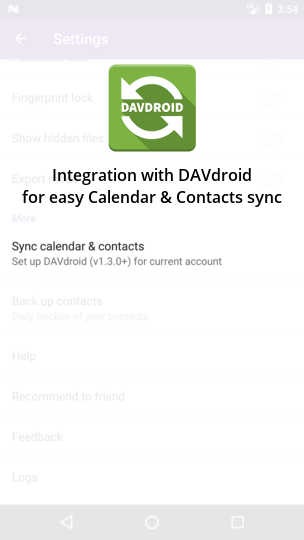
- Integration with DAVdroid for easy setup of Calendar & Contacts synchronization
--> These can then be used for Google / Froid
tobiasKaminsky
on 20 Sep 2017
Screenshots:
- Nice grid view with photos
- List view
- different kind of mimetypes: image, pptx, zip, pdf, ...
- folders: shared to user and via link
- Auto upload view
- Sidebar
- Log in view
I can do them. I have created a dummy symlink on my computer so that all users now are part of "nextcloud.testserver.de".
Any suggestions about the images?
Are you fine with the screenhots?
tobiasKaminsky
on 20 Sep 2017
@mario @AndyScherzinger @jancborchardt
please have a look at the two comments above regarding text and screenshots.
As 2.0 is somewhat "soon" I want to start with screenshots and text tomorrow. (Transifex may take some time)
Once we are fine with the screenshots I take on the mobile device, I will then take the same screenshots for 7" and 10" tablet.
tobiasKaminsky
on 20 Sep 2017
@tobiasKaminsky will take a look. In the mean time, please look at remaining 2.0 bugs :)
mario
on 20 Sep 2017
Easy, modern interface, fully themed to reflect your server (...?)
--> Easy, modern interface, fully themed in alignment with your server's theming
Any suggestions about the images?
https://pixabay.com/en/photos/?image_type=photo&order=ec&orientation=horizontal&pagi=2 😃
High resolution and nearly all of them are CC0 Creative Commons -> Free for commercial use, No attribution required
Are you fine with the screenhots?
Yes 👍
AndyScherzinger
on 20 Sep 2017
Sounds all good! I would only add one feature:
- Integration with DAVdroid for easy setup of Calendar & Contacts synchronization
jancborchardt
on 21 Sep 2017
This are the screenshots, also in this order that I would upload to gplay/fdroid.
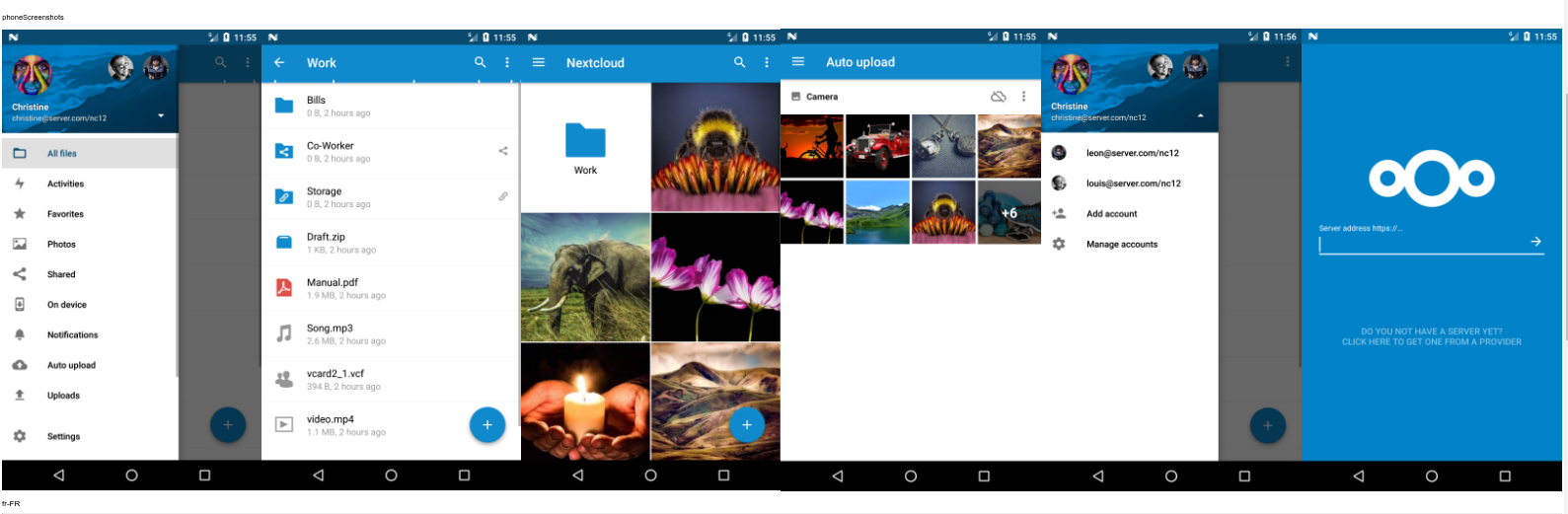
I managed to use "fastlane screengrab", so we can have these screenshots in many/all languages and in three "sizes": phone, tablet 7", tablet 10".
tobiasKaminsky
on 22 Sep 2017
Transifex updated: https://www.transifex.com/nextcloud/nextcloud/android-appstore-listing/
tobiasKaminsky
on 22 Sep 2017
@tobiasKaminsky just some small feedback on the screenshots:
Order should be:
- Picture grid (the most appealing first)
- List view
- Sidebar
- Sidebar with accounts
- Auto upload
The log in screen with server address can be cut, that’s not necessary to show.
Some details on screens:
- Picture grid: isn’t the default zoom level 3 pics next to each other? This seems a bit big
- List view: Let’s remove the vcard file and the zip – and instead put some pictures, so the preview function is also shown.
- Both sidebar screenshots don’t seem to have any files in the listing. Not that bad but a detail
- Auto upload: Let’s maybe also show that you can upload content from other apps? Maybe Signal, Facebook, etc
jancborchardt
on 22 Sep 2017
- Order is adjusted
- grid column default is 3
- list view now with picture and video preview
- auto upload with screenshots & whatsapp images
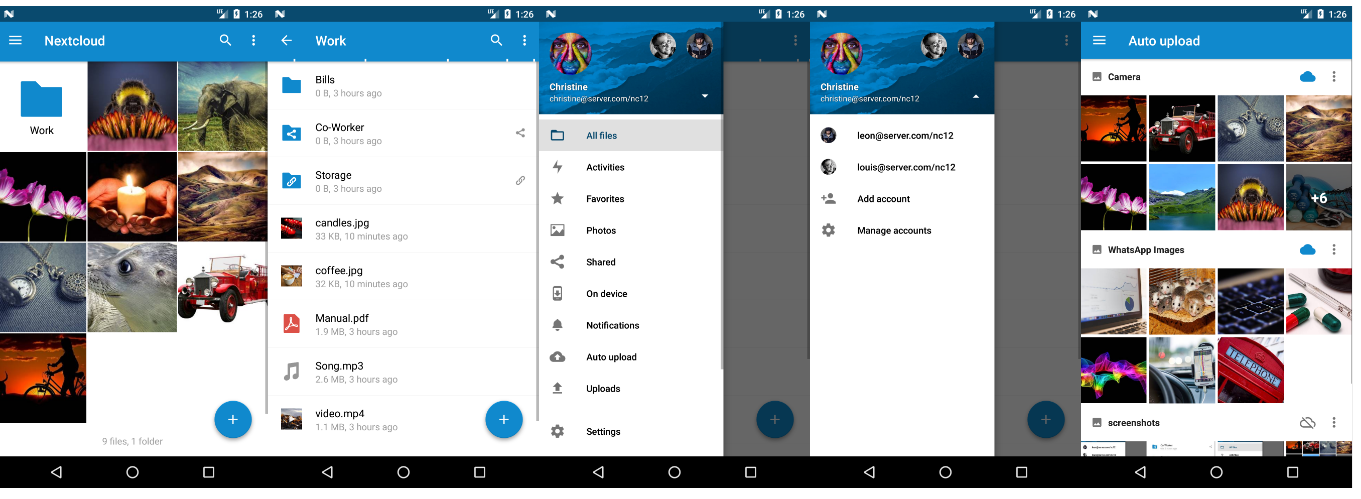
tobiasKaminsky
on 22 Sep 2017
@jancborchardt @tobiasKaminsky wouldn't 4 columns be nicer since it would then be in alignment with the auto upload screen which uses 4 columns in portrait and 6 in landscape 💃
AndyScherzinger
on 22 Sep 2017
Ok, 4 are also nice as 3 is still quite big.
Looks great otherwise @tobiasKaminsky! :)
jancborchardt
on 22 Sep 2017
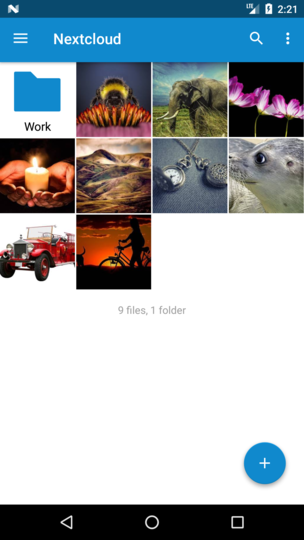
tobiasKaminsky
on 22 Sep 2017
Actual state of the f-droid listing for the dev version:
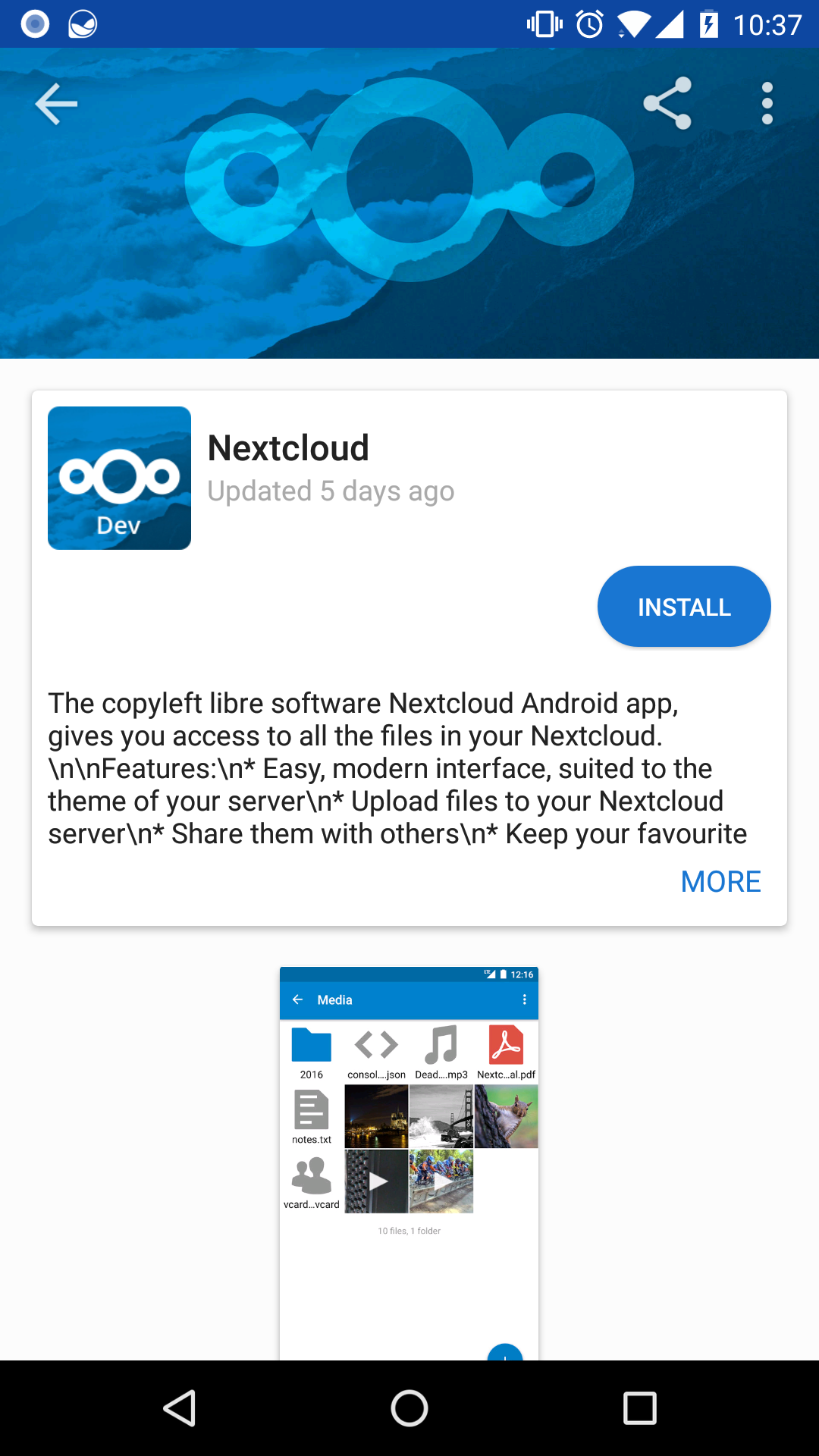
Actual state for the stable version:
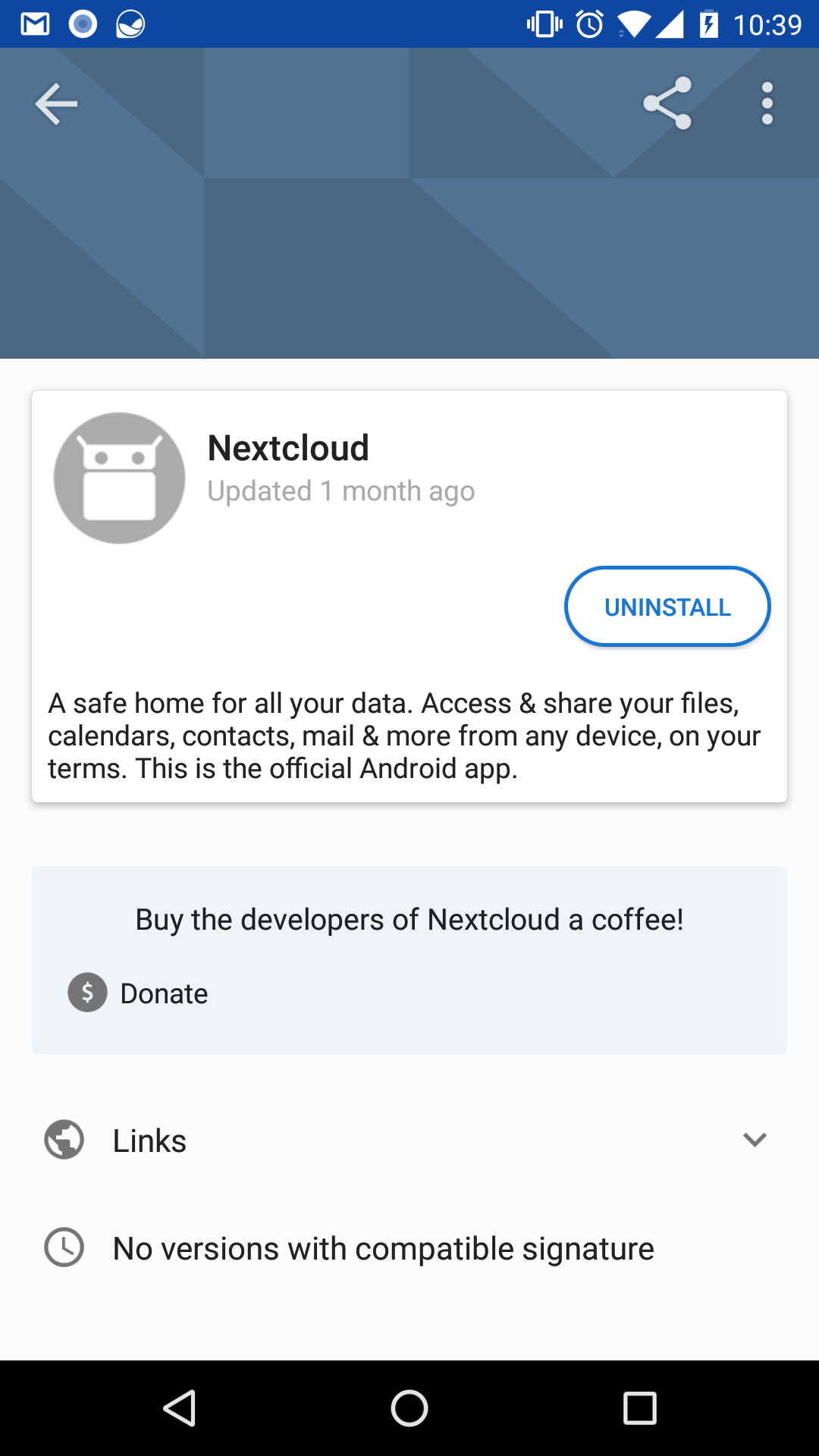
AndyScherzinger
on 12 Dec 2017
It would also be cool to have a screenshot for DAVdroid as I mentioned above: https://github.com/nextcloud/android/issues/1081#issuecomment-331112873 :)
jancborchardt
on 12 Dec 2017
What exactly should be shown on the screenshot?
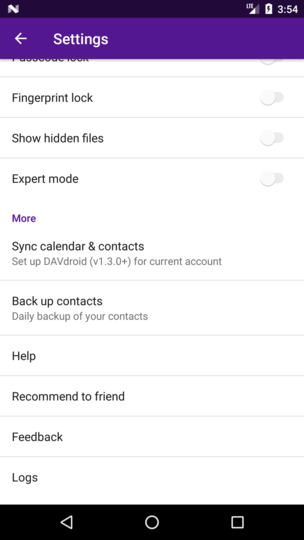 or
or 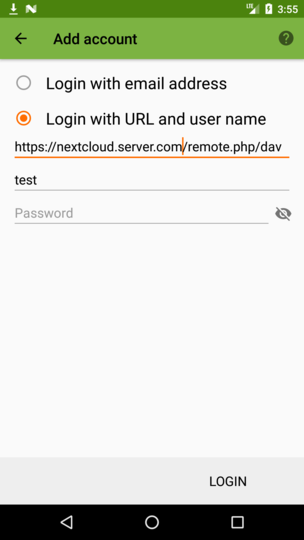
(the second one can be a bit trickier to get automated)
tobiasKaminsky
on 12 Dec 2017
The simpler version would be to grey out everything except that menu entry. The more complicated one with logo and text:
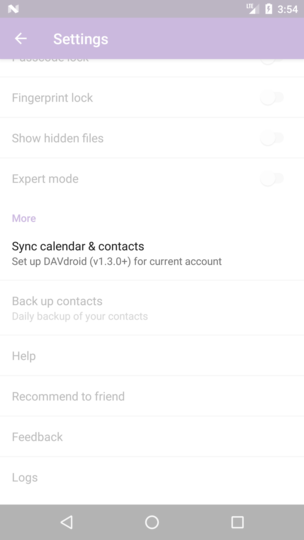 /
/ 
What would be even better for the future are screenshots inside a mock-device with text above them for more description like we do in the iOS app: https://itunes.apple.com/us/app/nextcloud/id1125420102?mt=8 – the app-only screenshots generally seem a bit bland, and apps with more »speaking« screenshots seem more polished. :)
jancborchardt
on 12 Dec 2017
Greying out is somehow more complicate to do, but I guess it is possible.
Adding some space around a screenshot and show some text is working.
--> use left screenshot, grey out and add to all screenshots some nice text?
I want to have this automated to support all main languages.
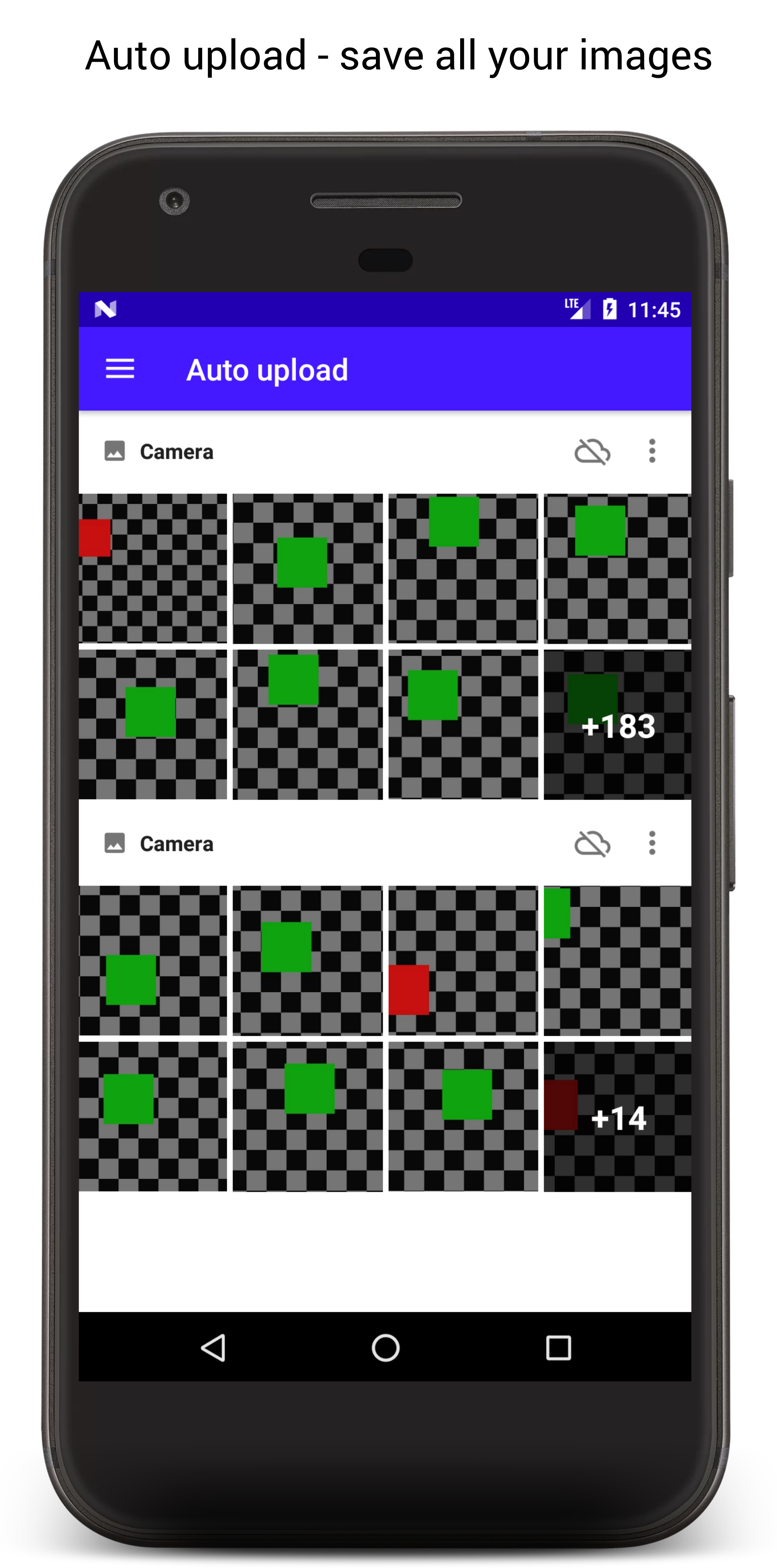
Now we need short descriptions for those images:
tobiasKaminsky
on 13 Dec 2017
Ok, sounds good! :) Some general points:
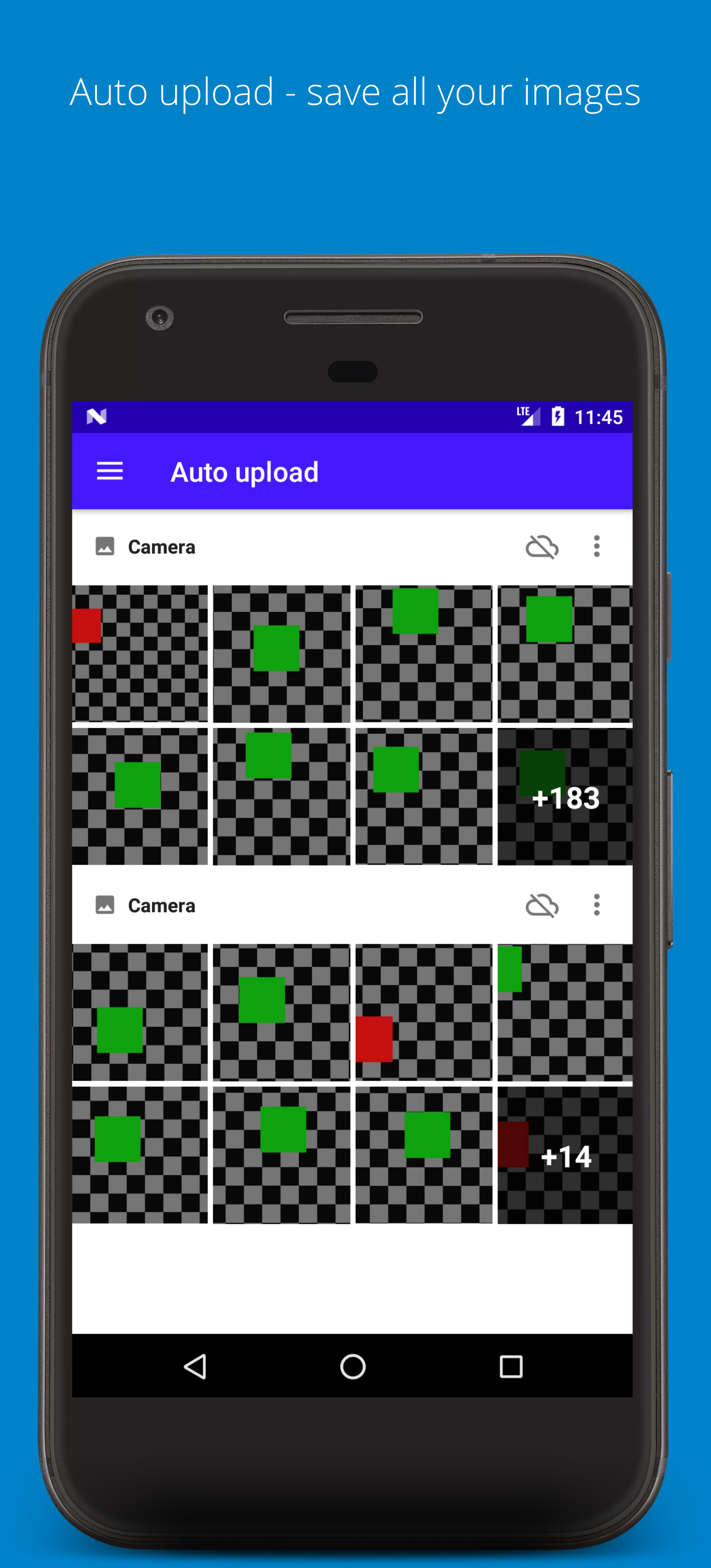
- Can we use a Nextcloud blue #0082c9 background instead of white? With white text
- Font should be Open Sans Light
- There can be more space for the text above (two lines) and the bottom part of the device (and even the screenshot) can be cut off
Descriptions for the images (without the part before the ":")
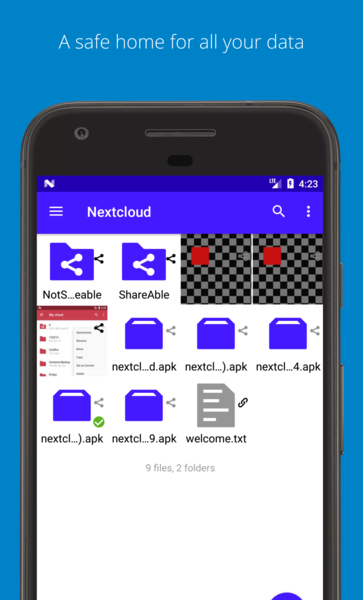
- Grid view: A safe home for all your data
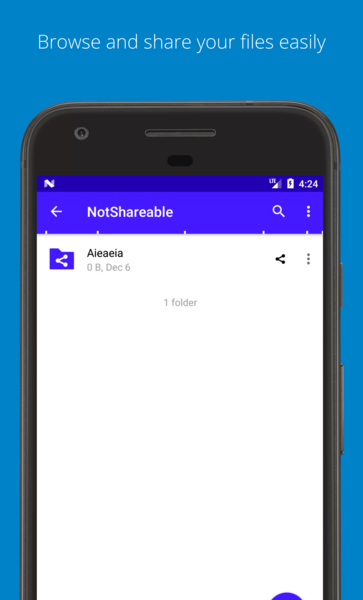
- List view: Browse and share your files easily
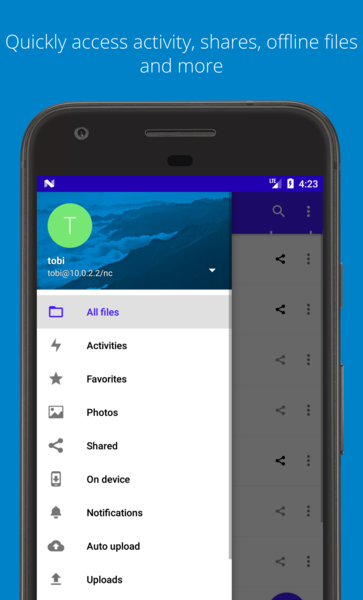
- Menu: Quickly access activity, shares, offline files and more
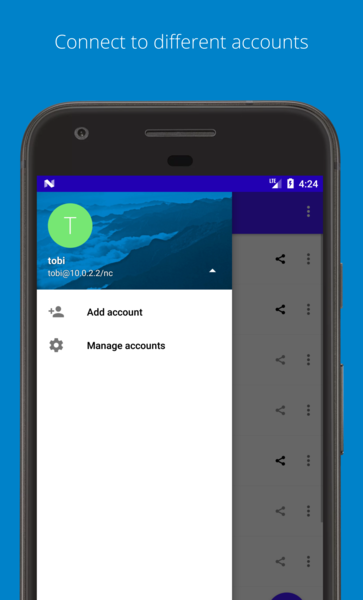
- Multiaccount: Connect to different accounts
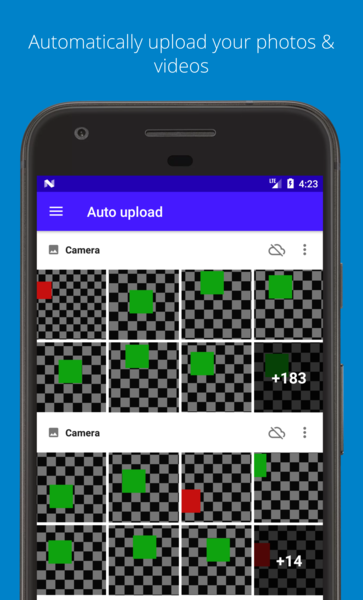
- Auto upload: Automatically upload your photos & videos
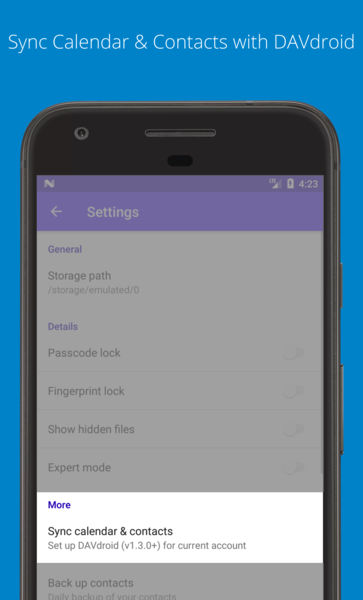
- DAVdroid sync setting: Sync Calendar & Contacts with DAVdroid
Is that ok @jospoortvliet @NinaNC?
jancborchardt
on 13 Dec 2017
(and even the screenshot) can be cut off
have a look at the other screenshots, I do not think we should cut them off.
I can send you the svg if you want to polish it further.
tobiasKaminsky
on 13 Dec 2017
They need to be cut off because otherwise when you view them on a mobile device and the whole thing with text & device is fullscreen, the screenshot part of it will be much too small. Just cut off the lower quarter of the screen, really only the "add" button gets cut off.
Screenshots are for a quick impression and marketing and do not need to give a 100% exact full view. That's also why the explanatory text is more important than the pure screenshot.
jancborchardt
on 14 Dec 2017
What about this?
If you (still) want changes, I am happy to give you the files so you can make a decent mockup/file out of it.
tobiasKaminsky
on 14 Dec 2017
The description seems good! :)
Just one criticism: the purple theme is not very pretty with the blue background. The screenshots Jan uploaded had the right blue. If it's easy to modify, maybe it's worth changing? Or the purple theme has a specific meaning that I don't know about?
 NinaNC
on 18 Dec 2017
NinaNC
on 18 Dec 2017
Right - the screenshots should be completely unthemed defaults. :)
jancborchardt
on 18 Dec 2017
Uh. Right. When I do the "real" screenshots there will be only our Nextcloud colors.
Thanks for the hint :-)
tobiasKaminsky
on 18 Dec 2017
@jancborchardt are you fin with the unthemed screenshots?
Then I'll find some time to do them soon.
tobiasKaminsky
on 2 Jan 2018
Yeah, as commented above I agree they should be unthemed. :)
jancborchardt
on 2 Jan 2018
Status update: it is merged and we have to wait for translators to translate the 6 screenshot descriptions, otherwise we would have localized images but english descriptions.
tobiasKaminsky
on 8 Jan 2018
Related issues
 ezaquarii
·
3Comments
AndyScherzinger
·
3Comments
tobiasKaminsky
·
3Comments
ezaquarii
·
3Comments
AndyScherzinger
·
3Comments
tobiasKaminsky
·
3Comments
 JSoko
·
3Comments
JSoko
·
3Comments
JSoko
·
3Comments
JSoko
·
3Comments
Most helpful comment
What about this?
If you (still) want changes, I am happy to give you the files so you can make a decent mockup/file out of it.