Android-image-cropper: Set Cropping Windows Size Fix
I read the Wiki and I try to implement the methods which you told but no one work for me I want to make the cropping window as Fix size let suppose 150*50 so how you can achieve it
 younas-bangash
All 15 comments
@kimor79 @cutmail @arriolac @tibbi Please guide me if this is possible using that library i try and read wiki but can not fix
younas-bangash
on 5 Jul 2017
If what you are looking for is to restrict the resulting cropped image to specific size I would suggest using
  .setAspectRatio(3,1)
  .setRequestedSize(150,50, CropImageView.RequestSizeOptions.RESIZE_EXACT)
The aspect ratio will ensure 3-to-1 ratio of the cropped image to ensure resize won't distort the image, and the requested size will resize it to the exact dimenstions.
If for some reason you want to restrict the cropping window to exact size regardless of the image you can use:
  .setMinCropResultSize(150,50)
  .setMaxCropResultSize(150,50)
though the UX will be terrible for large images.
 ArthurHub
on 6 Jul 2017
ArthurHub
on 6 Jul 2017
@ArthurHub Thanks for your solution it working fine now
younas-bangash
on 10 Jul 2017
@ArthurHub The above solution is working perfectly for the images which I select from the gallery but it is not working for the images taken from camera
younas-bangash
on 16 Jul 2017
It doesn't really know where the image comes from, it only receives the path to load it.
What is the issue exactly?
ArthurHub
on 16 Jul 2017
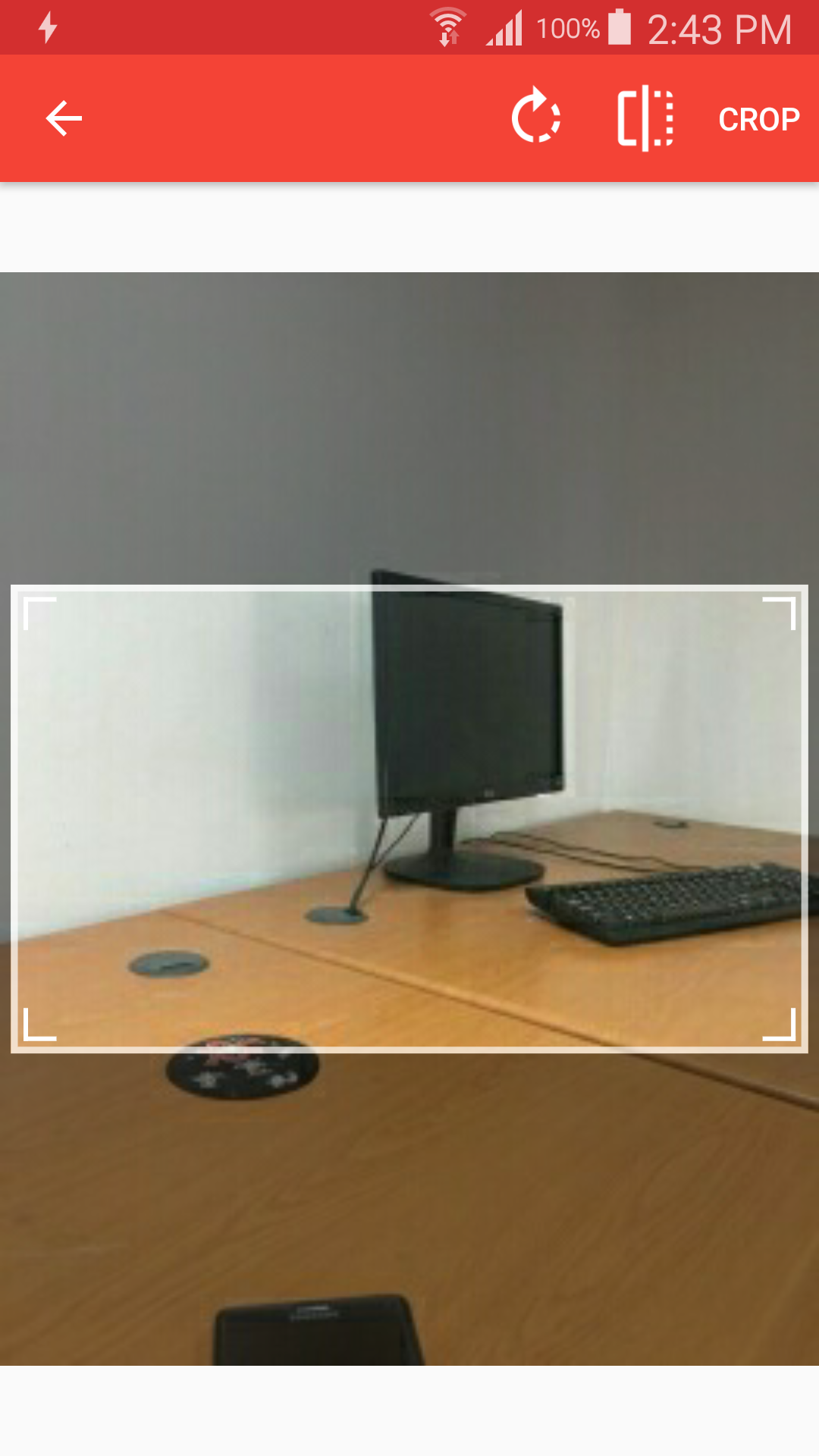
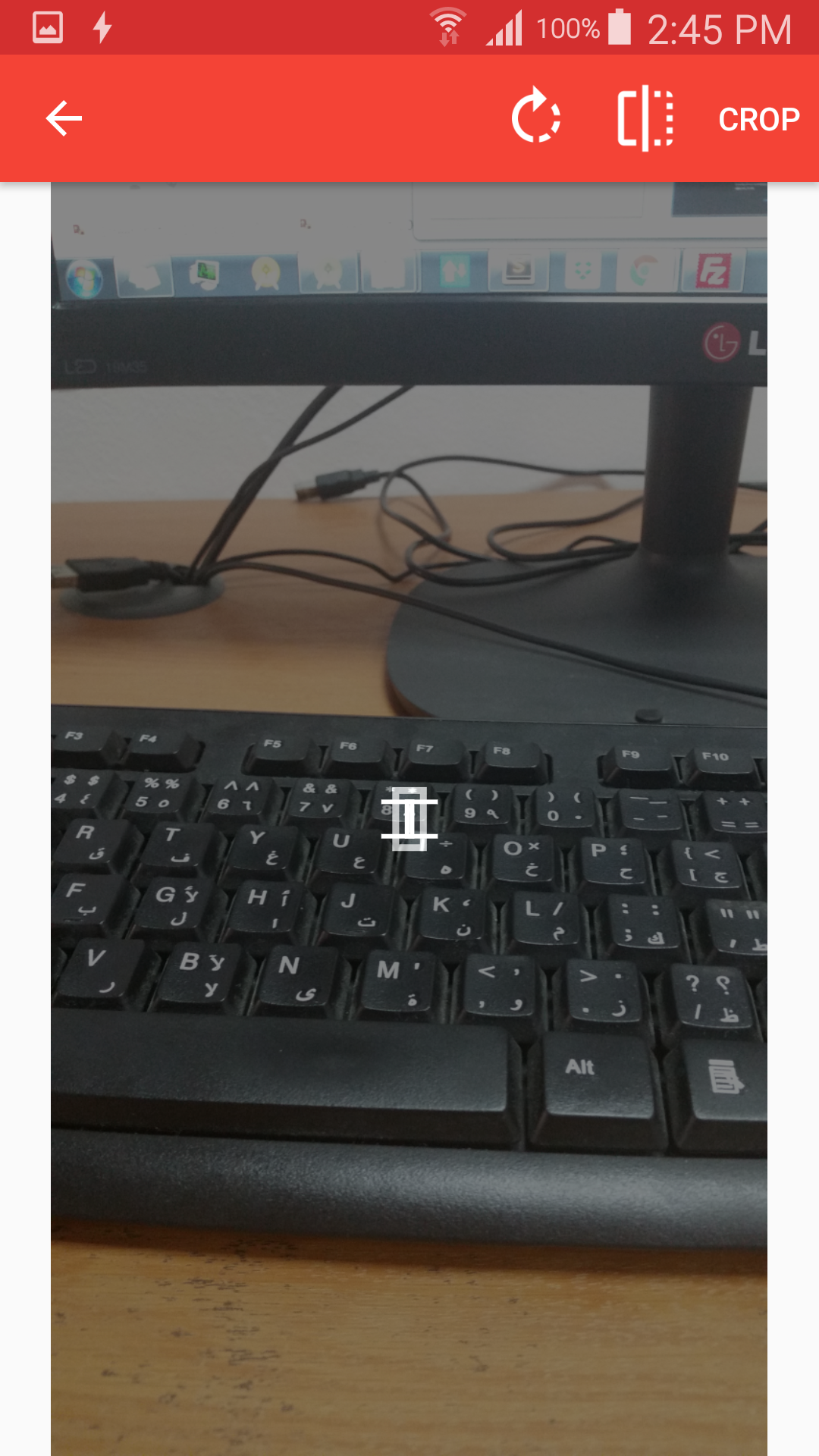
It loads the image successfully but the rectangle which I set for the cropping window is very small not able to move properly and however it work perfectly on the image which i load from gallery
younas-bangash
on 16 Jul 2017
@ArthurHub I use below configuration for the two Images
 CropImage.activity()
                .setMinCropResultSize(255,150)
                .setMaxCropResultSize(255,150)
                .start(this);
why the cropping window size is different is it the issue of landscape or protratit mode ?
younas-bangash
on 17 Jul 2017
How Set Cropping Windows Size full screen ?
 asadi1376
on 17 Jul 2017
asadi1376
on 17 Jul 2017
@asadi1376 my project requirement is to set it to fix size
younas-bangash
on 17 Jul 2017
it's true . Is there a way to Cropping Windows full screen size?
asadi1376
on 17 Jul 2017
Like I said: "though the UX will be terrible for large images."
What you probably want is the first option I suggested.
ArthurHub
on 17 Jul 2017
The first solution is not working according to my need so what you suggest there is no option for setting the fix cropping windows in your library for any type of images?
younas-bangash
on 18 Jul 2017
What's your goal?
"fix cropping windows" is not a goal by itself, I think you missing the point there.
Otherwise, would love to hear how to handle cropping UX when setting crop window to 1/20 of image size...
ArthurHub
on 18 Jul 2017
My Goal is to restrict the user not to adjust the cropping window size i want to show the user fix cropping window on any type of images
younas-bangash
on 18 Jul 2017
so, you want to show 255x150px crop window on a 3000x3000px image how would that work? It doesn't make sense...
What you should do is set aspect ratio 255x150, let the user select the part of the image he wants. and then resize the result to be exactly 255x150.
ArthurHub
on 18 Jul 2017
Related issues
 PujieWear
·
5Comments
PujieWear
·
5Comments
 rahulwadhai
·
5Comments
rahulwadhai
·
5Comments
 umutkina
·
4Comments
umutkina
·
4Comments
 key321
·
9Comments
key321
·
9Comments
 danponce
·
3Comments
danponce
·
3Comments
Most helpful comment
If what you are looking for is to restrict the resulting cropped image to specific size I would suggest using
The aspect ratio will ensure 3-to-1 ratio of the cropped image to ensure resize won't distort the image, and the requested size will resize it to the exact dimenstions.
If for some reason you want to restrict the cropping window to exact size regardless of the image you can use:
though the UX will be terrible for large images.