Anatole: Having different list.html files
Hi,
I would like to have two different list.html files. One for rendering list of tags, one for rendering list of posts related to selected tag. I want to apply different styles to these two lists, that's why I am trying to have two different files. However, I am failing to achieve it :/
Can someone help me?
 egealpay
All 7 comments
@egealpay Would you mind sharing what you'd tried so far and where you got stuck?
 lxndrblz
on 19 Dec 2020
lxndrblz
on 19 Dec 2020
I have created a folder called tags in layouts folder. In tags folder, I have created list.html file.
When I go to localhost:1313/tags endpoint, I can see that tags/list.html file is rendered. If I click a tag in that page (for example, 'shortcodes' is a tag) I was directed to localhost:1313/tags/shortcodes endpoint. However, tags/list.html file is rendered in this page too.
egealpay
on 22 Dec 2020
@egealpay I'll have a look and will report back.
lxndrblz
on 22 Dec 2020
@egealpay It is quite simple. Create a layouts/taxonomy/terms.html for anything you want listed and create a separate term.html in the same folder for addressing the presentation of a single tag.
Please go ahead and close this issue, if this resolved your problem.
lxndrblz
on 22 Dec 2020
I guess I could not express what I want clearly. I am sorry for that, English is not my mother tongue :(
Let me start from beginning.
As you know, each post at homepage is rendered like:
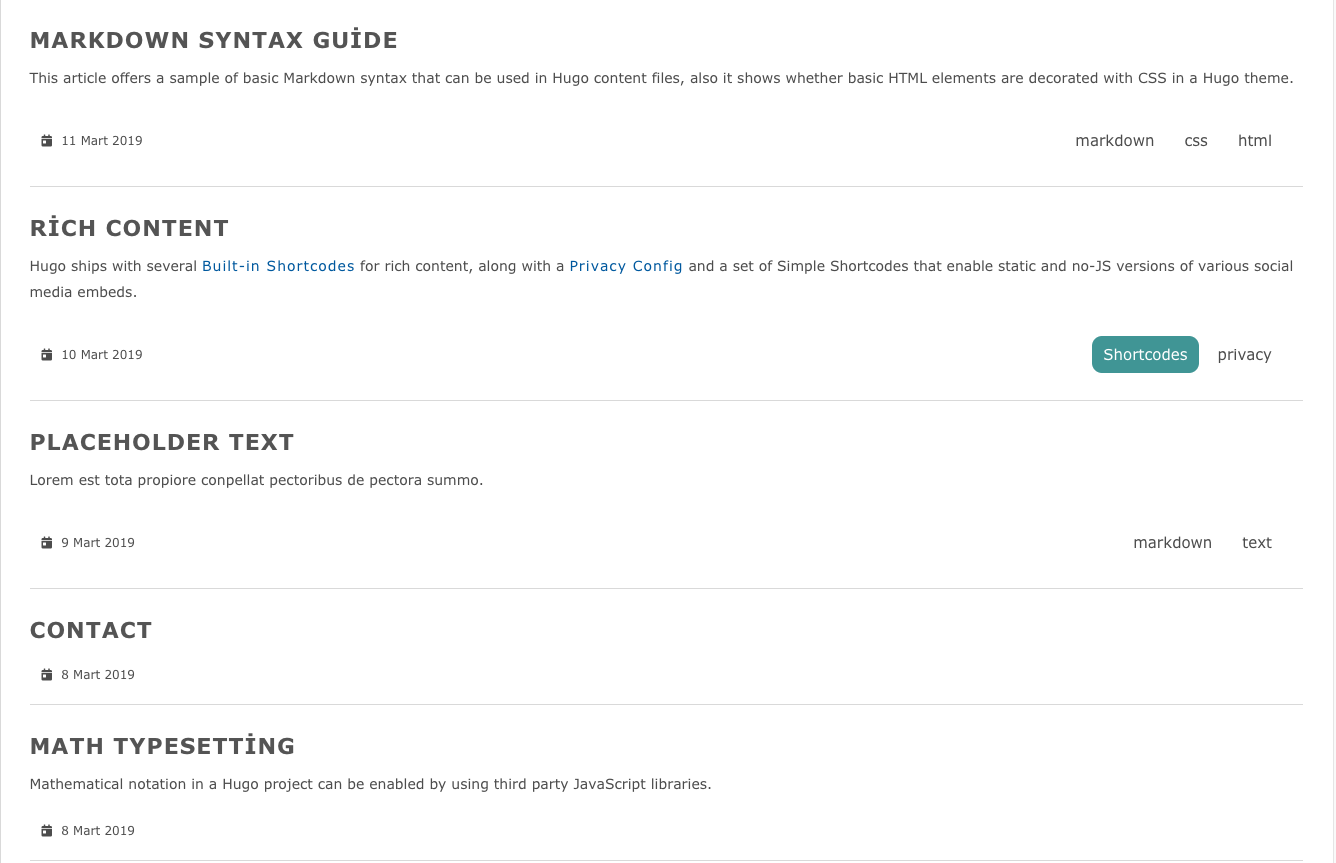
If I go to http://localhost:1313/tags/ endpoint, tags will be rendered in a list like:

If I click Shortcodes tag, I was directed to localhost:1313/tags/shortcodes endpoint where the posts with Shortcodes tag are rendered like:

I would like to render posts with Shortcodes tag like my homepage. I use Shortcodes tag as an example. I would like to this for any post with any tags.
Thanks
egealpay
on 23 Dec 2020
@egealpay Gotcha, this might help you.
The terms.html will give you something like this:
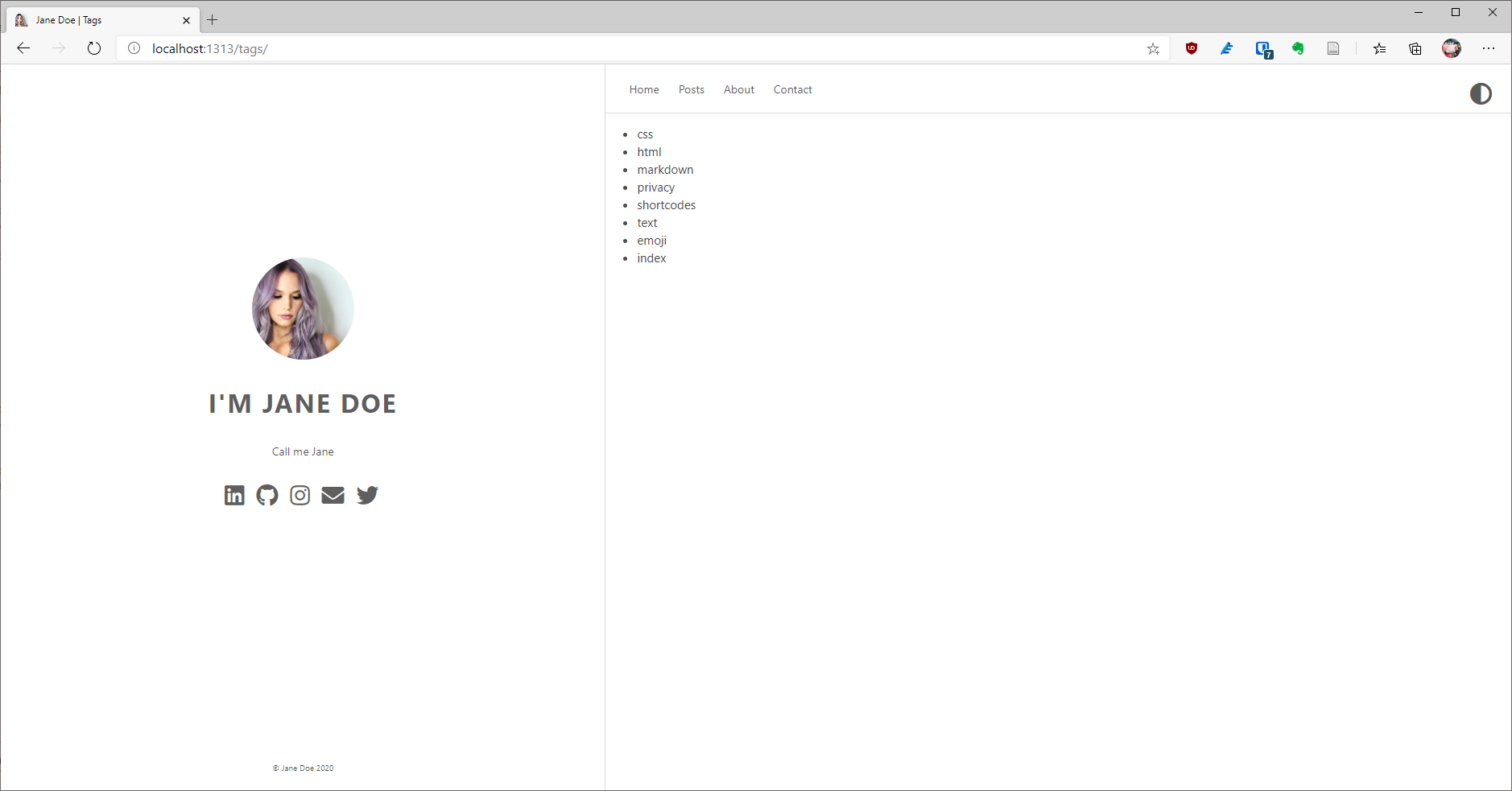
The term.html will give you something like this:
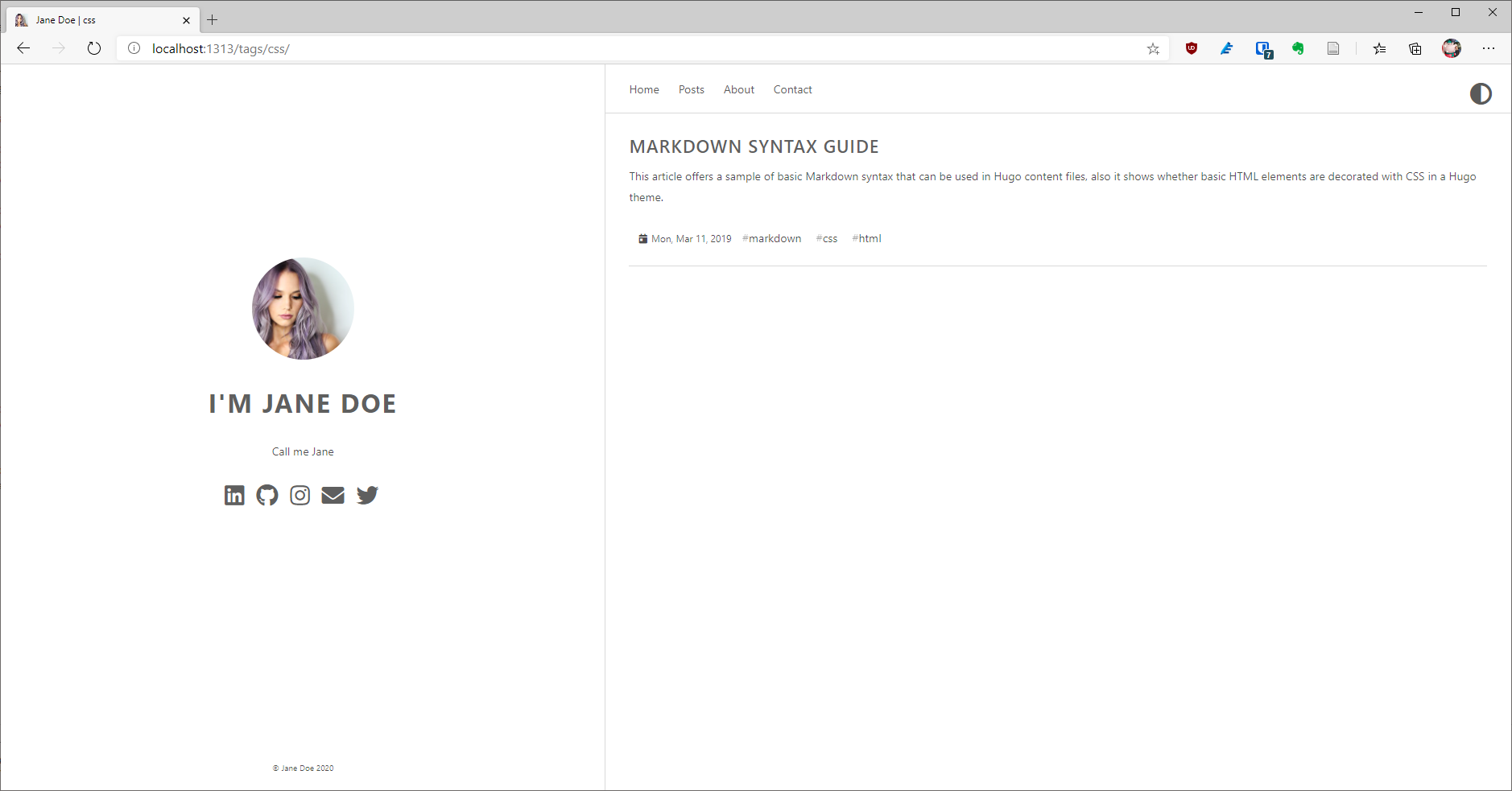
The corresponding templates looks like this for the terms.html:
{{ define "main" }}
<ul>
    {{ range .Data.Pages }}
    <li>
      <a href="{{.RelPermalink}}">{{ .Title }}</a>
    </li>
    {{ end }}
  </ul>
{{ end }}
The term.html has the following content:
{{ define "main" }}

    <div class="post {{ with .Site.Params.doNotLoadAnimations }} . {{ else }} animated fadeInDown {{ end }}">
        <!-- (Optional) Home
            -- on top of `mainSections` content (aka posts) ;
            -- as declared in content/_index.md

            One can set `mainSections = [""]` and have the content/_index.md specified here
        -->
        {{ .Content }}
    </div>

    {{ $paginator := .Paginate (.Data.Pages) }}
    {{ range $paginator.Pages }}

        <div class="post {{ with .Site.Params.doNotLoadAnimations }} . {{ else }} animated fadeInDown {{ end }}">
            <div class="post-title">
                <h3><a href="{{ .RelPermalink }}">{{ .Title }}</a>
                </h3>
            </div>
            <div class="post-content">
                <div class="p_part"><p>{{ .Summary }}</p></div>
            </div>
            <div class="post-footer">
                <div class="meta">
                    <div class="info"><em class="fas fa-calendar-day"></em><span
                                class="date">{{ .Date.Format "Mon, Jan 2, 2006" }}</span>
                        {{ with .Params.tags }}
                            {{- range $index, $el := . -}}
                                <a class="tag"
                                   href="{{ ( printf "tags/%s/" ( . | urlize ) ) | relLangURL }}">{{ . }}</a>
                            {{- end -}}
                        {{ end }}
                    </div>
                </div>
            </div>
        </div>
    {{ end }}
    <div class="pagination">
        {{ template "_internal/pagination.html" . }}
    </div>
{{ end }}
The term.html is basically a copy of the index.html with an adjustment to the parameters passed to the Paginate function.
Hope that helps.
lxndrblz
on 23 Dec 2020
@egealpay Gotcha, this might help you.
The
terms.htmlwill give you something like this:
The
term.htmlwill give you something like this:
The corresponding templates looks like this for the
terms.html:{{ define "main" }} <ul> {{ range .Data.Pages }} <li> <a href="{{.RelPermalink}}">{{ .Title }}</a> </li> {{ end }} </ul> {{ end }}The
term.htmlhas the following content:{{ define "main" }} <div class="post {{ with .Site.Params.doNotLoadAnimations }} . {{ else }} animated fadeInDown {{ end }}"> <!-- (Optional) Home -- on top of `mainSections` content (aka posts) ; -- as declared in content/_index.md One can set `mainSections = [""]` and have the content/_index.md specified here --> {{ .Content }} </div> {{ $paginator := .Paginate (.Data.Pages) }} {{ range $paginator.Pages }} <div class="post {{ with .Site.Params.doNotLoadAnimations }} . {{ else }} animated fadeInDown {{ end }}"> <div class="post-title"> <h3><a href="{{ .RelPermalink }}">{{ .Title }}</a> </h3> </div> <div class="post-content"> <div class="p_part"><p>{{ .Summary }}</p></div> </div> <div class="post-footer"> <div class="meta"> <div class="info"><em class="fas fa-calendar-day"></em><span class="date">{{ .Date.Format "Mon, Jan 2, 2006" }}</span> {{ with .Params.tags }} {{- range $index, $el := . -}} <a class="tag" href="{{ ( printf "tags/%s/" ( . | urlize ) ) | relLangURL }}">{{ . }}</a> {{- end -}} {{ end }} </div> </div> </div> </div> {{ end }} <div class="pagination"> {{ template "_internal/pagination.html" . }} </div> {{ end }}The term.html is basically a copy of the
index.htmlwith an adjustment to the parameters passed to the Paginate function.Hope that helps.
It worked! Thanks a lot for your help :)
egealpay
on 23 Dec 2020
Related issues
 GhostBasenji
·
5Comments
GhostBasenji
·
5Comments
 Sptandi
·
4Comments
Sptandi
·
4Comments
 jwalsh2me
·
6Comments
jwalsh2me
·
6Comments
 SamEdwardes
·
6Comments
SamEdwardes
·
6Comments
 msfjarvis
·
3Comments
msfjarvis
·
3Comments