Amplify-js: Adding GraphQL API breaks previously functional PubSub subscriptions
Describe the bug
When both GraphQL API (amplify add api) AND amplify.addPluggable AWSIoTProvider are present in a project, an error occurs where the PubSub subscription no longer works.
To Reproduce
Steps to reproduce the behavior:
- Create a new project (expo init projectName)
- Run amplify init (add auth)
- Add PubSub config and policies (both to user pool and authenticated user)
- Test - all works well, can subscribe and recieve messages from the topic as shown below:

- Add GraphQL api via
amplify add apicommand then amplify push

- Recieve the following error and subscribe no longer works:

Expected behavior
Both GraphQL and PubSub should work together. It seems that once GraphQL is added, the Amplify.addPluggable information is never passed to the AWSIoTProvider.
Screenshots
Added in-line above.
Smartphone (please complete the following information):
- Device: iPhone X
- OS: iOS 12.1
- Browser Using Expo
- Version 2.2.0
Additional context
Current Package.json:
{
  "name": "empty-project-template",
  "main": "node_modules/expo/AppEntry.js",
  "private": true,
  "scripts": {
    "start": "expo start",
    "android": "expo start --android",
    "ios": "expo start --ios",
    "eject": "expo eject"
  },
  "dependencies": {
    "aws-amplify": "^1.1.8",
    "aws-amplify-react": "^2.1.2",
    "aws-amplify-react-native": "^2.0.8",
    "expo": "^30.0.1",
    "react": "16.3.1",
    "react-native": "https://github.com/expo/react-native/archive/sdk-30.0.0.tar.gz"
  }
}
You can turn on the debug mode to provide more info for us by setting window.LOG_LEVEL = 'DEBUG'; in your app.
 kirkryan
All 5 comments
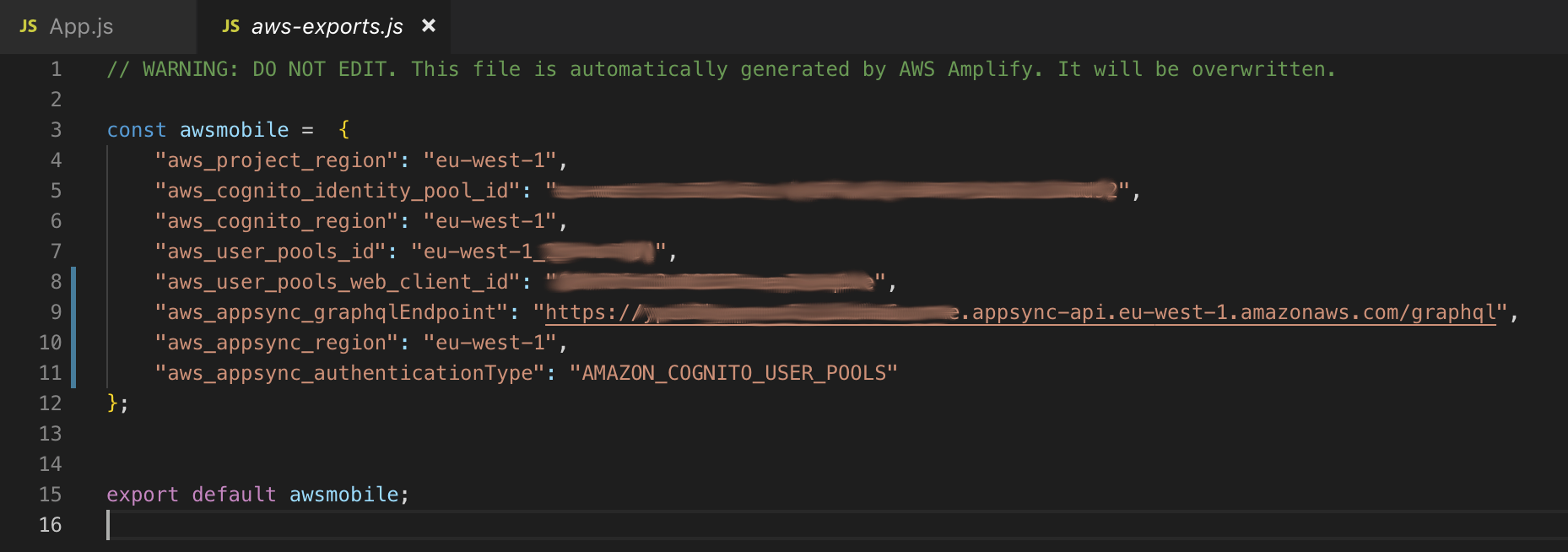
Also adding the entire test app code and exports.js for your perusal:

kirkryan
on 31 Oct 2018
Hi @kirkryan, thanks for the detailed feedback. We will investigate why the addPluggable information is not passed to the AWSIoTProvider.
This is related to #1404, #823 and possibly #1302
 jordanranz
on 31 Oct 2018
jordanranz
on 31 Oct 2018
Thanks, @jordanranz - I also noticed that if you run amplify remove api, it remains broken.
kirkryan
on 1 Nov 2018
I've found the fix! You simply have to edit your aws-exports.js and encapsulate the graphQL entries into an API Object as shown below:
Pre-fix configuration file:
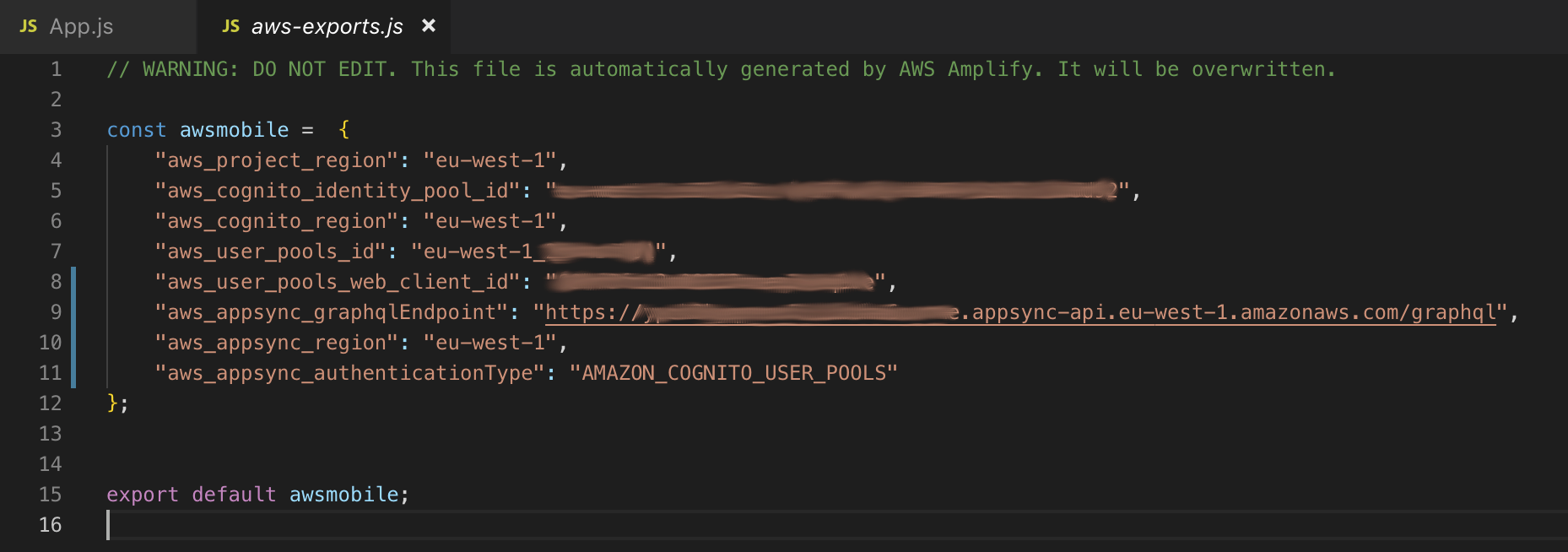
Post-fix configuration file:

Solution: Amplify client should create the GraphQL configuration entries within an API object.
Thanks to Mattia for his post here: #1302
kirkryan
on 1 Nov 2018
Nice work on coming up with a fix. We should be able to apply a permanent fix by adding this to the code that generates the aws-exports config. I'll pass this solution along so we can get this solution implemented. Thank you!
jordanranz
on 1 Nov 2018
Related issues
 oste
·
3Comments
oste
·
3Comments
 karlmosenbacher
·
3Comments
karlmosenbacher
·
3Comments
 cosmosof
·
3Comments
cosmosof
·
3Comments
 callmekatootie
·
3Comments
callmekatootie
·
3Comments
 rygo6
·
3Comments
rygo6
·
3Comments
Most helpful comment
Nice work on coming up with a fix. We should be able to apply a permanent fix by adding this to the code that generates the aws-exports config. I'll pass this solution along so we can get this solution implemented. Thank you!