Amplify-js: No current user thrown on Auth.currentSession() after successful login
Do you want to request a feature or report a bug?
bug
What is the current behavior?
After a user is successfully authenticated through Auth.signIn, I get the response "No current user" when calling Auth.currentSession()
What is the expected behavior?
There should definitely be a current session returned considering the session was just established on signIn
Which versions of Amplify, and which browser / OS are affected by this issue? Did this work in previous versions?
I'm working with react native app and ios simulator in expo
versions:
"aws-amplify": "^1.0.4",
"aws-amplify-react-native": "^1.0.4",
"aws-appsync": "^1.3.2",
"aws-appsync-react": "^1.1.2",
This was working yesterday, I have no idea what happened
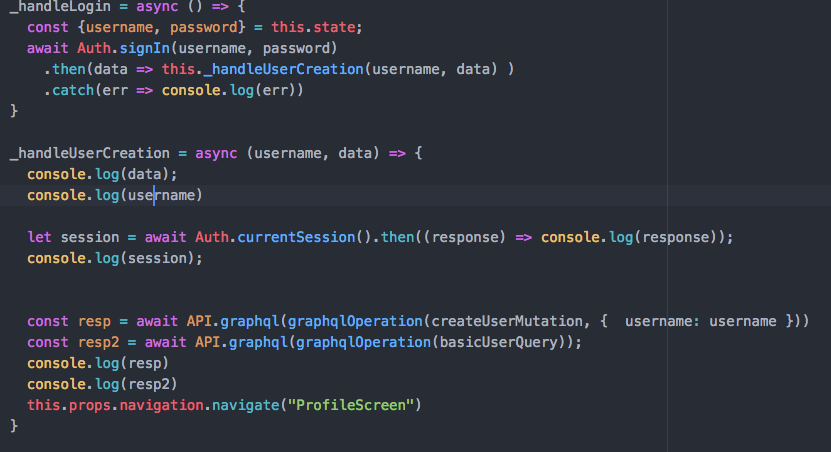
Auth.configure({
region: 'us-east-2',
userPoolId: 'us-east-2_**',
userPoolWebClientId: '5a*****ctdg',
});
const client = new AWSAppSyncClient({
url: "https://ra2f****pagvejpge.appsync-api.us-east-2.amazonaws.com/graphql",
region: 'us-east-2',
auth: {
type: 'AMAZON_COGNITO_USER_POOLS',
jwtToken: async () => (await Auth.currentSession()).getIdToken().getJwtToken(),
},
})
 NextStepDev
All 12 comments
@NextStepDev Can you provide some debug info for this issue? You can do this by putting window.LOG_LEVEL='DEBUG' in your code.
 powerful23
on 7 Aug 2018
powerful23
on 7 Aug 2018
Upgrade to v1.0.5 -- it was fixed there.
 vbudilov
on 8 Aug 2018
vbudilov
on 8 Aug 2018
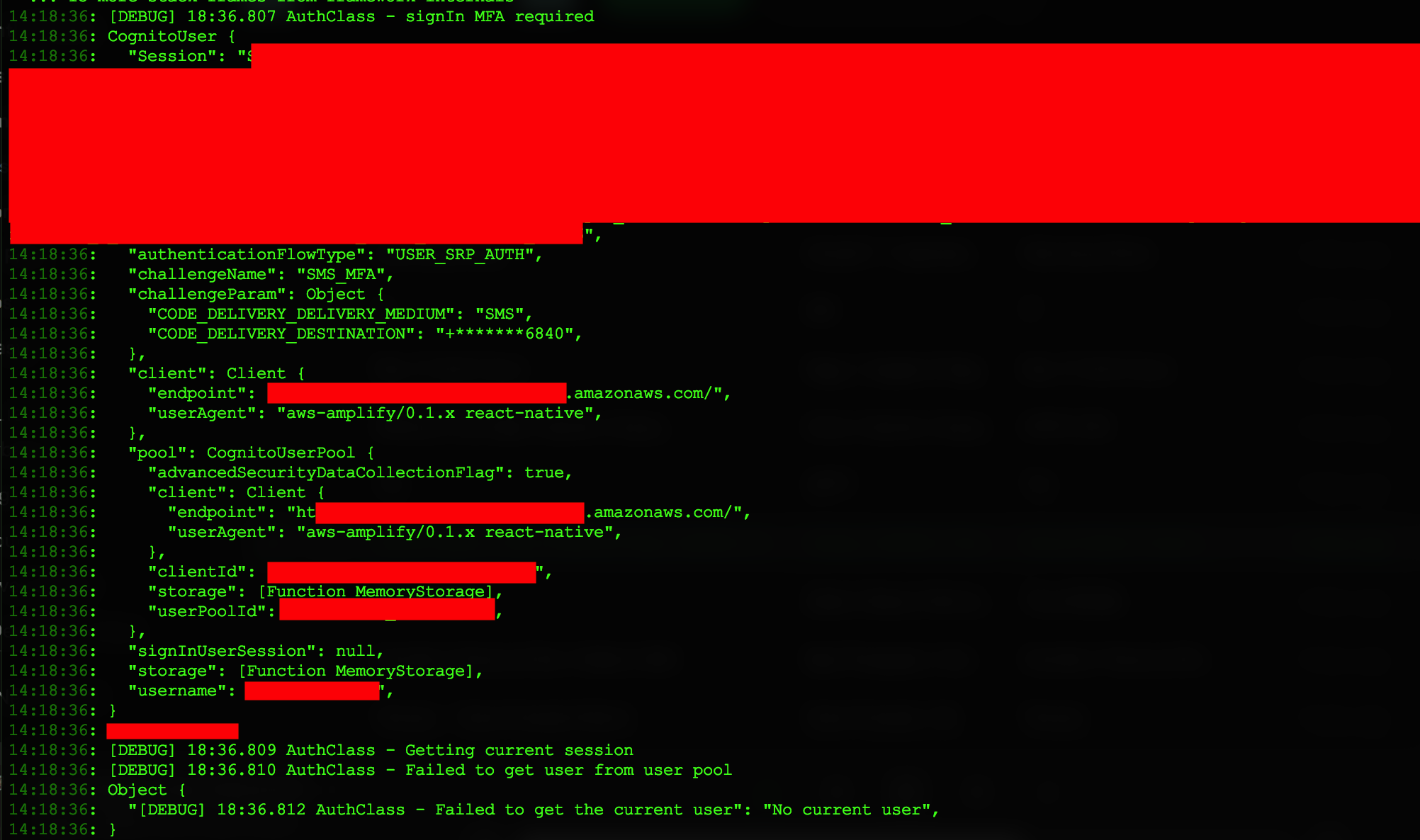
I upgraded to v1.0.6 and am still experiencing this issue. Here is some of the output I get from calling Auth.signIn and then Auth.currentSession after successful login, with window.LOG_LEVEL='DEBUG' set.
NextStepDev
on 15 Aug 2018
@NextStepDev seems like you need to do an extra verification to complete the sign in process. For example:
Auth.signIn(username, password)
            .then(user => {
                if (user.challengeName === 'SMS_MFA' || user.challengeName === 'SOFTWARE_TOKEN_MFA') {
                    // you need to do the mfa verification
                } else if (user.challengeName === 'NEW_PASSWORD_REQUIRED') {
                    // you need to set the new password
                } else if (user.challengeName === 'MFA_SETUP') {
                    // you need to setup the mfa (for example, the TOTP)
                }
                else {
                    // sign in finished
                }
            })
            .catch(err => {
                if (err.code === 'UserNotConfirmedException') {
                    // the user need to be confirmed
                } else {
                    // the error
                }
            });
Got it, thanks.
Now when Auth.confirmSignIn is called to verify the login with MFA, I get the error user.sendMFACode is not a function.
seems to be related to this open issue: https://github.com/aws-amplify/amplify-js/issues/1411
NextStepDev
on 16 Aug 2018
@NextStepDev you need to make sure the user is a CognitoUser object. Can you provide some code snippets about how you are using the Auth module?
powerful23
on 16 Aug 2018
My issue was that I was passing the username toAuth.confirmSignIn like how it is done in Auth.confirmSignUp, instead of passing a CognitoUser object. Thanks you guys for being a helpful and responsive team!
The original issue has been resolved, Auth.currentSession() is returning the current session information as expected, I am no longer receiving the No current user error.
NextStepDev
on 16 Aug 2018
I am facing the same issue now I am using version 1.1.17. I am using cognito user the currentSession() return value after Auth.signIn. But if I refresh the page, it returns "no current user". can someone please help me with this
 sairathb
on 9 Jan 2019
sairathb
on 9 Jan 2019
@sairathb can you provide more details? You can turn on the debugging mode by window.LOG_LEVEL='DEBUG'
powerful23
on 9 Jan 2019
Same issue on 1.1.18, here are the logs:
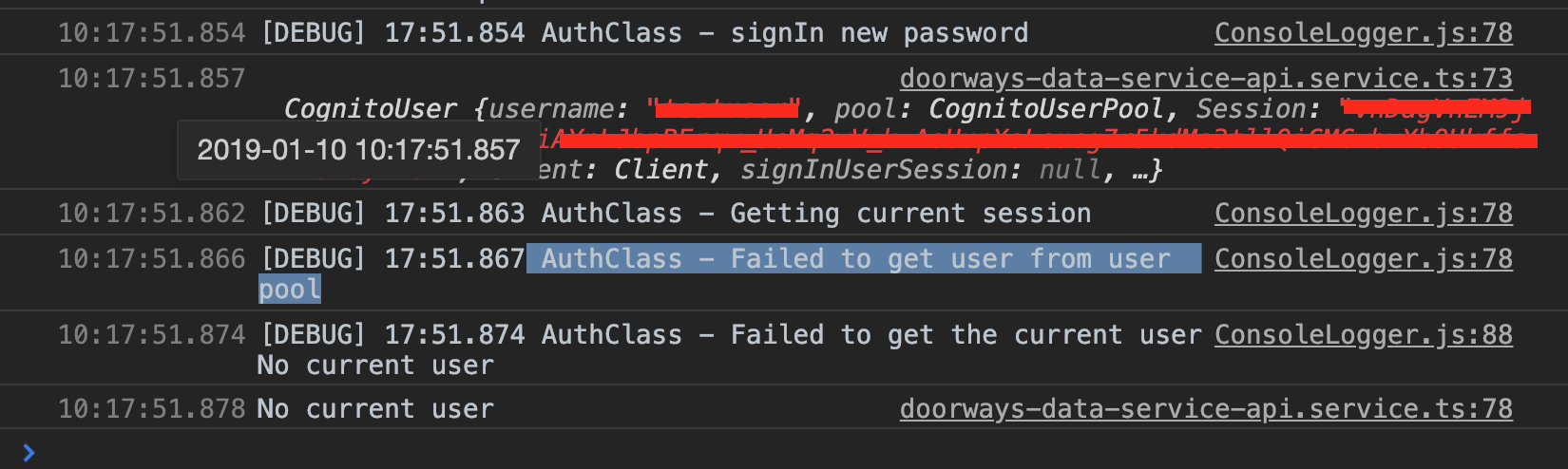
I've checked and triple checked my configuration.
 jpsholar
on 10 Jan 2019
jpsholar
on 10 Jan 2019
@jpsholar can you please verify that there are items like:

In your local storage.
If not, then it means the credentials are not correctly cached.
If there are, then please make sure there is only one @aws-amplify/auth package under your node_modules. Because sometimes the npm will install duplicated packages due to some reason which will cause some unexpected behavior. Please check the path node_modules/@aws-amplify/auth and node_modules/aws-amplify/node_modules/
powerful23
on 10 Jan 2019
What are next steps if the credentials aren't correctly cached? We're stuck at this point too unfortunately.
 martsie
on 1 Sep 2019
martsie
on 1 Sep 2019
Related issues
 rayhaanq
·
3Comments
rayhaanq
·
3Comments
 callmekatootie
·
3Comments
callmekatootie
·
3Comments
 leantide
·
3Comments
leantide
·
3Comments
 epicfaace
·
3Comments
epicfaace
·
3Comments
 karlmosenbacher
·
3Comments
karlmosenbacher
·
3Comments
Most helpful comment
@NextStepDev seems like you need to do an extra verification to complete the sign in process. For example: