Amplify-js: Sign in with MFA broken ? callback.mfaSetup is undefined when trying to sign in
Hi
I try to sign in with a user. The sign up worked just fine even with MFA but the sign in throws Uncaught Error: callback.mfaSetup is not a function when calling Auth.signIn(username, password).
I tracked it down to amazon-cognito-identity-js/es/CognitoUser.js
    if (challengeName === 'MFA_SETUP') {
      this.Session = dataAuthenticate.Session;
      return callback.mfaSetup(challengeName, challengeParameters);
    }
callback.mfaSetup is `undefined.
What is wrong here ?
This is the complete code
import React, {Component} from 'react';
import logo from './logo.svg';
import styles from './app.module.css';

import Amplify, {Auth} from 'aws-amplify';

Amplify.configure({
  Auth: {
    identityPoolId: 'xxxxxxxxxxxxxxxxxx', //REQUIRED - Amazon Cognito Identity Pool ID
    region: 'ap-southeast-2', // REQUIRED - Amazon Cognito Region
    userPoolId: 'xxxxxxxxxxxxxx', //'XX-XXXX-X_abcd1234', //OPTIONAL - Amazon Cognito User Pool ID
    userPoolWebClientId: 'xxxxxxxxxxxxxxxx' //'XX-XXXX-X_abcd1234', //OPTIONAL - Amazon Cognito Web Client ID
  },
});

class App extends Component {

  constructor(props) {
    super(props);
    this.state = {
      email: '',
      password: '',
      phone: '',
      code: '',
      user: null
    };
  }

  handleInputChange = e => {
    const {target} = e;
    const value = target.type === 'checkbox' ? target.checked : target.value;
    const name = target.name;

    this.setState({
      [name]: value
    });
  };

  handleSubmitSignIn = e => {
    const {email, password} = this.state;
    const username = email;
    debugger;
    Auth.signIn(username, password)
      .then(user => {
        console.log(user);
        this.setState({user});
      })
      .catch(err => console.log(err));
    e.preventDefault();
  };

  handleSubmitConfirmSignIn = e => {
    const {user, code} = this.state;
    Auth.confirmSignIn(user, code)
      .then(data => console.log(data))
      .catch(err => console.log(err));
    e.preventDefault();
  };

  handleSubmitSignUp = e => {
    const {email, password, phone} = this.state;
    const username = email;
    Auth.signUp(username, password, email, phone)
      .then(data => console.log(data))
      .catch(err => console.log(err));
    e.preventDefault();
  };

  handleSubmitConfirmSignUp = e => {
    const {email, code} = this.state;
    const username = email;
    Auth.confirmSignUp(username, code)
      .then(data => console.log(data))
      .catch(err => console.log(err));
    e.preventDefault();
  };

  handleClickSignOut = e => {
    Auth.signOut()
      .then(data => console.log(data))
      .catch(err => console.log(err));
  };

  render() {
    const {email, password, phone, code} = this.state;
    return (
      <div className={styles.app}>
        <header className={styles.appHeader}>
          <img src={logo} className={styles.appLogo} alt="logo"/>
          <h1 className={styles.appTitle}>Welcome to the Platform</h1>
        </header>
        <p className={styles.appIntro}>
          Please sign in to proceed.
        </p>
        <form className={styles.form} name="SignIn" onSubmit={this.handleSubmitSignIn}>
          <label>Email <input name="email"
                              type="email"
                              value={email}
                              required={true}
                              onChange={this.handleInputChange}/>
          </label>
          <br/>
          <label>Password <input name="password"
                                 type="password"
                                 value={password}
                                 required={true}
                                 onChange={this.handleInputChange}/>
          </label>
          <br/>
          <button>Sign In</button>
        </form>
        <br/>
        <form className={styles.form} name="ConfirmSignIn" onSubmit={this.handleSubmitConfirmSignIn}>
          <label>Code <input name="code"
                             type="text"
                             value={code}
                             required={true}
                             onChange={this.handleInputChange}/>
          </label>
          <br/>
          <button>Confirm Sign In</button>
        </form>
        <br/>
        <form className={styles.form} name="signUp" onSubmit={this.handleSubmitSignUp}>
          <label>Email <input name="email"
                              type="email"
                              value={email}
                              required={true}
                              onChange={this.handleInputChange}/>
          </label>
          <br/>
          <label>Password <input name="password"
                                 type="password"
                                 value={password}
                                 required={true}
                                 onChange={this.handleInputChange}/>
          </label>
          <br/>
          <label>Phone <input name="phone"
                              type="tel"
                              value={phone}
                              required={true}
                              onChange={this.handleInputChange}/>
          </label>
          <br/>
          <button>Sign Up</button>
        </form>
        <br/>
        <form className={styles.form} name="confirmSignUp" onSubmit={this.handleSubmitConfirmSignUp}>
          <label>Email <input name="email"
                              type="email"
                              value={email}
                              required={true}
                              onChange={this.handleInputChange}/>
          </label>
          <br/>
          <label>Code <input name="code"
                             type="text"
                             value={code}
                             required={true}
                             onChange={this.handleInputChange}/>
          </label>
          <br/>
          <button>Confirm Sign Up</button>
        </form>
        <br/>
        <button onClick={this.handleClickSignOut}>Sign Out</button>
        <br/>
        <div>{JSON.stringify(Auth.currentUserInfo())}</div>
      </div>
    );
  }
}

export default App;
 BerndWessels
All 6 comments
@mlabieniec I think it must have something to do with the UserPool settings - but it should never throw such an exception I guess?!
It would be great if you could improve the documentation here a bit with more details about the combination of UserPool Settings and aws-amplify.
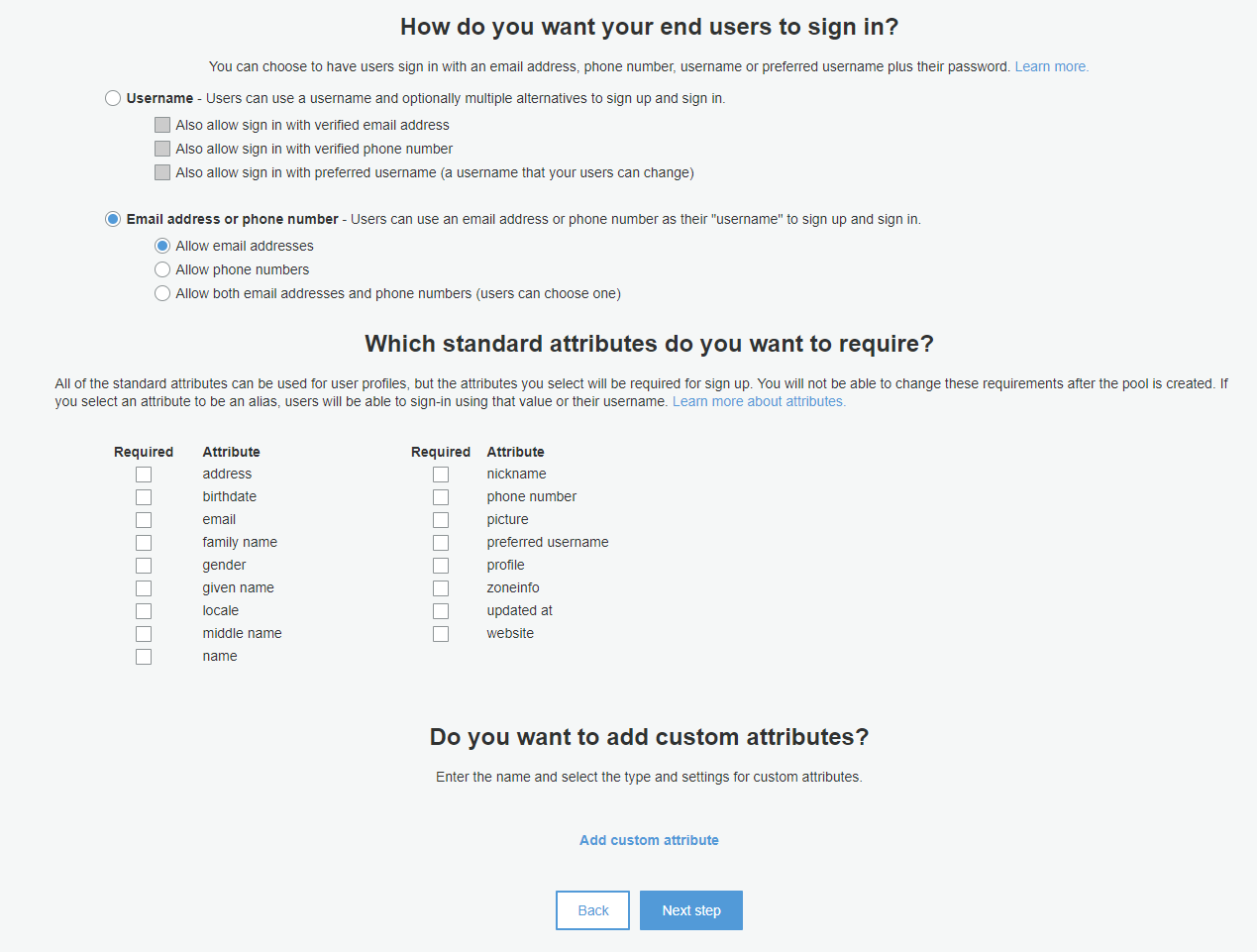
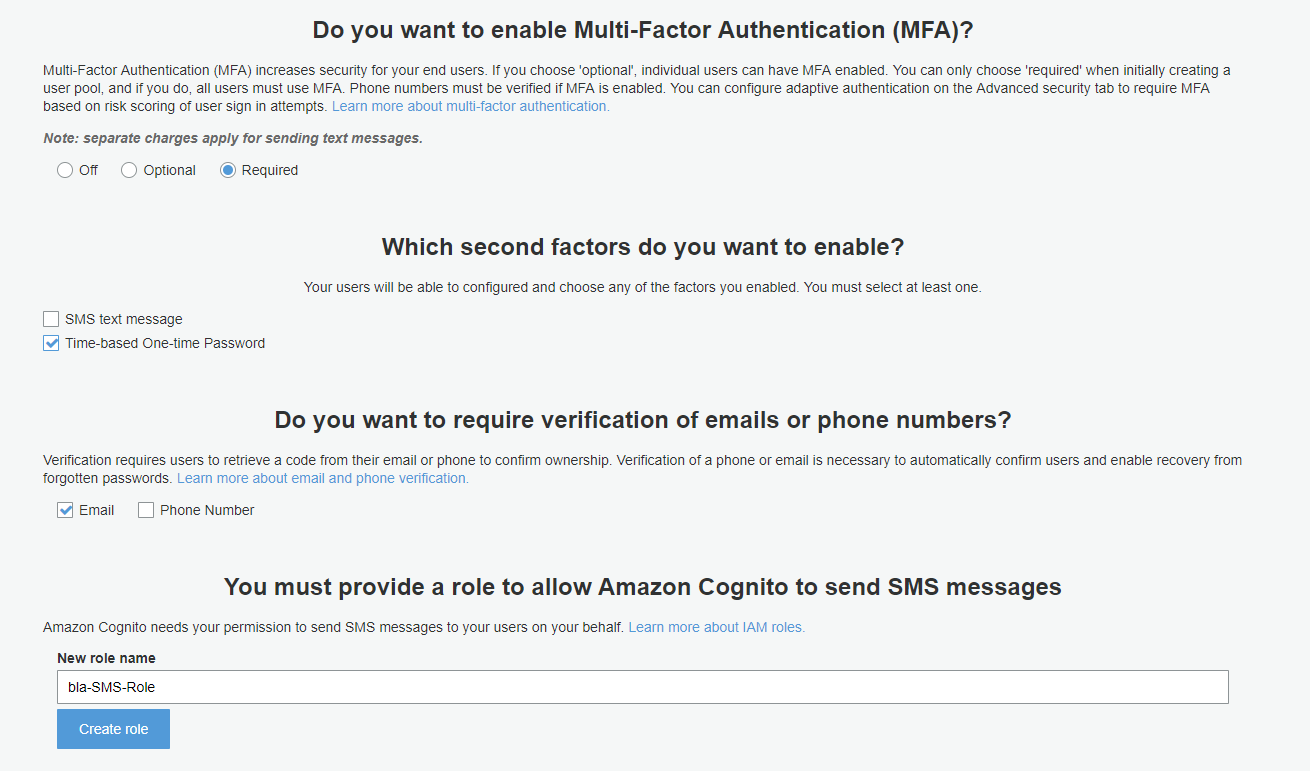
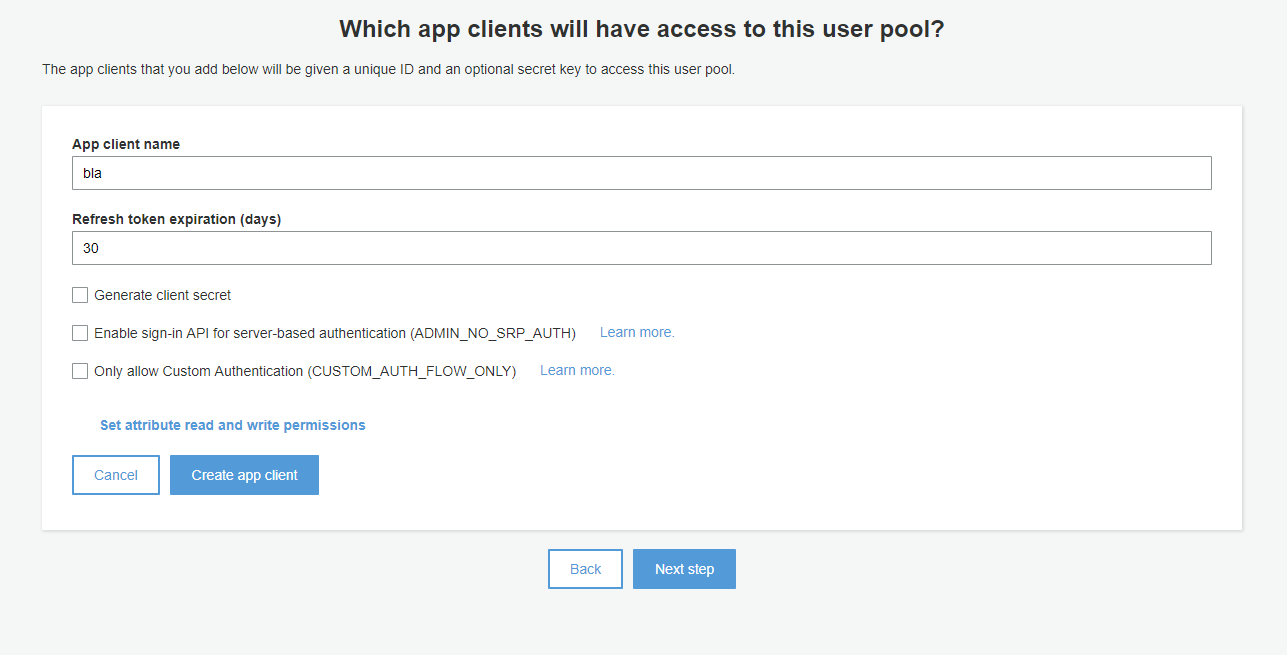
Here are some more details about the UserPool I used:
BerndWessels
on 17 Jan 2018
I have exactly the same problem.
When I put the MFA as "Optional" in Cognito User Pool Dashboard, the error disappears.
Probably, because we are requiring MFA and we do not handle it in client-side?
The process of adding MFA to the user account is performed in registration?
 carlosfaria94
on 30 Jan 2018
carlosfaria94
on 30 Jan 2018
It is because MFA was enabled with "Time-based One-time Password" instead of "SMS Text". Currently aws-amplify does not handle TOTP. I'll put this in backlog.
 richardzcode
on 1 Feb 2018
richardzcode
on 1 Feb 2018
@richardzcode any ETA for TOPT?
 telemakhos
on 7 Feb 2018
telemakhos
on 7 Feb 2018
TOTP is very important for our use case as well, since it's a higher-security option than SMS verification. I'd love to know when it's coming.
 tomquisel
on 23 Feb 2018
tomquisel
on 23 Feb 2018
Closing this issue as the TOTP feature has now been implemented in the lastest release.
 powerful23
on 25 Mar 2018
powerful23
on 25 Mar 2018
Related issues
 callmekatootie
·
3Comments
callmekatootie
·
3Comments
 cosmosof
·
3Comments
cosmosof
·
3Comments
 romainquellec
·
3Comments
romainquellec
·
3Comments
 cgarvis
·
3Comments
cgarvis
·
3Comments
 TheRealRed7
·
3Comments
TheRealRed7
·
3Comments
Most helpful comment
@richardzcode any ETA for TOPT?