Amplify-ios: Google Permission / Notification Dialog Shows up during logout
Describe the bug
A clear and concise description of what the bug is.
1
When I log out with google using amplify-ios in my cordova app, this same notification that shows up during login shows up. How do I disable it?
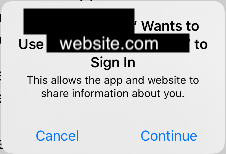
2
And, how do I change website.com to google.com? I expected it to be google.com but it shows up as my website url.
I am using Amplify.Auth.signInWithWebUI(for: .google, presentationAnchor: window!)
To Reproduce
Steps to reproduce the behavior:
- login with Google
- logout
- this notification diaglo shows up
Expected behavior
Expect the dialog not to show up
 Jun711
All 5 comments
For second case,
And, how do I change website.com to google.com? I expected it to be google.com but it shows up as my website url.
Speechify app's login with google modal has google.com
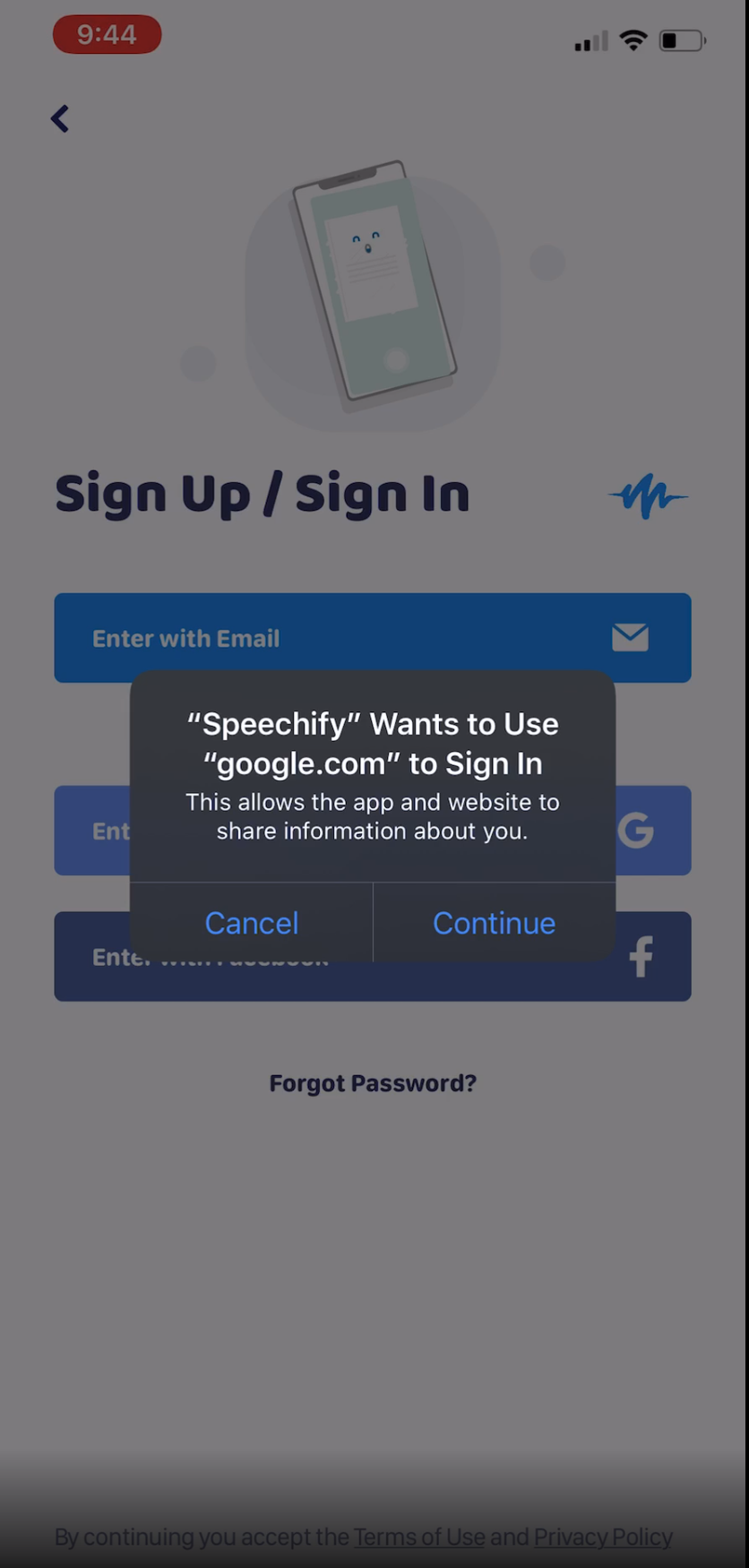
They seem like different issues. I can open them as different issues if needed.
Jun711
on 12 Jul 2020
Hi @jun711
Thanks for reaching out to us!
The first issue you reported: "presenting a notification when logging out", seems to happen because we are using SFAuthenticationSession. The code is located here:
Admittedly, I'm not intimately familiar with this, but doing some reading on this post in stack overflow makes me think we are creating a new SFAuthenticationSession to properly clear out cookies. Given that the code seems to be working "as-intended", I consider your feedback as a feature request/enhancement to the library.
Regarding the second issue of modifying the domain name with the alert that is presented by SFAuthenticationSession: Unfortunately, I am unable to provide guidance how to modify this as we are simply passing in the signInRedirectUrl that is part of the authConfiguration. The call to SFAuthenticationSession is located here:
If speechify's app is also using SFAuthenticationSession (or similar approach?), then I suspect speechify's app is using google's authentication services, so maybe that is why you are seeing google.com in that application.
Feature Request
- Improve the sign-out experience when using social sign-in. Avoid presenting a warning which prompts you to sign in (when you are really trying to sign out).
 wooj2
on 16 Jul 2020
wooj2
on 16 Jul 2020
@wooj2
Thank you for the reply. I opened an issue at aws-sdk-ios regarding the second issue.
Should I open an issue at aws-sdk-ios for not presenting a warning which prompts you to sign in (when you are really trying to sign out). issue?
Jun711
on 16 Jul 2020
Hi @Jun711 ,
No, there is no need to open a second issue regarding: presenting a warning which prompts you to sign in (when you are really trying to sign out)..
I have summarized the request above, and I've added the feature request and enhancement tag to this issue, which should be sufficient.
Thanks again for reporting this issue!
wooj2
on 17 Jul 2020
Hi,
Thank you for the patience while we were working on this. We have upgraded hostedUI to use ASWebAuthenticationSession and the changes are released in - https://github.com/aws-amplify/amplify-ios/releases/tag/v1.6.0.
signInWithWebUI will use ASWebAuthenticationSession internally for iOS 13.0+ and for older iOS versions it will fallback to SFWebAuthenticationSession. Also for iOS 13.0+ you can enable the private browsing session by setting the value of preferPrivateSession in AWSAuthWebUISignInOptions.
// Sign in With private session
let pluginOption = AWSAuthWebUISignInOptions(preferPrivateSession: true)
let webUISignInoptions = AuthWebUISignInRequest.Options(pluginOptions: pluginOption)
Amplify.Auth.signInWithWebUI(presentationAnchor: self.view.window!,
                             options: webUISignInoptions) { ... }

// Using the static builder options to signin with private session
Amplify.Auth.signInWithWebUI(presentationAnchor: self.view.window!,
                             options: .preferPrivateSession()) { ... }
If private session was enabled during signIn, when you signout Amplify.Auth will do a local only signOut and the ASWebAuthenticationSession popup will not be shown. Closing this issue, please followup at https://github.com/aws-amplify/amplify-ios/issues/745
 royjit
on 5 Feb 2021
royjit
on 5 Feb 2021
Related issues
 Kilo-Loco
·
6Comments
Kilo-Loco
·
6Comments
 rodrigoelp
·
5Comments
rodrigoelp
·
5Comments
 shikhilnuwal
·
6Comments
shikhilnuwal
·
6Comments
 chris-mds
·
3Comments
chris-mds
·
3Comments
 AboulEinein
·
8Comments
AboulEinein
·
8Comments