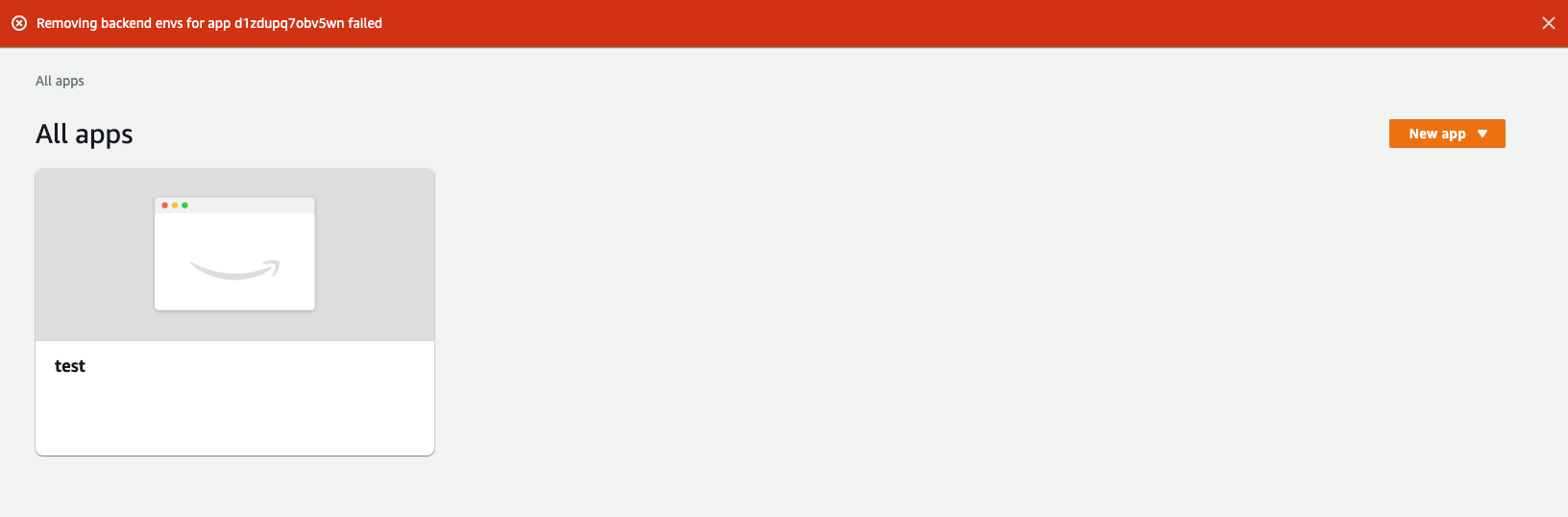
Amplify-console: Can't delete test app: `Removing backend envs for app XXX failed`
Describe the bug
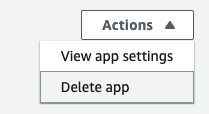
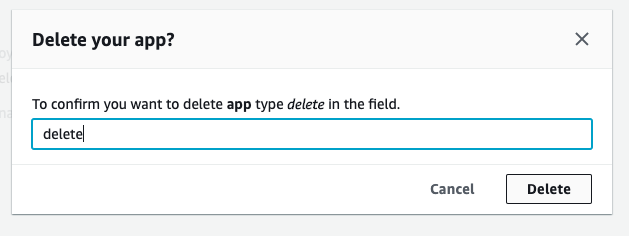
Can't delete test app from the dashboard


 pedroapfilho
All 16 comments
I'm having this exact same problem... I've tried everything and I can't delete an app
 dunethomas
on 3 Dec 2020
dunethomas
on 3 Dec 2020
I too am having the same problem.
 jrmccoy64
on 4 Dec 2020
jrmccoy64
on 4 Dec 2020
@jrmccoy64 @dunethomas @pedroapfilho we'll look into this asap and post an update.
 swaminator
on 4 Dec 2020
swaminator
on 4 Dec 2020
Same error here.
 arrivabeni
on 4 Dec 2020
arrivabeni
on 4 Dec 2020
Hi I am having the same issue error here
 geeodee
on 4 Dec 2020
geeodee
on 4 Dec 2020
same issue
 shrhawk-entertainer
on 4 Dec 2020
shrhawk-entertainer
on 4 Dec 2020
same issue i am facing right now
 ideaplan
on 4 Dec 2020
ideaplan
on 4 Dec 2020
As a follow up, I discovered my problem is that I tried to delete via the Amplify console, though I had originally created via the cli. In an attempt to clean up manually, I deleted an associated S3 bucket. Now, I’m unable to delete via cli as it fails due to bucket not found. There does not appear to be a way to manually clean things up. My backend is shown as deleted, but the app doesn’t delete, as any attempts start with trying to delete the backend, failing with bucket not found.
jrmccoy64
on 5 Dec 2020
same issues unable to remove amplify app after setup as test app
 ahkai86
on 5 Dec 2020
ahkai86
on 5 Dec 2020
Using the AWS CLI command for Amplify delete-backend-environment might help.
sample command aws amplify delete-backend-environment --app-id <YOUR_APP_ID> --environment-name <THE_BACKEND_ENVIRONMENT_NAME>
 kirtap7
on 6 Dec 2020
kirtap7
on 6 Dec 2020
Hi, in my case the backend is already deleted and trying to use the cli produces an error because of a missing s3 bucket, which I deleted in an attempt to manually clean up.
Sent from my iPad
On Dec 6, 2020, at 7:09 AM, Patrick notifications@github.com wrote:
Using the AWS CLI command for Amplify delete-backend-environment might help.
sample command—
You are receiving this because you were mentioned.
Reply to this email directly, view it on GitHub, or unsubscribe.
jrmccoy64
on 6 Dec 2020
I was able to delete after run the command proposed by @kirtap7 .
Using the AWS CLI command for Amplify delete-backend-environment might help.
sample commandaws amplify delete-backend-environment --app-id <YOUR_APP_ID> --environment-name <THE_BACKEND_ENVIRONMENT_NAME>
If you got stuck at the same point as me, you won't be able to see the app-id in the AWS console, to find it just try to delete app again and it will be exposed in the error message. After run the delete-backend command go back again to the console and delete the app.
Thank you!
arrivabeni
on 7 Dec 2020
Awesome! I was able to get it to work too.
Thank you for your support.
On Dec 7, 2020, at 5:25 AM, Marcelo Arrivabeni Vieira notifications@github.com wrote:
I was able to delete after run the command proposed by @kirtap7 https://github.com/kirtap7 .
Using the AWS CLI command for Amplify delete-backend-environment https://docs.aws.amazon.com/cli/latest/reference/amplify/delete-backend-environment.html might help.
sample command aws amplify delete-backend-environment --app-id--environment-name If you got stuck at the same point as me, you won't be able to see the app-id in the AWS console, to find it just try to delete app again and it will be exposed in the error message. After run the delete-backend command go back again to the console and delete the app.
—
You are receiving this because you were mentioned.
Reply to this email directly, view it on GitHub https://github.com/aws-amplify/amplify-console/issues/1330#issuecomment-739825295, or unsubscribe https://github.com/notifications/unsubscribe-auth/AGMQJW4NXL4KSFHF3MLJIMLSTSURNANCNFSM4UMA424A.
jrmccoy64
on 8 Dec 2020
yes and many thanks to @kirtap7 ! was able to delete it using the cli command =)
ahkai86
on 8 Dec 2020
Confirmed, after deleting the environment with:
aws amplify delete-backend-environment --app-id <YOUR_APP_ID> --environment-name <THE_BACKEND_ENVIRONMENT_NAME>
I can go to the Amplify Console and delete the app there.
Thanks @kirtap7 !
@swaminator I think this gives you a clue about what's going on, and how to fix it. I'll keep this issue opened until you guys fix it.
pedroapfilho
on 8 Dec 2020
Im experiencing the same issue. When running the aws cli delete command suggested above I get:
"An error occurred (NotFoundException) when calling the DeleteBackendEnvironment operation: App d2ncju1xmfjiad not found".
The app id and environment name I am using are correct. Region is eu-west-1. When I first encountered this issue I manually deleted the underlying resources including the cloud formation template. I've tried deleting the app and environment through the console, AWS cli and Amplify cli but nothing is working.
 cbettridgehs
on 9 Dec 2020
cbettridgehs
on 9 Dec 2020
Related issues
 hassankhan
·
4Comments
hassankhan
·
4Comments
 lucaluke88
·
4Comments
lucaluke88
·
4Comments
 nomiddlename
·
4Comments
nomiddlename
·
4Comments
 dongjason1
·
3Comments
dongjason1
·
3Comments
 OzzieOrca
·
3Comments
OzzieOrca
·
3Comments
Most helpful comment
Using the AWS CLI command for Amplify delete-backend-environment might help.
sample command
aws amplify delete-backend-environment --app-id <YOUR_APP_ID> --environment-name <THE_BACKEND_ENVIRONMENT_NAME>