Amplify-cli: Inconsistent results when listing documents when @auth is applied on the model
Note: If your issue/bug is regarding the AWS Amplify Console service, please log it in the
Amplify Console GitHub Issue Tracker
Describe the bug
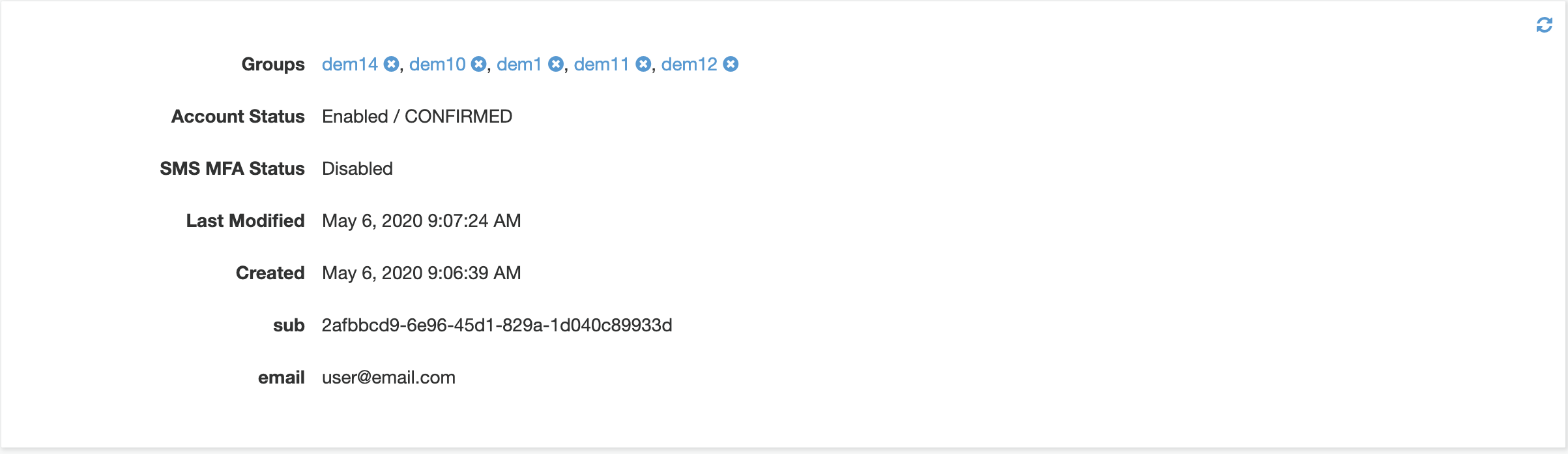
I have a user in the cognito user pools with a given number of groups he belongs to.
I have a Domain model with an @auth directive to restrict access to the domains based upon the groups a user belongs to.
When I call the query listDomains it doesn't return all domains for the given user, but when I remove the @auth directive on the model it works fine.
Amplify CLI Version
4.18.1
To Reproduce
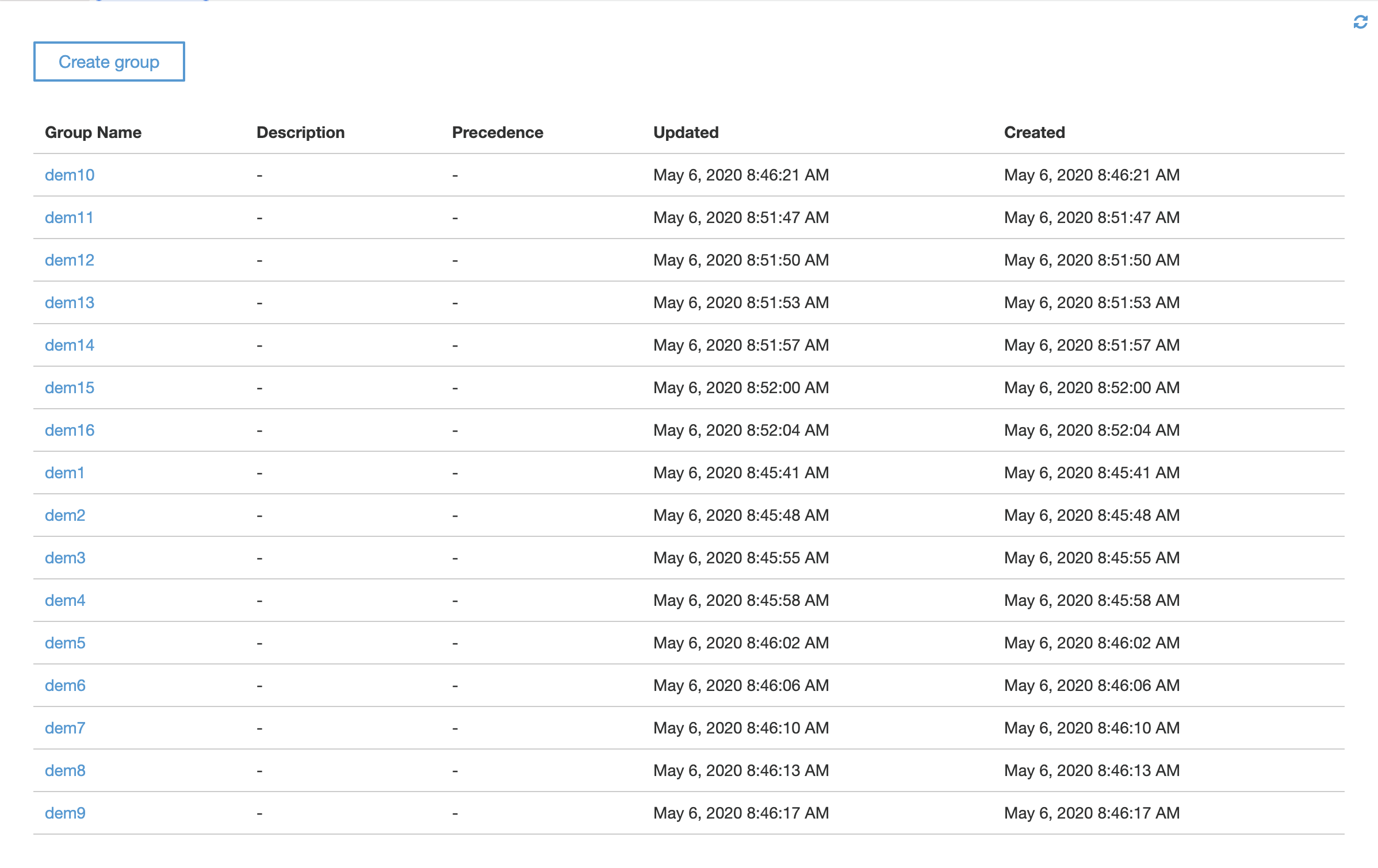
- Create 15 groups in the cognito user pool
- Create 2 users and give attribute the first users to 10 groups and the 2nd user to 5 groups
- Create the following model:
type Domain
  @model
  @auth(rules: [
    { allow: groups, groupsField: "group" }
  ])
{
  id: ID!
  name: String!
  group: String!
}
- Now query with like bellow:
query listMyDomains{
  listDomains {
    items {
      name
      group
    }
  }
}
Expected behavior
All domains of the user calling the query are returned
Screenshots
Only a few of the domains the user has access to are returned

Desktop (please complete the following information):
- OS: macOs Catalina 10.15.4
- Node Version. v12.16.1
Additional context
 alxistn
All 4 comments
This is not a bug. You are likely experiencing a few issues.
- By default, list operations fetch 10 items from DynamoDB. If your model has more than 10 items, you will not get all items. set the "limit" parameter to ensure you get all items you want.
- List operations scan a DynamoDB table. If there is more than 1MB of items in the table, you cannot get all items for a user in a single request. Minimise your use of list operations or you will have pain once you get to production and suddenly things stop working.
- The @auth directive for list operations does not do any filtering in the database, it filters items after they are returned. This means even if a user has less than 10 items they are allowed to see, this query might not return all items because the limit for how many items to fetch is applied at the database level, but the auth filter happens in the AppSync response resolver.
My recommendation to resolve this issue is one of the following.
- Add a limit parameter that is larger than the total amount of items in your table. Only do this if your table is extremely small and will never grow to more than a handful of items.
- Add a @key to your model with the primary key of your group field. Set the queryField parameter and query using the key directly. Do not use the list queries, consider them only for testing.
The main principal working with DynamoDB is to not over-fetch data. This means setting up indexes so you can fetch only what you need.
 RossWilliams
on 6 May 2020
RossWilliams
on 6 May 2020
Thank you for your explanations !
I understand better why and how this is behaviouring.
Following your recommandations, could you give me an example of adding a @key that would allow me to say: get all the Domains the user can have access to depending on his corresponding belonging cognito groups ?
My guess would result in something like so:
type Domain
  @model
  @auth(rules: [
    { allow: groups, groupsField: "group" }
  ])
  @key(fields: ["group"] queryField: "domainsByGroups")
{
  id: ID!
  name: String!
  group: String!
}
and then I could use this query like so:
query {
  domainsByGroups {
    items {
      id
      name
      group
    }
  }
}
Generally what you have works, but only for one to many relationships, so this assumes domains only ever belong to one group.
You need to give the @key directive a name parameter, otherwise you are defining the key structure of the primary table rather than an index.
Also, I suggest using 2 fields in your key, the second field defines the sort order, which gives you a way to get a subsection of the results. It could be the name of you always fetch them alphabetically, or the creation date, or expiry date, etc.
Finally, I would not do too much GQL modelling without doing some reading around DynamoDB, it is different from RDBMS systems. Alex DeBrie has a good book. Also in the Amplify documentation there are 15 or so examples of how to design an efficient schema.
RossWilliams
on 6 May 2020
Thanks a lot for your help, I stumbled upon Alex DeBrie's blog actually and I diving in some of his articles atm.
You can close this issue, I'm going to rethink the way I created my models after some reads on dynamodb.
Again thank you !
alxistn
on 6 May 2020
Related issues
 darrentarrant
·
3Comments
darrentarrant
·
3Comments
 mwarger
·
3Comments
mwarger
·
3Comments
 rehos
·
3Comments
rehos
·
3Comments
 amlcodes
·
3Comments
amlcodes
·
3Comments
 kangks
·
3Comments
kangks
·
3Comments
Most helpful comment
This is not a bug. You are likely experiencing a few issues.
My recommendation to resolve this issue is one of the following.
The main principal working with DynamoDB is to not over-fetch data. This means setting up indexes so you can fetch only what you need.