Amplify-cli: Cannot update: ...StreamARN cannot be updated as it is in use by {SearchableStack}
Describe the bug
When trying to push an update to my GraphQL schema I get the following error:
UPDATE_FAILED   Product      AWS::CloudFormation::Stack Thu Apr 23 2020 11:57:58 GMT-0700 (Pacific Daylight Time) Embedded stack arn:aws:cloudformation:us-west-2:491474609185:stack/edmo-markii-backend-master-20190805162617-apiedmoweb-V1LGE2XIED3H-Product-1ECNVLA61FT2M/6f0b2ca0-536f-11ea-9822-06b6ad3a0d7e was not successfully updated. Currently in UPDATE_ROLLBACK_IN_PROGRESS with reason: Export bi2vhlaqc5br3juqlocmzstff4:GetAtt:ProductTable:StreamArn cannot be updated as it is in use by edmo-markii-backend-master-20190805162617-apiedmoweb-V1LGE2XIED3H-SearchableStack-1MLKPP9U1EZQ8
UPDATE_FAILED   ImportErrors AWS::CloudFormation::Stack Thu Apr 23 2020 11:57:59 GMT-0700 (Pacific Daylight Time) Resource update cancelled
I have pulled down the environment and tried again with the same result.
Amplify CLI Version
4.17.1
To Reproduce
Make change to GraphQL schema. Push up change.
Expected behavior
The update should go through.
Desktop (please complete the following information):
- OS: MacOS 10.15.4
- Node Version: 10.15.3
 simeon-smith
All 20 comments
The stream arn on my table also somehow doesn't match what's in CloudFormation for that export name.
simeon-smith
on 23 Apr 2020
Hi @simeon-smith
Can you elaborate the steps so that we can reproduce this error.
 akshbhu
on 23 Apr 2020
akshbhu
on 23 Apr 2020
Like I said, I made a change to my GraphQL schema and tried to push. It appears at some point my stream arn became different than what is in CloudFormation exports. Don't know how.
simeon-smith
on 23 Apr 2020
Hi @simeon-smith
Just to reproduce ,did you remove the @searchable directive from your schema and ran amplify push ?
akshbhu
on 23 Apr 2020
No, searchable is still there.
simeon-smith
on 23 Apr 2020
Is there any quick fix for this? I cannot push up any changes to the production site because of this.
simeon-smith
on 30 Apr 2020
Hi @simeon-smith
Can you share the graphql schema and the description of what categories you added. If its not possible due to security reasons, you can share amplify folder to [email protected] so that I can easily reproduce this error.
akshbhu
on 30 Apr 2020
Hello @ashika01,
I added a couple of params to some custom GraphQL resolvers. That was it.
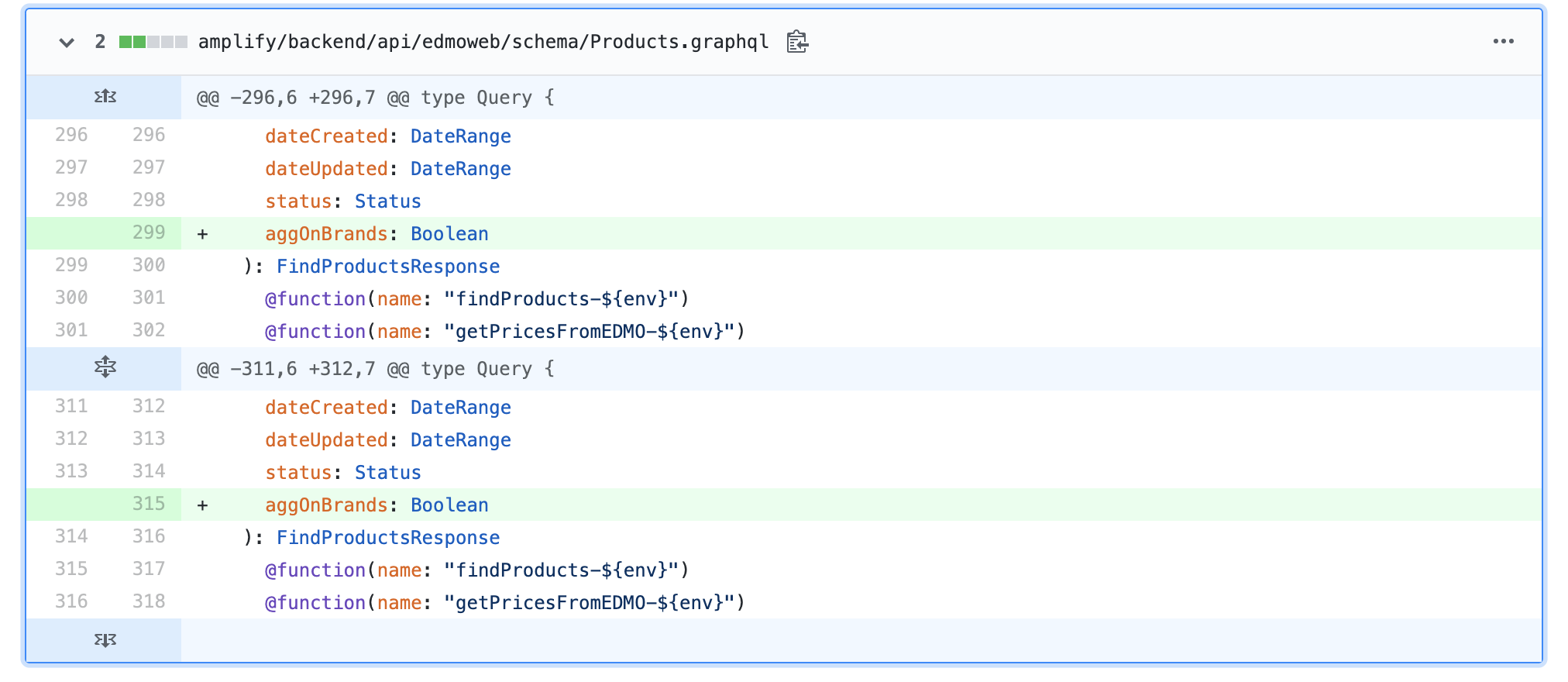
I'm wondering if it's possible that the stream arn got "de-synced" after troubleshooting the issue I'm having here: https://github.com/aws-amplify/amplify-cli/issues/3786
simeon-smith
on 1 May 2020
I'm curious, what is the timestamp on your stream arn, and if you know of anythign going on in your environment at at time ? Is it possible someone at one point disabled the stream and then tried to re-enable it? Re-enabling a stream will give it a different arn.
 RossWilliams
on 1 May 2020
RossWilliams
on 1 May 2020
Yeah, the time stamp definitely coincides with the troubleshooting and doesn't match the one in the CloudFront export. So probably what happened.
simeon-smith
on 1 May 2020
Is there a way to fix this?
simeon-smith
on 1 May 2020
This won’t be fun to fix, but it is doable. Plan and test in a different stack. I haven’t encountered this in years, so memory is foggy. One possible route: disconnect the ddb to es lambda, and maybe replace references with static values, then re connect the lambda and reference the stream by reference again. Or, blow away elasticsearch and then re-add and backfill data.
The DynamoDB console for streams isn’t obvious when you hit that stream button there is no going back!
RossWilliams
on 1 May 2020
Thanks, I'll start looking into those.
simeon-smith
on 1 May 2020
The fact that one button click can cause you to have to wipe out the elastic search and an entire database is a massive problem. It should not be this much of an issue to modify a variable.
simeon-smith
on 13 May 2020
Hi @simeon-smith
Thanks @RossWilliams for the suggestions.
@simeon-smith Does the above suggestions mentioned by @RossWilliams worked for you?
Let me know if you are still stuck on this?
akshbhu
on 21 May 2020
I was able to resolve it. However, it required me deleting an entire table, deleting the elastic search cache, recreating and restoring the data. This is quite a long process and causes down time for the site. This, and other things, makes amplify too unreliable to use as a production framework.
simeon-smith
on 21 May 2020
Hi @simeon-smith
Nice to know that it worked!
I can understand your frustration and we are actively working towards such issues so that customers do not have to face such unexpected situations.
akshbhu
on 21 May 2020
I was able to resolve it. However, it required me deleting an entire table, deleting the elastic search cache, recreating and restoring the data. This is quite a long process and causes down time for the site. This, and other things, makes amplify too unreliable to use as a production framework.
@simeon-smith thanks for your response. I'm stuck with the same issue, could you give more detailed steps of your solution so I can do that as well? I don't know how clearing elastic search cache works with amplify.
 ArshAulakh59
on 20 Jun 2020
ArshAulakh59
on 20 Jun 2020
You need to remove the resources from you GraphQL template entirely, do a push, and then add them back in. I used DataPipelines to backup the DynamoDB. @ArshAulakh59
simeon-smith
on 22 Jun 2020
Hey all,
I ran into this issue this evening, same root cause as original reporter: I manually disabled my stream, and when I re-enabled the ARN had changed.
I have a solution that doesn't require deleting tables, data, and/or removing @searchable directives, but it will require a bit of surgery in the console.
Background
When you add @searchable to an @model in your schema.graphql, what is happening behind the scenes is that Amplify CLI is creating a new stack with CloudFormation. This stack, probably named SearchableStack unless you did some extra config, is dependent upon one of the the Outputs from your @model's stack.
Specifically, SearchableStack is dependent on the @model's GetAtt${TableName}TableStreamArn output.
What has happened in our case is that we have manually disabled, and then re-enabled the DynamoDB stream, and the ARN has changed, but our CloudFormation stack doesn't know about it.
Further compounding the issue is the fact that we can't update the @model's stack (which would cause it to pull the new ARN and store it at GetAtt${TableName}TableStreamArn Output which is what SearchableStack is dependent on and would fix the problem, because SearchableStack is dependent on this value and needs to update at the same time.
The Solution
We need to edit SearchableStack's CloudFormation template, and hardcode the new @model's stream ARN.
Before
...
 "EventSourceArn": {
    "Fn::ImportValue": {
        "Fn::Join": [
            ":",
            [
                {
                    "Ref": "AppSyncApiId"
                },
                "GetAtt",
                "RoasterTable",
                "StreamArn"
            ]
        ]
    }
},
...
Affter
...
 "EventSourceArn": "arn:aws:dynamodb:us-east-1:0000000000:table/${TableName}/stream/${Timestamp}"
...
_Note: Your actual arn will differ from mine and will not include the ${} parts, those are there for clarity._
_Note: Please keep the old CloudFormation template saved, you'll need it later._
Once SearchableStack has update it, you can now update the @model stack (because SearchableStack is no longer dependent).
Update the @model stack (just add a tag so that you have a change but it doesn't do anything).
Once the @model stack updates, you will see the new stream ARN in the stack's output at the **GetAtt${TableName}TableStreamArn` key.
Now, go back to the SearchableStack, edit the CloudFormation template again, and put it back to what it was before.
Finally, get everything back to being managed by Amplify CLI (or Admin UI), by redeploying in the Admin UI or from the command line with: amplify push.
Clarifying Points
In my case, the @model stack was called RoasterTable for type Roaster @model @searchable... in my schema.graphql file.
It should be noted that both SearchableStack and your @model stack are both nested stacks. If you're having trouble finding it, it's because the "View nested" toggle is turned off in your console. Turn that on, and you should find your stacks.
Remember, only edit the nested stack, not the parent stack.
 zkwentz
on 17 Dec 2020
zkwentz
on 17 Dec 2020
Related issues
 amlcodes
·
3Comments
amlcodes
·
3Comments
 gabriel-wilkes
·
3Comments
gabriel-wilkes
·
3Comments
 MageMasher
·
3Comments
MageMasher
·
3Comments
 rehos
·
3Comments
rehos
·
3Comments
 davo301
·
3Comments
davo301
·
3Comments