Amplify-cli: Can't sign up with custom attribute of cognito by using Auth.signUp
Problem
Auth In aws-amplify and vue,
I found the documents as follows
I tried this but failed.
I found same issue as follows
2167
I try again but failed with the following error.
{
    code: "InvalidParameterException", name: "InvalidParameterException",
    message: "Attributes did not conform to the schema: custom:s…re_name: Attribute does not exist in the schema.↵"
}
Why did this error occured ?
 private get signUpParams () : SignUpParams {
    return {
      username: this.username,
      password: this.password,
      attributes: {
        email: this.email,
        family_name: this.familyName,
        given_name: this.givenName,
        'custom:store_name': this.storename
      }
    }
  }

  private handleSignUpClick () {
    const self = this
    Auth.signUp(self.signUpParams)
      .then(user => {
        return router.push('/verify')
      }).catch(err => {
        console.error(err)
      })
  }
Depencency
aws-amplify => 1.1.29
aws-amplify-vue => 0.2.12
 yukitaka13-1110
All 7 comments
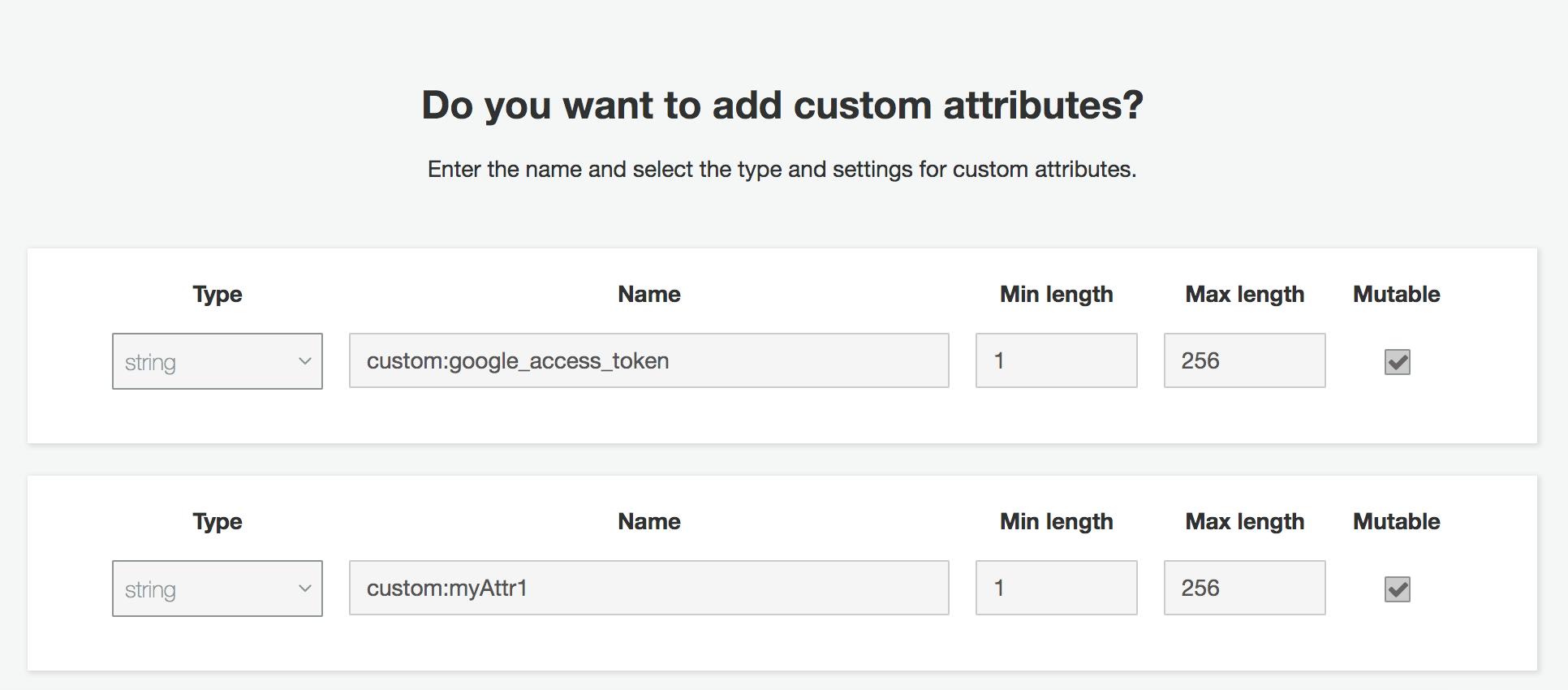
@yukitaka13-1110 Hi, you need to add the custom attribute into your user pool schema which is in the Cognito User Pool Console -> Attributes:
 powerful23
on 30 Jun 2019
powerful23
on 30 Jun 2019
Thank you for response !
I know the way to add custom attirbutes using cognito userpool console.
I want to add custom attribute schema using aws-amplify or amplify-cli because it is troublesome to set each time of deployment.
Is there a way to do this using amplify-js or amplify-cli ?
I think it is a function that everyone wants
yukitaka13-1110
on 30 Jun 2019
@yukitaka13-1110 you can do this by using amplify-js but this might be achieved by using cli(I'm not sure). I will transfer this issue to the cli repo.
powerful23
on 1 Jul 2019
Thank you for transfering !
yukitaka13-1110
on 2 Jul 2019
@yukitaka13-1110 I beleive you have another thread where you were able to figure out how to add custom attributes to your user-pool cloudformation configurations on create. Closing this issue for now. Feel free to re-open if you've further questions.
 kaustavghosh06
on 3 Jul 2019
kaustavghosh06
on 3 Jul 2019
@kaustavghosh06 I could do it. Thank you so mush !
yukitaka13-1110
on 3 Jul 2019
I have added the custom attributes, but it failed to signUp with my attributes value.
I am using aws-amplify-react-native package.
Here I need to change only the UI for signUp. But the functionality of the screen is same as the default signUp screen.
I have used Auth.signUp method to make the signUp, but it failed to signUP.
Anyone can clarify this. Attributes did not conform to the schema: name: The attribute is required\n
Auth.signUp({
            username: this.state.email,
            password: this.state.password,
            attributes: {email: this.state.email},
        })
Note: My default screens works fine before. Customized UI is not working.
 nihp
on 8 Apr 2020
nihp
on 8 Apr 2020
Related issues
 gabriel-wilkes
·
3Comments
gabriel-wilkes
·
3Comments
 YikSanChan
·
3Comments
YikSanChan
·
3Comments
 zjullion
·
3Comments
zjullion
·
3Comments
 darrentarrant
·
3Comments
darrentarrant
·
3Comments
 nicksmithr
·
3Comments
nicksmithr
·
3Comments
Most helpful comment
I have added the custom attributes, but it failed to signUp with my attributes value.
I am using aws-amplify-react-native package.
Here I need to change only the UI for signUp. But the functionality of the screen is same as the default signUp screen.
I have used Auth.signUp method to make the signUp, but it failed to signUP.
Anyone can clarify this. Attributes did not conform to the schema: name: The attribute is required\n
Note: My default screens works fine before. Customized UI is not working.