Amphtml: AMP Carousel 0.2 (and 0.1) showing 1 pixel of previous slide in type=slides
What's the issue?
We're using amp-carousel and have been noticing that in some brower viewport sizes that a portion of the previous slide image is displaying within the visible slide container.
I created a GIF detailing the experience at https://cl.ly/8ee465be9fcb using the iOS simulator tool and our designer submitted a screenshot https://cl.ly/f845a564e11c.
How do we reproduce the issue?
An example can be found at https://cdpn.io/conwaydev/debug/1ead27c133f85bb192a2f3ab9a011f96#development=1 (and code at https://codepen.io/conwaydev/pen/1ead27c133f85bb192a2f3ab9a011f96?editors=1000). Its not super consistent but I can reproduce when resizing my browser.
What browsers are affected?
All browsers
Which AMP version is affected?
AMP ⚡ HTML – Version 1909181902540
 conwaydev
All 8 comments
For the time being we've found a hacky workaround by including
.amp-carousel-slide:nth-child(1n) {
  margin-left: -1px;
}
within our CSS, but you can see even in the top example of the provided prototype you see a portion of the previous slide being displayed.
conwaydev
on 25 Sep 2019
Taking a look in Safari's devtools and hovering over the carousel element, it thinks the carousel is the right size, but it seems to have a difference between the size that it thinks it is and the size that is actually painted.
This issue seems to have to do with fractional widths having some sort of off-by-one / rounding error in rendering compared to how overflow: hidden is calculated. This may be unique to scrolling containers, some more testing is needed there.
In the example, if you change the padding-left / padding-right from 0.66667rem; to something like 8px, the browser seems to lay things out correctly on the right/left edge (you may need to refresh the page, or scroll or do something to get the browser to repaint after changing the CSS) .
 sparhami
on 25 Sep 2019
sparhami
on 25 Sep 2019
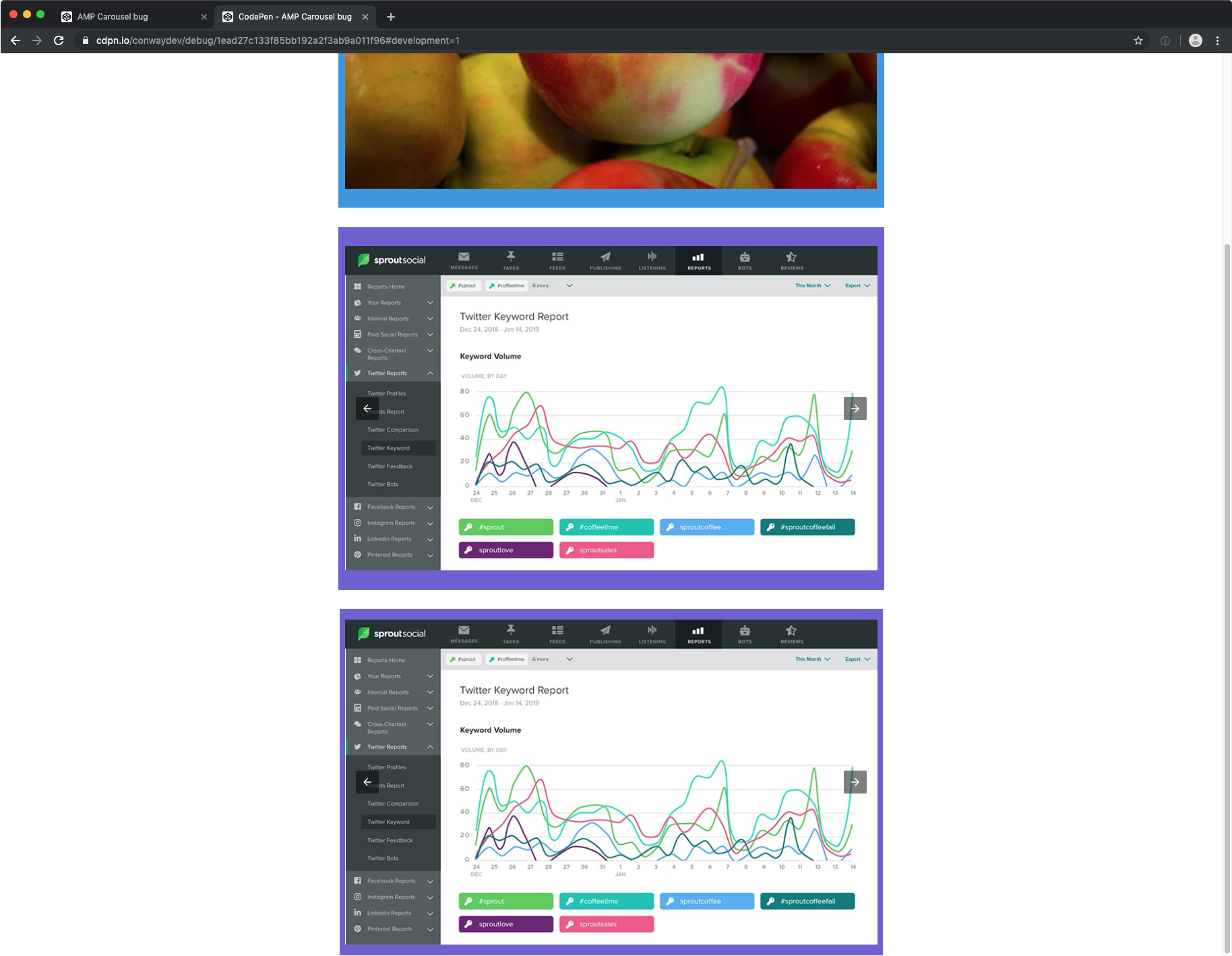
@sparhami so I don't think thats it as I'm also seeing it in chrome, as well as updating it to use pixels for padding (example updated at: https://cdpn.io/conwaydev/debug/1ead27c133f85bb192a2f3ab9a011f96#development=1 where the bottom example now uses pixels)
conwaydev
on 26 Sep 2019
I'm fairly certain this is the same issue as https://bugs.chromium.org/p/chromium/issues/detail?id=931455
which is really:
https://bugs.chromium.org/p/chromium/issues/detail?id=414283
The underlying code may predate the split off of Blink from Webkit, so I wouldn't be surprised that is why both Chrome and Safari see the issue. As in the case with this bug and the one I linked to, it does not occur in Firefox.
My reading of the bug comments is that this is something they would like to fix at some point but it sounds like it is a very large task.
sparhami
on 26 Sep 2019
The bug seems to happen on Chrome with fractional widths as well. In your above example, this is due to the following CSS rule:
.mw900 {
  max-width: 49.33333rem;
}
If you change it to a whole value (e.g. 49 rem), you won't see the issue.
sparhami
on 26 Sep 2019
After reading the bug again, it seems like this might be actually close to landing in Chrome. It seems like there was a performance regression that is blocking it however.
If I enable the flag for fractional offsets in Chrome Beta (currently Chrome 78), chrome://flags/#fractional-scroll-offsets, I do not see the issue no matter how I resize. With the flag disabled, I do see the issue.
Looking at the spec, it looks like the scroll positions should now support fractional values.
From my reading of https://trac.webkit.org/changeset/168868/webkit, it seems like Safari should support fractional values, but I can't seem to get it to work from my local testing.
sparhami
on 26 Sep 2019
Looking at Webkit's Element definition, it looks like scrollLeft is currently not a floating point value: https://trac.webkit.org/browser/webkit/trunk/Source/WebCore/dom/Element.idl?rev=244582#L82. The code references the following tracking bug: https://bugs.webkit.org/show_bug.cgi?id=188045.
However, the scrollTo and scrollBy methods seem to take a double: https://trac.webkit.org/browser/webkit/trunk/Source/WebCore/dom/Element.idl?rev=244582#L78. I think we might be able to work around this using scrollBy instead of reading/writing the scroll position.
sparhami
on 30 Sep 2019
After some testing, I have not had any luck with using scrollTo or scrollBy on Safari with floating point values.
sparhami
on 1 Oct 2019
Related issues
 cvializ
·
3Comments
cvializ
·
3Comments
 aghassemi
·
3Comments
aghassemi
·
3Comments
 Download
·
3Comments
Download
·
3Comments
 jpettitt
·
3Comments
jpettitt
·
3Comments
 devanes
·
3Comments
devanes
·
3Comments